00193687-06_Installation SIPLACE Explorer2.1_DE.pdf - 第45页
Installations- und Konfigurationsanleitung SIPLAC E Explorer 3 Installation des SIPLACE Explorer Ausgabe 11/2006 DE 3.1 Erstinstallation von SIPLACE Explorer 2.1 45 → Lesen Sie die Lizenzbestimm ungen. Wenn Sie zustimme …
3 Installation des SIPLACE Explorer Installations- und Konfigurationsanleitung SIPLACE Explorer
3.1 Erstinstallation von SIPLACE Explorer 2.1 Ausgabe 11/2006 DE
44
3
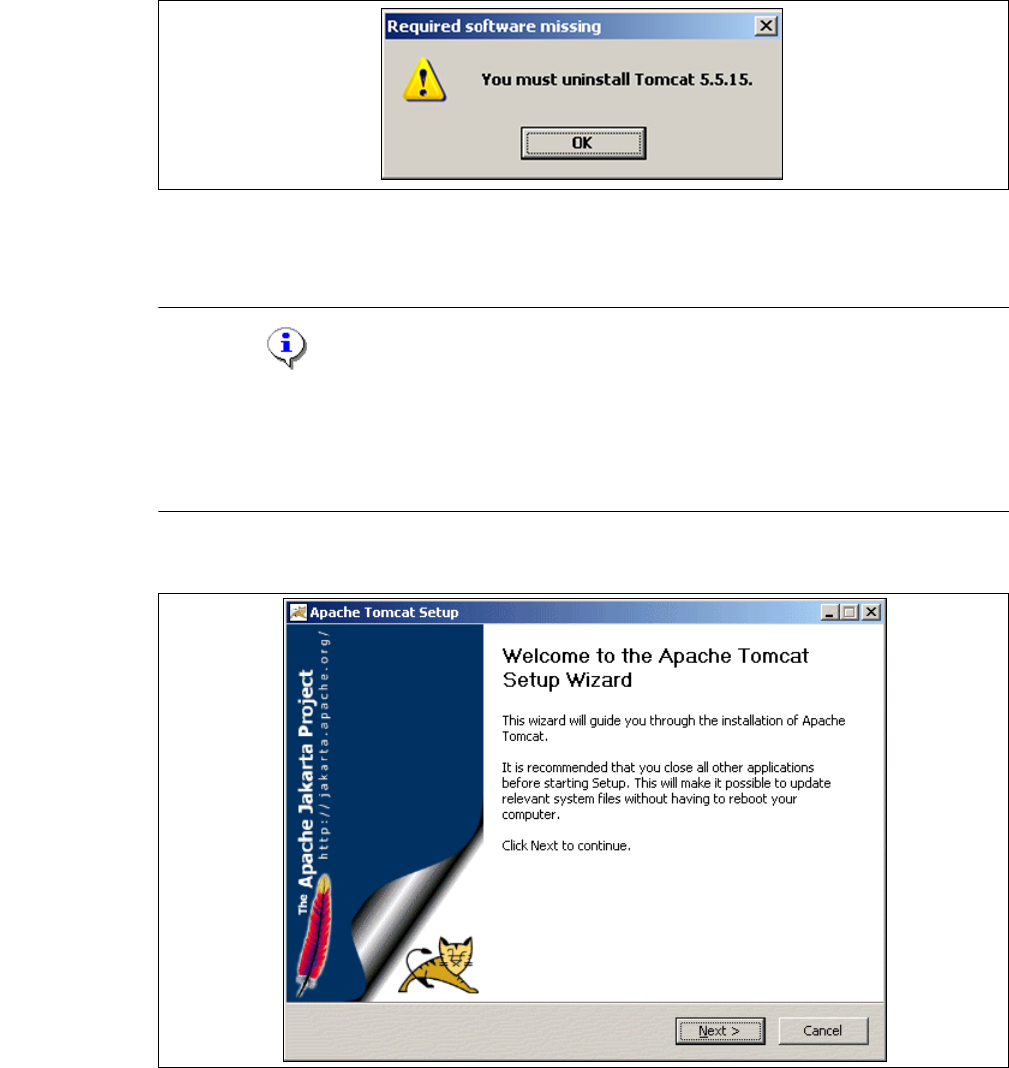
Abb. 3 - 24 Bundled Web Server - Required software missing
3.1.3.1 Bundled Web Server Installation - Tomcat 5.5.9
HINWEIS
Bevor Sie Tomcat 5.5.9 installieren können, müssen Sie alle Versionen < 5.5.9 von Tomcat
unbedingt deinstallieren. Verwenden Sie dazu das Deinstallationsprogramm von Apache Tomcat.
Starten Sie dieses über das Windows-Menü
Start → Programs → Apache Tomcat 5.5 → Uninstall Tomcat. 3
→ Die benutzergeführte Installation von Tomcat wird gestartet.
3
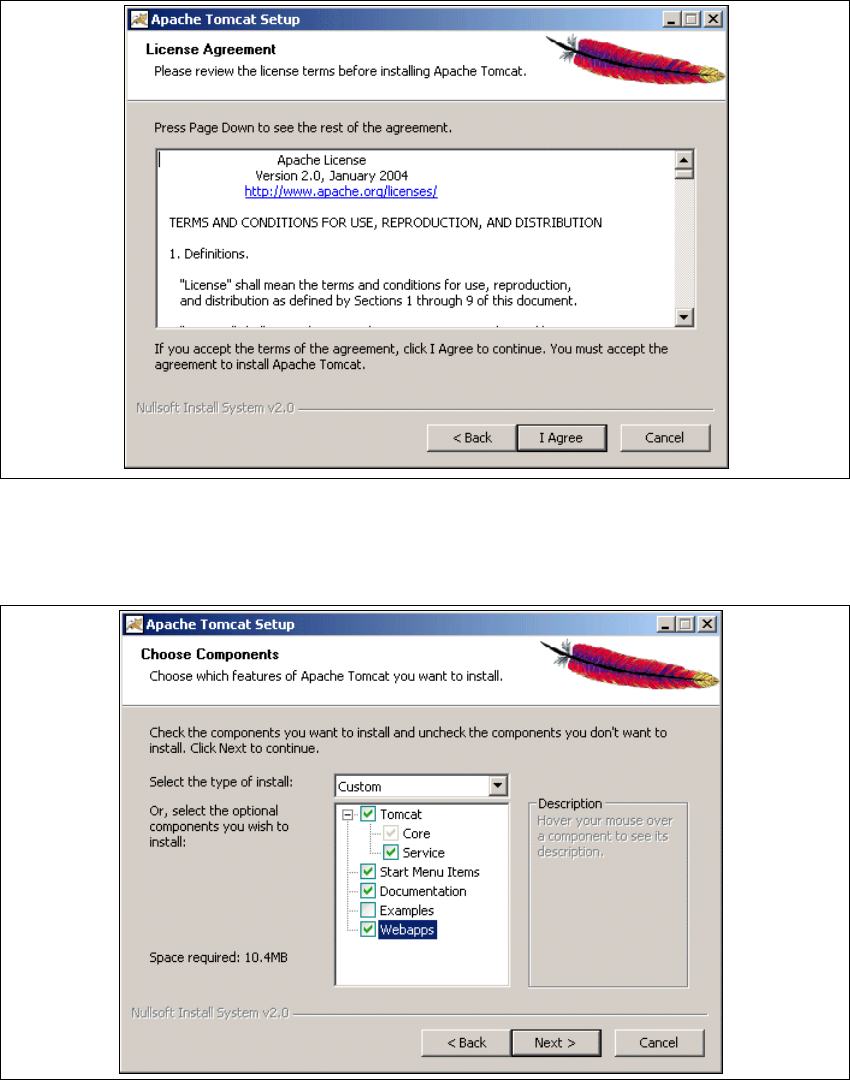
Abb. 3 - 25 Apache Tomcat Setup - Welcome Screen
→ Beenden Sie alle anderen Programme und klicken Sie dann auf Next (Weiter). Das
Dialogfenster License Agreement wird geöffnet.
Installations- und Konfigurationsanleitung SIPLACE Explorer 3 Installation des SIPLACE Explorer
Ausgabe 11/2006 DE 3.1 Erstinstallation von SIPLACE Explorer 2.1
45
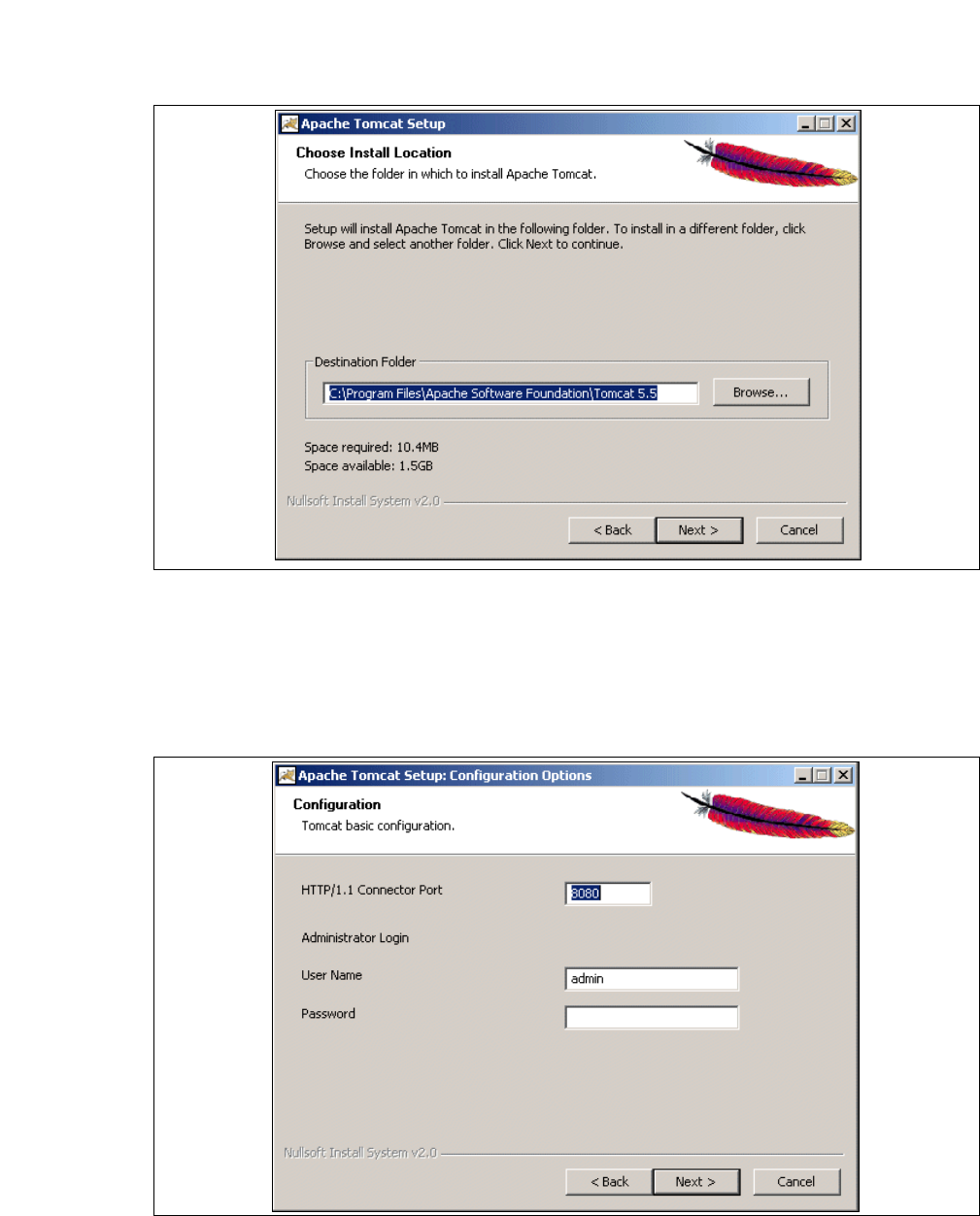
→ Lesen Sie die Lizenzbestimmungen. Wenn Sie zustimmen, I Agree anklicken, ansonsten
Cancel. Wenn Sie Cancel anklicken, wird die Installation beendet.
3
Abb. 3 - 26 Apache Tomcat Setup - Lizenzvereinbarungen
→ Das Dialogfenster Choose Components wird geöffnet.
→ Wählen Sie jetzt die Komponenten aus, die Sie installieren möchten.
3
Abb. 3 - 27 Apache Tomcat Setup - Auswahl der Komponenten
→ Wählen Sie als Installationstyp Custom aus.
3 Installation des SIPLACE Explorer Installations- und Konfigurationsanleitung SIPLACE Explorer
3.1 Erstinstallation von SIPLACE Explorer 2.1 Ausgabe 11/2006 DE
46
→ Klicken Sie unter Tomcat die Option Service an. Klicken Sie auf Next (Weiter). Das
Dialogfenster Choose Install Location wird geöffnet.
→ Geben Sie jetzt den Ordner an, in dem Sie die Anwendung installieren möchten.
3
Abb. 3 - 28 Apache Tomcat Setup - Zielordner wählen
→ Sie können die Standardeinstellung durch Betätigung der Schaltfläche Browse (Durchsuchen)
verändern.
→ Klicken Sie auf Next (Weiter). Das Dialogfenster Configuration wird geöffnet.
→ Geben Sie jetzt die Portnummer und die Zugangsdaten für den Administrator für Tomcat an.
3
Abb. 3 - 29 Apache Tomcat Setup - Konfiguration