00198505-01_SM_SIPLACE_SmartFeeder_EN.pdf - 第142页
8 Repairs to SmartFeeder 2x8 mm X 8.6 Splice sensor / dummy 142 Service Manual SIPLACE SmartFeeder 4 - 104 mm X 11/2017 8.6 Splice sensor / dummy NOTICE A dummy splice sensor or two splice sensors The feeder module must …
8 Repairs to SmartFeeder 2x8 mm X
8.5 Pickup window
Service Manual SIPLACE SmartFeeder 4 - 104 mm X 11/2017 141
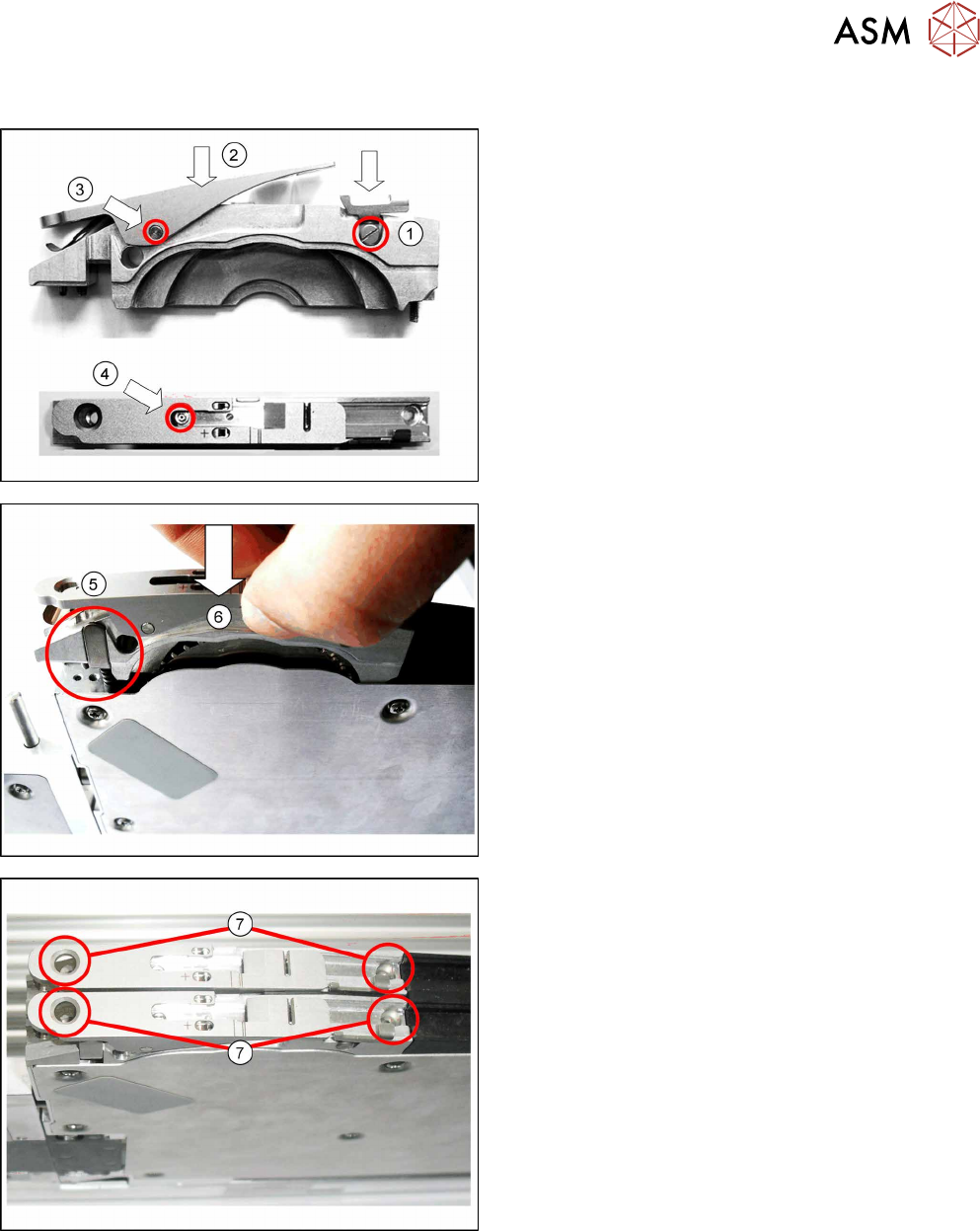
8.5.2 Fitting the pickup window
► Insert the rocker lever and fix it into place with the
marked collar screw.(1)
► Fit the pickup window onto the tape duct from
above.(2)
► Push the axis into the tape duct and fix this into
place.(3)
► Use the fitting screw to fix the pickup window to
the tape duct.(4)
► Insert the pressure spring and then the pressure
bracket on it.(5)
► Insert the pickup window and tape duct as
shown.(6)
► Use the 2 marked screws (with which the pickup
window was previously fastened) to fasten the
pickup window and tape duct.(7)
8 Repairs to SmartFeeder 2x8 mm X
8.6 Splice sensor / dummy
142 Service Manual SIPLACE SmartFeeder 4 - 104 mm X 11/2017
8.6 Splice sensor / dummy
NOTICE
A dummy splice sensor or two splice sensors
The feeder module must always be fitted with either one dummy splice sensor or two splice
sensors.
To fasten the splice sensors, you need 2 screws: the dummy sensor only needs one.
CAUTION
Electrostatic charge
When removing and fitting the splice sensor, observe the currently applicable ESD
guidelines.
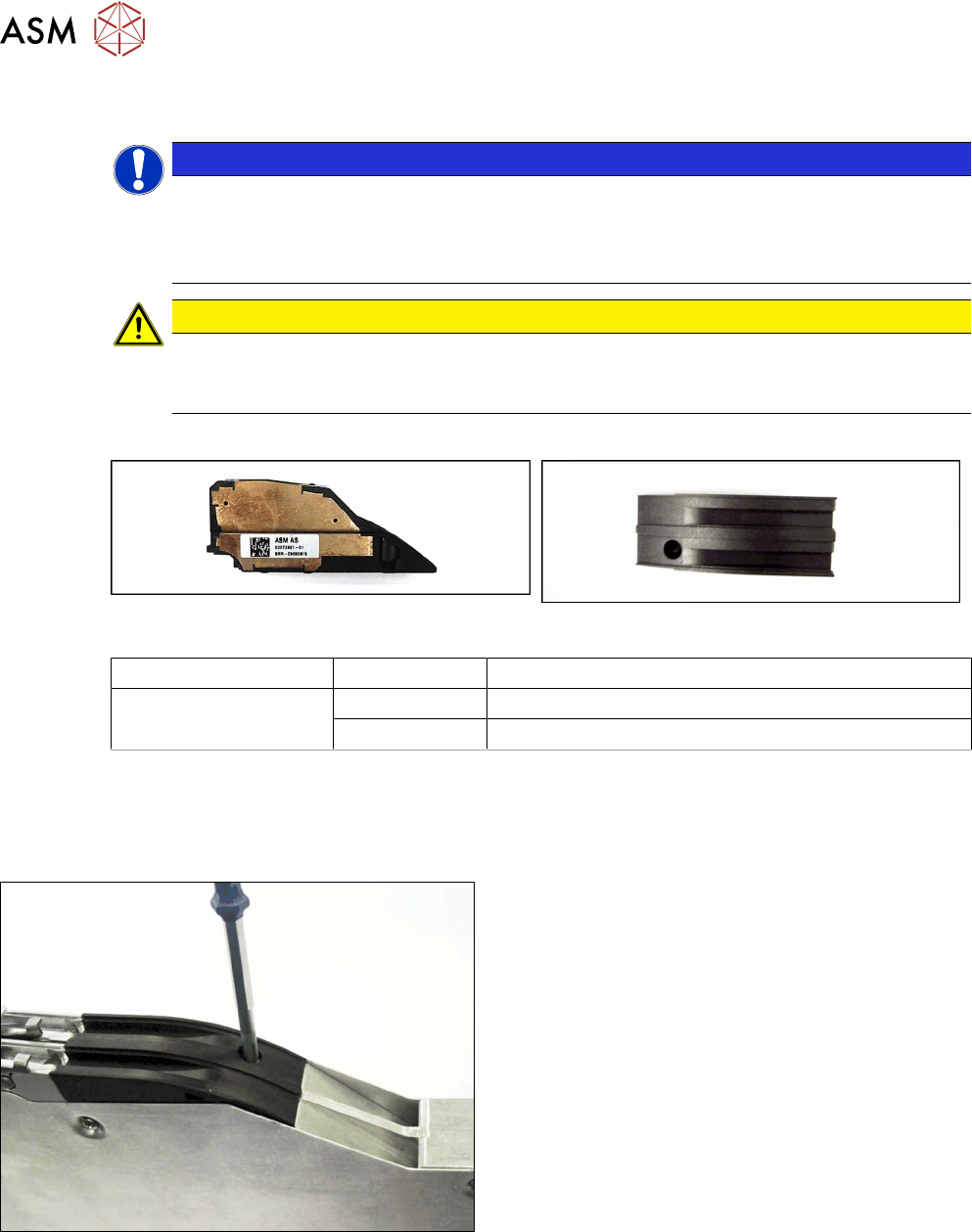
Required spare part
Splice sensor X2x8 Dummy splice sensor X2x8
Feeder module Item no. Designation
SmartFeeder 2x8mmX 03072661-xx Splice sensor X2x8
03072924-xx Dummy splice sensor X2x8
Required tools
●
Phillips screwdriver
8.6.1 Removing the Dummy Splice Sensor
► Place the feeder module down on a stable sur-
face e.g. a single slot EDIF or place the feeder
module on a level and clean surface.
► Loosen the screw fastening the dummy sensor.
Use a Phillips screwdriver for this.
8 Repairs to SmartFeeder 2x8 mm X
8.6 Splice sensor / dummy
Service Manual SIPLACE SmartFeeder 4 - 104 mm X 11/2017 143
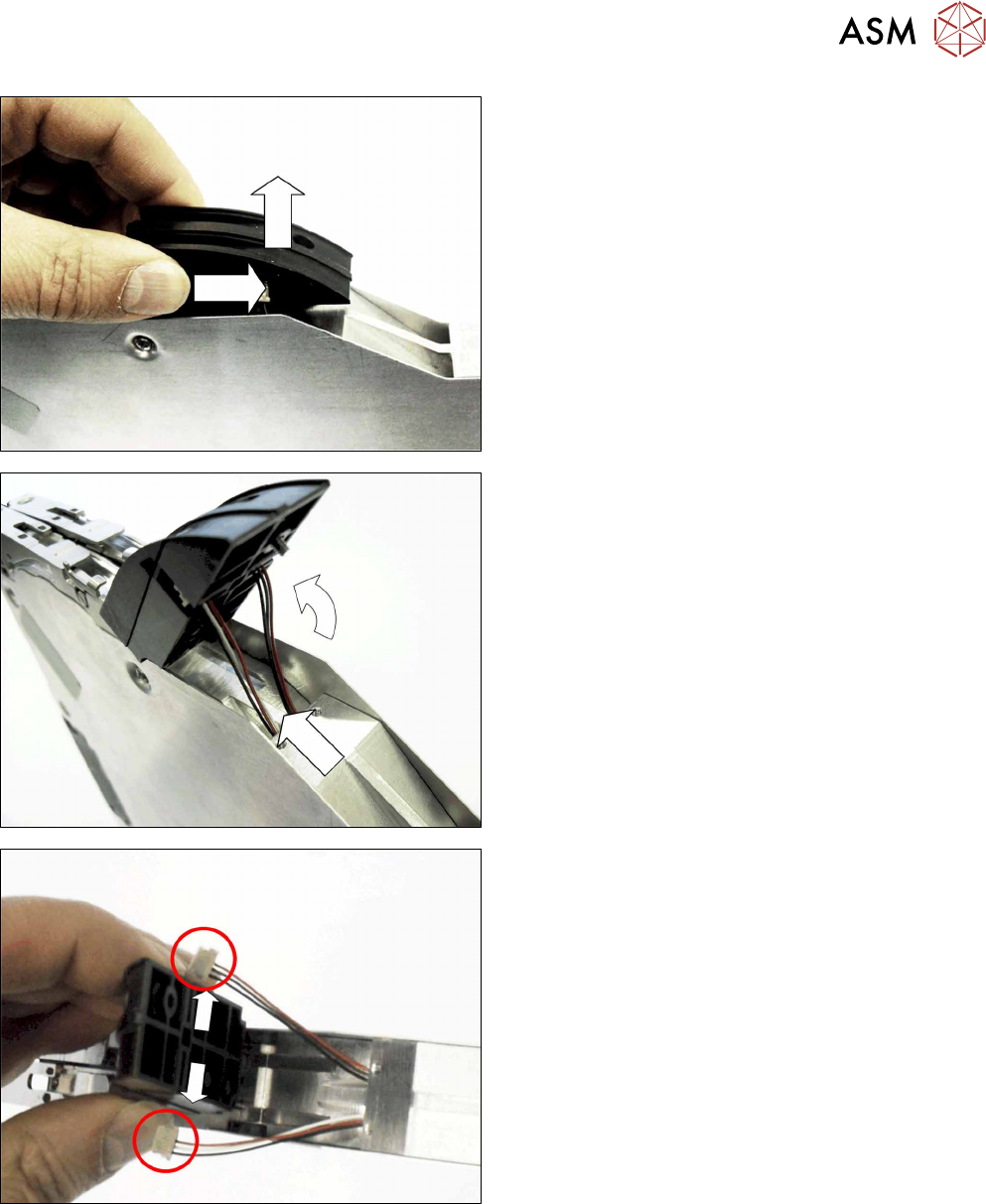
► Push the dummy sensor approx. 2 mm horizont-
ally to the right.
► Carefully lift the dummy sensor.
Make sure that the two connection lines inserted
into the dummy sensor are not damaged.
► Carefully swing the dummy sensor upwards.
► Pull the cable about 4 cm out of the base unit of
the feeder module.
► Push the connectors of the two cables out to
each side, out of the dummy sensor guidance.
► Remove the dummy sensor.