00198505-01_SM_SIPLACE_SmartFeeder_EN.pdf - 第177页
8 Repairs to SmartFeeder 2x8 mm X 8.15 Handle assembly with control panel Service Manual SIPLACE SmartFeeder 4 - 104 mm X 11/2017 177 8.15 Handle assembly with control panel NOTICE You must replace the whole assembly The…
8 Repairs to SmartFeeder 2x8 mm X
8.14 Leaf spring
176 Service Manual SIPLACE SmartFeeder 4 - 104 mm X 11/2017
8.14 Leaf spring
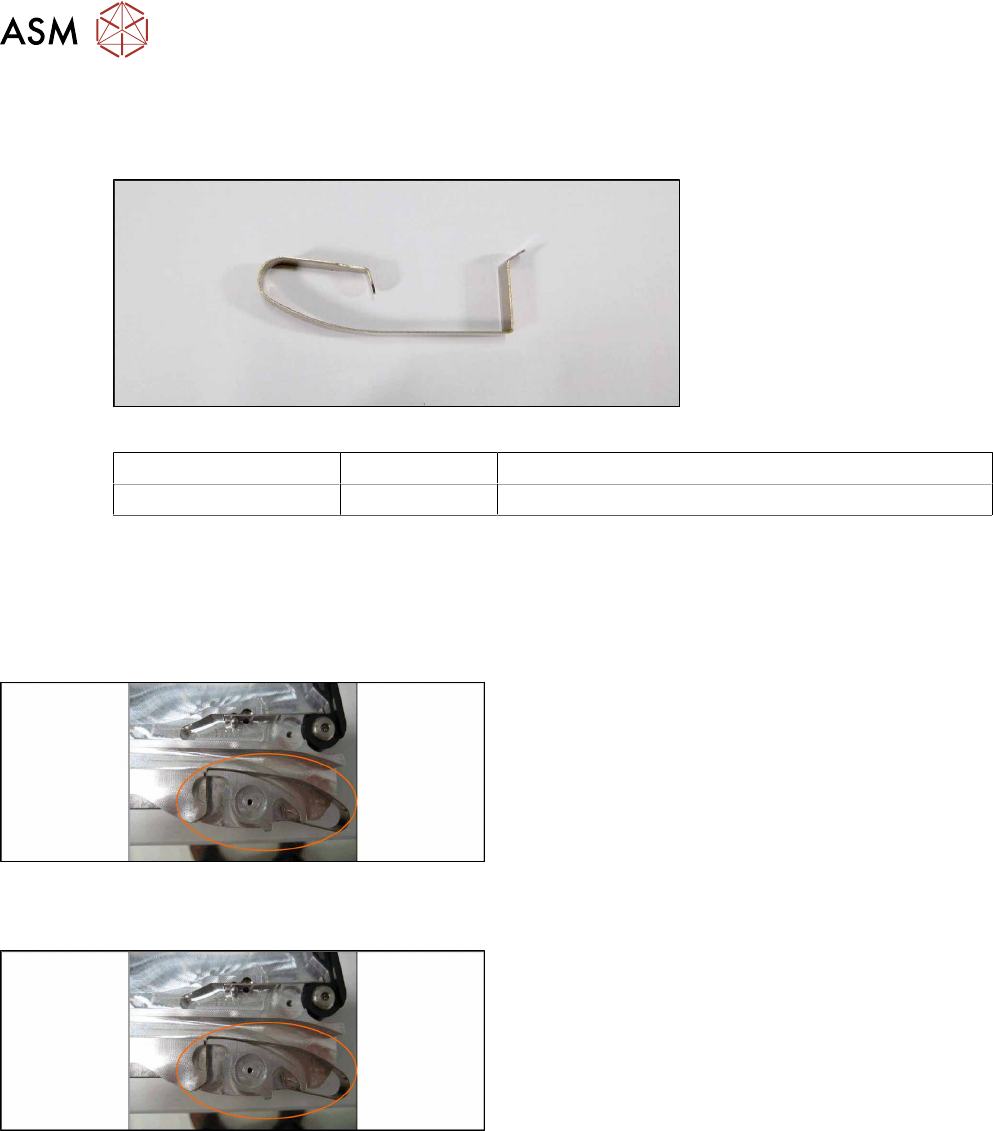
Required spare part
Fig.61: Leaf spring tape infeed
Feeder module Item no. Designation
SmartFeeder 2x8mmX 03071618-xx Leaf spring tape infeed /X2x8 PT V1
Required tools
●
Phillips screwdriver
●
TORX screwdriver size T8
8.14.1 Removing the Leaf Spring Infeed
► Place the feeder on a stable, level and clean sur-
face.
► Depending on which leaf spring is damaged, re-
move either the left or right side cover (see 8.3.1
"Removing the Left Side Cover" [}135], 8.3.3
"Removing the Right Side Cover" [}136]).
► Lift the leaf spring straight up and out of the hold-
ing device.
8.14.2 Fitting the Leaf Spring Infeed
► Insert the leaf spring vertically (from above) into
the holding device.
► Ensure the leaf spring is sitting correctly.
► Fasten the left or right side cover (see 8.3.2 "Fit-
ting the Left Side Cover" [}136], 8.3.4 "Fitting the
Right Side Cover" [}137]).
8 Repairs to SmartFeeder 2x8 mm X
8.15 Handle assembly with control panel
Service Manual SIPLACE SmartFeeder 4 - 104 mm X 11/2017 177
8.15 Handle assembly with control panel
NOTICE
You must replace the whole assembly
The individual assemblies (e.g. board or cover foil) are attached to the base unit of the
handle with adhesive and cannot be replaced individually. The handle must be replaced as
a complete unit.
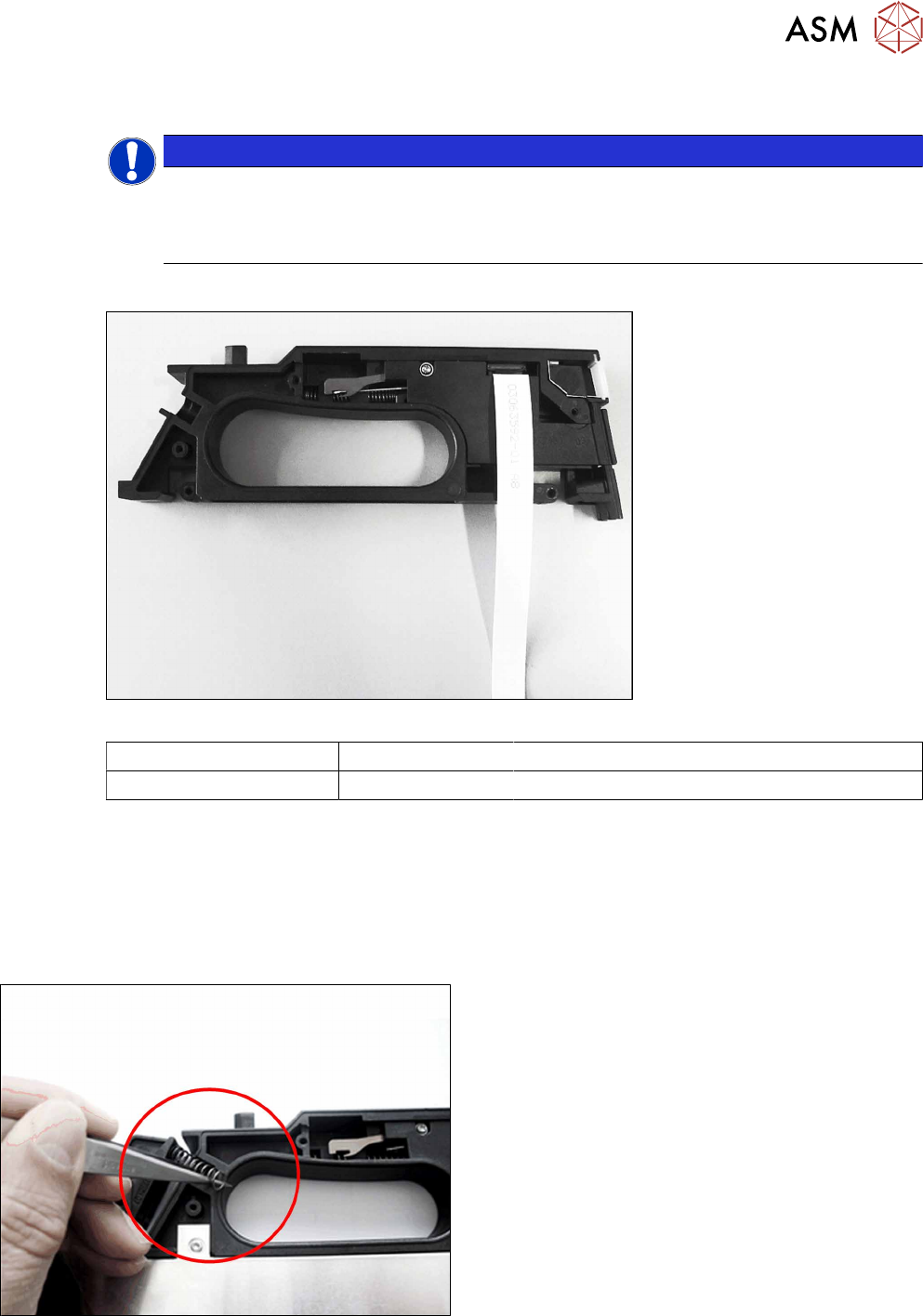
Required spare part
Fig.62: Handle assembly
Feeder module Item no. Designation
SmartFeeder 2x8mmX 03072432Sxx Handle X2x8 (prefitted with flat ribbon cable)
Required tools
●
Phillips screwdriver 0.6Nm
●
TORX screwdriver size T8, 0.6Nm
●
Tweezers
8.15.1 Removing the handle assembly
► Remove the left and right side cover (see 8.3.1
"Removing the Left Side Cover" [}135] and 8.3.3
"Removing the Right Side Cover" [}136]).
► Remove the two pressure springs from the rock-
ers.
8 Repairs to SmartFeeder 2x8 mm X
8.15 Handle assembly with control panel
178 Service Manual SIPLACE SmartFeeder 4 - 104 mm X 11/2017
► Carefully place the feeder module on its right
side.
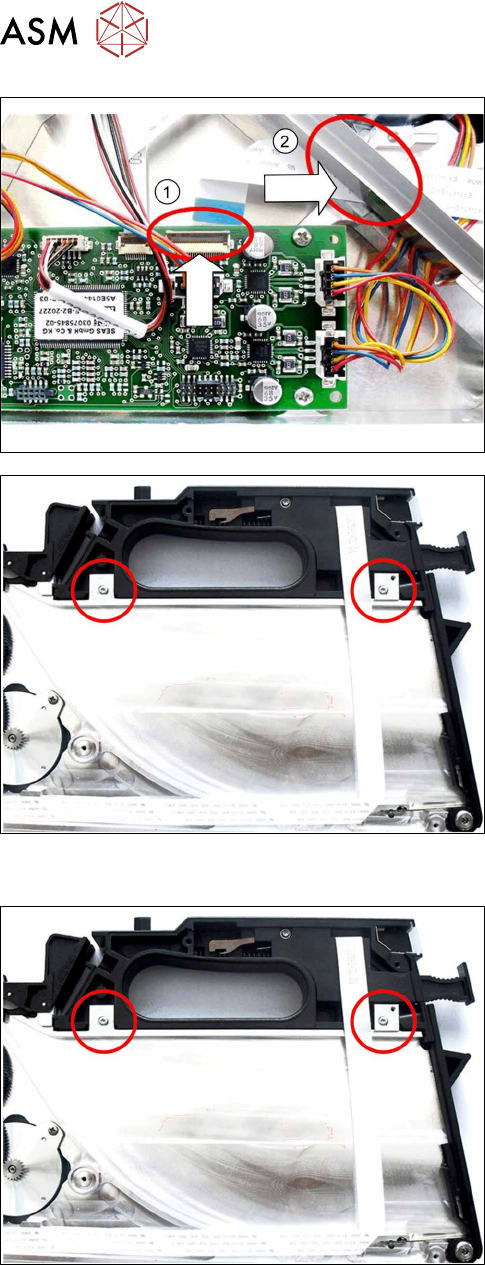
► Open the bar on the flat ribbon connection on the
control board.(1)
► Unplug the flat ribbon cable form the connection.
► Carefully pull the flat ribbon cable completely out
through the feedthrough on the tape duct. (2)
► Carefully pull the flat ribbon cable off the adhes-
ive points.
► Remove the two screws marked in the diagram,
which are fastening the handle.
► Stand the feeder module up.
► Open the foil disposal flap.
► Push the handle up to the right-hand side and out
of the feeder module frame.
► Close the foil container flap.
8.15.2 Fitting the handle assembly
► Stand the feeder module up.
► Open the foil disposal flap.
► Push the handle from the right-hand side, as far
as the stop in the feeder module frame.
► Close the foil container flap.
► Place the feeder module carefully down on its
right side.
► Fasten the handle using the two marked (see dia-
gram) screws with 0.6Nm.