00198505-01_SM_SIPLACE_SmartFeeder_EN.pdf - 第180页
8 Repairs to SmartFeeder 2x8 mm X 8.16 Control board 180 Service Manual SIPLACE SmartFeeder 4 - 104 mm X 11/2017
8 Repairs to SmartFeeder 2x8 mm X
8.16 Control board
Service Manual SIPLACE SmartFeeder 4 - 104 mm X 11/2017 179
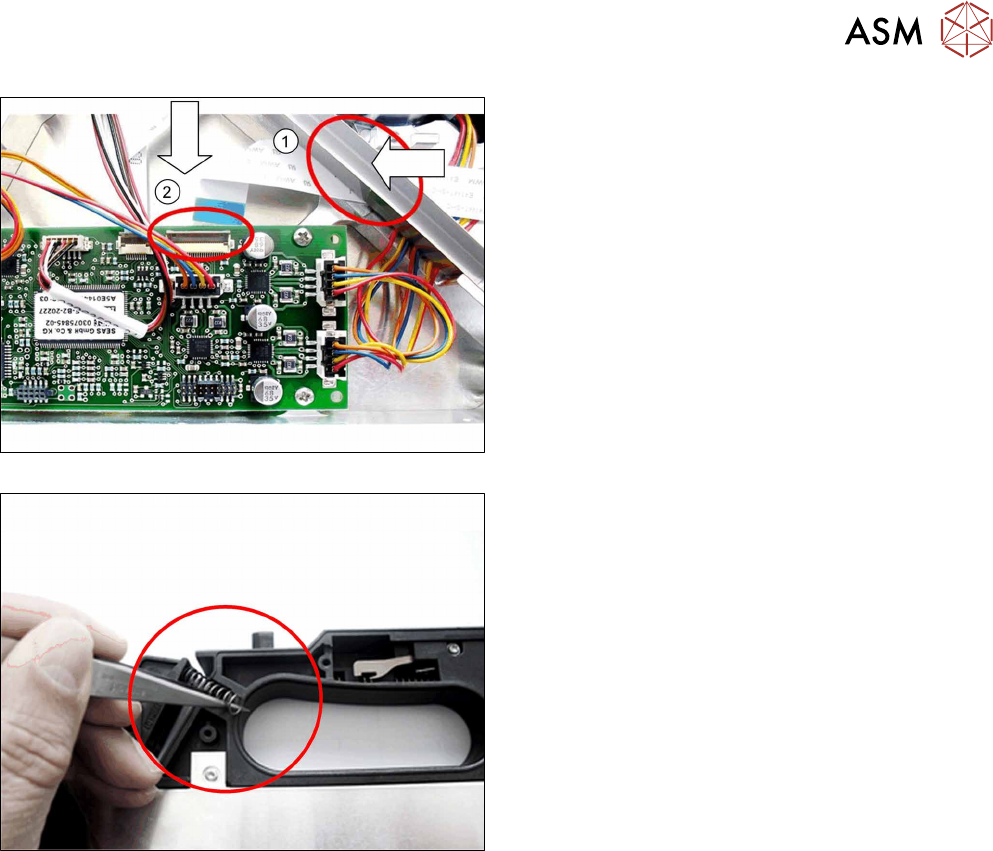
► Fold the flat ribbon cable in exactly the same way
as the old cable.
► Run the cable and press it into the cable duct and
onto the double-sided adhesive tape. Replace
the adhesive tape if required.
► Carefully insert the flat ribbon cable completely
through the feedthrough on the tape duct.(1)
When running the cable, make sure that the blue
side points upwards at the end of the cable.
► Insert the end of the flat ribbon cable (with the
blue side pointing upwards) as far as the stop in
the marked flat ribbon connection on the control
board. (2)
► Close the connection and make sure that the
cable is firmly fitted.
► Fit the two pressure springs into the rockers.
► Fasten the left and the right side covers (see .
(see 8.3.2 "Fitting the Left Side Cover" [}136]
and 8.3.4 "Fitting the Right Side Cover" [}137]).
8.16 Control board
The control board for the SmartFeeder 2x8mmX is not available as a spare part, because the cali-
bration data for the pickup position are saved in the EEPROM of this board.
A new calibration of the pickup position is therefore only possible at the final inspection point of the
feeder module production at ASM.

8 Repairs to SmartFeeder 2x8 mm X
8.16 Control board
180 Service Manual SIPLACE SmartFeeder 4 - 104 mm X 11/2017
9 Repairs to SmartFeeder 12 mm X / 16 mm X
9.1 Front sliding guide/sliding foil
Service Manual SIPLACE SmartFeeder 4 - 104 mm X 11/2017 181
9 Repairs to SmartFeeder 12 mm X / 16 mm X
Feeder module Item no. Description
SmartFeeder 12mmX 00141371- xx
00141391-xx
SIPLACE SmartFeeder 12mm X
SIPLACE SmartFeeder 12mm X splice sensor
SmartFeeder 16mmX 00141372- xx
00141392-xx
SIPLACE SmartFeeder 16mm X
SIPLACE SmartFeeder 16mm X splice sensor
9.1 Front sliding guide/sliding foil
Required spare part
Fig.63: Sliding foil
Feeder module Item no. Designation
SmartFeeder 12mm X
SmartFeeder 16mm X
03019604Sxx Sliding foil, X-feeder JUM-S-06LY
Required tools
●
Sliding foil remover
9.1.1 Removing the Sliding Foil
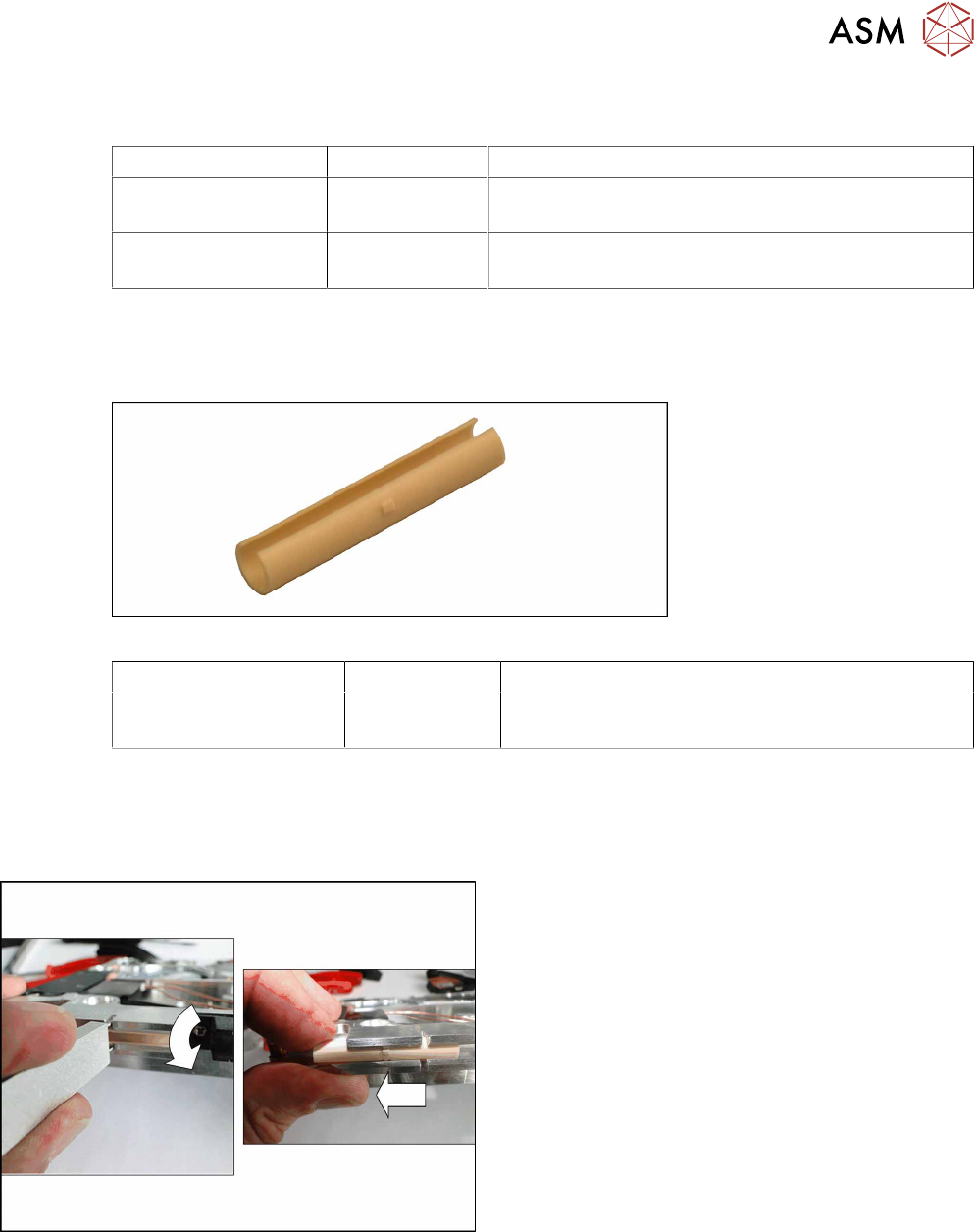
► Place the feeder module carefully down on its
side, onto a stable, level and clean surface.
► Place the sliding foil remover into the sliding
guide, as shown in the diagram.
► Lever the sliding foil out of the engaged position.
► Pull the sliding foil out of the sliding guide, to-
wards the front.