00198505-01_SM_SIPLACE_SmartFeeder_EN.pdf - 第223页
9 Repairs to SmartFeeder 12 mm X / 16 mm X 9.12 Leaf Spring Service Manual SIPLACE SmartFeeder 4 - 104 mm X 11/2017 223 9.12.1 Removing the Leaf Spring ► Carefully place the feeder module with the left side down on a sta…
9 Repairs to SmartFeeder 12 mm X / 16 mm X
9.12 Leaf Spring
222 Service Manual SIPLACE SmartFeeder 4 - 104 mm X 11/2017
9.11.2 Fitting the Blade
► Use a pair of tweezers to insert the blade.(1)
Attention:
the blade is very sharp.
► Screw the blade tight.(2)
Use an RF2.5x6 screw and a size 8 TORX
screwdriver with 0.6Nm for this.
► Close the flap.
9.12 Leaf Spring
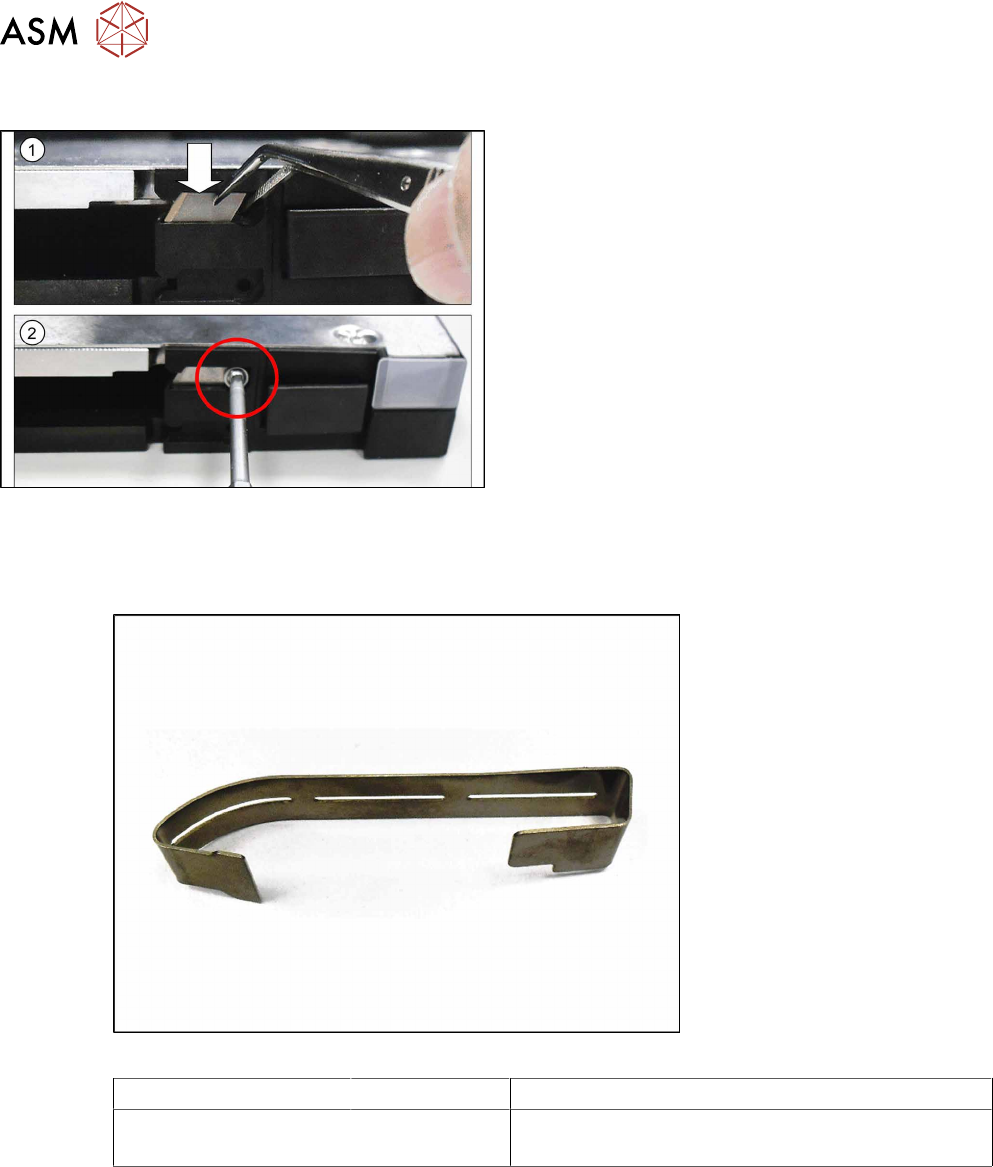
Required spare part
Fig.81: Leaf spring
Feeder module Item no. Designation
SmartFeeder 12mmX
SmartFeeder 16mm X
03082505Sxx Leaf spring tape infeed X12/X16 V2
Required tools
●
Phillips screwdriver 0.6Nm
●
TORX screwdriver 0.6Nm, size T8
●
Flat or universal pliers
9 Repairs to SmartFeeder 12 mm X / 16 mm X
9.12 Leaf Spring
Service Manual SIPLACE SmartFeeder 4 - 104 mm X 11/2017 223
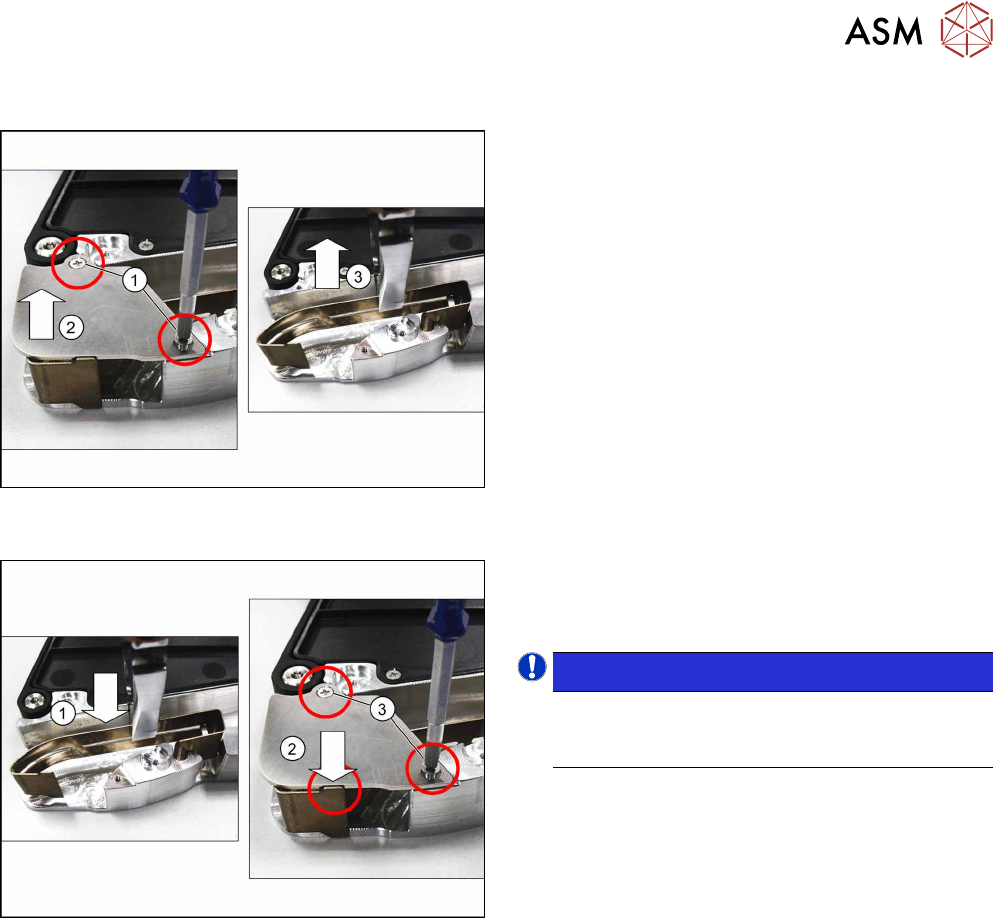
9.12.1 Removing the Leaf Spring
► Carefully place the feeder module with the left
side down on a stable, level and clean surface.
► Remove the right side cover (see 9.3.3 "Remov-
ing the Right Side Cover" [}184])
► Remove the two marked screws.(1)
► Remove the support plate.(2)
► Use a pair of pliers to pull the leaf spring up and
out of the feeder module.(3)
9.12.2 Fitting the Leaf Spring
► Insert the leaf spring into the feeder module as
shown.(1)
► Fit the support plate.(2)
NOTICE!
Make sure that the end of the leaf spring is
not caught by the support plate and can be
moved freely in a downwards direction.
.
► Fasten the support plate with the two marked
screws. Use a Phillips screwdriver with 0.6 Nm
for this.
► Fasten the right side cover (see9.3.4 "Fitting the
Right Side Cover" [}185] ).
9 Repairs to SmartFeeder 12 mm X / 16 mm X
9.13 Handle Assembly with Operating Panel
224 Service Manual SIPLACE SmartFeeder 4 - 104 mm X 11/2017
9.13 Handle Assembly with Operating Panel
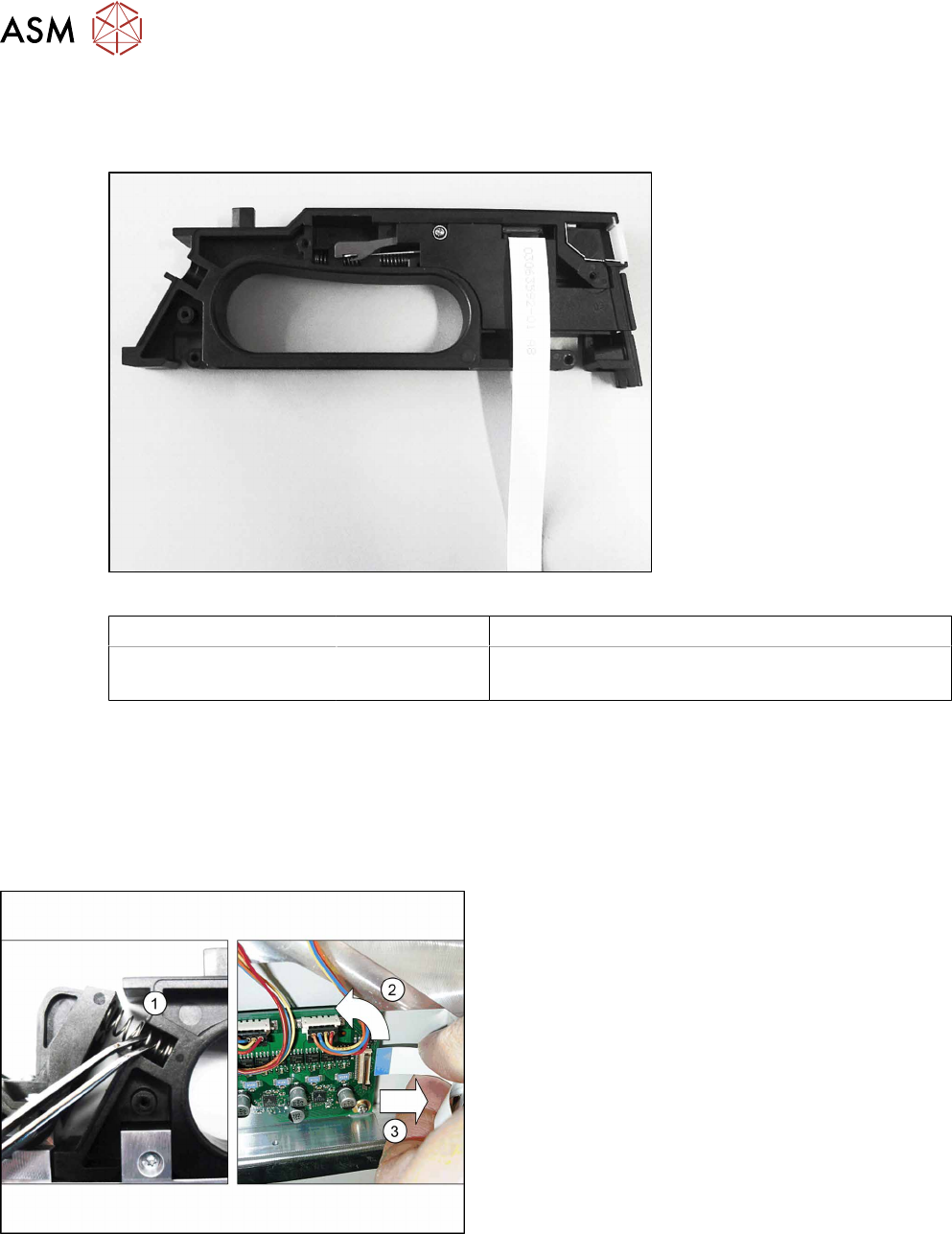
Required spare part
Fig.82: Handle assembly
Feeder module Item no. Designation
SmartFeeder 12mm X
SmartFeeder 16mm X
03082057Sxx Handle assembly X12/X16 V2
(prefitted with flat ribbon cable)
Required tools
●
Phillips screwdriver 0.6Nm
●
TORX screwdriver size T8, 0.6Nm
●
Tweezers
9.13.1 Removing the Handle
► Remove the left and right side cover (see 9.3.1
"Removing the Left Side Cover" [}184] and 9.3.3
"Removing the Right Side Cover" [}184]).
► Remove the two compression springs from the
rocker.(1)
► Carefully place the feeder module on its right
side.
► Open the bar on the flat ribbon connection on the
control board.(2)
► Unplug the flat ribbon cable form the connec-
tion.(3)