00198505-01_SM_SIPLACE_SmartFeeder_EN.pdf - 第68页
6 Repairs to SmartFeeder 4 mm X 6.13 Foil disposal blade 68 Service Manual SIPLACE SmartFeeder 4 - 104 mm X 11/2017 6.13 Foil disposal blade Required spare part Fig.17: Blade partition wall Feeder module Item no. Design…
6 Repairs to SmartFeeder 4 mm X
6.12 Flap/drip tray for cover foil
Service Manual SIPLACE SmartFeeder 4 - 104 mm X 11/2017 67
6.12.1 Replacing the drip tray and shaft
► Carefully place the feeder module with the left side down on a stable, level and clean surface.
► Remove the right side cover (see 6.3.3 "Removing the Right Side Cover" [}32])
► Remove the "insertion foil container" (see 6.14.1 "Replacing the foil container" [}69]).
► Clean the foil container thoroughly and remove all foil and adhesive residues.
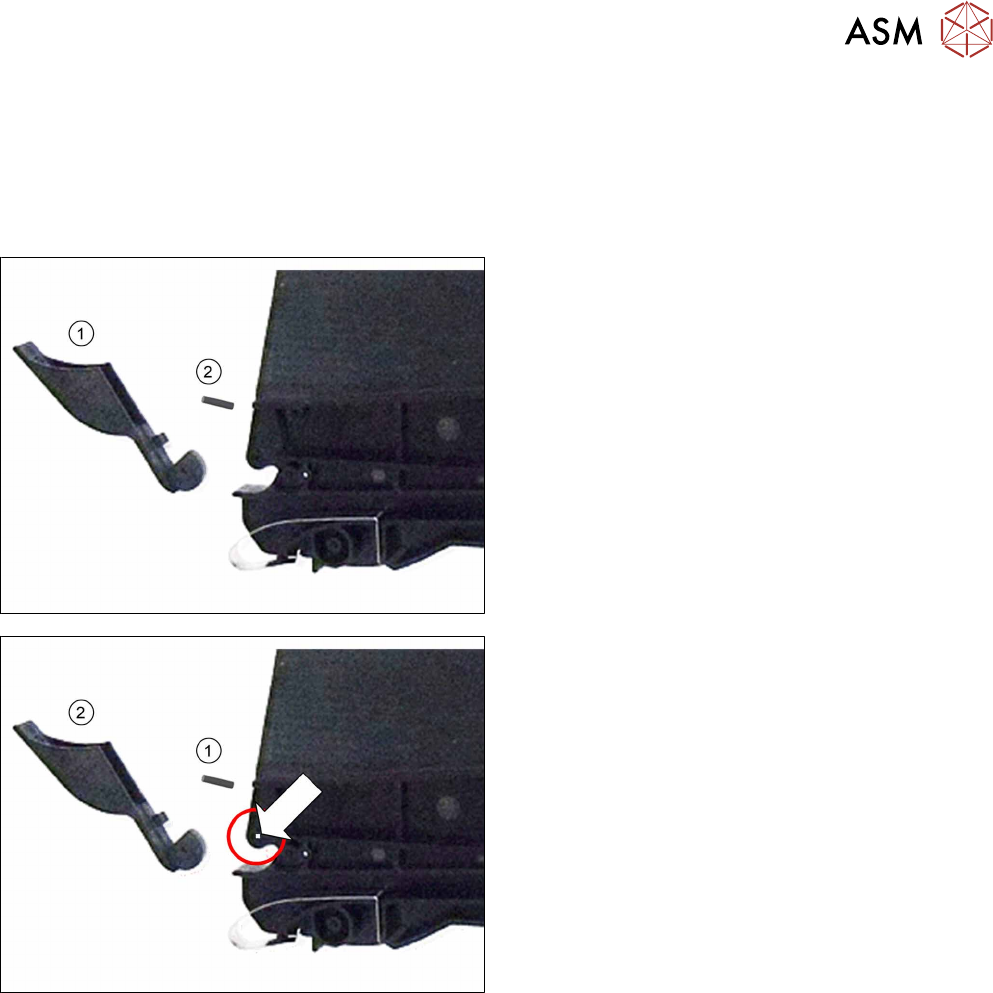
► Remove the "cover foil drip tray"(1) and, if
needed, the "shaft D2"(2). The shaft is just inser-
ted into the foil container.
► Insert the (new) "shaft D2"(1) in the position
shown in the foil container, as far as the stop.
► Push the (new) cover foil drip tray onto the "shaft
D2".
► Fit the "insertion foil container" (see 6.14.1 "Replacing the foil container" [}69]).
► Fit the right side cover (see6.3.4 "Fitting the Right Side Cover" [}33]).
6 Repairs to SmartFeeder 4 mm X
6.13 Foil disposal blade
68 Service Manual SIPLACE SmartFeeder 4 - 104 mm X 11/2017
6.13 Foil disposal blade
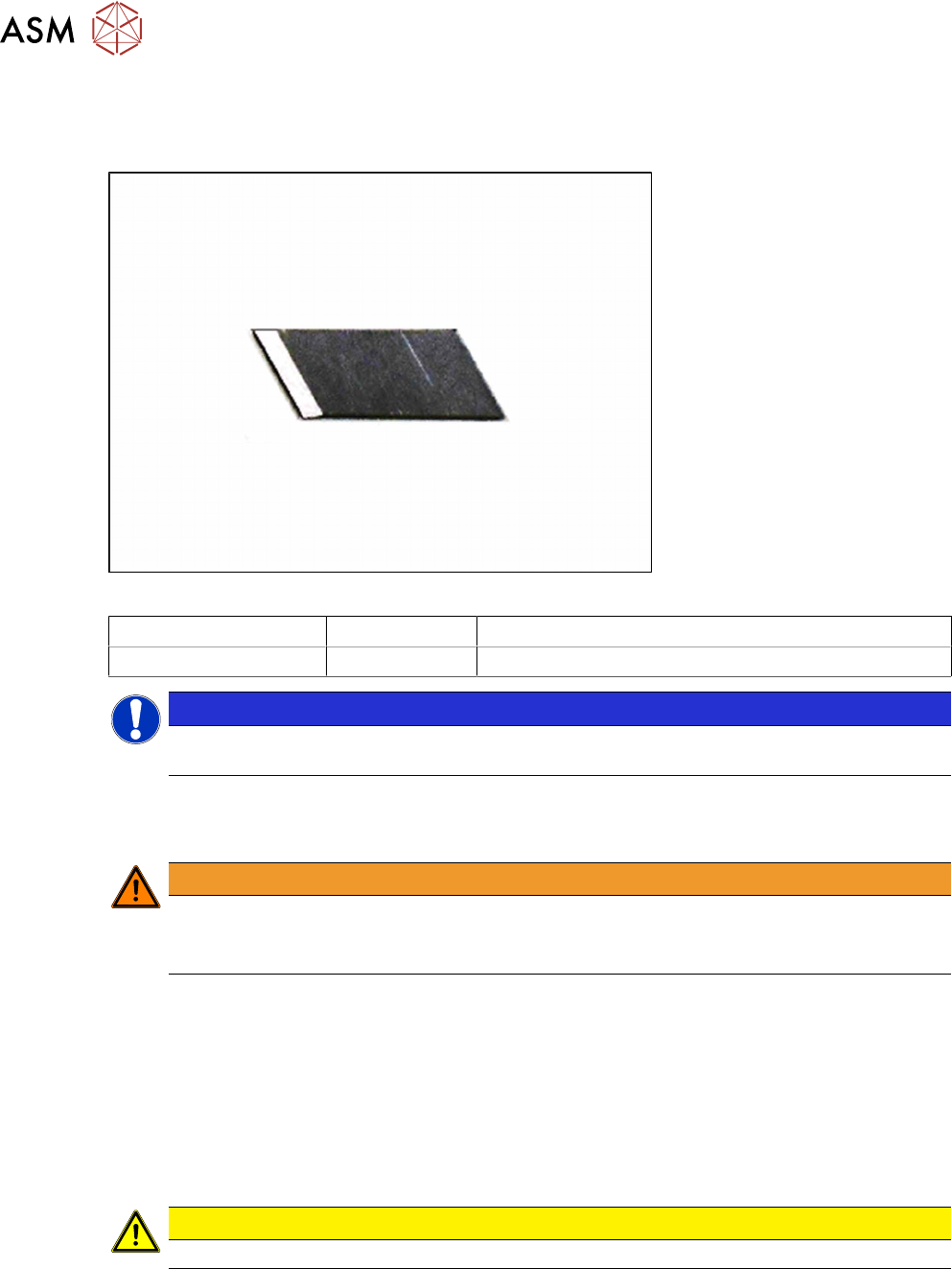
Required spare part
Fig.17: Blade partition wall
Feeder module Item no. Designation
SmartFeeder 4mmX 00341370Sxx Blade partition wall
NOTICE
Pay attention when preparing the individual blades. Individual blades must be broken at the
cutter edge. Ensure all safety precautions are observed.
Required tools
●
TORX screwdriver 0.6Nm, size T8
WARNING
Risk of injury
The edge of the blade is very sharp. Make sure that you always use a pair of tweezers
when removing and fitting the blade.
6.13.1 Removing the Blade Partition Wall
► Place the feeder on a stable, level and clean surface.
► Open the flap.
► Loosen the screw fastening the blade and remove the old blade.
6.13.2 Fitting the Blade Partition Wall
► Place the new blade in position and tighten the screw.
CAUTION
► The blades are sharp, take necessary safety precautions.
6 Repairs to SmartFeeder 4 mm X
6.14 Insertion foil container
Service Manual SIPLACE SmartFeeder 4 - 104 mm X 11/2017 69
6.14 Insertion foil container
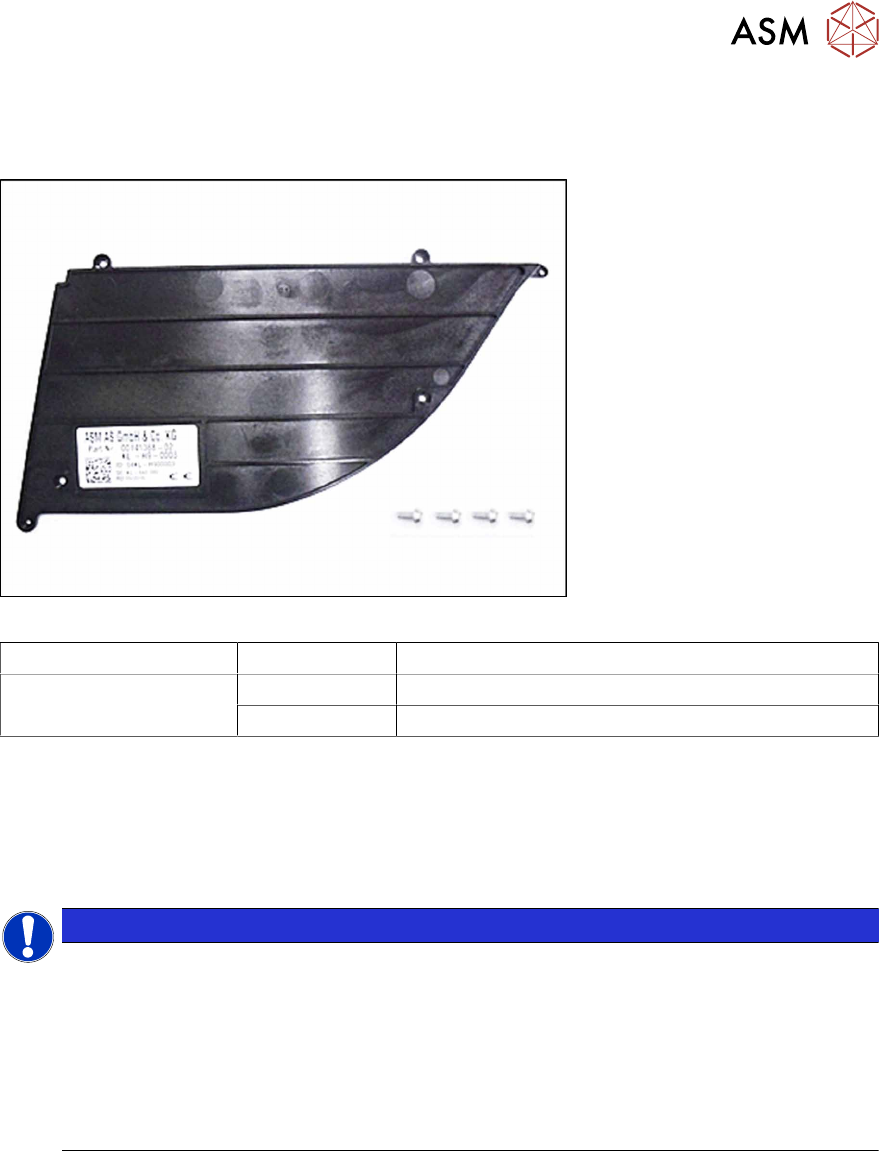
Required spare part
Fig.18: Insertion foil container X4Smart V2
Feeder module Item no. Designation
SmartFeeder 4mmX 03126541Sxx Insertion foil container X4Smart V2
03033796-xx RF-SN75-2.5 x 6-9.8
Required tools
●
Phillips screwdriver 0.9Nm
●
TORX screwdriver 0.6Nm, size T8
6.14.1 Replacing the foil container
NOTICE
Risk of confusion
The "insertion foil container X4Smart V2" has a label with details about the feeder module
(item number, serial number, barcode,…).
When replacing the insertion foil container, you need to create a new label and attach it to
the feeder module, so that the feeder module can be clearly identified again after the re-
placement.
For a description of how to create new labels, see section 2.5 "Creating new labels for
feeder modules" [}17].
► Carefully place the feeder module with the left side down on a stable, level and clean surface.
► Remove the right side cover (see 6.3.3 "Removing the Right Side Cover" [}32]).