00198505-01_SM_SIPLACE_SmartFeeder_EN.pdf - 第81页
7 Repairs to SmartFeeder 8 mm X 7.2 Rear Sliding Guide Service Manual SIPLACE SmartFeeder 4 - 104 mm X 11/2017 81 7.2.1 Removing the Sliding Guide ► Turn the feeder module so that its underside is at the top. ► Remove th…
7 Repairs to SmartFeeder 8 mm X
7.2 Rear Sliding Guide
80 Service Manual SIPLACE SmartFeeder 4 - 104 mm X 11/2017
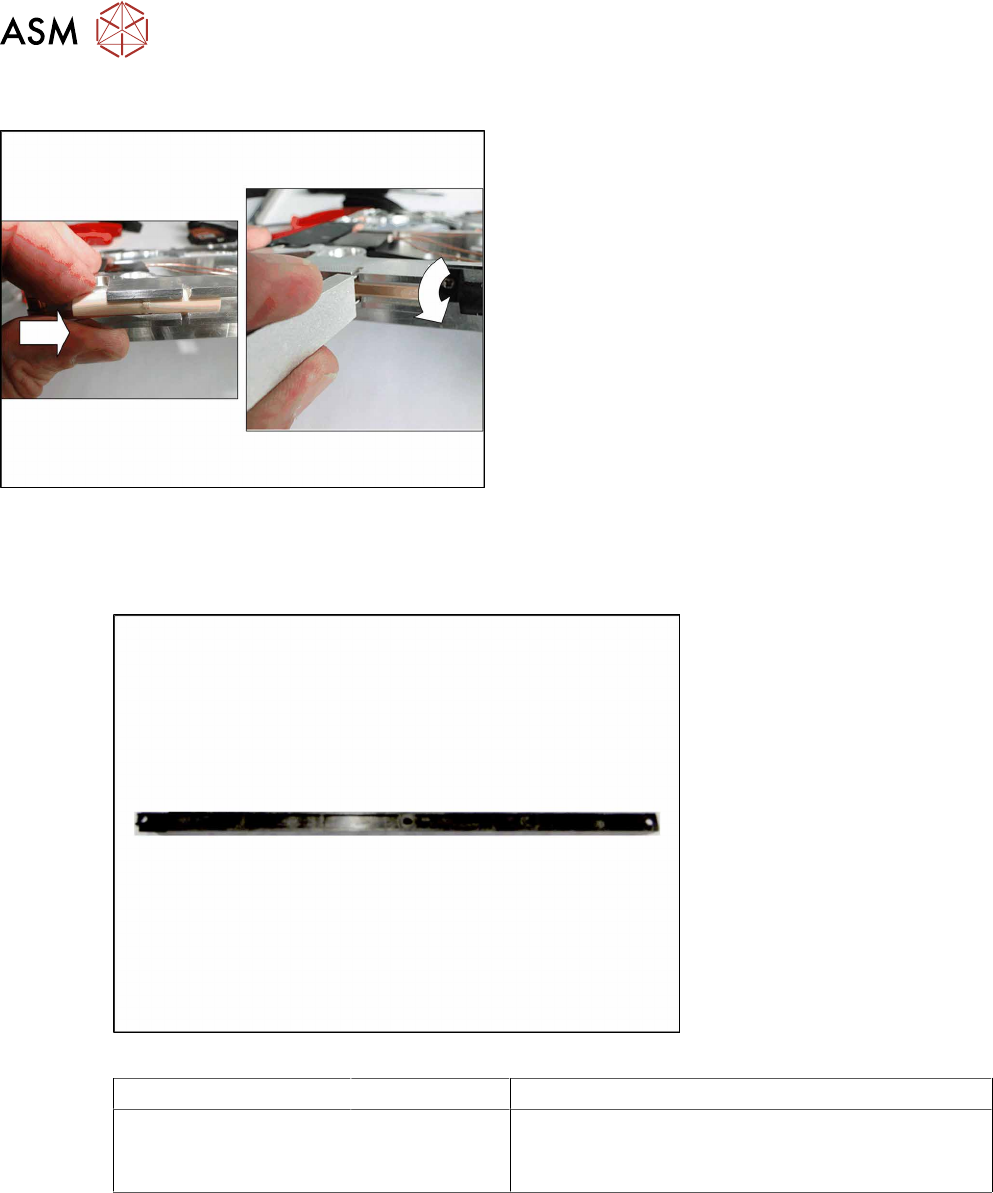
7.1.2 Fitting the Sliding Foil
► Press the sliding foil slightly together.
► Push the sliding foil into the sliding guide, from
the front, as far as the end stop.
► Turn the sliding foil, until the slit can be fully seen
and the sliding foil engages audibly.
7.2 Rear Sliding Guide
Required spare part
Fig.23: Sliding guide, back
Feeder module Item no. Designation
SmartFeeder 8mmX 03003994- xx
03119317-xx
00328251-xx
Sliding guide / back L200
ISO 14585 - ST2.9x9.5-F-St,FeZn (3x)
SN 213307-H-M2.5 x 8-A2-70 (1x)
Required tools
●
Phillips screwdriver 0.6Nm (for 4mmX)
●
TORX screwdriver 0.6Nm, size T8 (for 8 mm X)
7 Repairs to SmartFeeder 8 mm X
7.2 Rear Sliding Guide
Service Manual SIPLACE SmartFeeder 4 - 104 mm X 11/2017 81
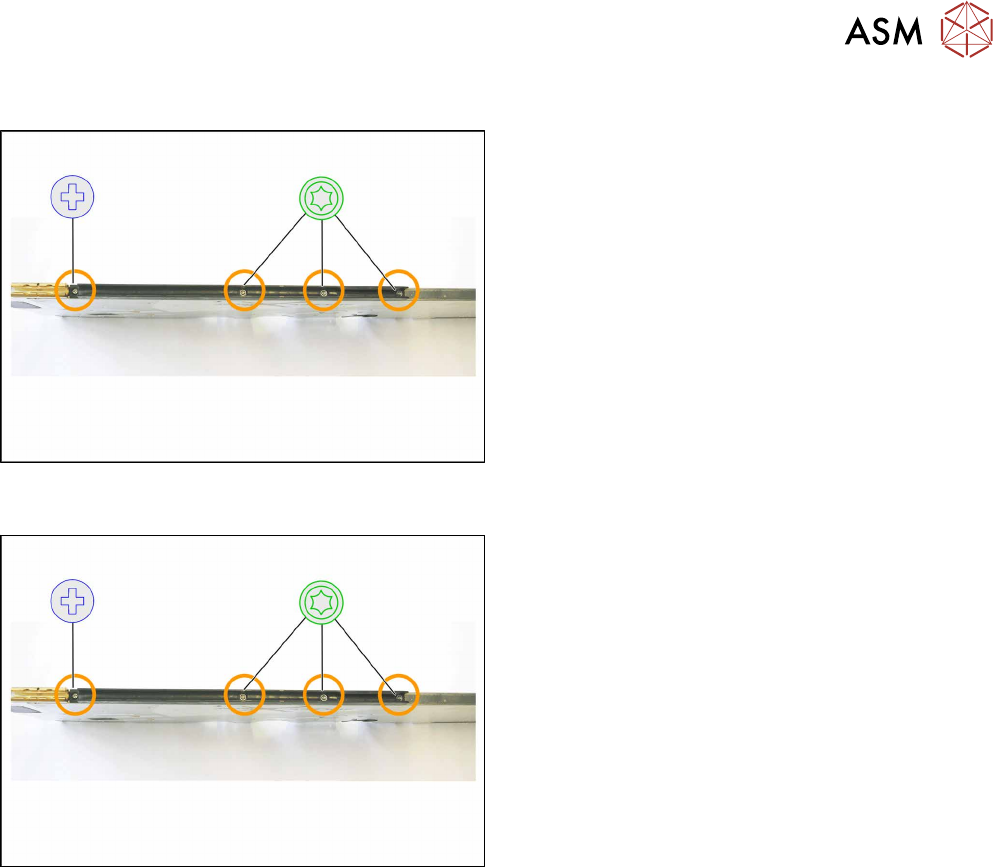
7.2.1 Removing the Sliding Guide
► Turn the feeder module so that its underside is at
the top.
► Remove the Phillips screw from the left side.
► Remove the three TORX screws from the right
side.
► Lift the gliding slide upwards and off.
7.2.2 Fitting the Sliding Guide
► Turn the feeder module so that its underside is at
the top.
► Fit the guiding slide – as illustrated – to the un-
derside of the feeder module.
Observe the arrangement of the drilled holes in
the guiding slide.
► Push the guiding slide, as shown, to the left
(front) towards the front guiding slide, as far as
the stop.
► Now lower the two snap tabs of the guiding slide
into the openings provided on the underside of
the feeder module.
► Fasten the sliding guide on the left side to the
feeder module, using the Phillips screw "ISO
7045 - M2.5 x 6-A2-50-H" tightened to 0.6N.
► Use the 3 TORX screws to fix the guiding slide
on the right side with 0.6Nm to the feeder mod-
ule.
7 Repairs to SmartFeeder 8 mm X
7.3 Side Covers
82 Service Manual SIPLACE SmartFeeder 4 - 104 mm X 11/2017
7.3 Side Covers
NOTICE
Avoiding damaging the board
To avoid damaging the threaded bolts on the printed circuit board, only remove the side
cover if the other side cover has been fully fitted i.e. with all screws.
Required spare part
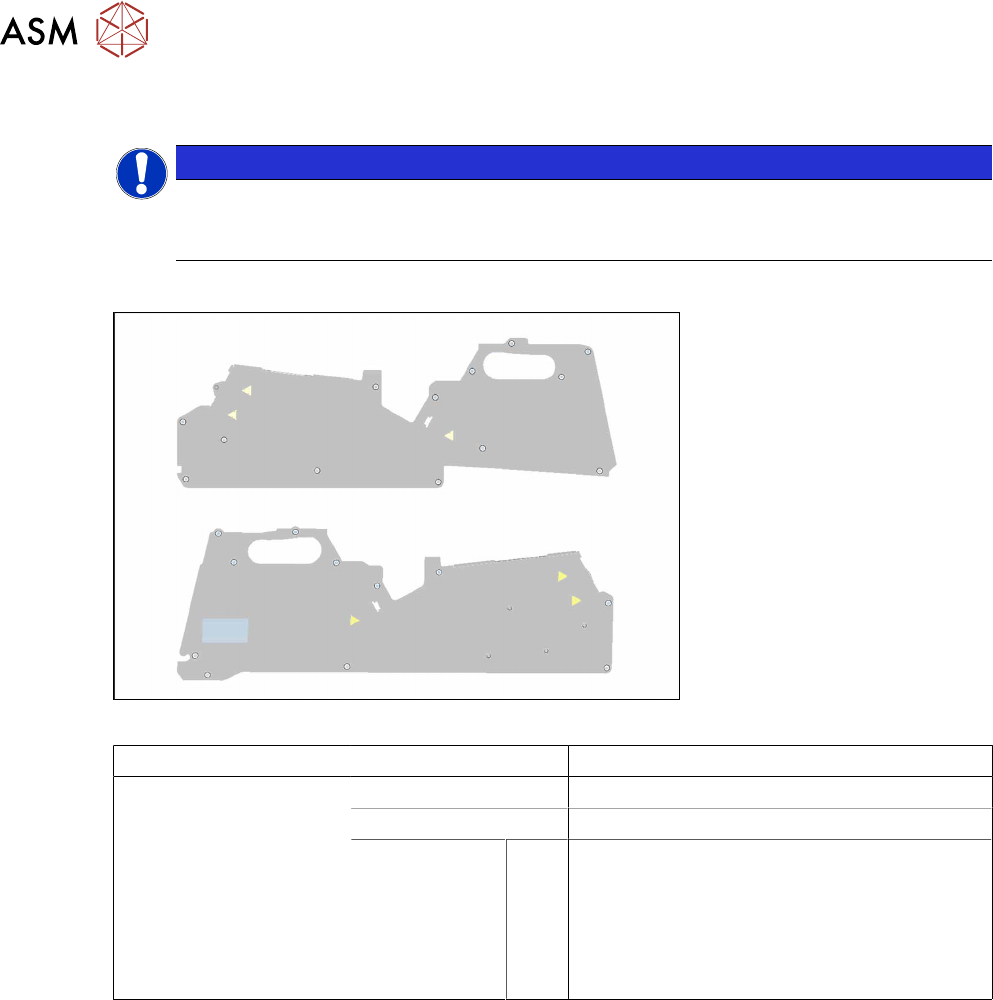
Fig.24: Side plate left assy. X8Smart (top), side plate right assy. X8Smart (bottom)
Feeder module Item no. Designation
SmartFeeder 8mmX 03100525Sxx Side plate left assy. X8Smart
03100526Sxx Side plate right assy. X8Smart
03033796-xx
03023227-xx
03010209-xx
03071821-xx
03044543-xx
A
B
C
D
E
Screws:
RF-SN75-2.5 x 6-9.8
ISO 7046-2-M2.5 x 5-A2-70-H
ISO 7045 - M2.5 x 6-A2-50-H
SN 213307-H-M2.5 x 3-A2-70
RF-SN85-2.5 x 7.5-9.8
Required tools
●
Phillips screwdriver 0.9Nm
●
TORX screwdriver 0.6Nm, size T8