西门子技术培训资料TX等糸例.pdf - 第118页
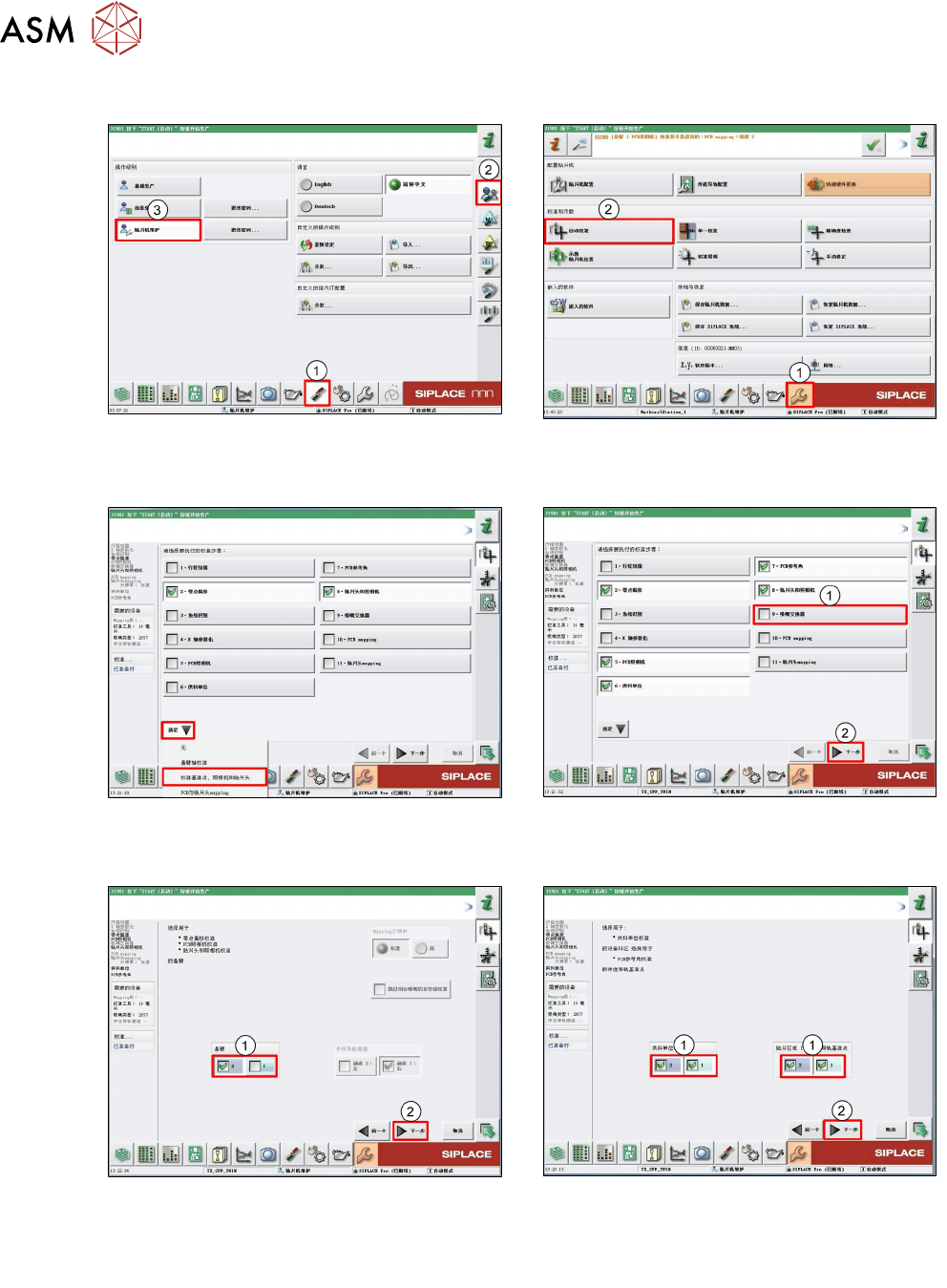
5 贴片头 5.2 C&P20 P/M2 贴片头 118 技术培训 SIPLACE TX系列 10/2016 5.2.7.2 校准步骤 1. 以 Machine service (1-3) 级别登录。 2. 单击 Calibration (1)。 单击 Automatic calibration (2)。 3. 在下拉菜单 Selection 中选择 Calibration of fiducials, cameras and h…
5 贴片头
5.2 C&P20 P/M2 贴片头
技术培训 SIPLACE TX系列 10/2016 117
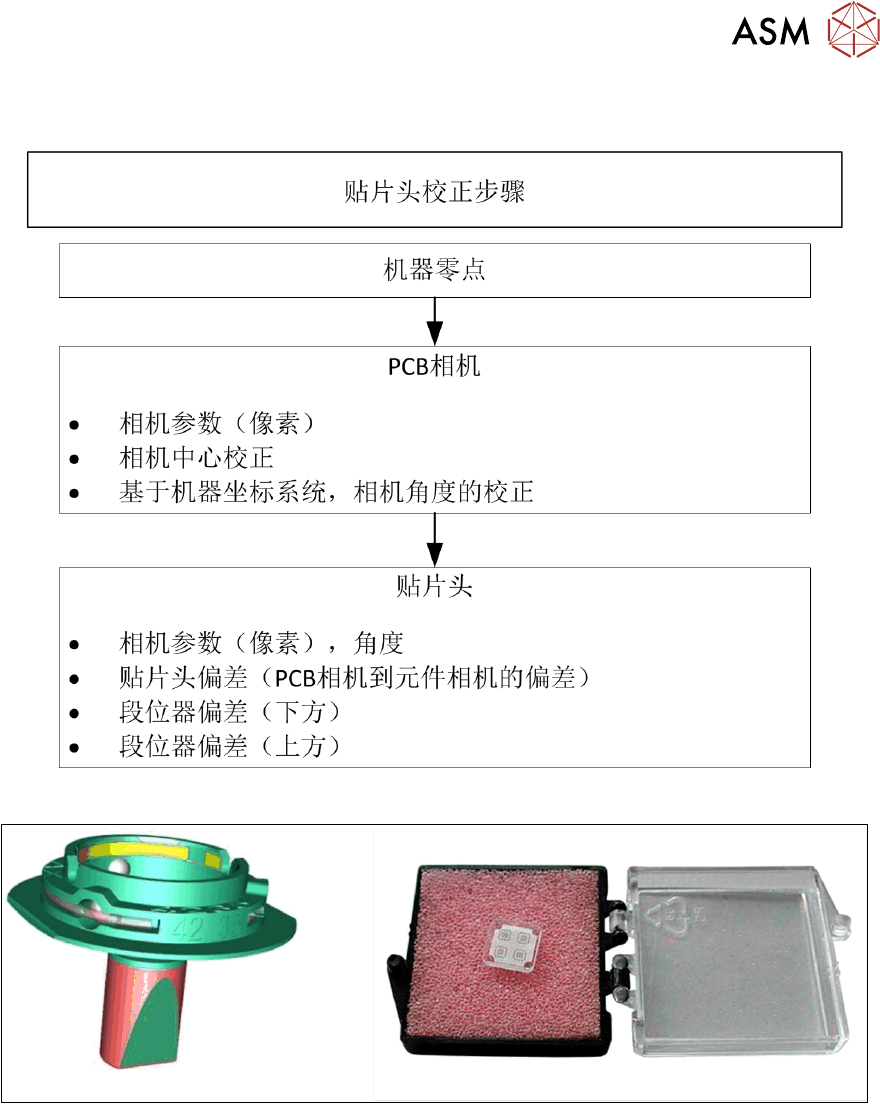
校准 – 程序
对于 C&P20 P 和 C&P20 M2 贴片头校准,需要使用校准工具 [030340148-xx] 和吸嘴 4235。
5 贴片头
5.2 C&P20 P/M2 贴片头
118 技术培训 SIPLACE TX系列 10/2016
5.2.7.2 校准步骤
1. 以
Machine service
(1-3) 级别登录。 2. 单击
Calibration
(1)。
单击
Automatic calibration
(2)。
3. 在下拉菜单
Selection
中选择
Calibration of
fiducials, cameras and heads
。
4. 取消选择
Nozzle changer
(1)。
单击
Next
(2)。
5. 选择要校准的
Gantry
(1)。
单击
Next
(2)。
6. 选择要校准的
Locations
和
Placements
areas
(1)。
单击
Next
(2)。
5 贴片头
5.2 C&P20 P/M2 贴片头
技术培训 SIPLACE TX系列 10/2016 119
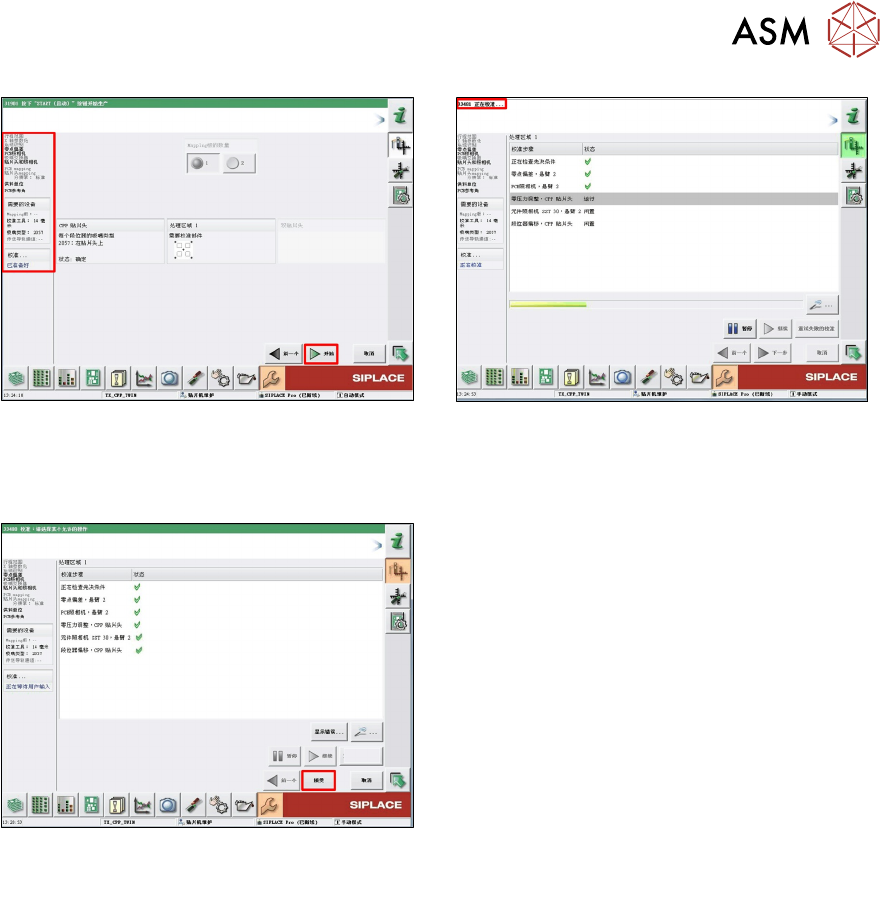
7. 软件会检查预置条件,并显示必要工具的状
态。
单击
Start
以继续。
8. 校准已启动。
9. 校准已结束。
单击
Accept
以核准测量值。