00197479-02_IM_BoardGateKeeper1.2-SP1_EN.pdf - 第11页
Installation Installation Manual SIPLACE BoardGateKeeper 1.2 SP1 11 4 4 I n s t a lla t io n Installation NOTICE Administrator You must be logged as Administra tor ► Place the SIPLACE BoardG ateKeeper CD into the CD ROM …
System Requirements
Configuration
10 Installation Manual SIPLACE BoardGateKeeper 1.2 SP1
3.1
3.1 Configuration
Configuration
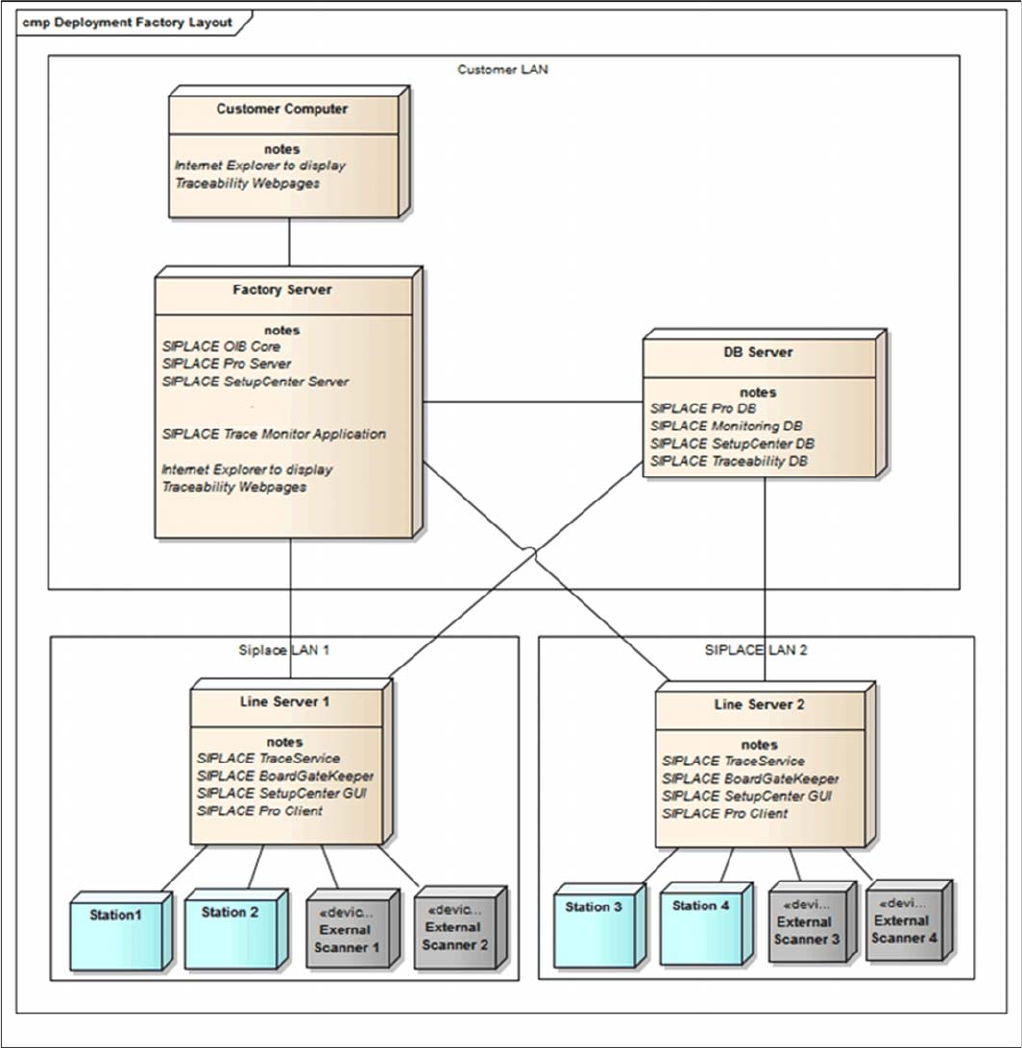
The BoardGateKeeper can either be installed on the line server (once per line) or on the factory server
(once per production site). In the case of central installations, only one network segment may be config-
ured for all lines (otherwise a connection to the hardware equipment will not be possible)
Installation
Installation Manual SIPLACE BoardGateKeeper 1.2 SP1 11
4
4 Installation
Installation
NOTICE
Administrator
You must be logged as Administrator
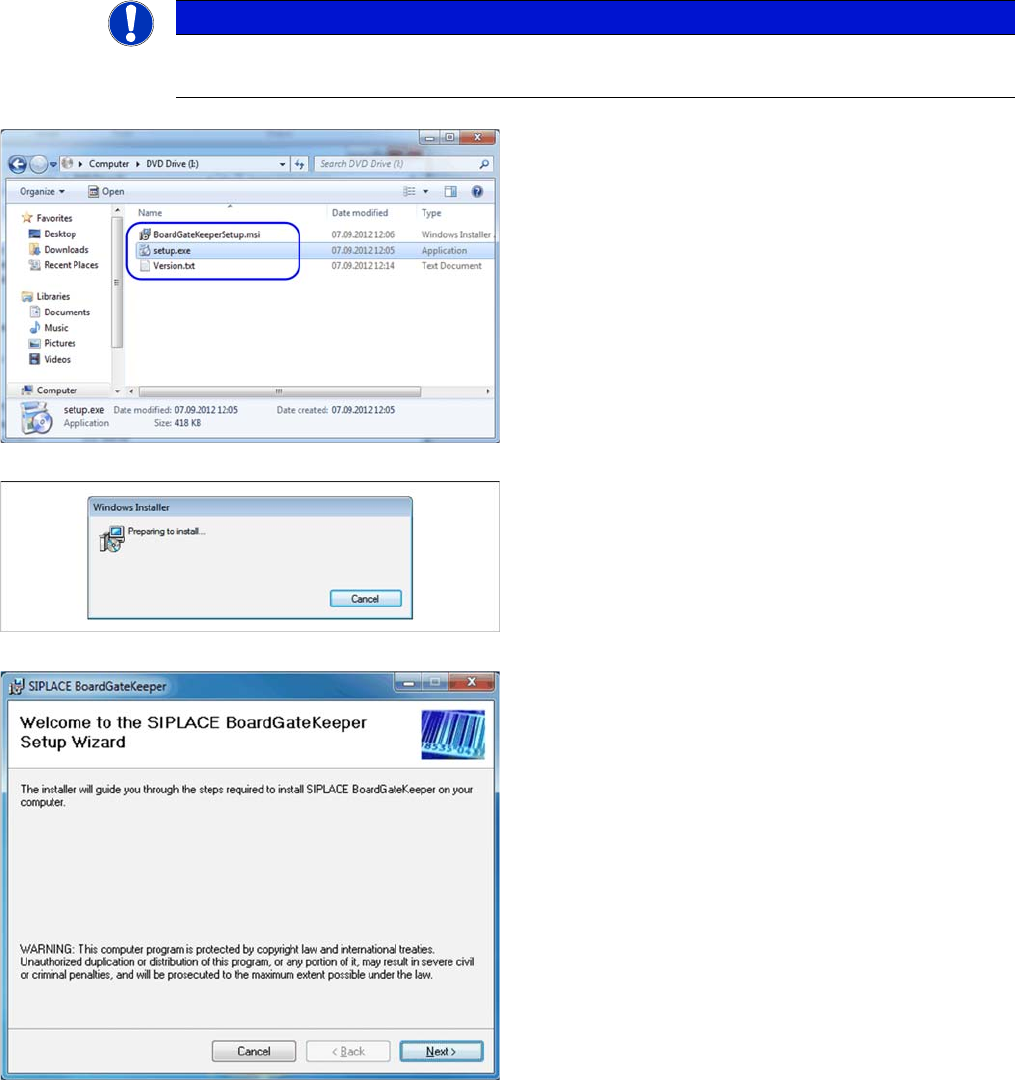
► Place the SIPLACE BoardGateKeeper CD into the
CD ROM drive of your SIPLACE Pro Computer.
► Open the CD folder manually via. the Windows Ex-
plorer (Win-E).
► Execute "setup.exe". You will be guided through the
installation procedure.
The dialog boxes shown below will be displayed during
the installation procedure.
The Welcome dialog will appear.
► Click on Next to continue the installation procedure.
Installation
12 Installation Manual SIPLACE BoardGateKeeper 1.2 SP1
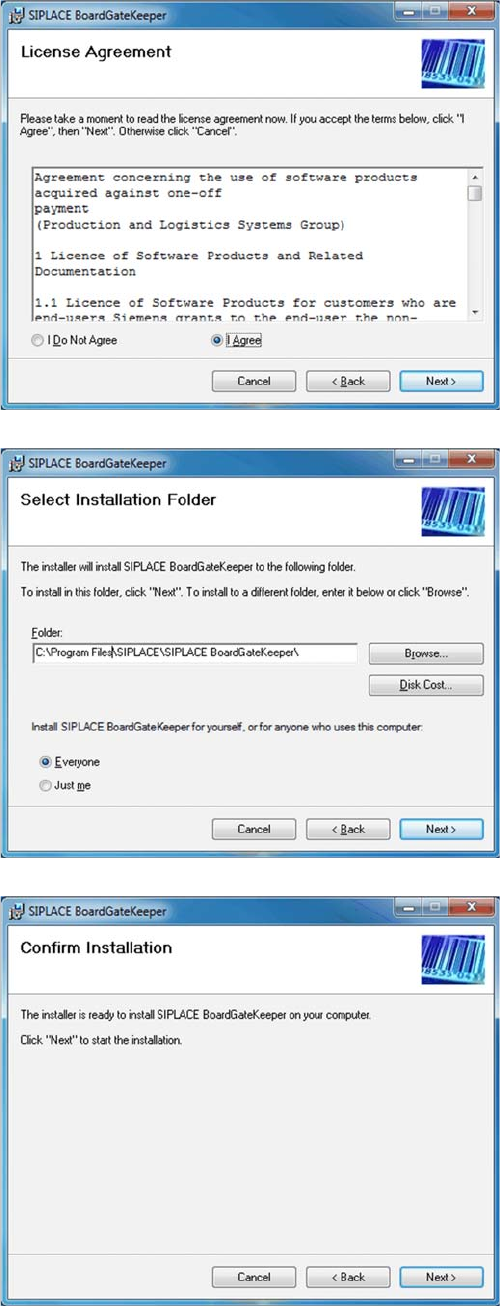
► Read the license agreement. If you agree with the
conditions, click on I Agree, otherwise click on I Do
Not Agree. If you select I Do Not Agree, the installa-
tion procedure will be terminated.
► Click on Next to continue the installation procedure.
► Now specify the folder in which you wish to install the
application. The default folder is C:\Program
Files\SIPLACE\SIPLACE BoardGateKeeper. You
can alter the default installation folder by using the
Browse… button.
► Confirm the installation by clicking on Next.