MV-9_Chapter 5. Teaching.pdf - 第101页
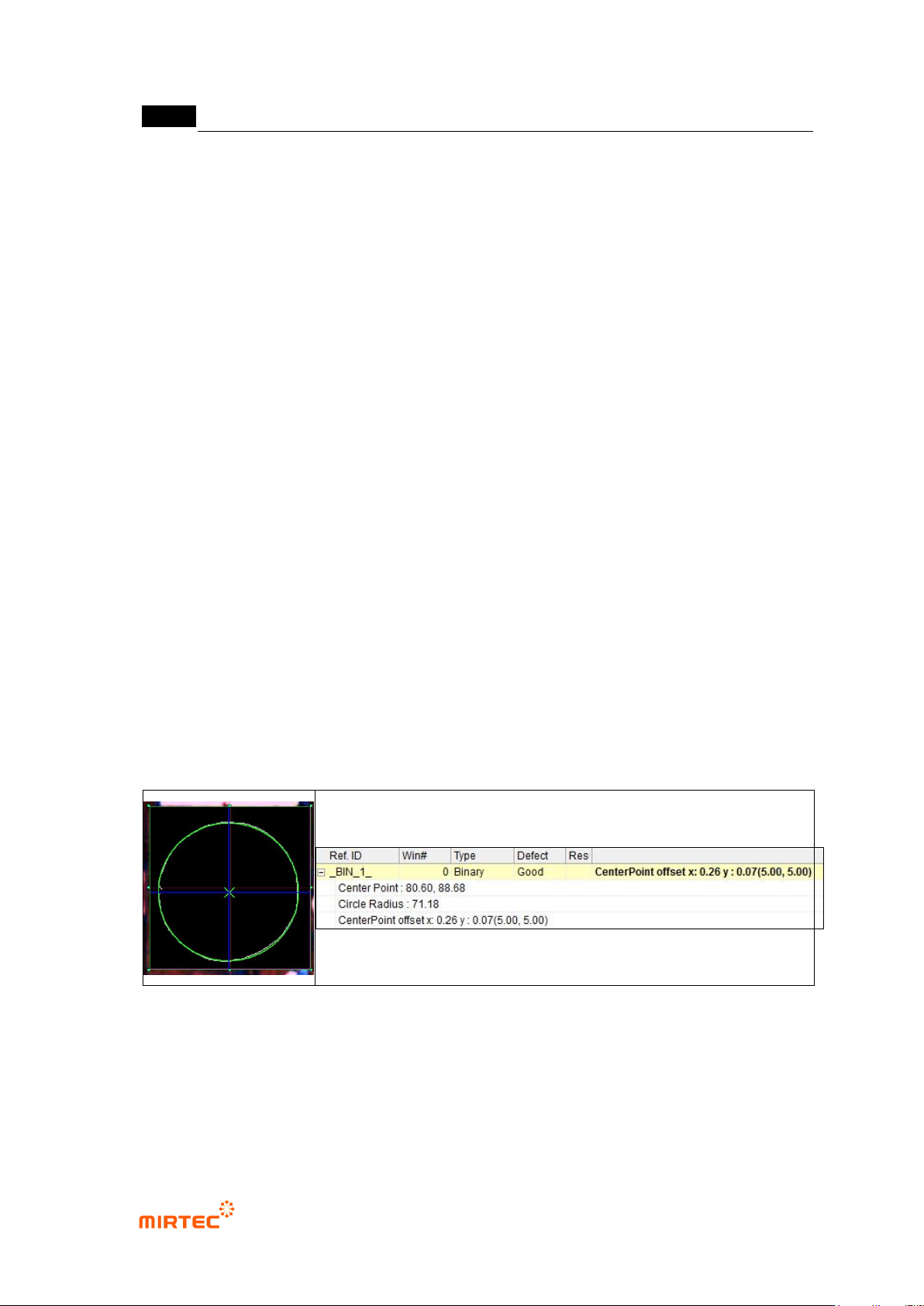
错误 ! 使用“开始” 选项卡将 제목 2 应用于要在此处显示的文字。 错误 ! 使用“开始”选项卡将 제목 2 应用 于要在此处显示的 文字。 . 5- 101 [Figure 5- 105 component center search inspection result]
MV-9 User Manual
5-100
- Use this function only when detection type is Circle. If it is checked, circle close to
inspection result image will be displayed in green.
Use hole inspection
- Use this function only when detection type is Circle. This function is to save circle radius as
a file.
- Use this function only for BLU inspection.
Virtual line offset
- This is used to measure relative distance for reference point. (Refer to BLU inspection.)
Normal criteria
- „Don‟t care region‟: Set „Don‟t care region‟ for noise part during edge detection.
- Reference central point and current central point
Conduct Trial inspection to display detected central point of component (located in
inspection window) at the current central point after teaching.
Click reference central point registration button to copy the current central point
value as reference central point value. This will be used as reference position for
real inspection.
- Tolerance range
Range of difference of position value that is actually measured and reference
central point position to judge good/defect.
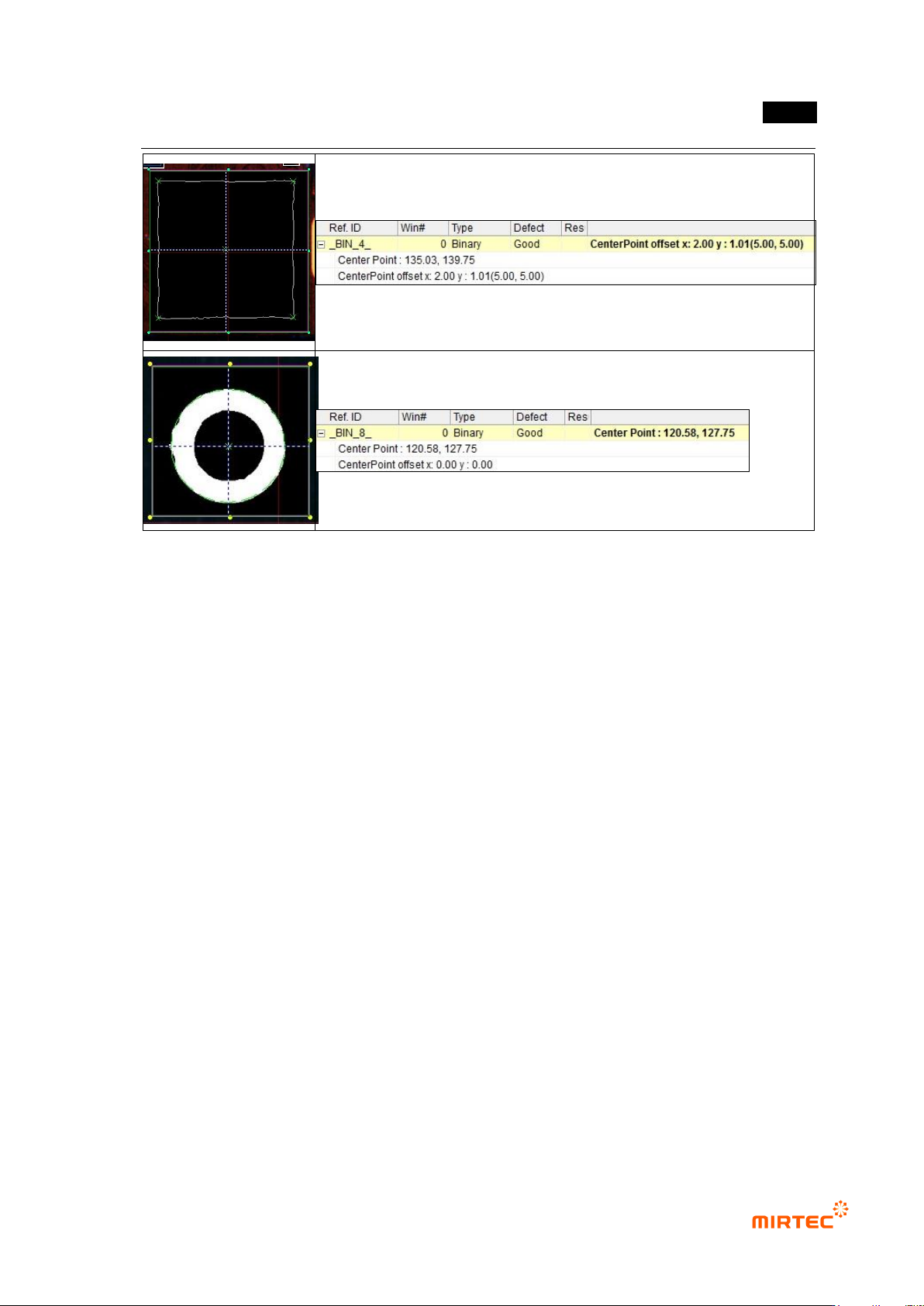
② Inspection result in status screen
错误!使用“开始”选项卡将 제목 2 应用于要在此处显示的文字。错误!使用“开始”选项卡将 제목 2 应用
于要在此处显示的文字。 .
5-101
[Figure 5-105 component center search inspection result]
MV-9 User Manual
5-102
10) Comparison inspection
- Comparison inspection is an algorithm to inspect polarity of component that has polarity
such as diode and electrolytic condenser.
① Teaching method
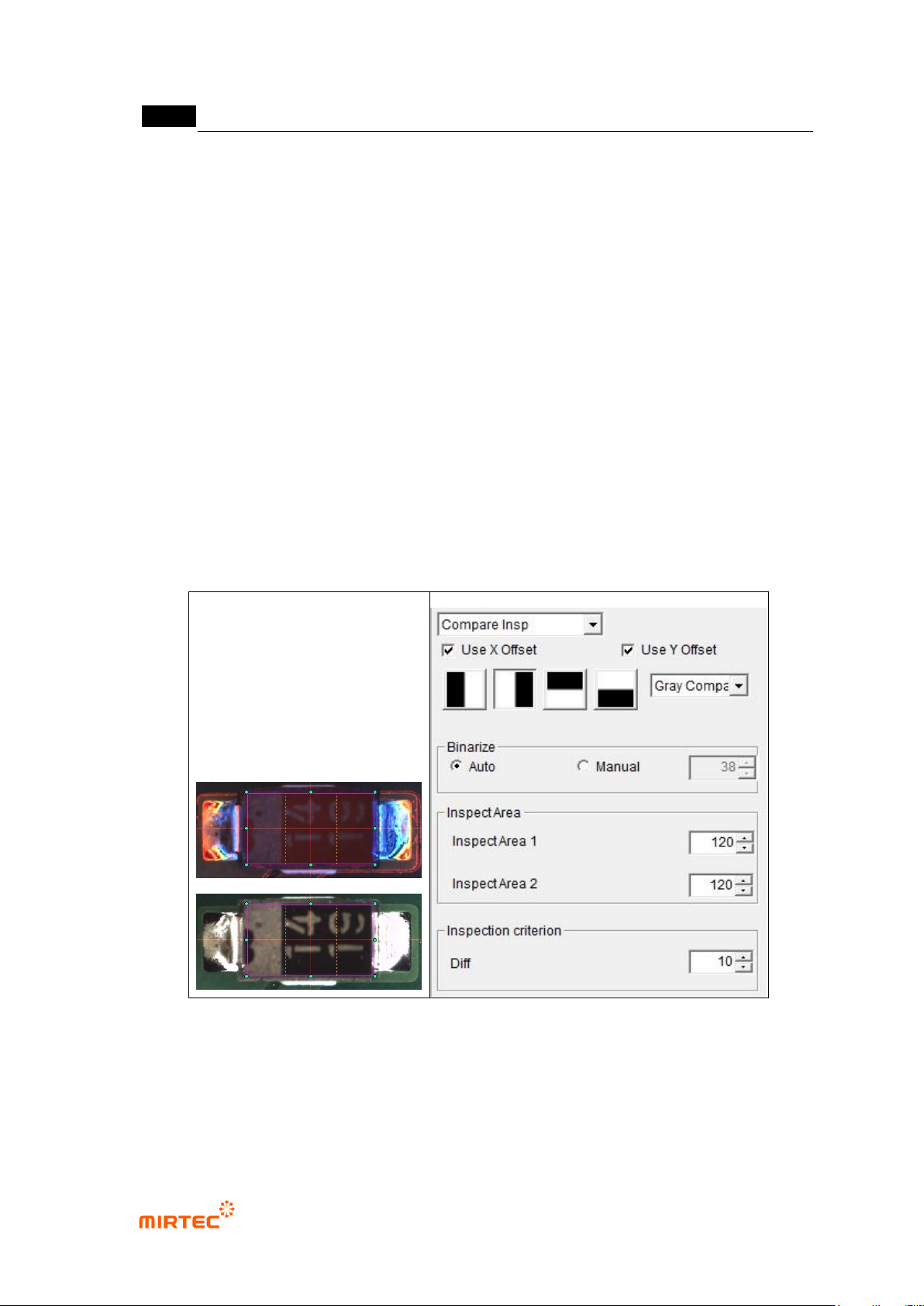
(a) Draw inspection window in body area of inspection component.
(b) Select light type and image type.
(c) Select inspection type according to position of polarity mark.
(d) Select comparison method (pixel comparison, luminance comparison)
(e) If pixel comparison is selected for comparison method, click preview in operation
window. Auto or manually select binarization method to clearly display white band at
polarity part, and adjust binarization value.
(f) Set inspection area for pixel or luminance comparison
(g) Set inspection criteria
[Figure 5-106 comparison inspection teaching example]
② Parameter description
- Light type and image type
Select light type and image type for good separation of polarity part.