MV-9_Chapter 5. Teaching.pdf - 第102页
MV -9 Use r Manual 5- 102 10) Compar ison inspection - Comp ari son inspection is an algorithm to i nspect polarity of component that h as pola rity such as diode and electrolytic condenser . ① T eaching method (a) Draw …
错误!使用“开始”选项卡将 제목 2 应用于要在此处显示的文字。错误!使用“开始”选项卡将 제목 2 应用
于要在此处显示的文字。 .
5-101
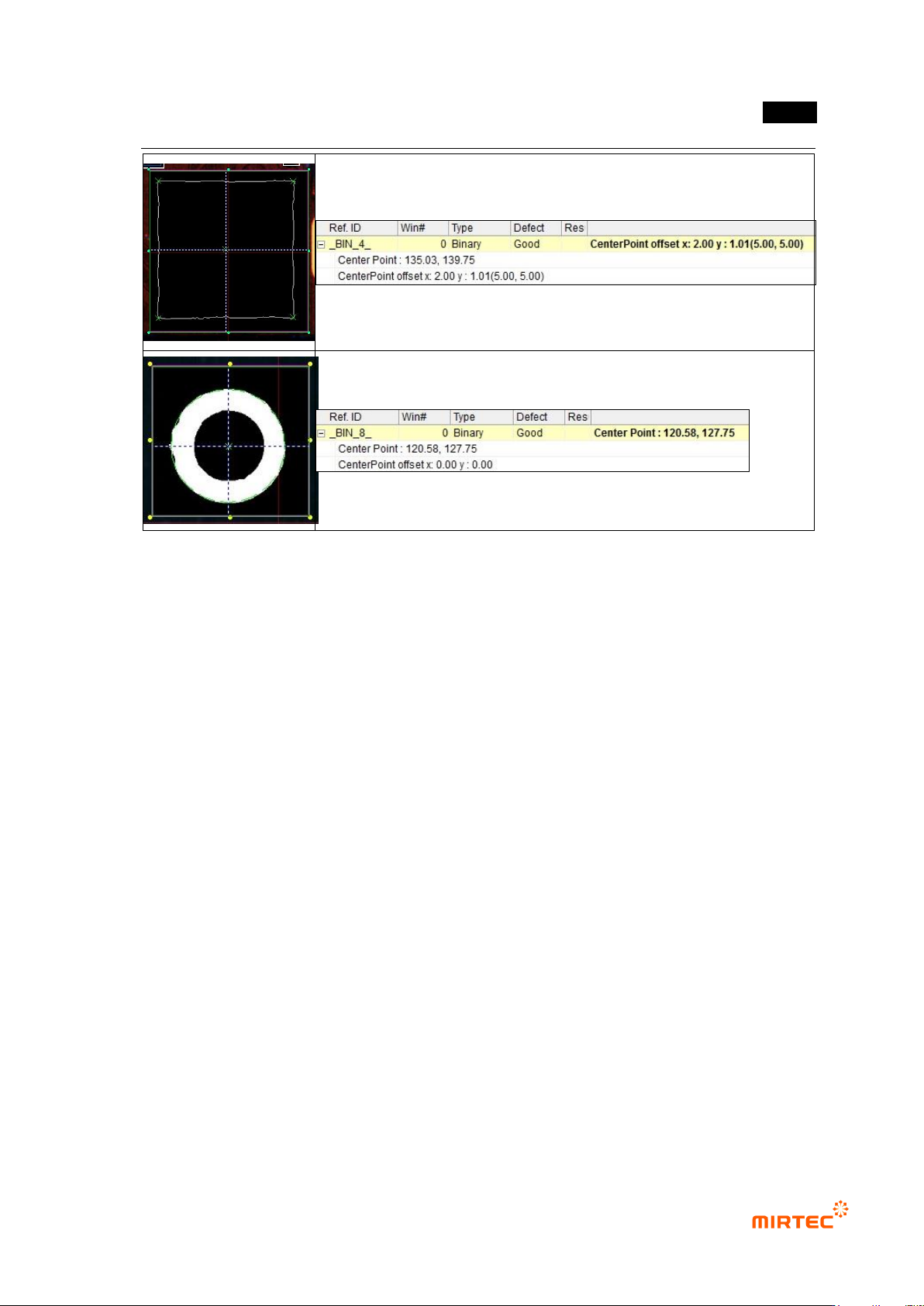
[Figure 5-105 component center search inspection result]
MV-9 User Manual
5-102
10) Comparison inspection
- Comparison inspection is an algorithm to inspect polarity of component that has polarity
such as diode and electrolytic condenser.
① Teaching method
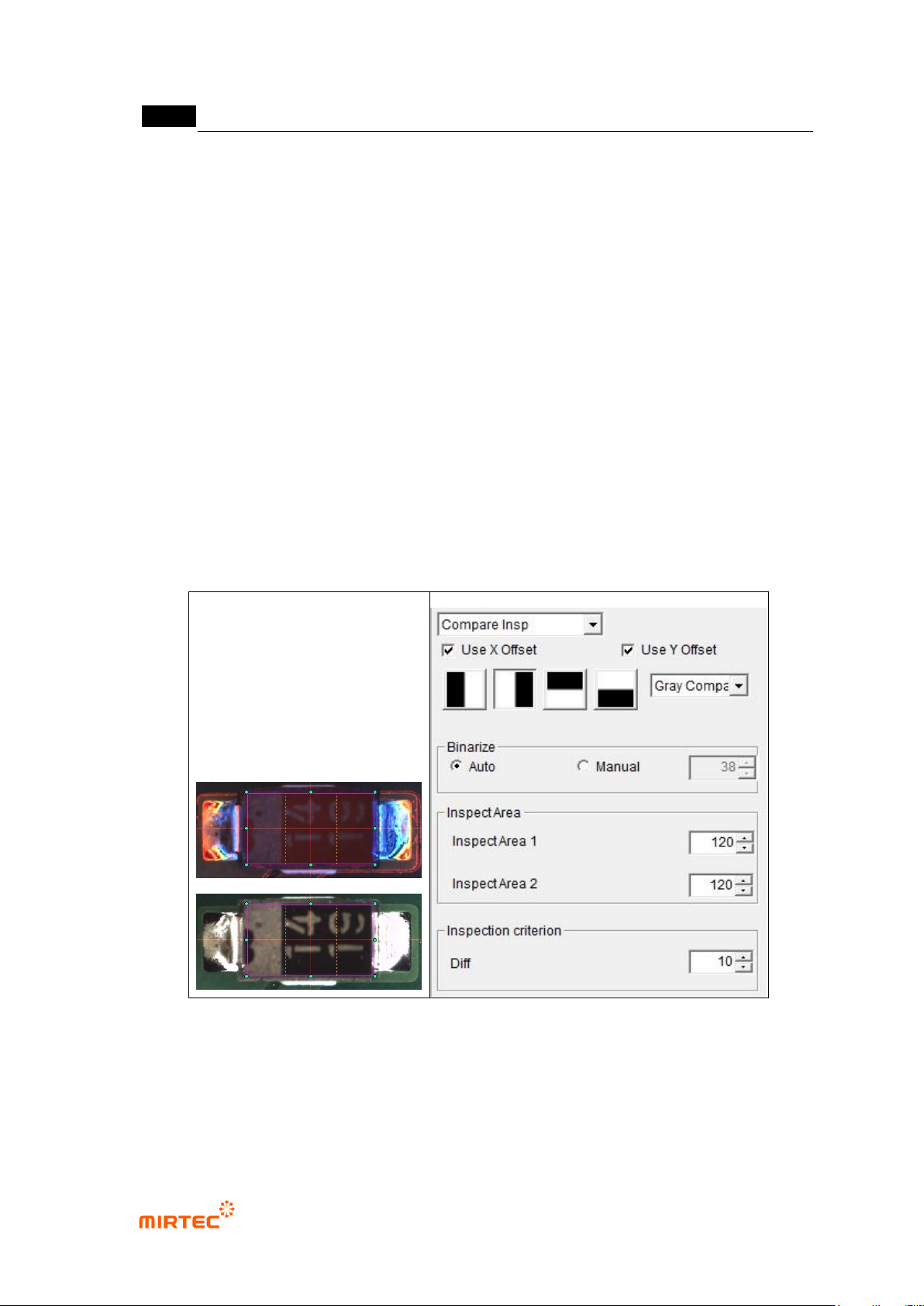
(a) Draw inspection window in body area of inspection component.
(b) Select light type and image type.
(c) Select inspection type according to position of polarity mark.
(d) Select comparison method (pixel comparison, luminance comparison)
(e) If pixel comparison is selected for comparison method, click preview in operation
window. Auto or manually select binarization method to clearly display white band at
polarity part, and adjust binarization value.
(f) Set inspection area for pixel or luminance comparison
(g) Set inspection criteria
[Figure 5-106 comparison inspection teaching example]
② Parameter description
- Light type and image type
Select light type and image type for good separation of polarity part.
错误!使用“开始”选项卡将 제목 2 应用于要在此处显示的文字。错误!使用“开始”选项卡将 제목 2 应用
于要在此处显示的文字。 .
5-103
Basically, select horizontal + vertical light and G or L or in general, horizontal light
and L that clearly shows polarity mark and character can be selected.
- Inspection type
In case of component with, diode has white band to display polarity, and electrolytic
condenser has black area on cap part. Select inspection type according to direction
of this characteristic.
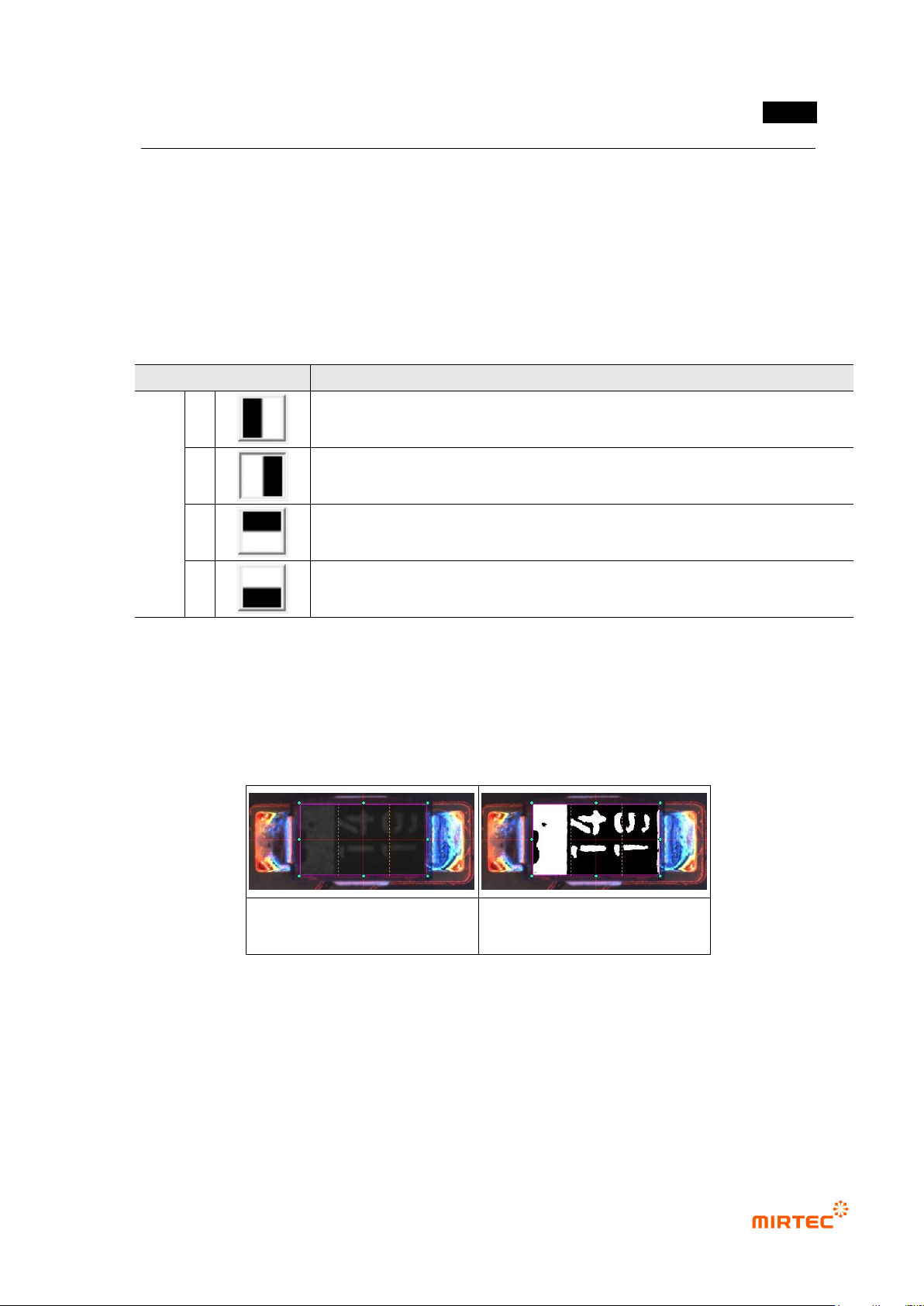
[Table 5-8 Solder inspection – comparison inspection polarity inspection type]
Detection type
Description
Insp
ectio
n
type
1
Select for component that has white polarity mark on the right or
component that has black polarity mark on the left
2
Select for component that has white polarity mark on the left or
component that has black polarity mark on the right
3
Select for component that has white polarity mark on the bottom or
component that has black polarity mark on the top
4
Select for component that has white polarity mark on the top or black
component that has polarity mark on the bottom
- Comparison method
For comparison, there are pixel comparison to which binarization is applied and
luminance comparison that used luminance information.
In general, pixel comparison is used. Luminance comparison can be used if
contrast between 2 areas is high.
luminance comparison preview
image
pixel comparison preview
[Figure 5-107 comparison method type]
- Binarization
If pixel comparison is selected for comparison method, adjust binarization for good
separation of polarity mark area.
- Inspection area