MV-9_Chapter 5. Teaching.pdf - 第121页
错误 ! 使用“开始” 选项卡将 제목 2 应用于要在此处显示的文字。 错误 ! 使用“开始”选项卡将 제목 2 应用 于要在此处显示的 文字。 . 5- 121 [Figure 5- 133 Bridge defect example] 12) L ead tip pa rameter - Check at solder amount inspection am ong default p a ram eters to activat…
MV-9 User Manual
5-120
„measured pitch < max pitch that completed teaching‟ condition is inspection for
lead loss or short between lead.
- Width of each measured lead < average pitch: inspect short status of 2 lead
- Should be no connection between each lead: inspect short status of 2 lead
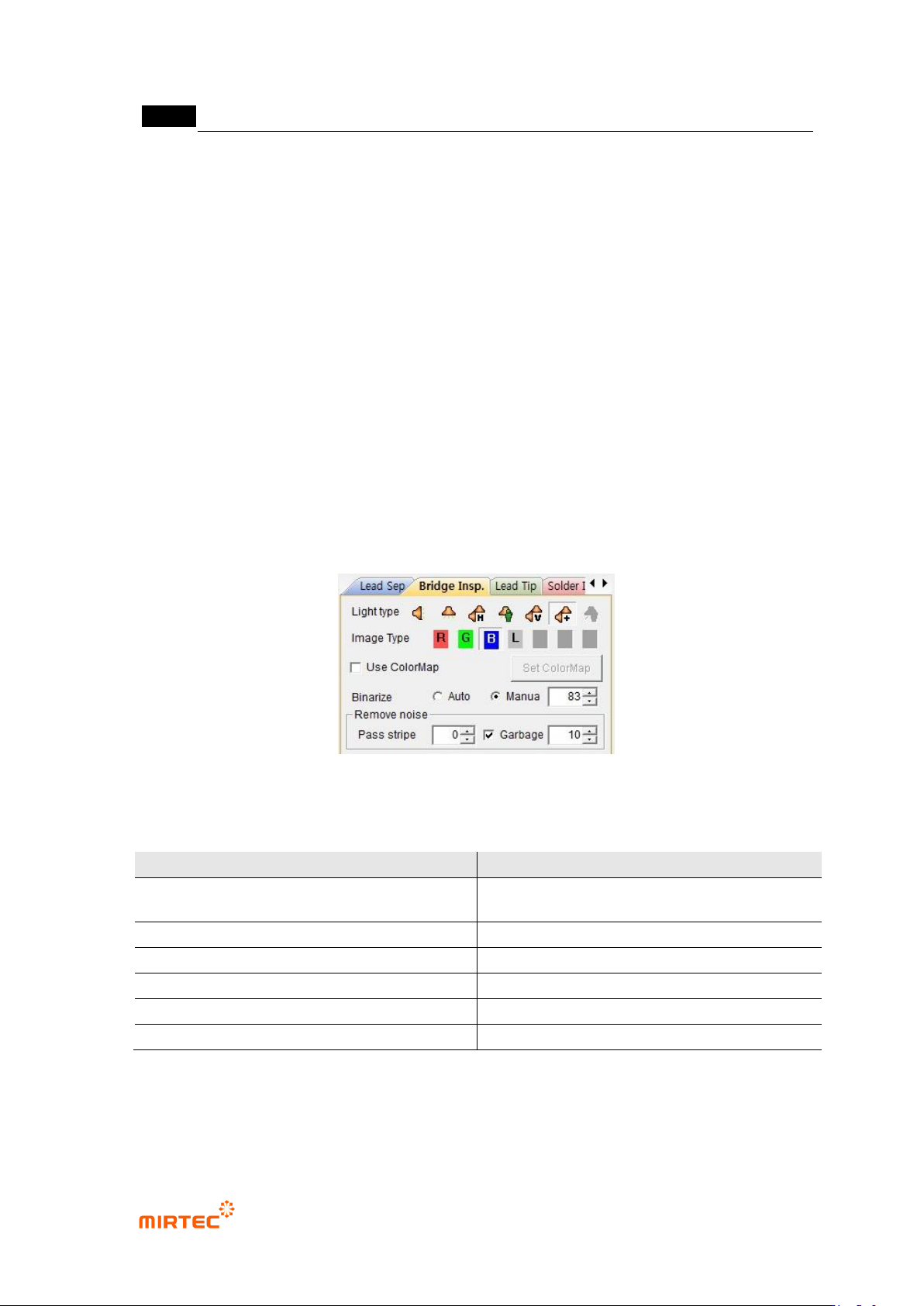
11) Bridge inspection parameter
- For bridge inspection parameter, adjust image status to display all parts suspected as
defect in preview image.
- In general, use low binarization value and stripe width of about „0‟. all lights can check
solder wire part in binarization status. However, select horizontal + vertical light and select
B as image type, and solder wire check is easy through image.
- In case of much noise on IC lead according to Flux or PCB status, too low stripe or small
area removal is cause to increase false defect during inspection. Hence, in case of some
substrates, stripe or small area removal needed to be smoothly used.
[Figure 5-132 Bridge inspection parameter]
[Table 5-10 Bridge inspection setting value]
Item
Recommended setting value
light
horizontal + vertical light (Sometimes
horizontal)
image type
B (L for horizontal light)
binarization type
manual
binarization level
Low value (50 ~ 150)
stripe
Low value (0 ~ 1)
area
Low value (0 ~ 20)
错误!使用“开始”选项卡将 제목 2 应用于要在此处显示的文字。错误!使用“开始”选项卡将 제목 2 应用
于要在此处显示的文字。 .
5-121
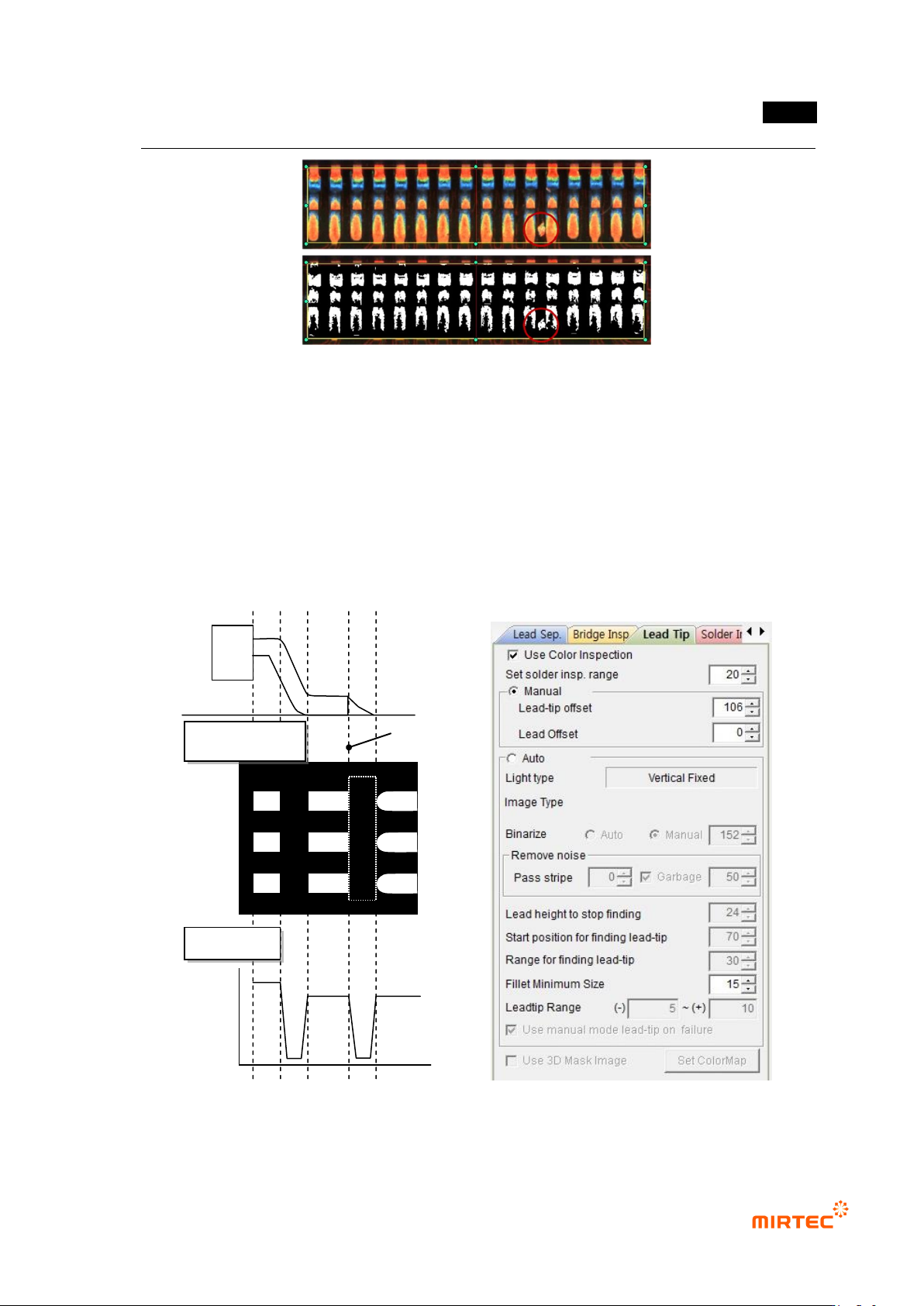
[Figure 5-133 Bridge defect example]
12) Lead tip parameter
- Check at solder amount inspection among default parameters to activate lead tip tap and
solder amount inspection tap.
- For lead tip position, set start point of fillet area for solder amount inspection. For setting
method of lead tip, there are manual setting to set lead tip position by user and auto
setting method at which program finds lead tip position.
[Figure 5-134 lead image characteristic and lead tip parameter]
Lead tip position
Binarization image
Profile
MV-9 User Manual
5-122
Use color inspection
- Set this option to use color inspection. Check at „Use color inspection‟ to activate it on
solder amount inspection tap.
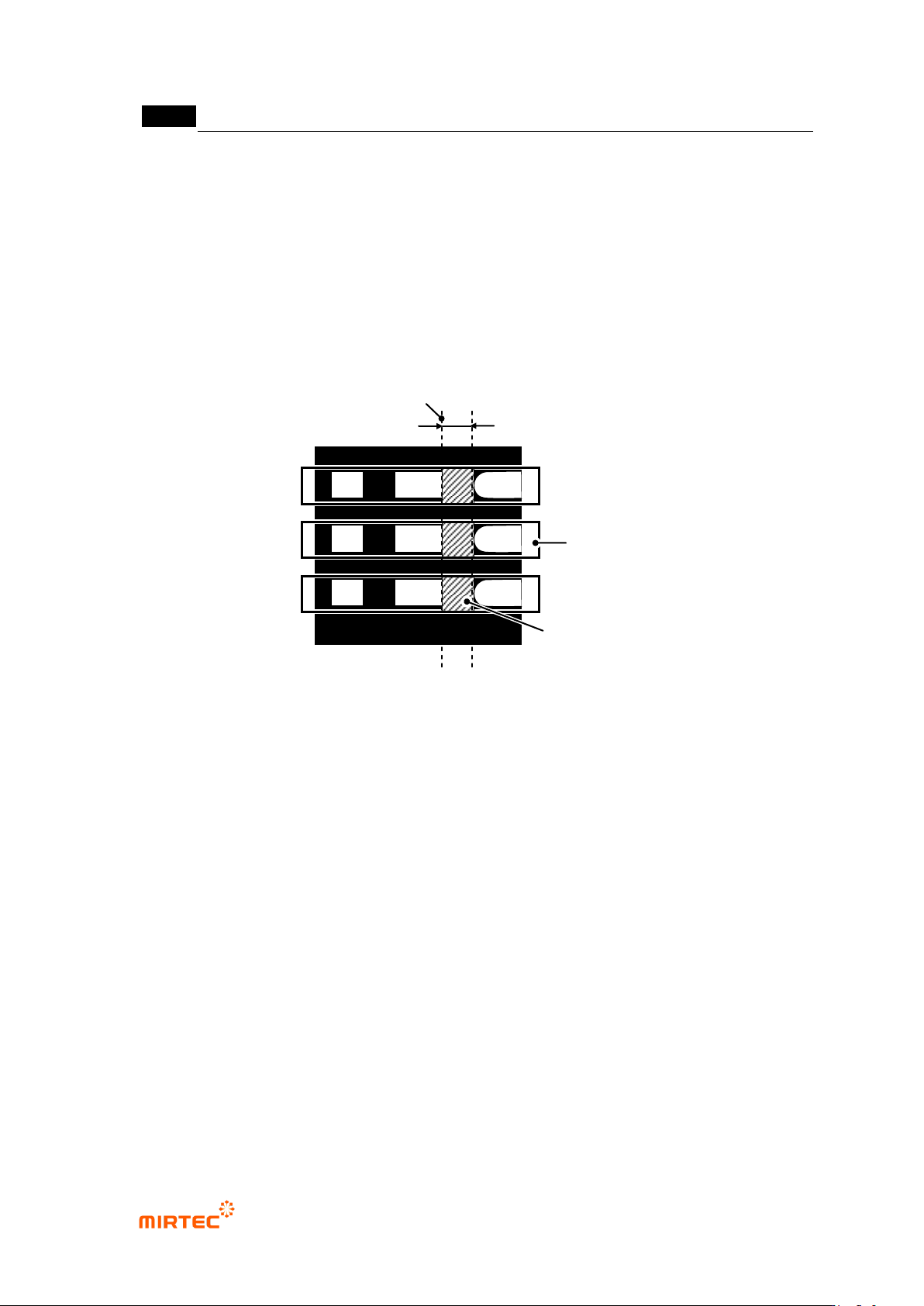
Solder inspection area setting
- This is manually set or set the degree of solder area from automatically found lead tip. real
solder area is common part of lead area found by lead separation and solder inspection
area set by lead tip offset value.
[Figure 5-135 lead tip and solder inspection area definition]
Manual
- Users manually designate position of lead tip. In general, use this option when position of
lead tip is not clearly separated and it is difficult to use auto search in binarization image.
- Lead tip offset: manually designate position of lead tip.
- Lead offset: used for solder amount inspection (advanced inspection). Designate start
position of lead area. Set to „0‟ for solder amount inspection (general inspection).
Auto
- In case of using lead tip auto search, adjust parameter to clearly divide position of lead tip.
- Since lead tip light is vertically fixed, adjust only binarization value and stripe width.
- Setting values in [Table 5-11] are recommended for setting of each item.
- When position of lead tip is not clearly divided after image adjustment, use manual setting
function to set lead tip.
Lead area
Lead tip set by auto or manual
Solder inspection area width
Solder inspection area