MV-9_Chapter 5. Teaching.pdf - 第124页
MV -9 Use r Manual 5- 124 M in fillet size - Activated w hen co l or i nspection is checked. set fillet size. Lead tip range - Activated w hen co l or i nspection is checked. set range of average va lue of lead tip f…
错误!使用“开始”选项卡将 제목 2 应用于要在此处显示的文字。错误!使用“开始”选项卡将 제목 2 应用
于要在此处显示的文字。 .
5-123
[Table 5-11 lead tip – auto setting value]
Item
Recommended setting value
light
vertical (Fixed)
binarization type
auto
stripe width
0 ~ 2
area
High (30 ~ 60)
Min lead width
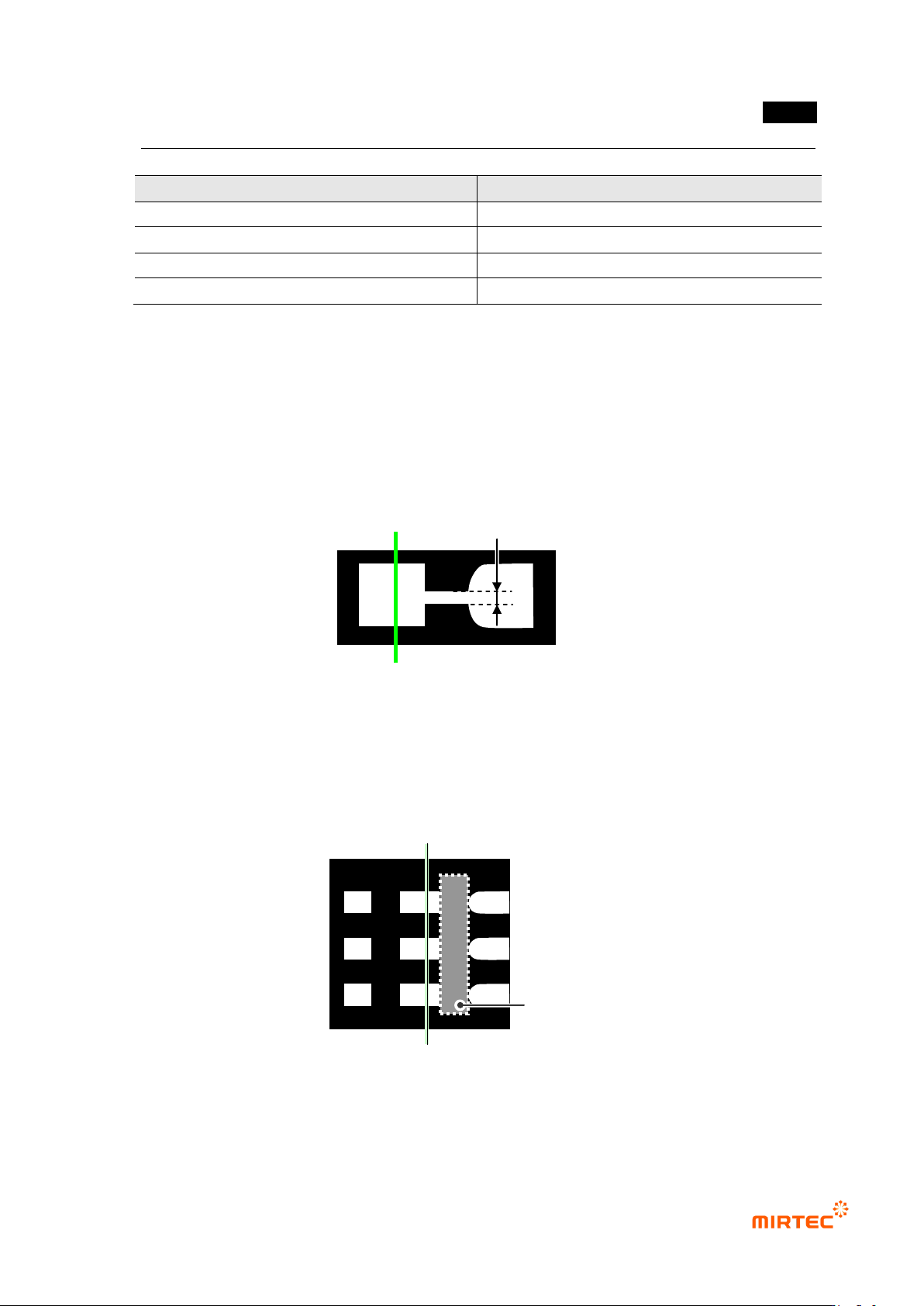
- Lead tip of some lead is not completely separated in binarization image and connected. At
this point, set min lead width to find lead tip by not distinguishing low width value lower
than setting value from lead and there is little connection shape.
- width value to be set uses a little larger value than the value width of connection shape.
(Initial value is 50 %.)
[Figure 5-136 lead tip start point min lead width]
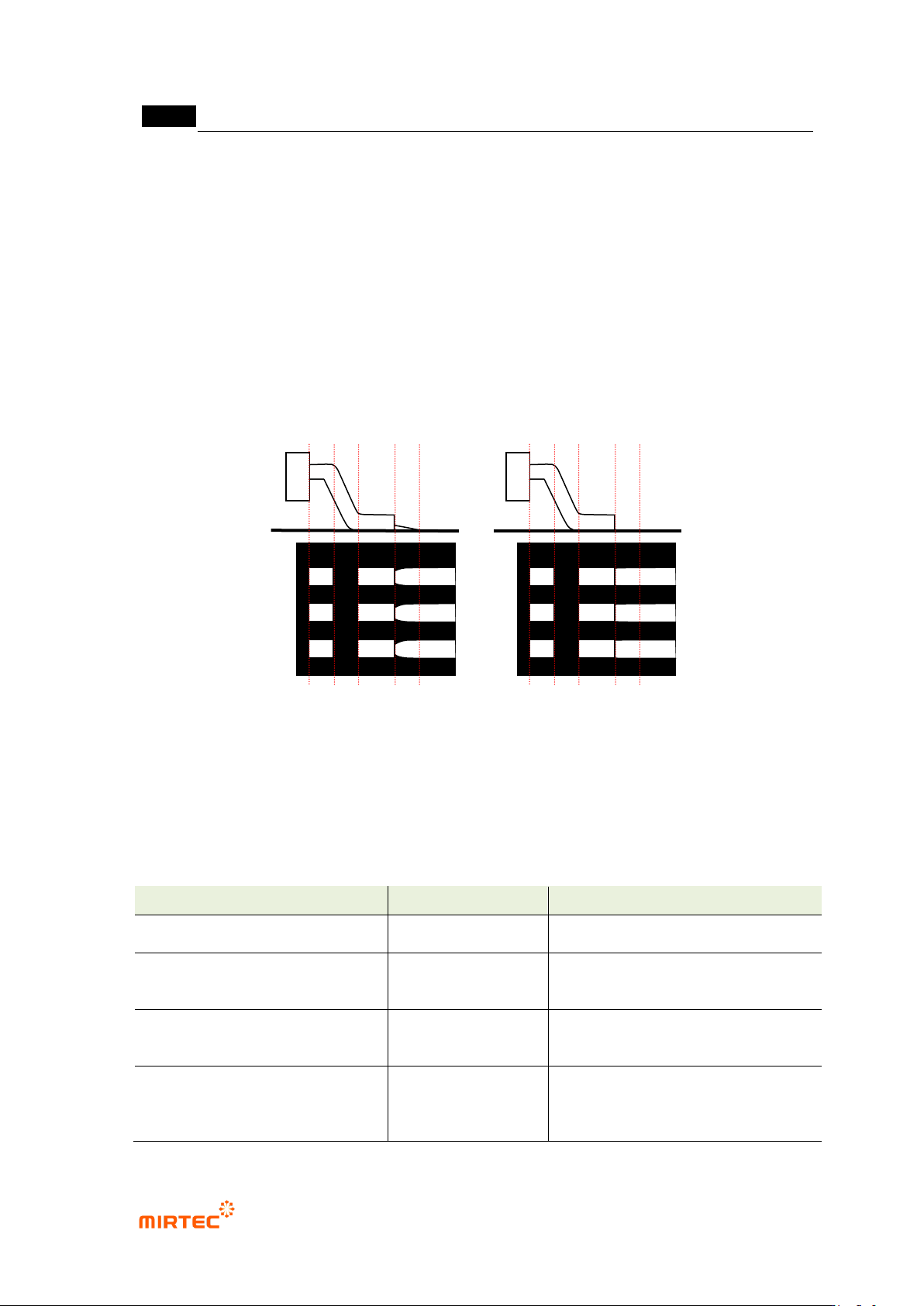
Search start position
- Set position to start lead tip search. Set shoulder part of lead and position between lead
tips and start program search from this position to lead tip position during inspection.
(search direction: lead toward package → lead end)
[Figure 5-137 lead tip inspection position]
Search range
- Activated when color inspection is checked. set search range of lead tip auto search.
Search start position
Lead tip position
Min lead width of start point of lead tip
MV-9 User Manual
5-124
Min fillet size
- Activated when color inspection is checked. set fillet size.
Lead tip range
- Activated when color inspection is checked. set range of average value of lead tip found by
auto search.
Use manual lead tip when auto lead tip search fails
- In case of insufficient solder, no solder and excessive solder, binarization image of lead tip
will not be displayed. In this case, conduct inspection using manual lead tip offset value set
by user when search of auto lead tip fails.
[Figure 5-138 Example of manual lead tip search when auto lead tip search fails]
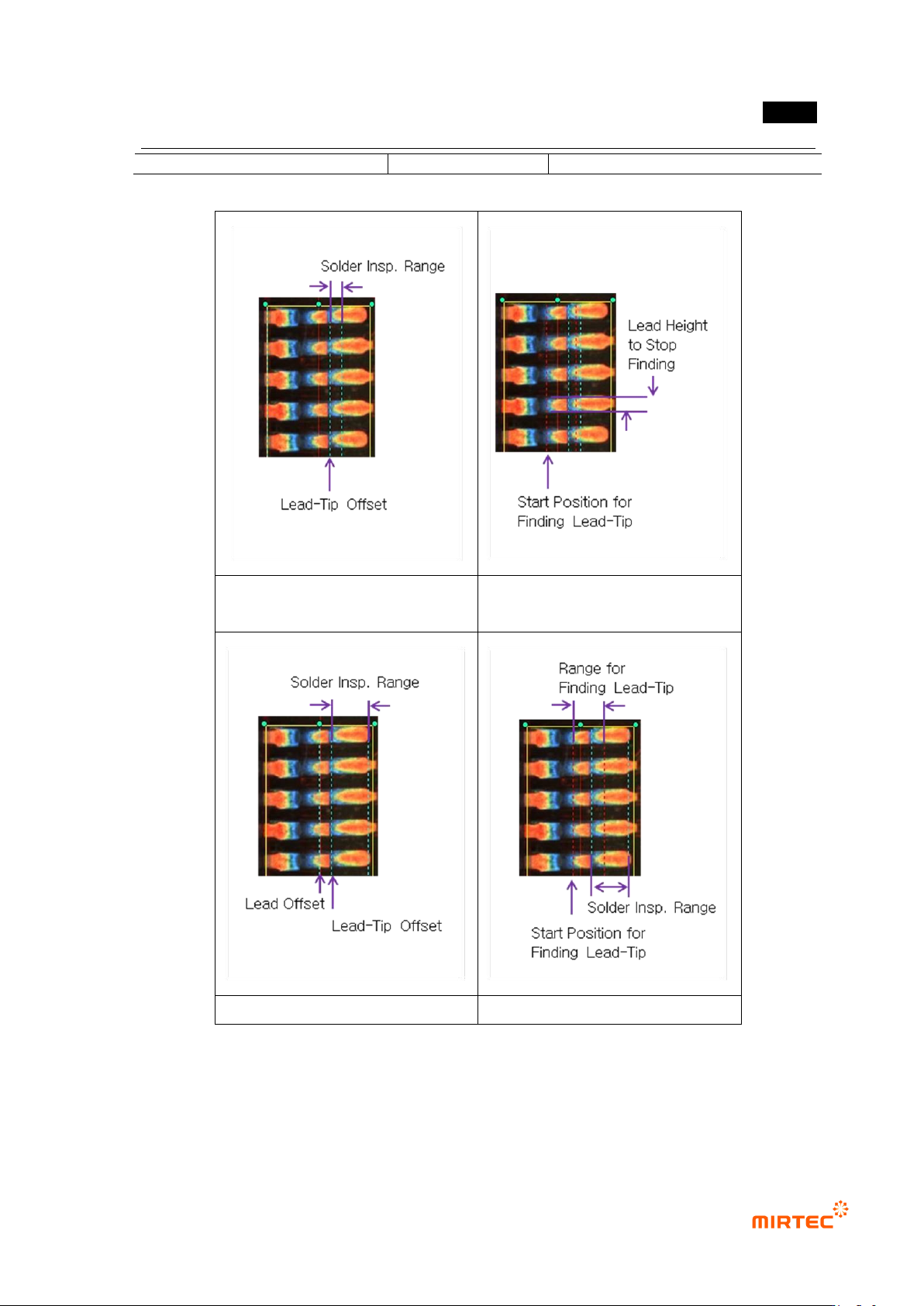
Lead tip search example
- item and setting method activated by selecting „Use color inspection‟ and „lead tip manual /
auto search‟ is different. The followings are examples of each case.
[Table 5-12 lead tip detection setting parameter for each condition]
Lead tip detection condition
Activation item
Detection lead tip position
No use of color inspection –
manual
lead tip offset
lead offset
lead tip offset position
No use of color inspection –
auto
min lead width
search start
position
average value of individual lead tip
position
Use of color inspection–
manual
lead tip offset
lead offset
min fillet size
lead tip offset position
Use of color inspection– auto
search start
position
search range
min fillet size
individual lead tip position
Insufficient lead
Insufficient lead
错误!使用“开始”选项卡将 제목 2 应用于要在此处显示的文字。错误!使用“开始”选项卡将 제목 2 应用
于要在此处显示的文字。 .
5-125
lead tip range
No use of color inspection –
manual
No use of color inspection – auto
Use of color inspection – manual
Use of color inspection – auto
[Figure 5-139 lead tip search setting example]
13) Parameter of solder amount inspection (general inspection)
- Solder area found in the previous solder amount inspection conducted.