MV-9_Chapter 5. Teaching.pdf - 第125页
错误 ! 使用“开始” 选项卡将 제목 2 应用于要在此处显示的文字。 错误 ! 使用“开始”选项卡将 제목 2 应用 于要在此处显示的 文字。 . 5- 125 lead tip r a nge No use of co l or i nspection – m anual No use of co l or i nspection – auto Use of color inspection – m anua l Use of co…
MV-9 User Manual
5-124
Min fillet size
- Activated when color inspection is checked. set fillet size.
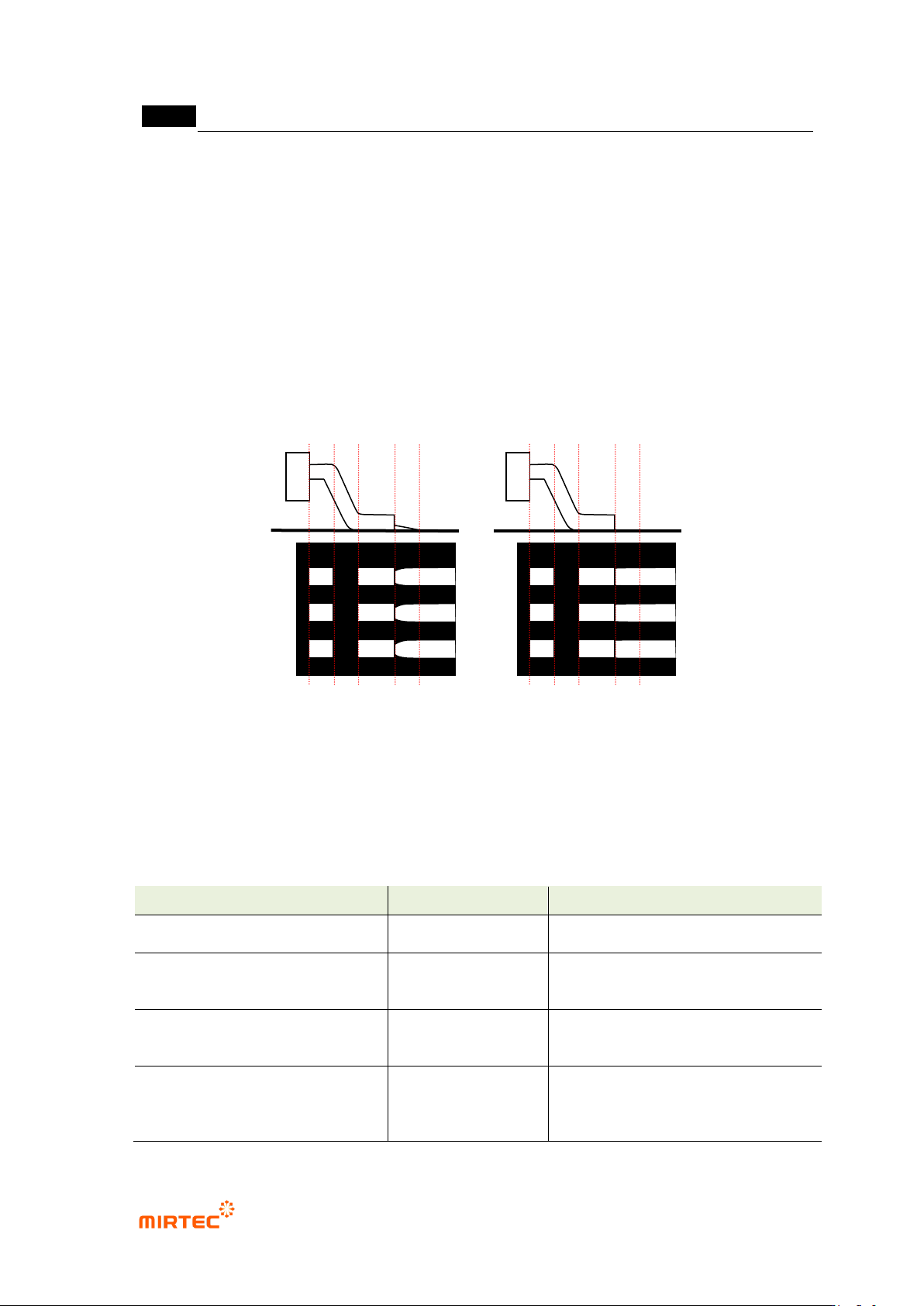
Lead tip range
- Activated when color inspection is checked. set range of average value of lead tip found by
auto search.
Use manual lead tip when auto lead tip search fails
- In case of insufficient solder, no solder and excessive solder, binarization image of lead tip
will not be displayed. In this case, conduct inspection using manual lead tip offset value set
by user when search of auto lead tip fails.
[Figure 5-138 Example of manual lead tip search when auto lead tip search fails]
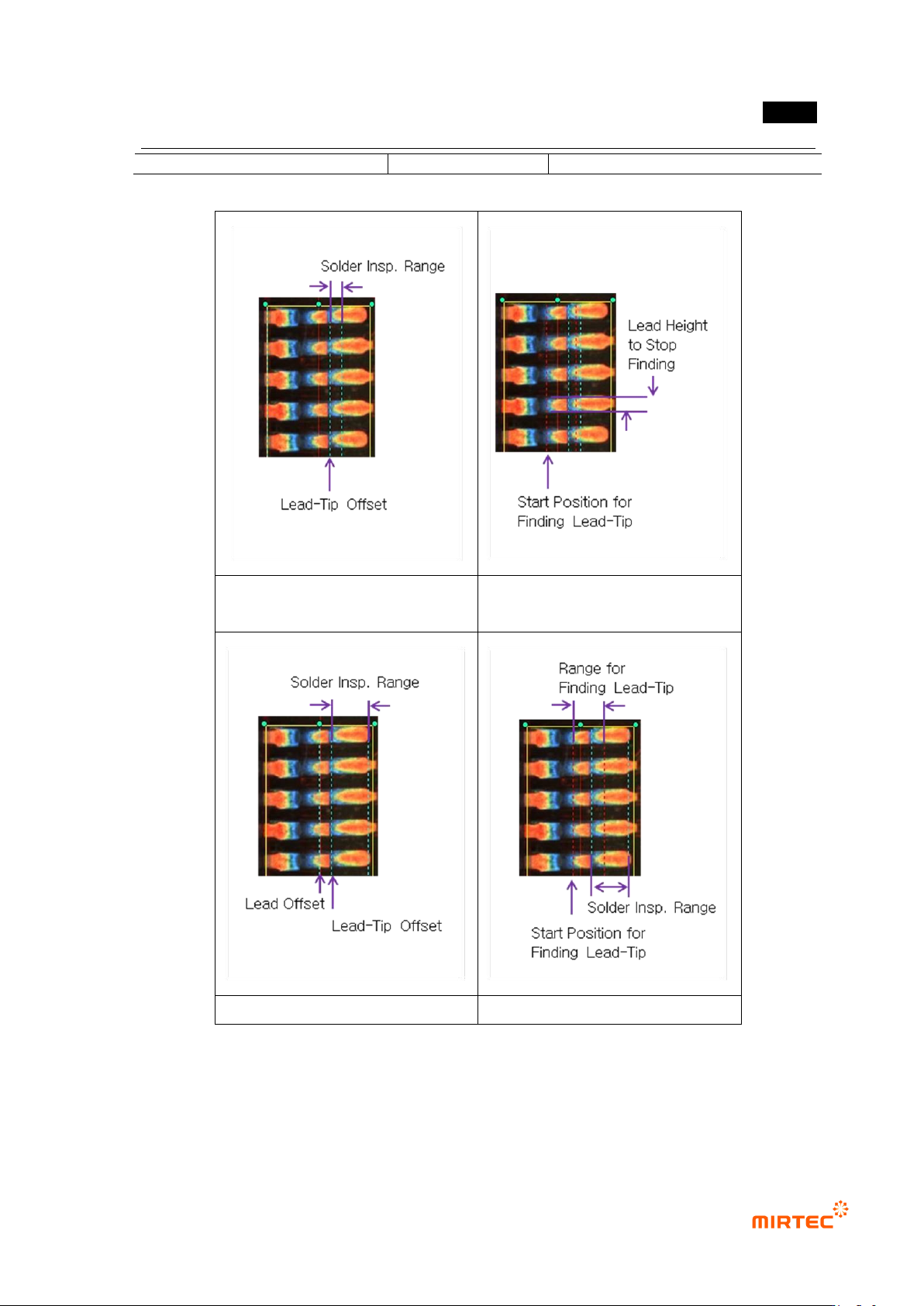
Lead tip search example
- item and setting method activated by selecting „Use color inspection‟ and „lead tip manual /
auto search‟ is different. The followings are examples of each case.
[Table 5-12 lead tip detection setting parameter for each condition]
Lead tip detection condition
Activation item
Detection lead tip position
No use of color inspection –
manual
lead tip offset
lead offset
lead tip offset position
No use of color inspection –
auto
min lead width
search start
position
average value of individual lead tip
position
Use of color inspection–
manual
lead tip offset
lead offset
min fillet size
lead tip offset position
Use of color inspection– auto
search start
position
search range
min fillet size
individual lead tip position
Insufficient lead
Insufficient lead
错误!使用“开始”选项卡将 제목 2 应用于要在此处显示的文字。错误!使用“开始”选项卡将 제목 2 应用
于要在此处显示的文字。 .
5-125
lead tip range
No use of color inspection –
manual
No use of color inspection – auto
Use of color inspection – manual
Use of color inspection – auto
[Figure 5-139 lead tip search setting example]
13) Parameter of solder amount inspection (general inspection)
- Solder area found in the previous solder amount inspection conducted.
MV-9 User Manual
5-126
- Solder amount inspection (general inspection) is to inspect insufficient solder/no solder
and lifted using lead amount (white pixel ratio) in fillet area.
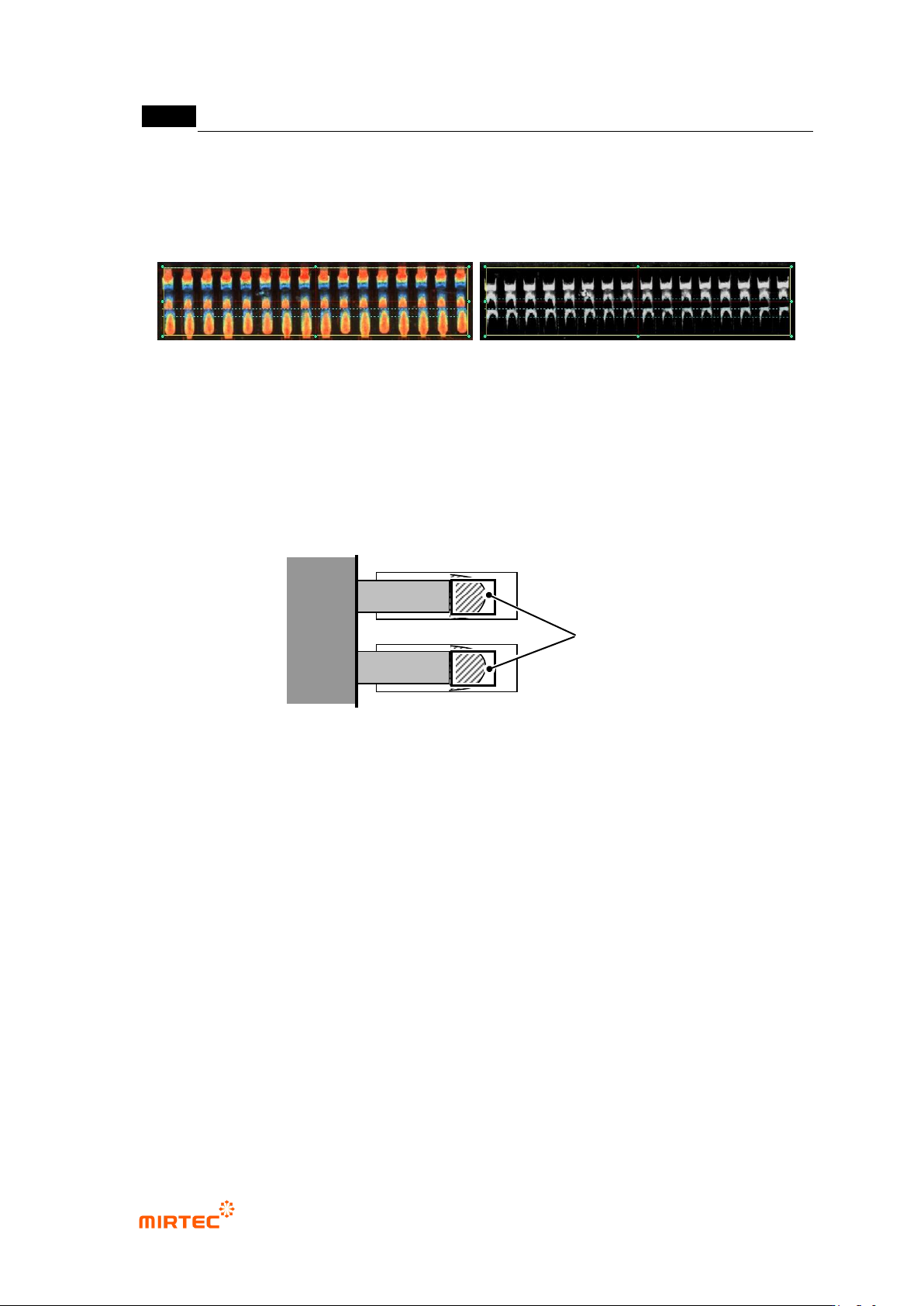
- Solder amount inspection (general inspection) uses white tap and color tap, and use
horizontal + vertical light image or horizontal - vertical image.
Horizontal + vertical light image horizontal - vertical image
[Figure 5-140 solder amount inspection image]
Common parameter
- Solder inspection area setting: effective solder inspection width ratio
100% of width (width of lead calculated in lead separation stage) can be inspected
by setting effective solder inspection width ratio (%)and 50% or inspection area of
width can be set according to setting value.
[Figure 5-141 solder inspection area setting]
- Use color inspection
Set this function to use color algorithm for solder inspection. This will be activated by
checking at „Use color inspection‟ on lead tip tap. Check at this item to use advanced
inspection.
- Number of min solder defect
Even if there is lead judged as defect, if the number is lower than min solder defect after
inspection, final inspection result will be normal.
- Color binarization
Check at this option to conduct binarization used color map in general inspection.
Inspection area