MV-9_Chapter 5. Teaching.pdf - 第146页
MV -9 Use r Manual 5- 146 Next, display RGB average va l ue i n added color w in dow ar ea. Refresh displ ay of RGB average value i n curr ent colo r window area . Ex tra ct and display RGB average value (color). [Figure…
错误!使用“开始”选项卡将 제목 2 应用于要在此处显示的文字。错误!使用“开始”选项卡将 제목 2 应用
于要在此处显示的文字。 .
5-145
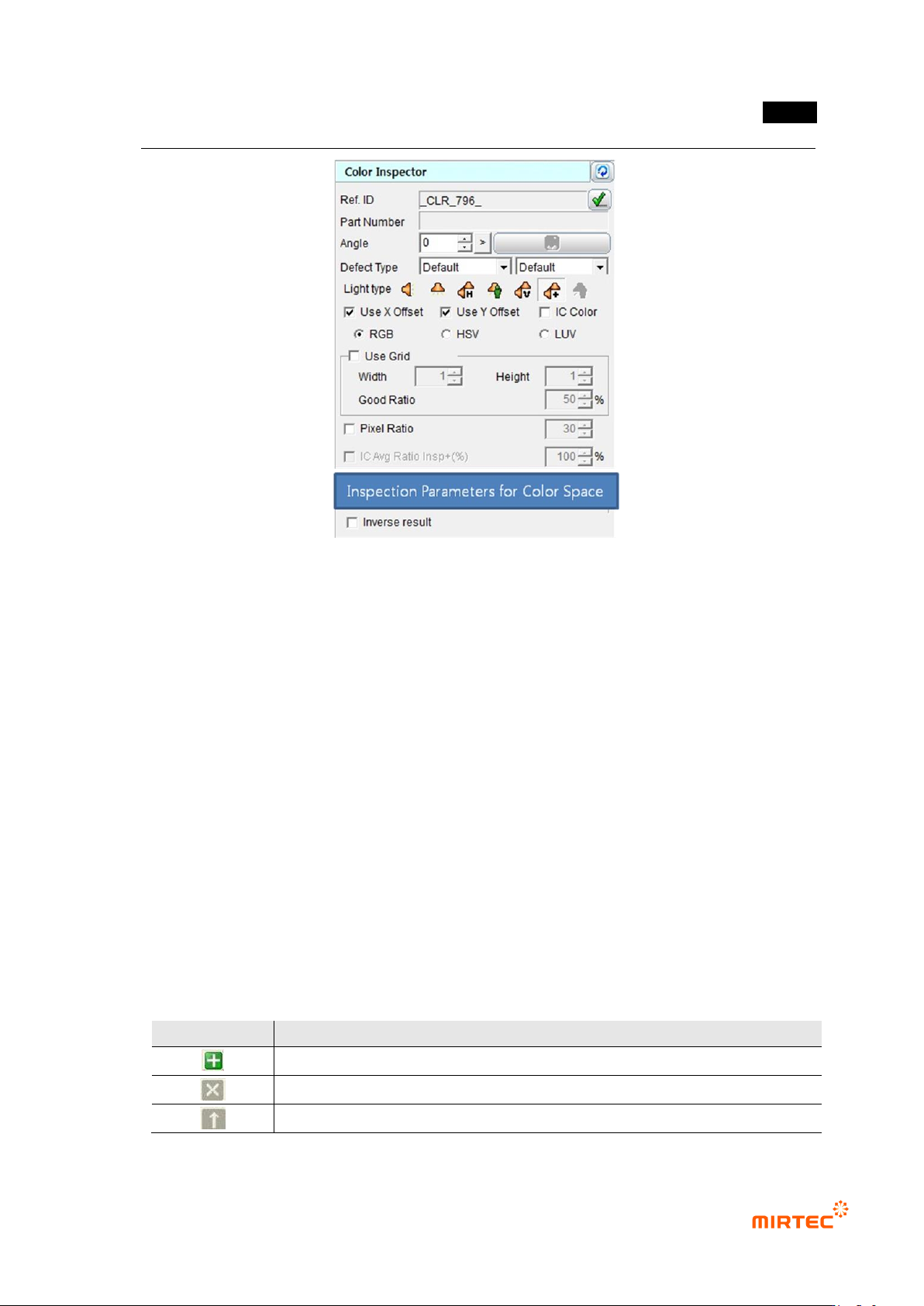
[Figure 5-173 common parameter of color inspection window]
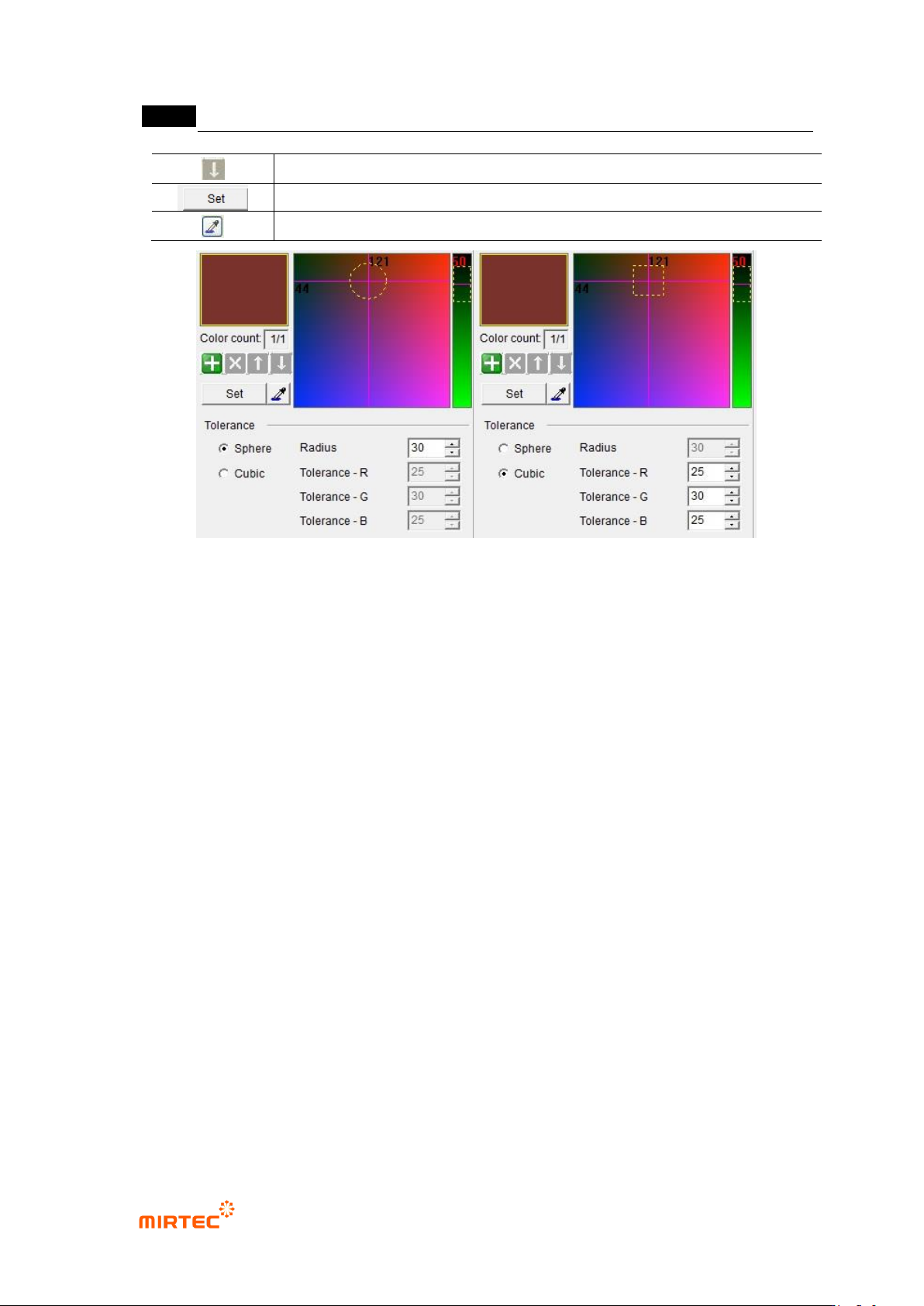
4) Parameter of RGB color inspection window
Color coordinator configuration
- Calculate average RGB value in the relevant window and display in RGB area. RGB area
is express in 3D and R-B (red-blue) area is displayed in the left, and G (green) area is
displayed in the right.
Normal range
- Sphere
Select sphere for the shape of normal range. Supposing that RGB area is 3D,
define normal range as sphere. If it is within sphere range, judge as good.
Radius will be activated. Designate normal range.
- Cubic type
Select cubic type for shape of normal range. Define RGB area as cubic. If it is
within cubic range, judge as good.
Designate normal range of each RGB color.
[Table 5-15 Operation buttons in RGB screen]
icon
Description
Add display for RGB average value in current color window area.
Remove display for RGB average value in current color window area.
Firstly, display RGB average value in added color window area.
MV-9 User Manual
5-146
Next, display RGB average value in added color window area.
Refresh display of RGB average value in current color window area.
Extract and display RGB average value (color).
[Figure 5-174 parameter of RGB color inspection window]
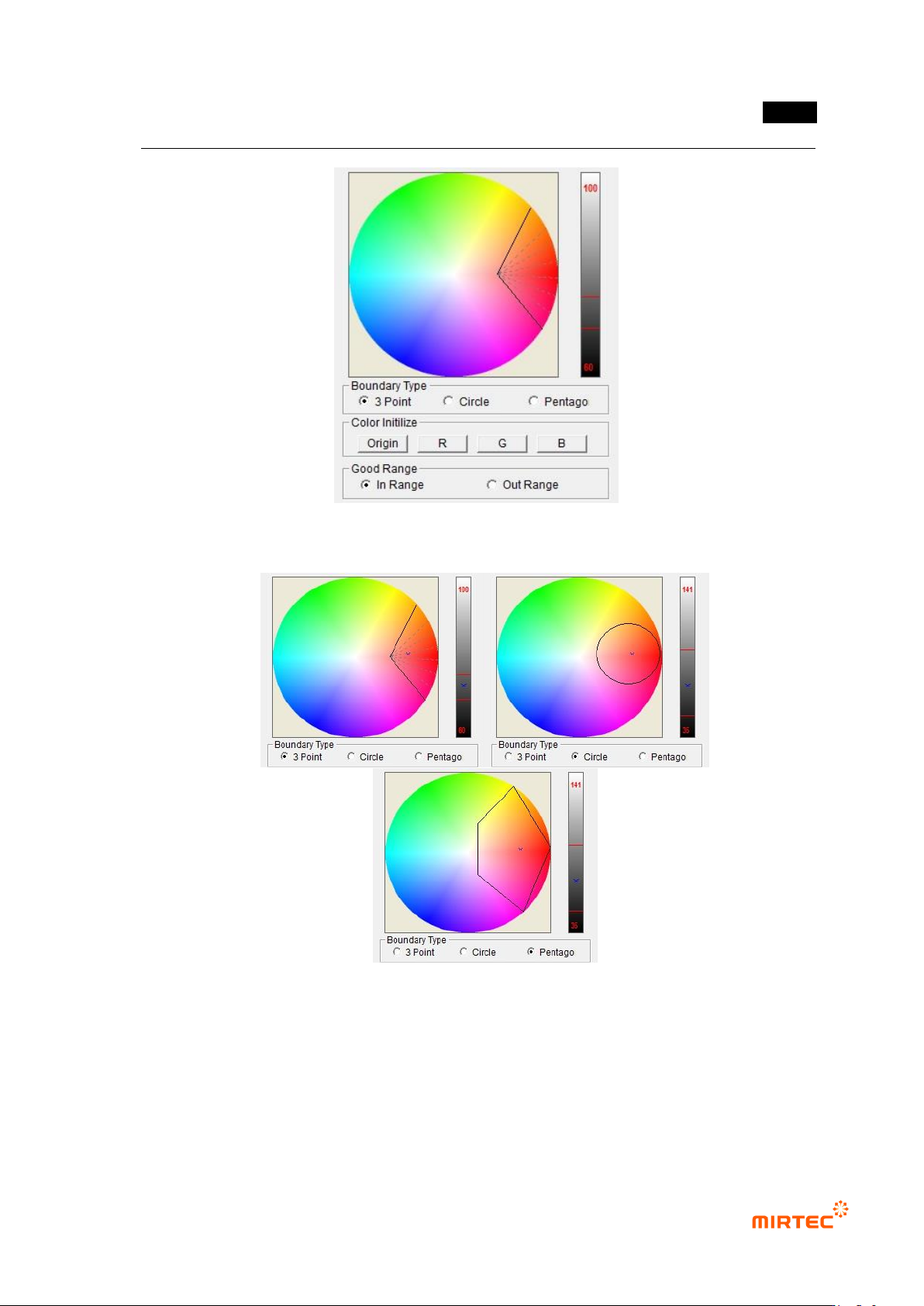
5) Parameter of HSV color inspection window
Color coordinator configuration
- convert to HSV using RGB value in the relevant window, and display it in color (H, hue) -
saturation (S, saturation) area (left circle), and display position of luminance (V, value) in
the right bar.
Normal boundary region
- There are 3 methods of 3 points, circle, and pentagon shape to designate normal range of
color in inspection area.
- Designate min – max range to designate normal range of luminance of inspection area
Color reset
- Reset normal color range. Divide color area (0° ~ 360°) in color map into 3 and RGB each
allot, and set saturation to origin.
- Set R, G and B as initial value for each color
Normal range
- Designate inside or outside of normal boundary region as normal range.
- Designate area to which color of inspection window that completed teaching is included
(area displayed in dotted line) for „Inside‟, and designate the other area for „outside‟.
错误!使用“开始”选项卡将 제목 2 应用于要在此处显示的文字。错误!使用“开始”选项卡将 제목 2 应用
于要在此处显示的文字。 .
5-147
[Figure 5-175 parameter of HSV color inspection window]
[Figure 5-176 Selection example of normal boundary region]
6) Parameter of LUV color inspection window
Color coordinator configuration
- Convert to Luv by using RGB value of the relevant window, and display the position of uv
value in coordinate plane, and display the position of luminance value in the right bar.