MV-9_Chapter 5. Teaching.pdf - 第151页
错误 ! 使用“开始” 选项卡将 제목 2 应用于要在此处显示的文字。 错误 ! 使用“开始”选项卡将 제목 2 应用 于要在此处显示的 文字。 . 5- 151 color inspe c tion pixel ratio inspe c tion [Figure 5- 180 RGB color inspection window – grid inspection result] 5.3.8 Chip component ins …
MV-9 User Manual
5-150
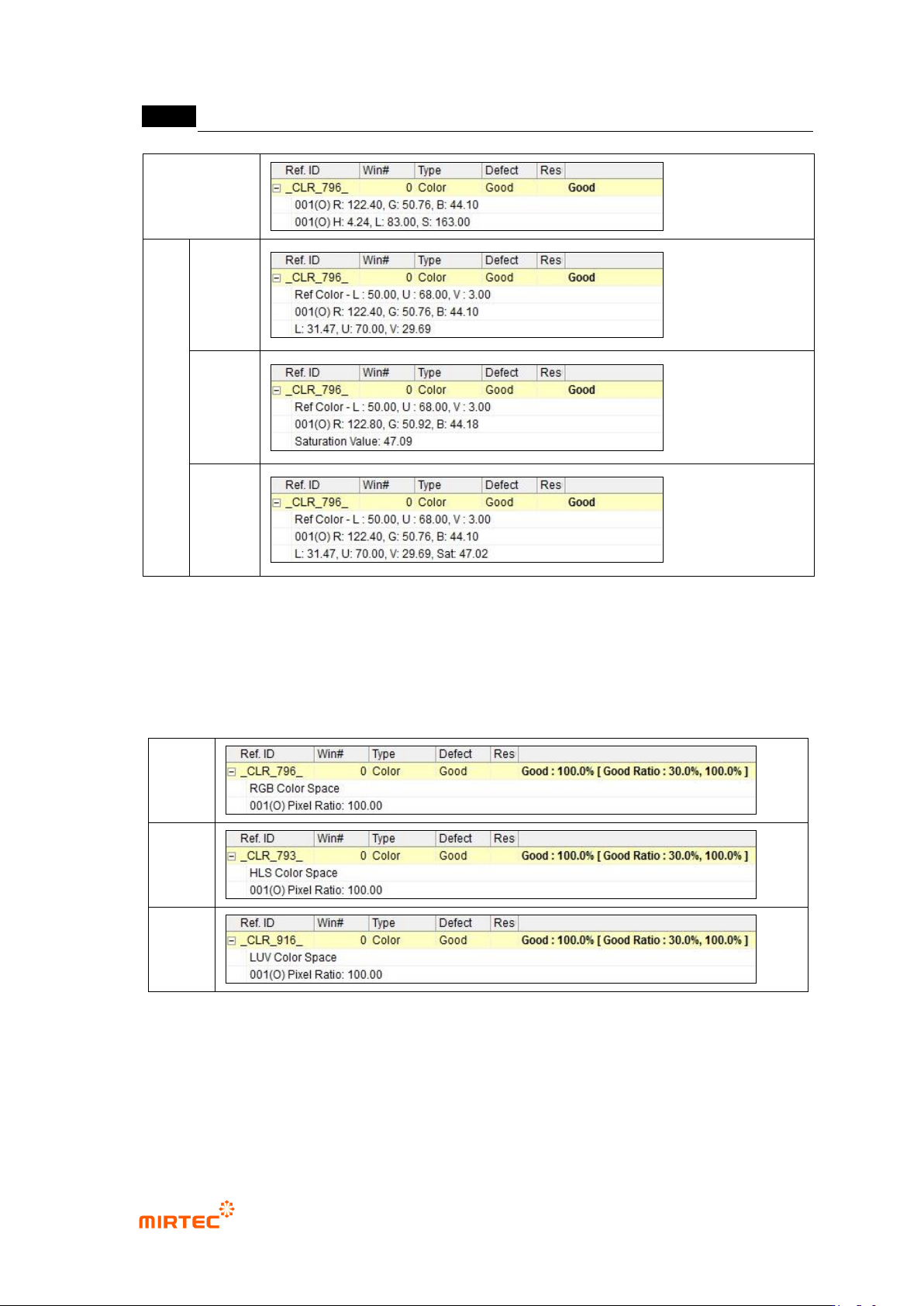
HSV
LUV
Luv
saturation
total
inspection
[Figure 5-178 Color inspection window – color inspection result]
Pixel ratio inspection result
- Color Space: display selected color coordinator.
- Display pixel ratio in inspection area. If pixel ratio is above entered criteria, judge as good.
RGB
HSV
Luv
[Figure 5-179 Color inspection window – pixel ratio inspection result]
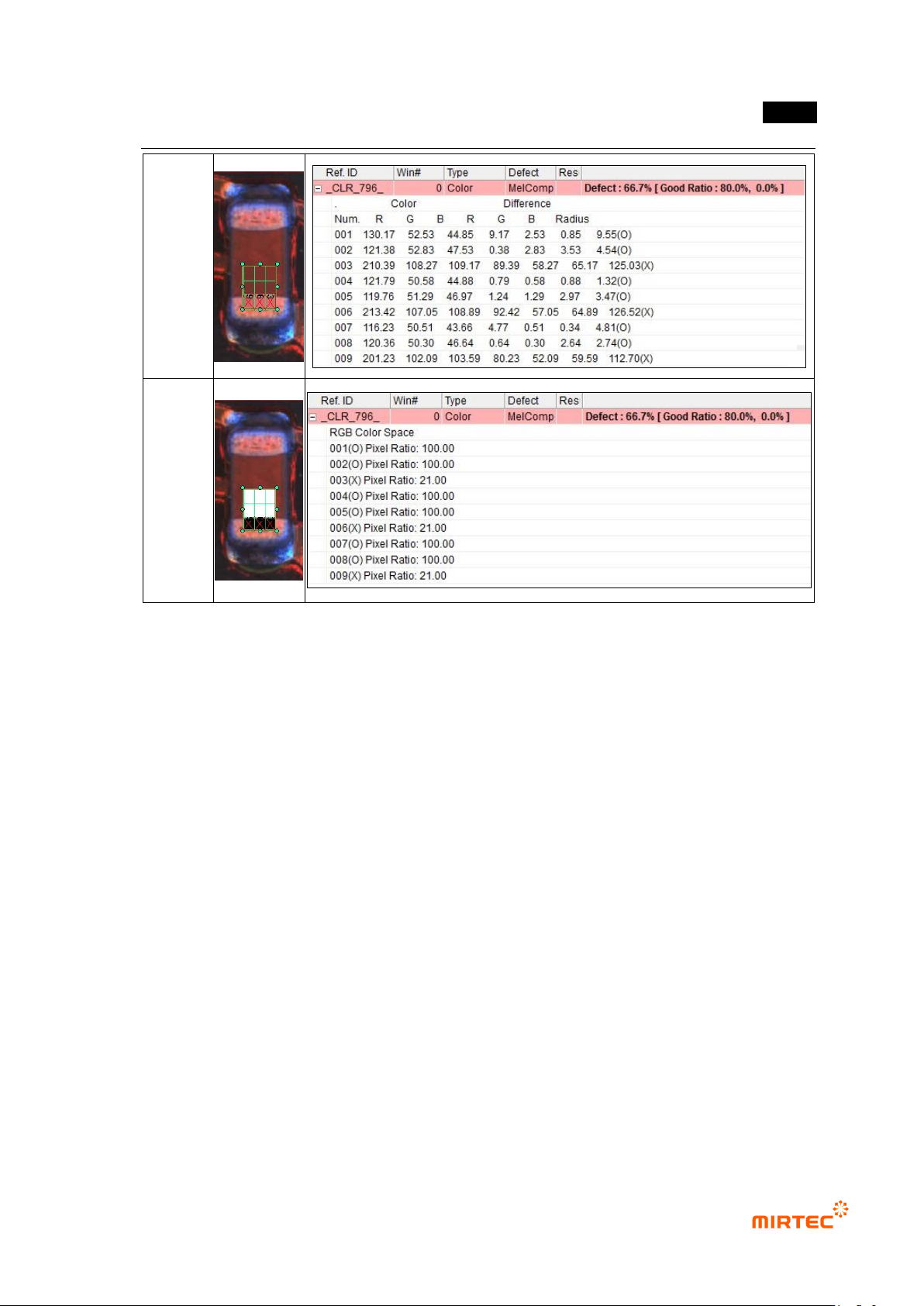
Grid inspection result
- Color inspection or pixel ratio inspection result will be equally displayed according to the
selected color coordinator, and result will be displayed as many as the number of grid.
- If ratio number of normal grid to total number of grid is above reference value, judge as
good.
错误!使用“开始”选项卡将 제목 2 应用于要在此处显示的文字。错误!使用“开始”选项卡将 제목 2 应用
于要在此处显示的文字。 .
5-151
color
inspection
pixel ratio
inspection
[Figure 5-180 RGB color inspection window – grid inspection result]
5.3.8 Chip component inspection window
- Chip component inspection window is used to inspect position secession, non-mounting
and wrong mounting and lead amount of resistance and capacitor among components
mounted on PCB. Hence, one mounting inspection window and 2 solder amount
inspection windows will be group to configure one chip component inspection window.
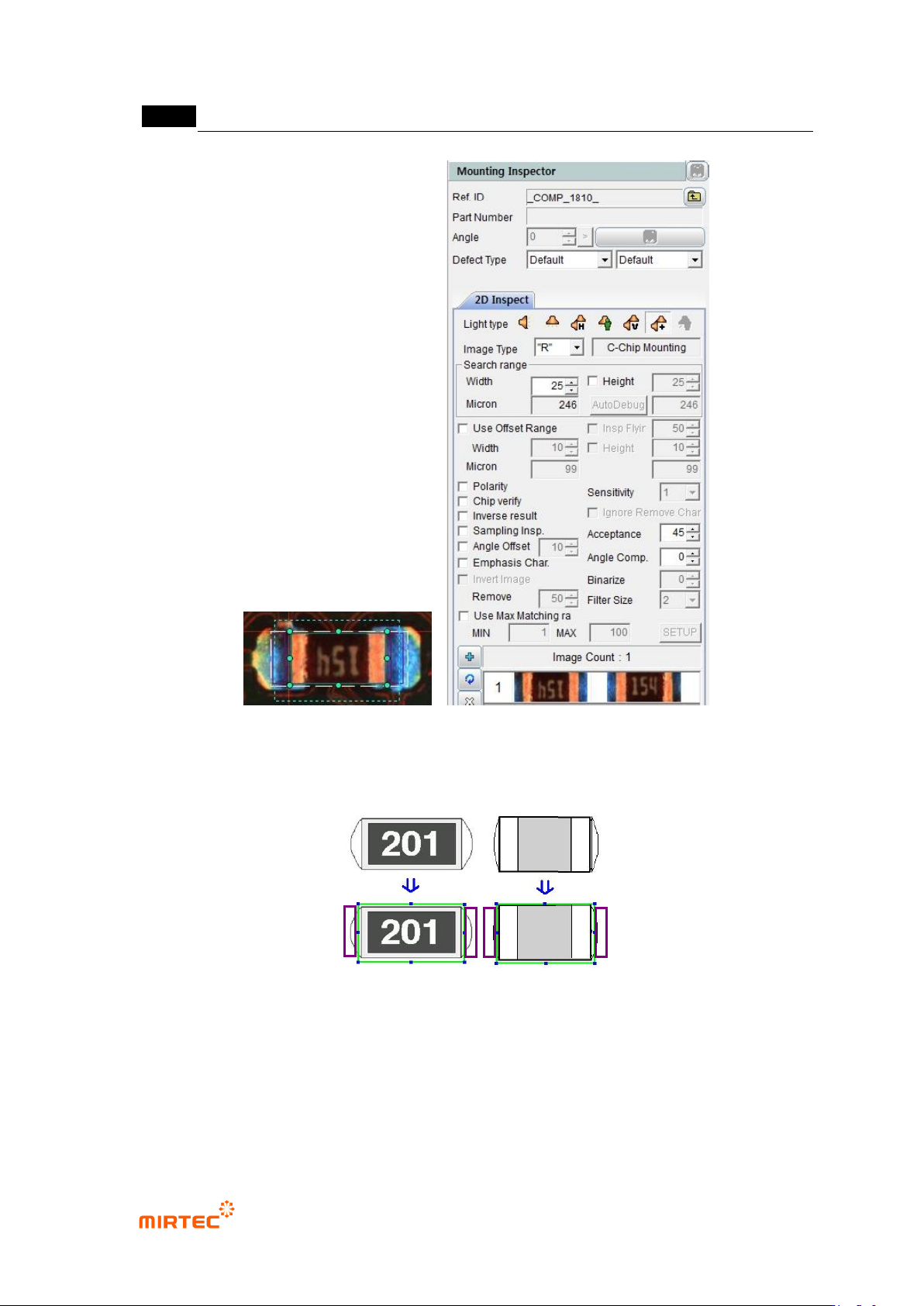
1) Teaching method
① Click <chip component inspection window> button among operating buttons.
② Draw inspection window according to the size of chip component to be inspected. At this
point, 2 solder amount inspection windows will be automatically created. set creation
position in „chip‟ tap of „component inspection window setting‟ in „Config.‟
③ For more information of setting of mounting inspection and solder amount inspection, refer to
setting of individual inspection window.
MV-9 User Manual
5-152
[Figure 5-181 Creation of chip component inspection window]
2) Teaching example of representative component
[Figure 5-182 Teaching example of chip component inspection window]
3) Parameter of chip component inspection window