MV-9_Chapter 5. Teaching.pdf - 第158页
MV -9 Use r Manual 5- 158 [Figure 5- 190 Setting of height inspection window reference position] ④ Set „ angle com pensate ‟ of laser . The laser that is used for the m achi ne measures height with laser reflected from m…
错误!使用“开始”选项卡将 제목 2 应用于要在此处显示的文字。错误!使用“开始”选项卡将 제목 2 应用
于要在此处显示的文字。 .
5-157
Measurement
Collect data from section scanned by laser.
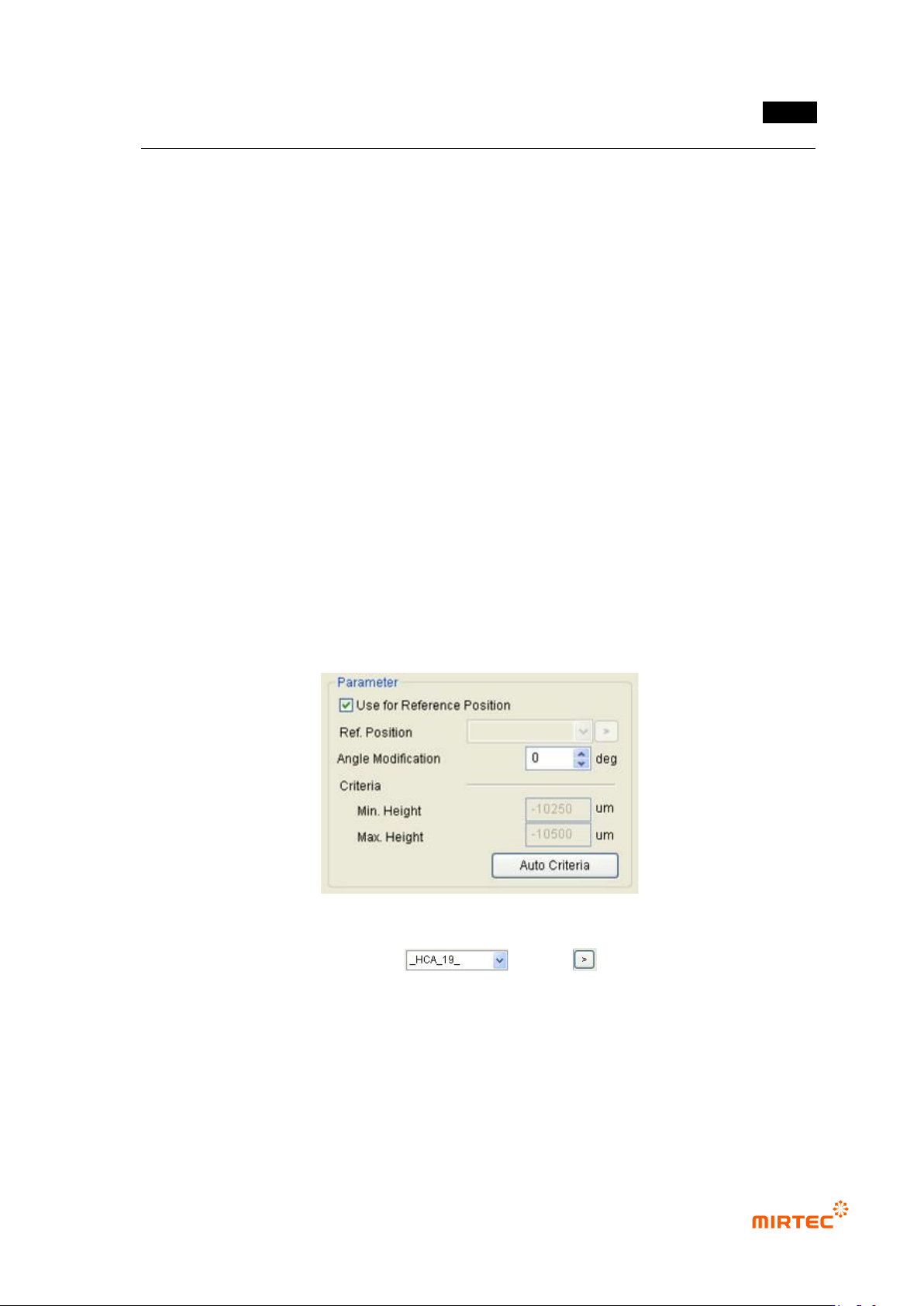
Use as reference position
Set this function to refer to height of other window
Reference position
Enter or click reference name of window to set window to be referred
Angle compensation
Angle compensation is not needed because only height inspection is conducted. However, if
measurement is interrupted by other component, it can be avoided by compensating angle.
Inspection condition
Click „measure‟ to collect data and set proper value.
Teaching method
① Click <height inspection window> button among „operating buttons‟.
② To set reference position (position at which height is considered as „0‟), create „height
inspection window‟ and select „Use reference position‟ to use and set it as reference height
without height measurement.
[Figure 5-189 Height inspection window reference position]
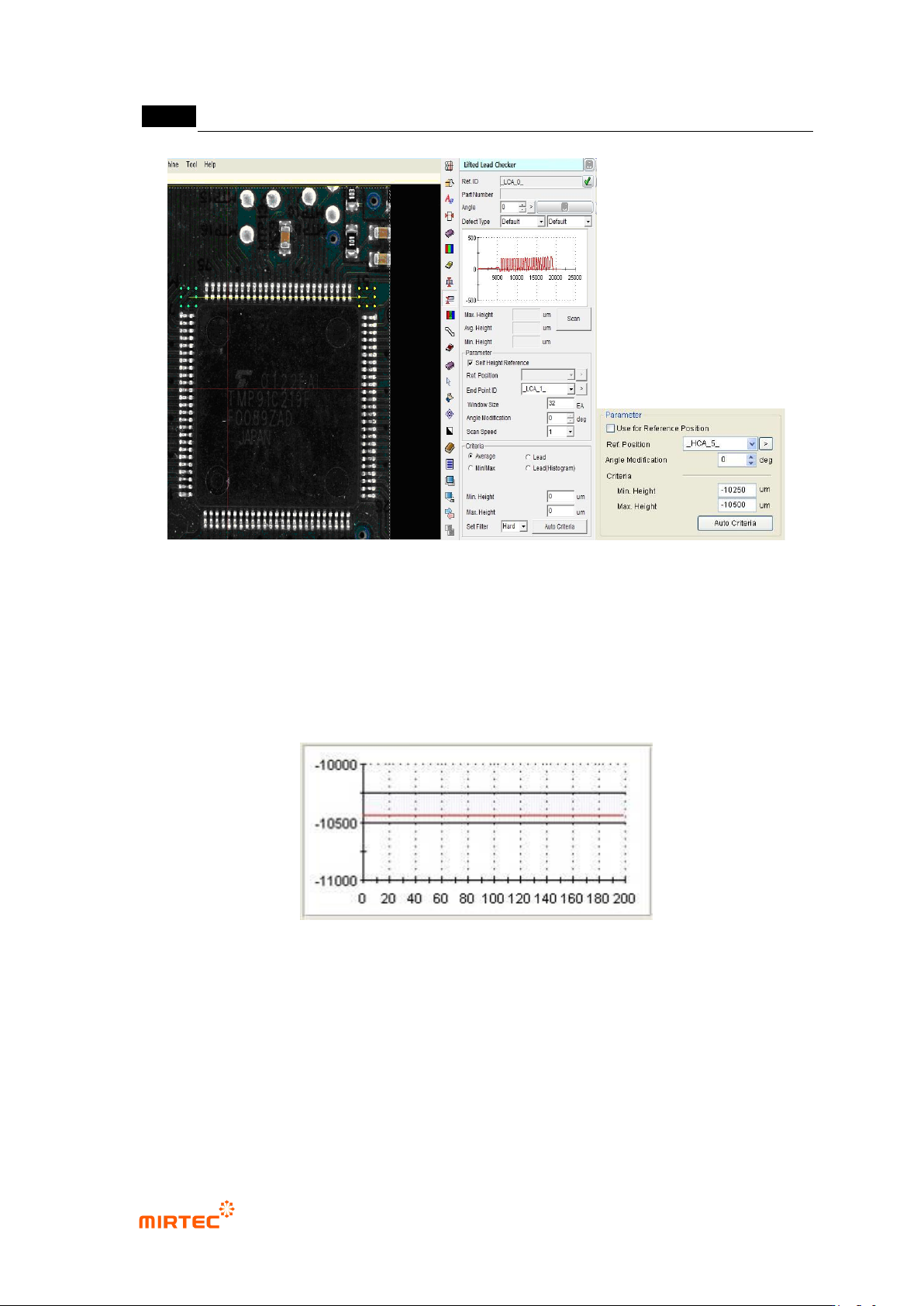
③ Create „height inspection window‟ at position for height measurement and select window
used as reference position in list ( ) or click button and select „Use
reference position window‟.
MV-9 User Manual
5-158
[Figure 5-190 Setting of height inspection window reference position]
④ Set „angle compensate‟ of laser. The laser that is used for the machine measures height with
laser reflected from measuring component using triangulation method. In case of component
with high height, it will interrupt laser reflection. Hence, solve the problem using angle
compensation of laser device.
⑤ Click <Measure> button to get height of the part desired to be measured comparing to
reference height.
[Figure 5-191 Reference measurement value in height inspection window]
⑥ Set min height, max height and angle compensation value that will be used for measurement.
If the value exceeds min/max value, will be judged as defect during measurement.

错误!使用“开始”选项卡将 제목 2 应用于要在此处显示的文字。错误!使用“开始”选项卡将 제목 2 应用
于要在此处显示的文字。 .
5-159
5.3.10 Lifted inspection window
This is used to inspect solder window lifted of IC Bridge.
[Figure 5-192 lifted inspection window creation screen]
Reference name
Refer to „reference name‟ in „5.3.1 mounting inspection window‟ excepting shape.
Name will be created in „_LCA_1_‟ format. „LCA‟ mean lifted and the number means creation
order of lifted inspection window.
Component name
Refer to „component name‟ in „5.3.1 mounting inspection window‟.
Rotation angle
Refer to „rotation angle‟ in „5.3.1 mounting inspection window‟
Max/average/min height
Peak/average/min value of data from section scanned by laser will be display.
Measurement
collect data from section scanned by laser.
Refer to self height
set this option to compensate height value of start or end position to „0‟.
Reference position
This will be activated only when self height reference setting is released. Set this option to
refer to Height of specific position. (height inspection window is used as reference position.)
End window ID
This function must be set for lifted inspection algorithm teaching. Directly enter reference
name of end window or click the button to set end window.
Move average section
Average achieved by moving section to know trend change.
Middle value filter
Align surrounding of peak and peak value of itself in order, and find middle value to change
original peak value to the middle value.
Window size
Set data collection section of move average or middle value filter
Angle compensation