MV-9_Chapter 5. Teaching.pdf - 第169页
错误 ! 使用“开始” 选项卡将 제목 2 应用于要在此处显示的文字。 错误 ! 使用“开始”选项卡将 제목 2 应用 于要在此处显示的 文字。 . 5- 169 Component name - Refer to „component name‟ i n „5.3.1 m o unting i nspection window‟ ‟. Rotation angle - Refer to „rotat i on angle‟ i…
MV-9 User Manual
5-168
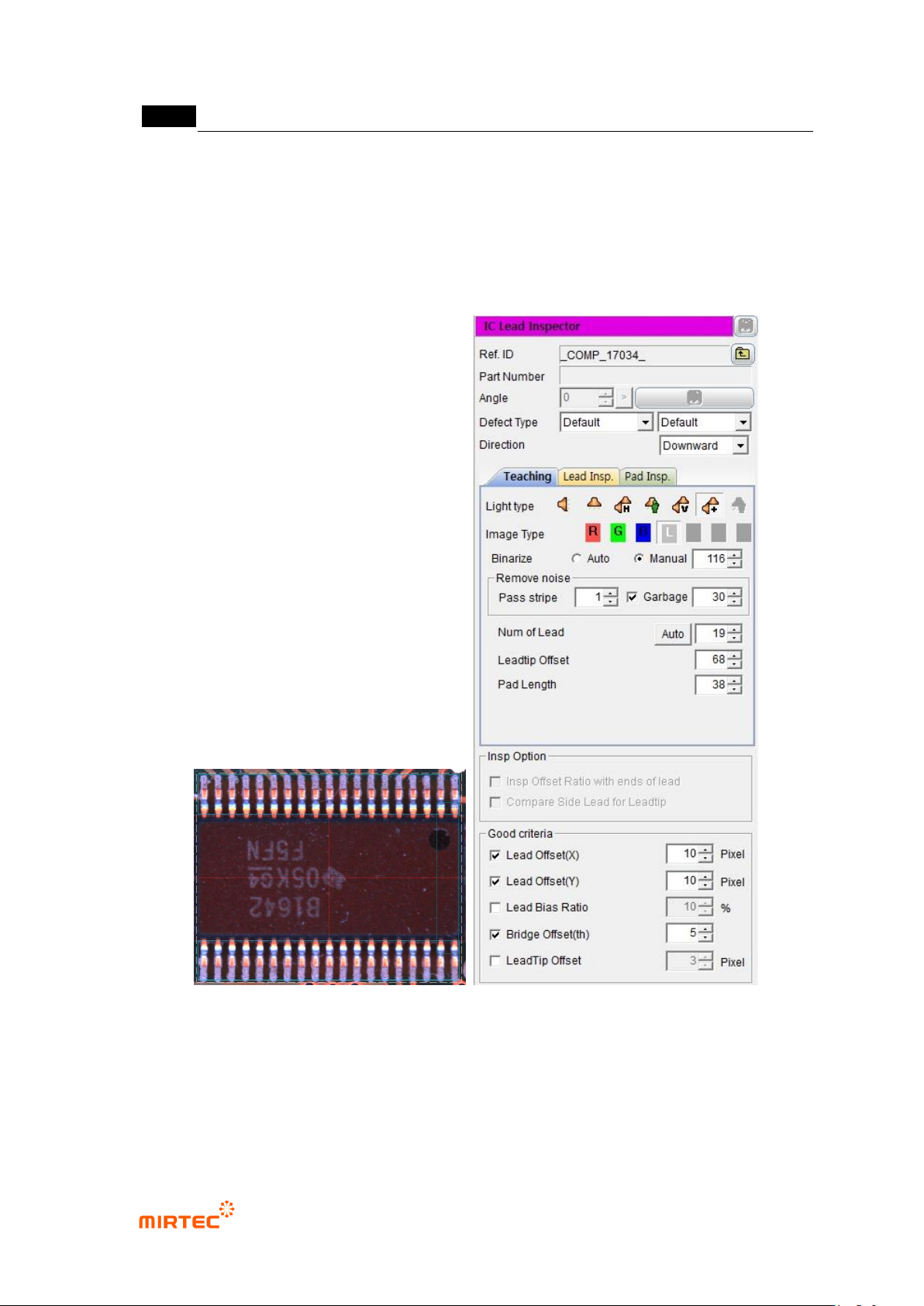
⑦ Set reference value for inspection items and good/defect judgment for each item in normal
criteria
2) Teaching example of representative component
[Figure 5-202 Teaching example of mounting inspection window]
3) Inspection parameter
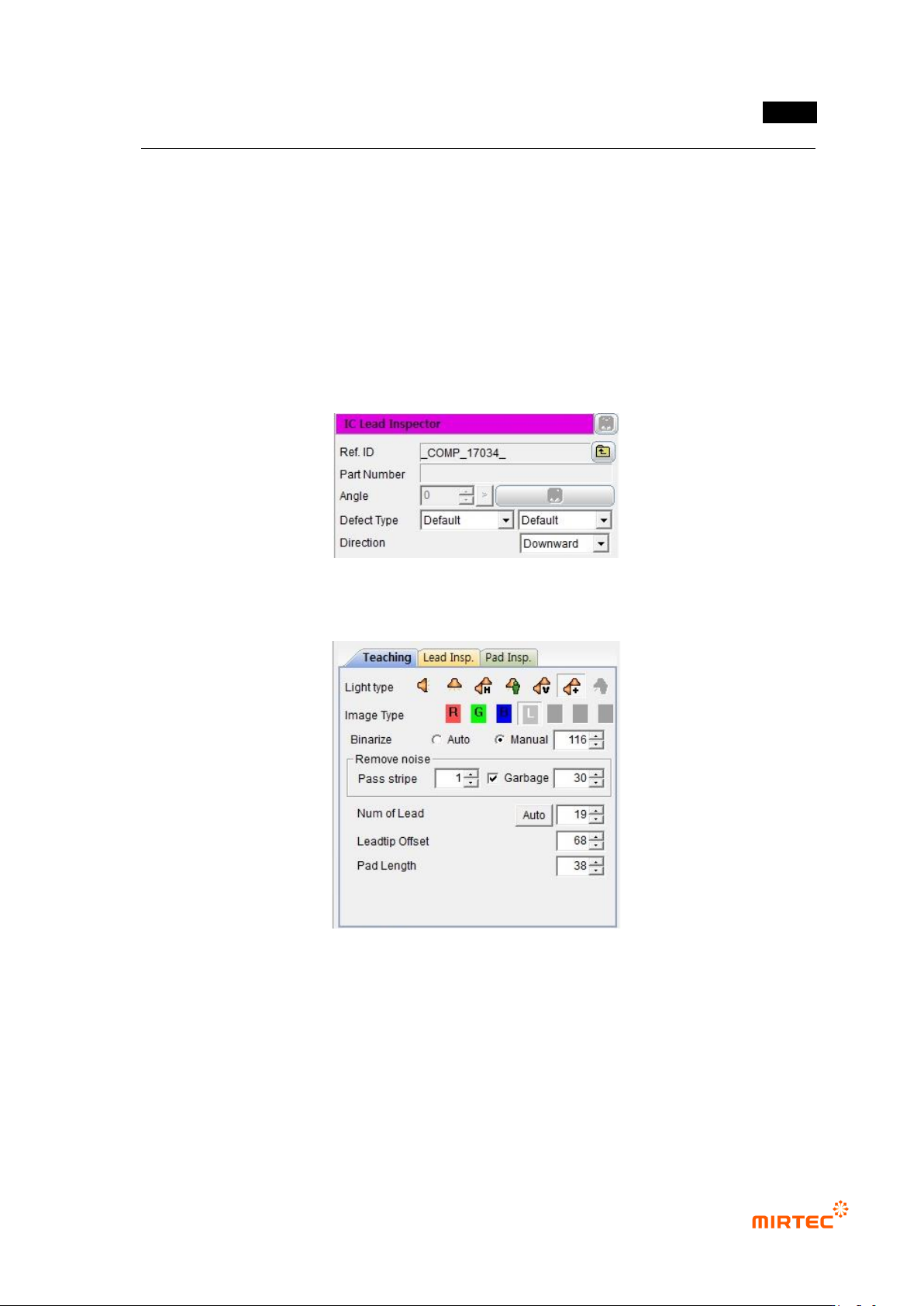
Reference name
- Refer to „reference name‟ in „5.3.1 mounting inspection window‟ excepting shape.
错误!使用“开始”选项卡将 제목 2 应用于要在此处显示的文字。错误!使用“开始”选项卡将 제목 2 应用
于要在此处显示的文字。 .
5-169
Component name
- Refer to „component name‟ in „5.3.1 mounting inspection window‟‟.
Rotation angle
- Refer to „rotation angle‟ in „5.3.1 mounting inspection window‟‟.
Defect type
- Refer to „defect type‟ in „5.3.1 mounting inspection window‟‟.
Direction
- Select lead direction.
[Figure 5-203 Default parameter]
Teaching tap parameter
[Figure 5-204 Teaching tap parameter]
MV-9 User Manual
5-170
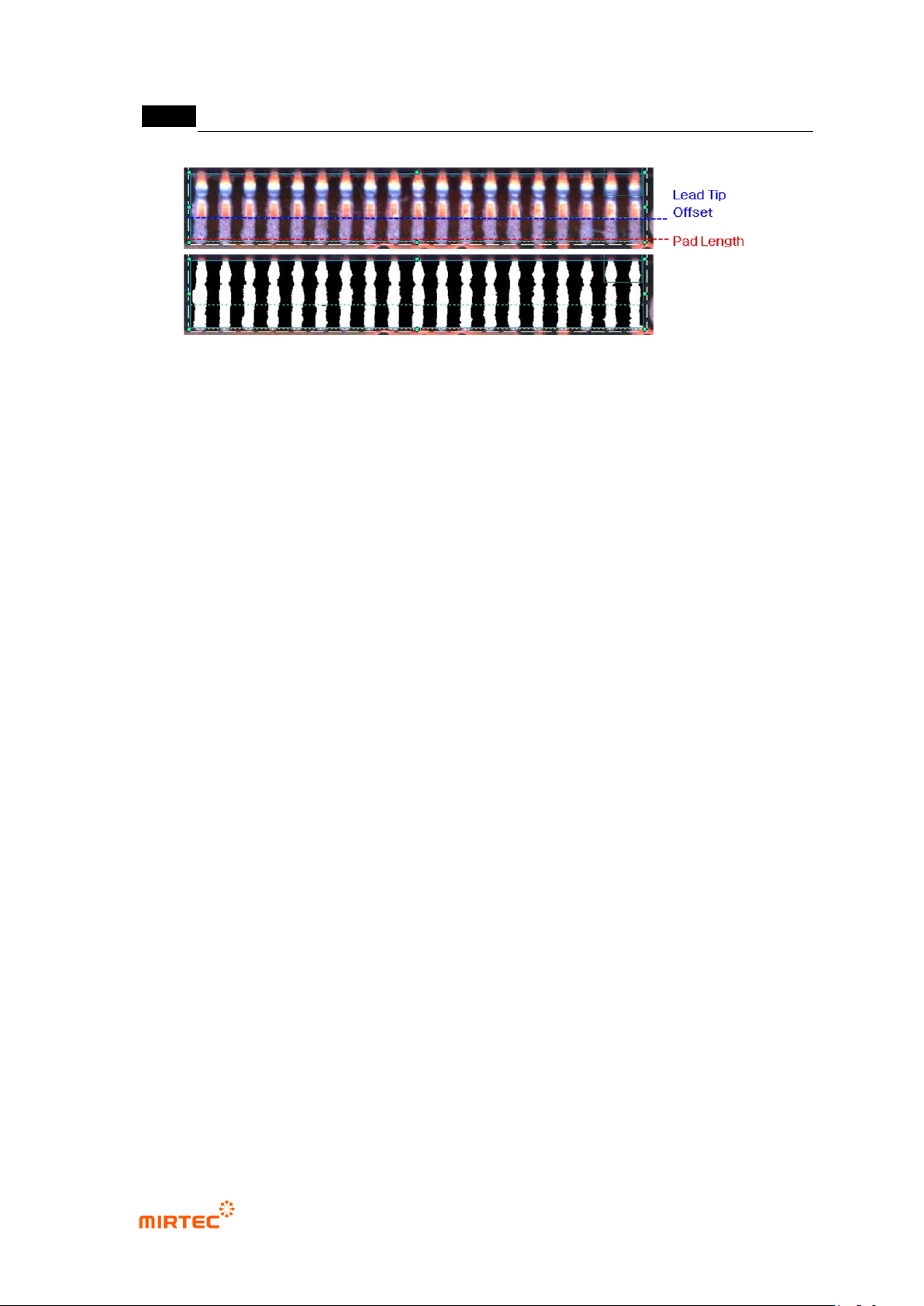
[Figure 5-205 Teaching tap setting and preview example]
- Light type
Basically, select horizontal + vertical light, and select L for image type.
- Binarization boundary value
Select auto or manual for binarization method. If „manual‟ is selected, adjust
binarization value for good separation of lead.
- Noise removal
Set stripe width and area value to remove noise between lead and lead.
If stripe width value is set high, lead area will narrow. Hence, set it below 2.
Area is to remove white area exists between lead and lead. adjust the value
checking preview image.
- Number of lead
Number of lead will be automatically set. However, if setting number of lead is differ
from actual value, manually set the number of lead.
- Lead tip offset
Set lead end for lead tip offset
- Pad length
Set distance from lead tip offset to pad end.
Lead inspection tap parameter (default light)