MV-9_Chapter 5. Teaching.pdf - 第182页
MV -9 Use r Manual 5- 182 electrode is 44 and calculated electrode m i nor ax i s length is 20 when optimizati on is click ed , short size ratio will be calculated to 120%. If m i nor axis leng th of e l ectrode is chang…
错误!使用“开始”选项卡将 제목 2 应用于要在此处显示的文字。错误!使用“开始”选项卡将 제목 2 应用
于要在此处显示的文字。 .
5-181
No electrode auto extraction
① Electrode minor axis length: automatically display average value of minor axis length of
extracted 2 electrodes.
② Electrode major axis length: automatically display average value of major axis length of
extracted 2 electrodes.
- Extract 2 electrode areas after auto binarization in optimization process, and display each
average value of minor axis length and major axis length of 2 electrodes as electrode
minor axis/major axis length.
- body area of chip is displayed in similar luminance and color of electrode and auto
electrode extractions is not possible, check at „Not use electrode auto extraction‟ and
manually adjusts electrode major axis / minor axis length to set electrode area.
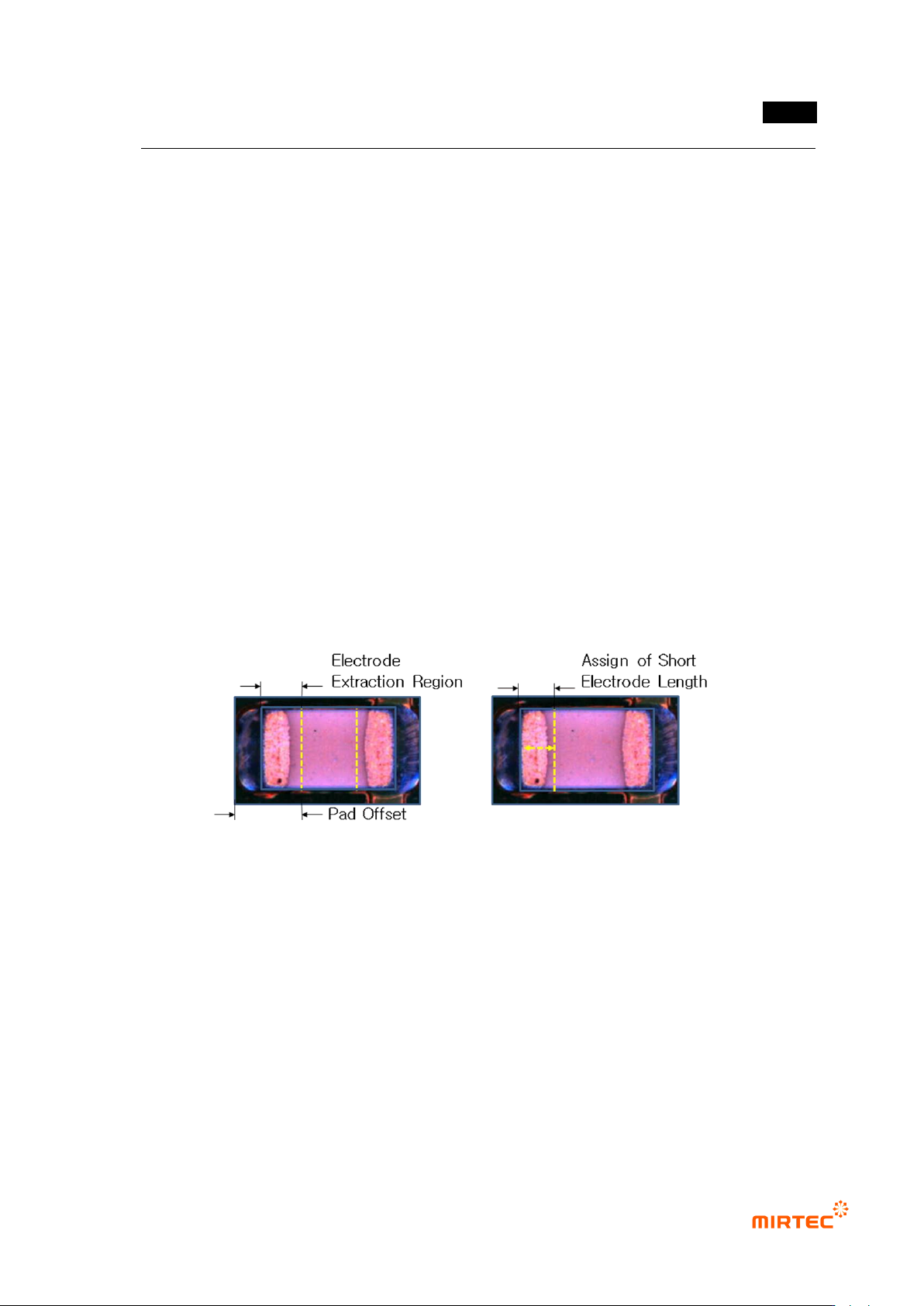
- There are 2 methods to manually limit electrode size. the first method is to limit electrode
extraction area using pad offset, and the second method is to check at „Not use electrode
auto extraction‟ and manually set major axis/minor axis length of electrode.
[Figure 5-223 Electrode mounting/minor axis setting method]
- For minor axis length, set area as much as electrode minor axis length set based on
mounting window end as electrode, and set electrode size using trial and error method that
checks the size of inspection area set by conducting trial inspection.
- Major axis/minor axis length of electrode will be based on calculation standard for
electrode color ratio -> short/long size on [pad inspection] tap. In case of C-chip, unusually,
much extraction of electrode occurs. This will make short or long size above 100% in
inspection review to cause false defect. In this case, largely change electrode major
axis/minor axis length value to reduce short/long size ratio. If short size of extracted
MV-9 User Manual
5-182
electrode is 44 and calculated electrode minor axis length is 20 when optimization is
clicked, short size ratio will be calculated to 120%. If minor axis length of electrode is
changed to 23 to set this to max 100%, short size ratio will be reduced down to 91%.
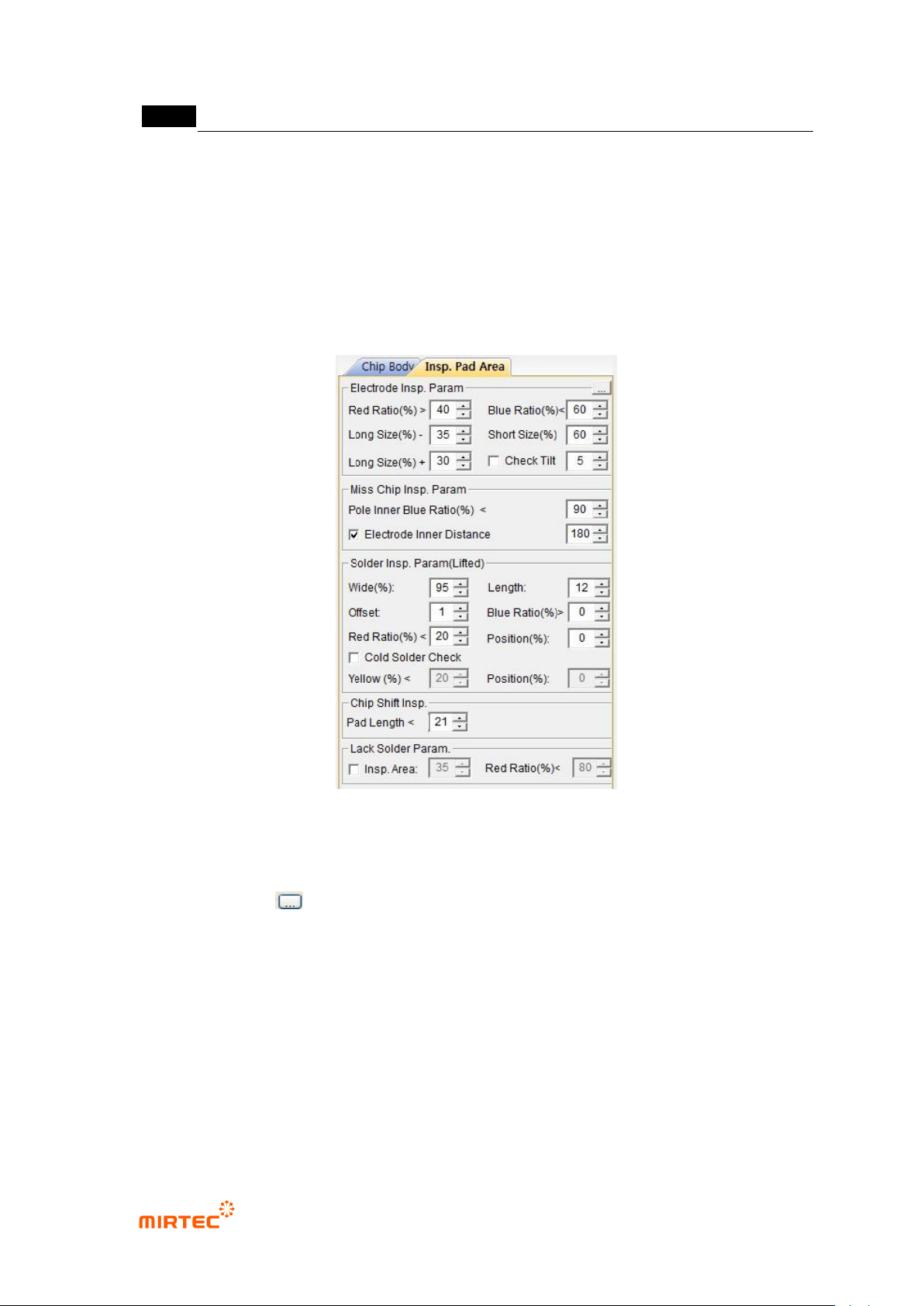
8) Parameter of [pad inspection] tap
- Pad inspection tap is to set criteria for good/defect judgment of chip.
[Figure 5-224 Parameter window of pad extraction tap]
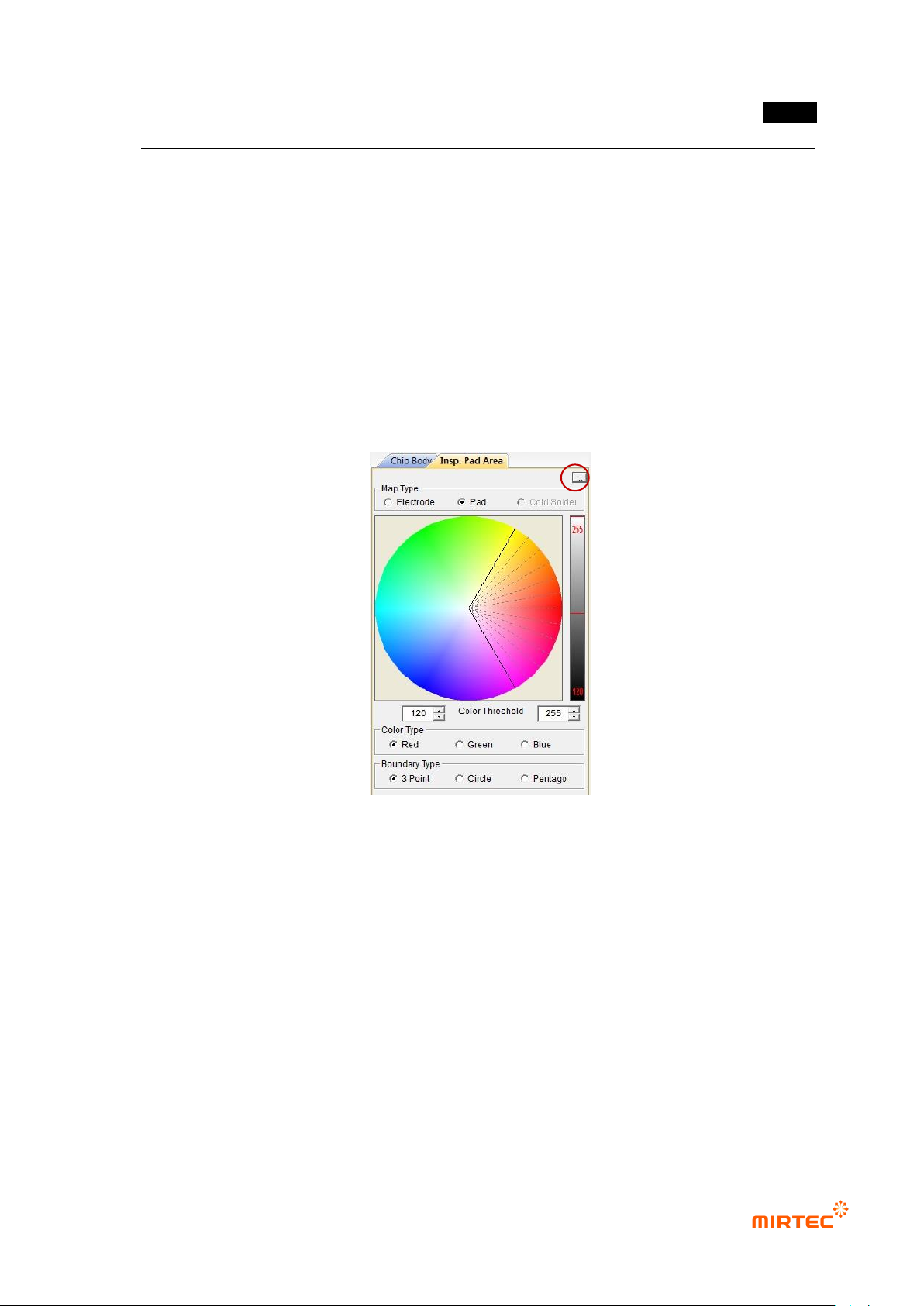
Adjusting color map for inspection
- Click button to conduct binarization based on color map.
① Binarization for pad inspection
- Each of Electrode (electrode), Pad (pad) and Cold Solder can be selected for binarization.
- color map shows hue and saturation of red, green, and blue, and set area for each color to
extract desired color and saturation.
- Right bar is to set min value and max value of area for the color luminance. The method is
same with the adjustment of binarization value for the gray image of existing algorithm.
② Color type
错误!使用“开始”选项卡将 제목 2 应用于要在此处显示的文字。错误!使用“开始”选项卡将 제목 2 应用
于要在此处显示的文字。 .
5-183
- Color type consists of red, green, and blue. Select color to adjust area desired to be
binarized for each color.
- In other words, select color type to red, and set desired red area in color map. Set
luminance range of color extracted by using right bar to extract only red of desired
luminance. Even though it has same luminance, it can be divided into other color. Even
though it has same color, it can be divided into other luminance. This is used to distinguish
substrate from component, and used for division according to side angle of fillet slope in
solder total area.
③ Normal boundary region: As shown in [Figure 5-169], type when binarization area is set. 3
points, circle or pentagon can be selected.
[Figure 5-225 color map setting parameter]