MV-9_Chapter 5. Teaching.pdf - 第19页
错误 ! 使用“开始” 选项卡将 제목 2 应用于要在此处显示的文字。 错误 ! 使用“开始”选项卡将 제목 2 应用 于要在此处显示的 文字。 . 5- 19 Select <Module registration inform ati on> button ( ) i n w hole image screen shown in [Fi gure 5- 26 ] to display the screen below .…
MV-9 User Manual
5-18
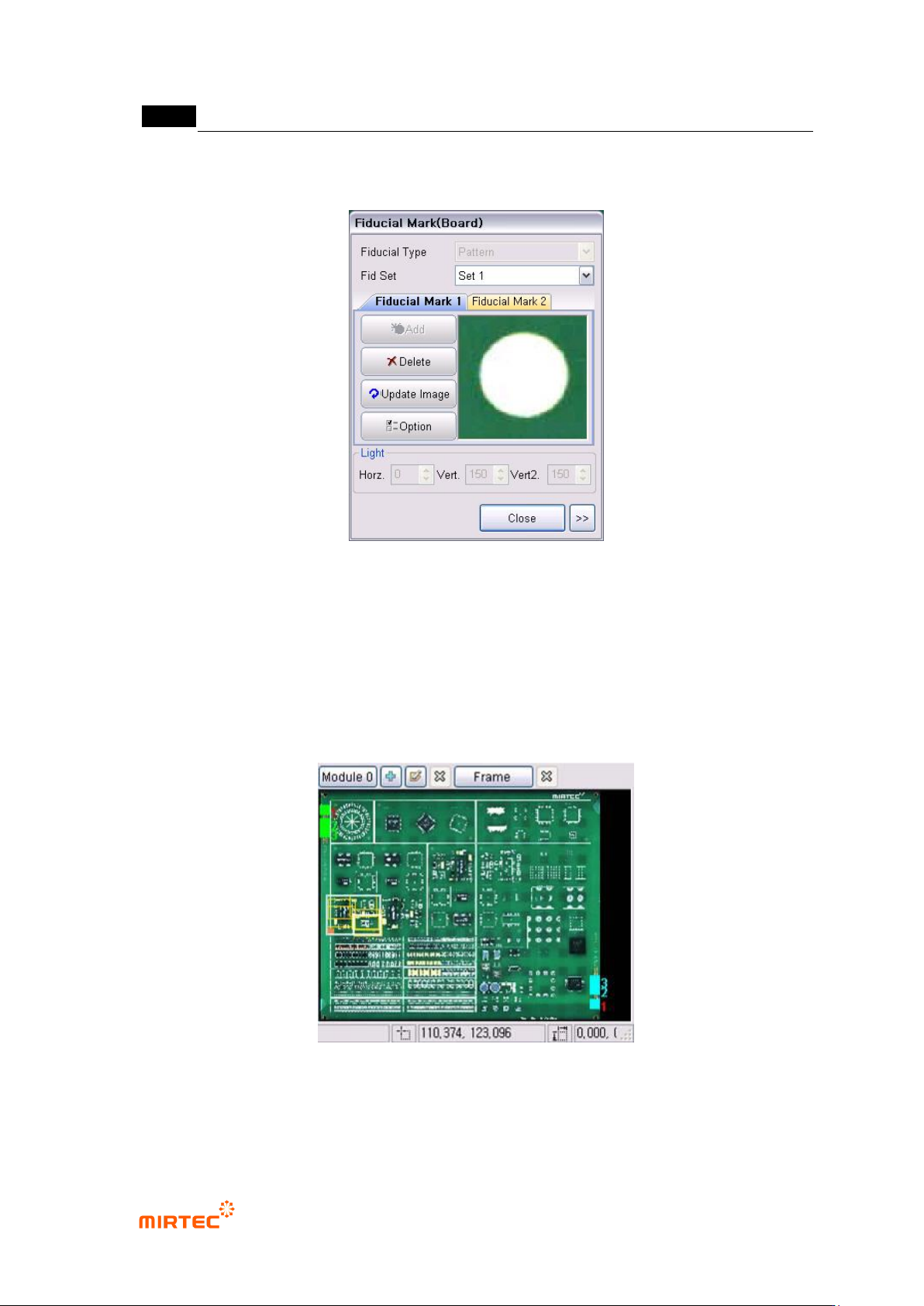
② Max 4 sets can be edited in Fiducial mark setting. Can be edited from „Set 1‟ to „Set 4‟ at a
time.
[Figure 5-8 Screen to set board Fiducial mark]
③ Whole image screen after setting Fiducial mark
[Figure 5-26] shows whole image screen after setting board Fiducial mark.
Label board Fiducial mark that is set with a number to display the position and setting value of
board Fiducial mark.
Fiducial mark that is used by the current selected module will be displayed in red number.
In [Figure 5-26], module No 2 uses board Fiducial setting No 3.
[Figure 5-9 Whole image screen after completing Fiducial mark setting]
④ Allot board Fiducial mark applied to module
错误!使用“开始”选项卡将 제목 2 应用于要在此处显示的文字。错误!使用“开始”选项卡将 제목 2 应用
于要在此处显示的文字。 .
5-19
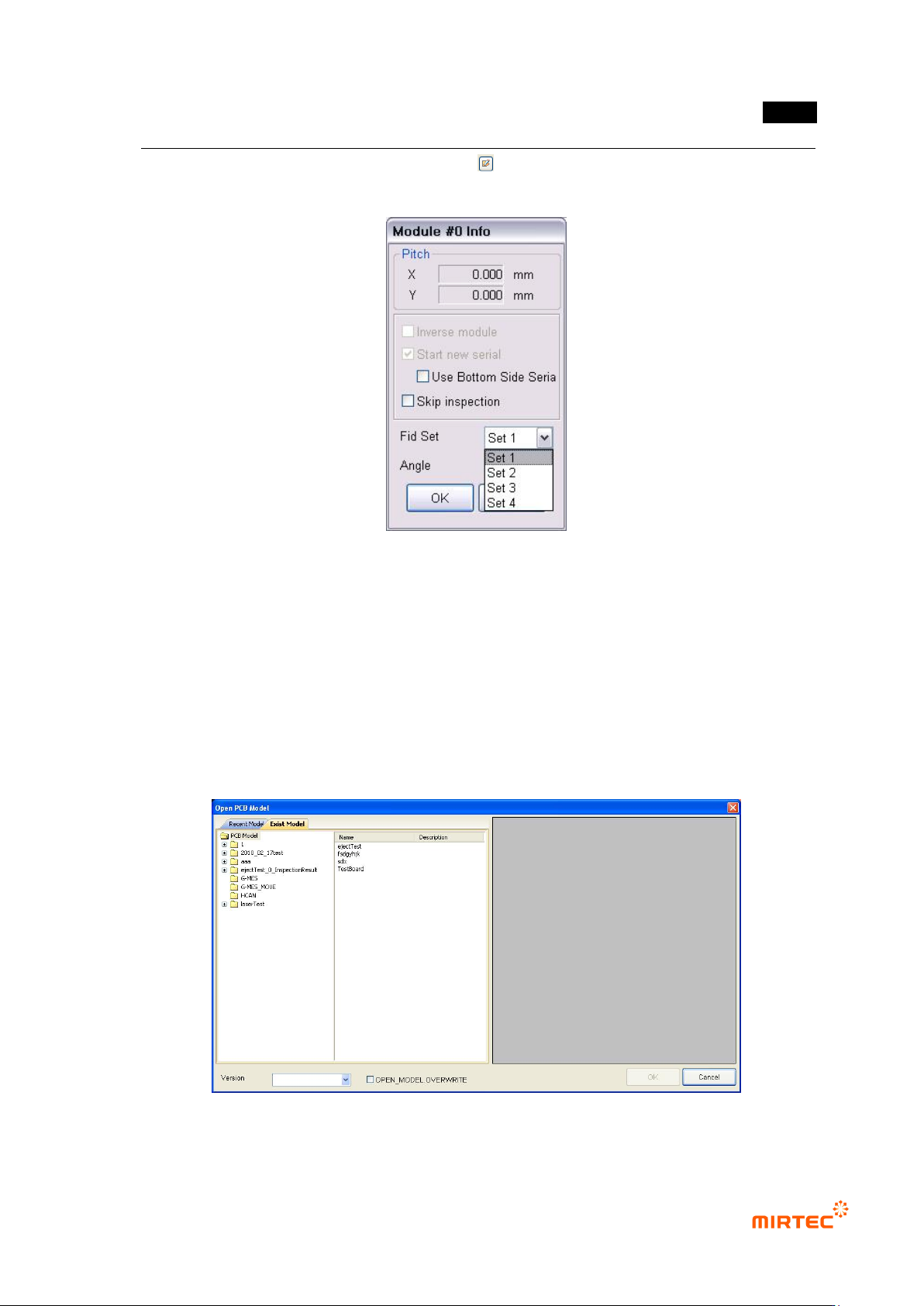
Select <Module registration information> button ( ) in whole image screen shown in [Figure 5-
26] to display the screen below.
[Figure 5-10 Module registration information screen]
Select Fiducial mark setting to be used in module registration information screen.
5.2.2. Opening the existing model
The followings are methods to open PCB model that already completed teaching.
① Click <current model> button in the menu bar and select „Open PCB model……‟
② Select model desired to be opened in the model list and click <OK> button.
[Figure 5-11 Opening PCB model]
MV-9 User Manual
5-20
5.2.3. Modifying model
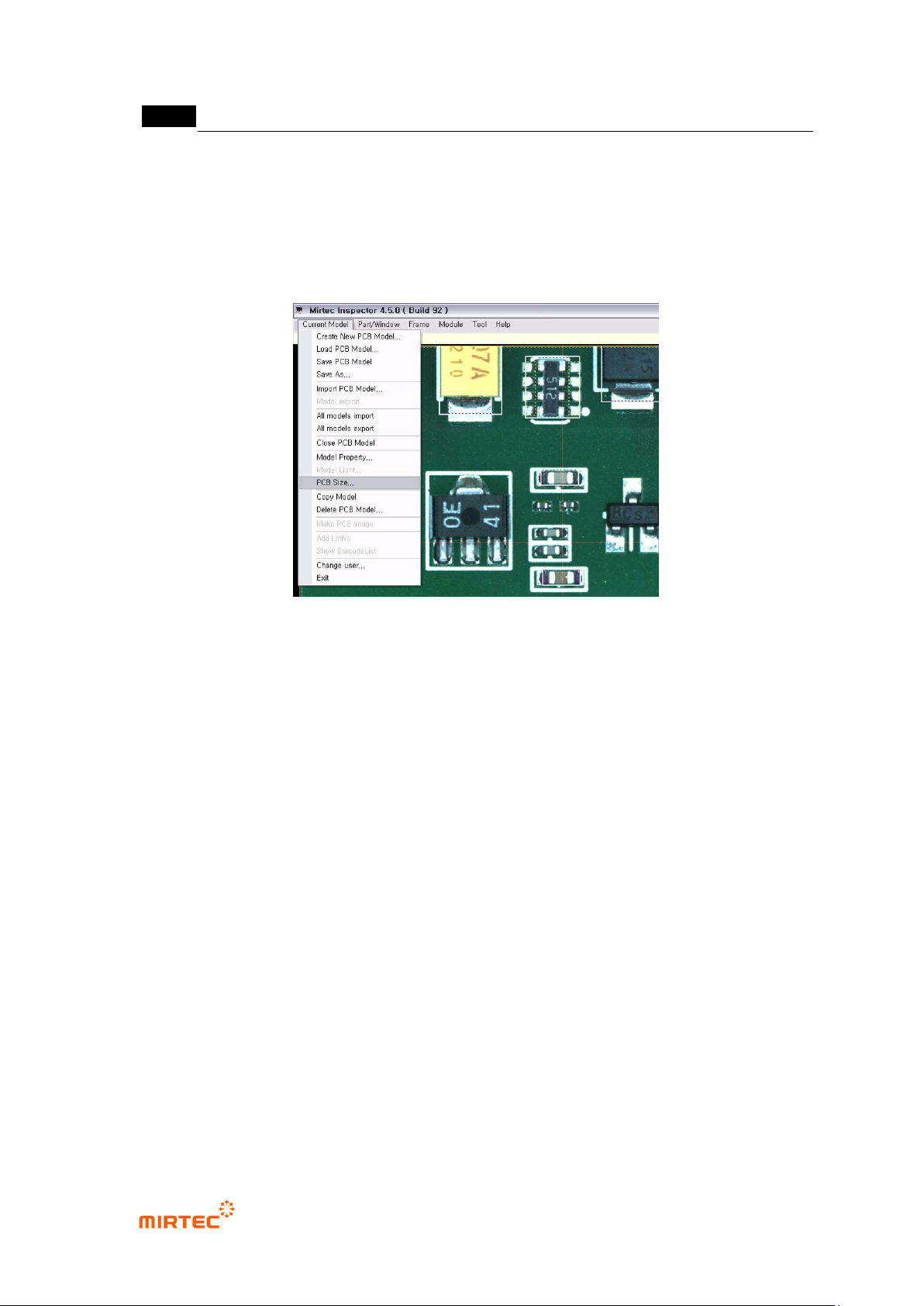
① To modify the size of currently opened model, as shown in the figure below, select „model
area setting‟ in „current model‟ in popup menu that is displayed by clicking right button of a
mouse in „current model‟ in menu bar or whole image screen. Modification method is same
with „model area setting‟ method in „new PCB model creation‟ described above.
[Figure 5-12 Menu screen to set model area]
② After modifying model size, total imaging must be conducted