MV-9_Chapter 5. Teaching.pdf - 第194页
MV -9 Use r Manual 5- 194 Displa y of sh i f t da t a o f LED package : save shif t m easure m e nt data of LED package as a CSV file format. designate file save p ath in user m e asurem ent . File f ormat will be “Mea…
错误!使用“开始”选项卡将 제목 2 应用于要在此处显示的文字。错误!使用“开始”选项卡将 제목 2 应用
于要在此处显示的文字。 .
5-193
5.4 LED BLU inspection
- LED BLU inspection can conduct 3D inspection and 2D inspection. 3D inspection conduct
s lifted, Polarity, shift inspection of LED package using mounting window. 2D inspection
detects LED package defect types using position move inspection and component center
search function of mounting inspection, solder inspection, color inspection and binary
inspection as shown in [Table 5-16].
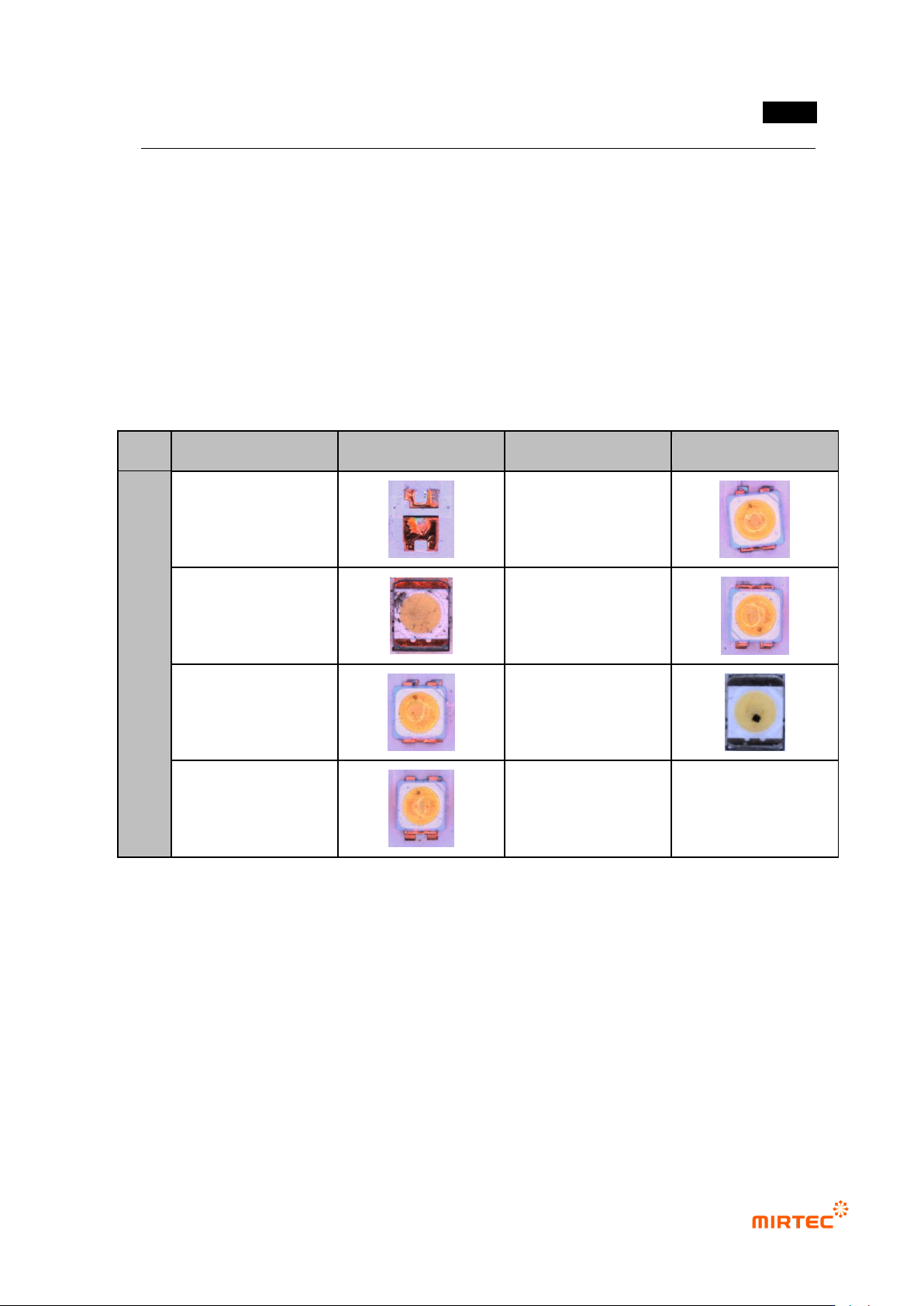
[Table 5-16 LED package defect type]
Detection item
Top view type
detection item
Top view type
PK
G
Non-mounting
Rotation
Damage
Polarity
X shift
Foreign material
Y shift
1) Config.
① For BLU inspection, check at „Use BLU inspection‟ on the bottom of the setting window in
login-option.
② Display of setting measurement data
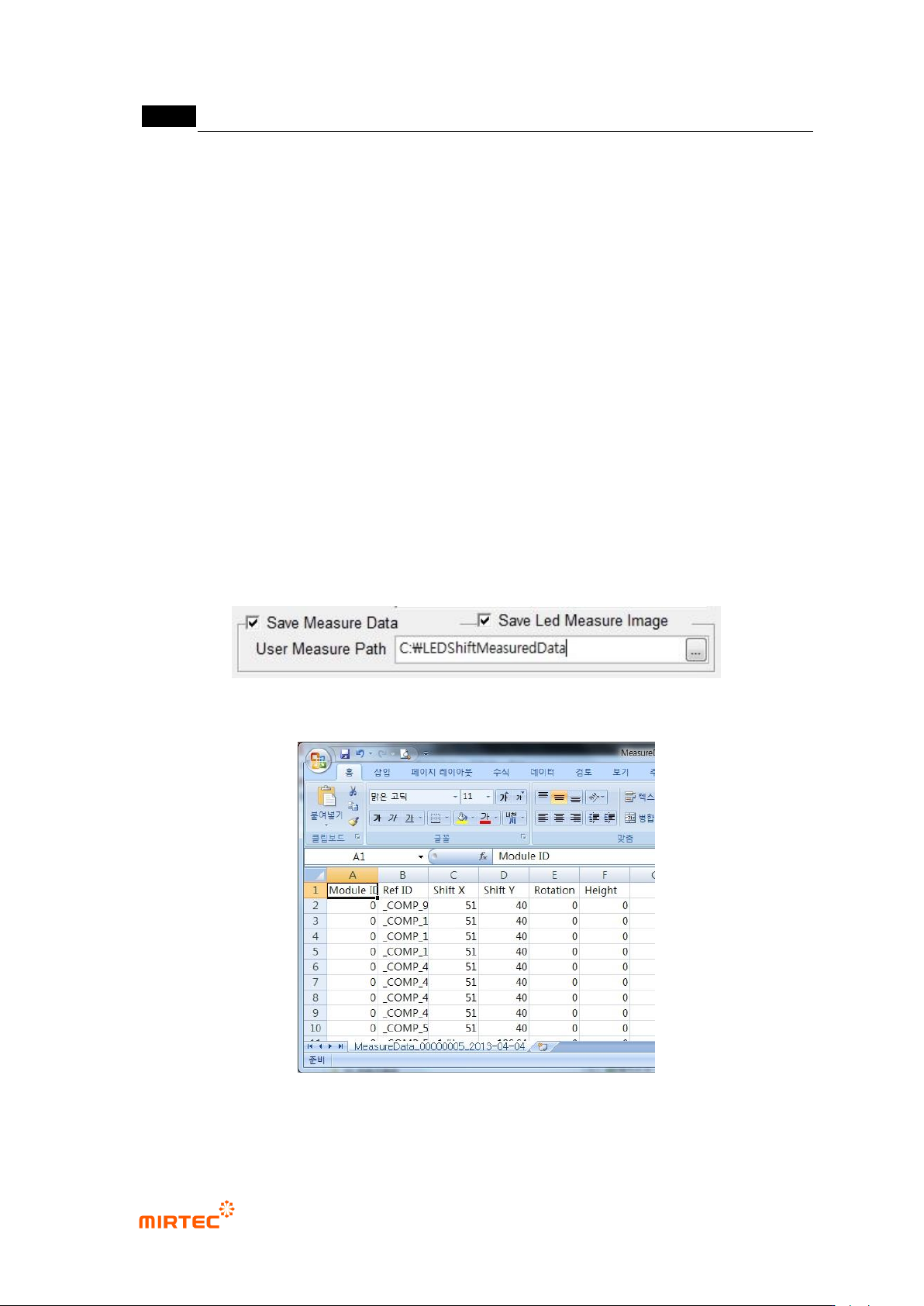
- Display measured data as a CSV file or set the save path. Select [tool - Config. – data
export] in Inspector menu, and set the following 2 items.
- Check at „Save measurement data‟ to save the following 2 items.
MV-9 User Manual
5-194
Display of shift data of LED package: save shift measurement data of LED package
as a CSV file format. designate file save path in user measurement. File format will
be “MeasureData_00000005_2013-04-04_10-48-08.csv”.
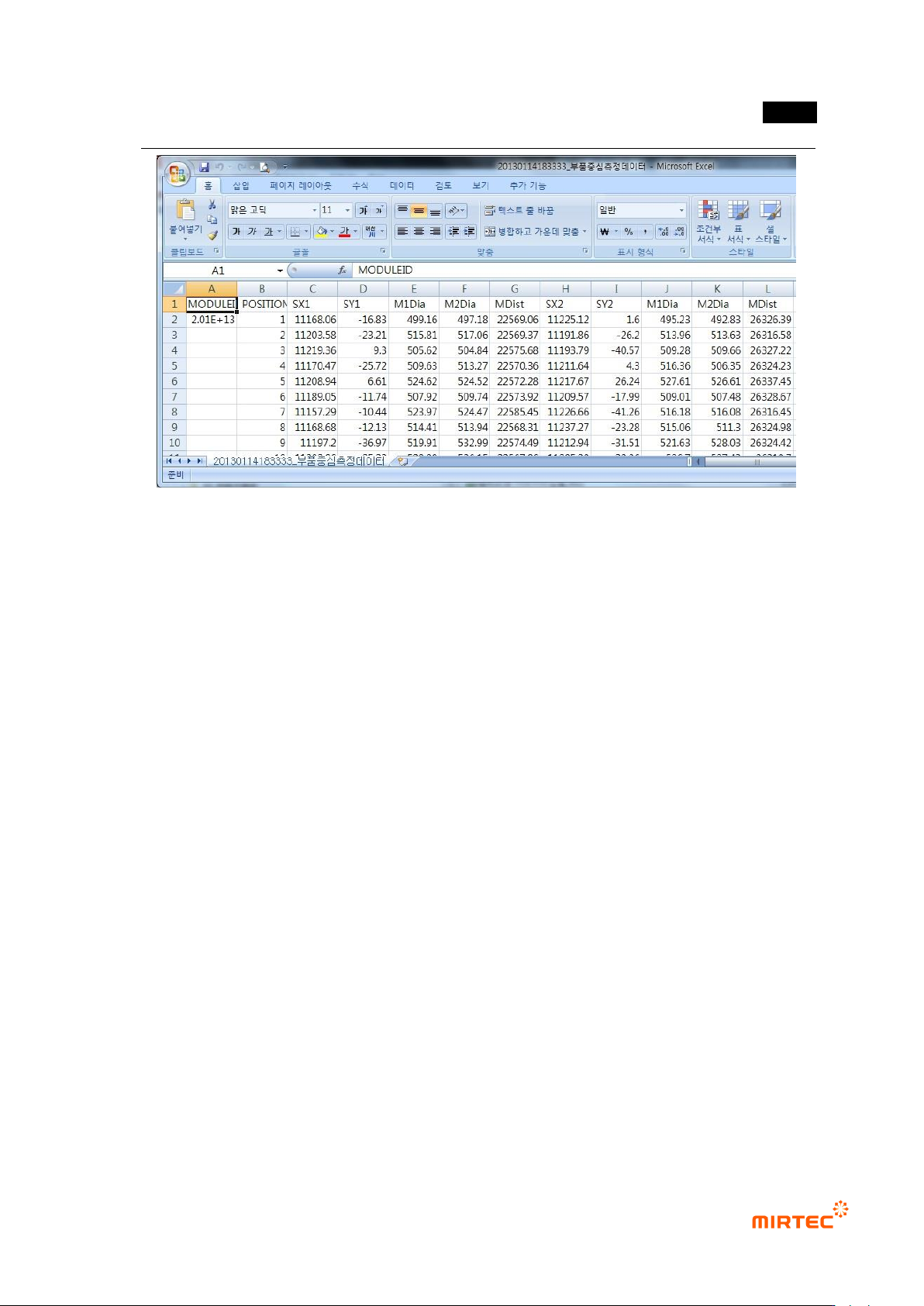
Display of center position of LED package search measurement data: save center
position of LED package for comparison of data with lens inspection system on the
rear in a CSV file format. save path is fixed by D:\AOIData, and file name will be
created by bar code or inspection date and time. Set share of D:\AOIData folder so
that rear system can connect to it.
- Saving LED measurement image (Used only for measurement data verification)
For verification of BLU inspection result, save inspection image of LED package
judged as defect.
It is saved in save path of D:\LEDShiftImage in RefID (reference name) file name
during trial inspection, and folder of LEDShiftImage is automatically created in the
relevant PCB model folder during real inspection, and saved in file name of serial
No.
Use this function to save image of all LED packages that are inspected, and it will
not be automatically deleted. Hence, this function is not selected if it is not used for
verification of system measurement data.
[Figure 5-239 Setting LED measurement data]
[Figure 5-240 LED package Shift measurement data export CSV file format]
错误!使用“开始”选项卡将 제목 2 应用于要在此处显示的文字。错误!使用“开始”选项卡将 제목 2 应用
于要在此处显示的文字。 .
5-195
[Figure 5-241 CSV file format that displays center position of LED package measurement data]