MV-9_Chapter 5. Teaching.pdf - 第199页
错误 ! 使用“开始” 选项卡将 제목 2 应用于要在此处显示的文字。 错误 ! 使用“开始”选项卡将 제목 2 应用 于要在此处显示的 文字。 . 5- 199 [Figure 5- 246 Foreign material inspection resul t ] ③ T each ing and setting Polarity inspection (color i nspect i on) - Polarity i nspec…
MV-9 User Manual
5-198
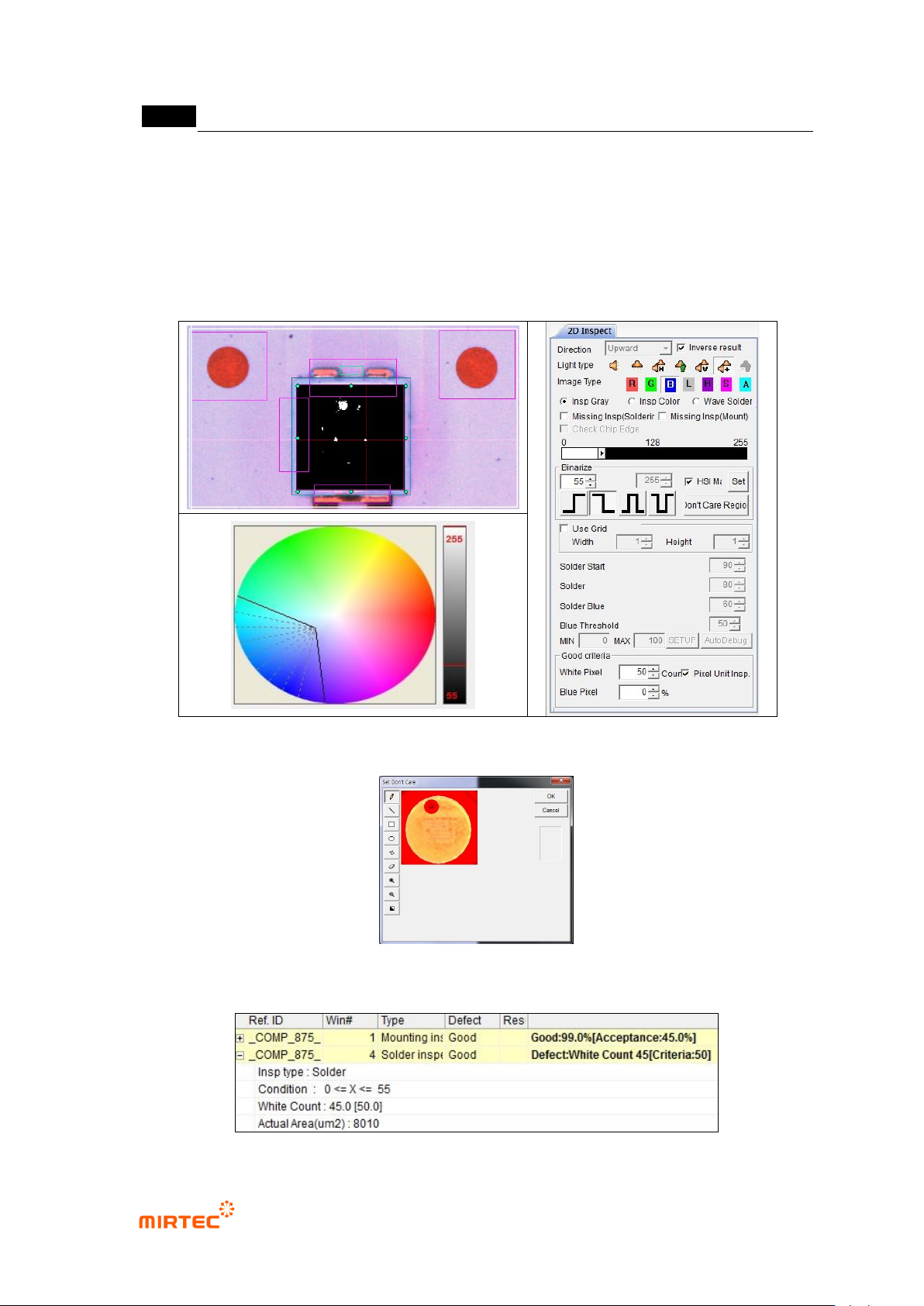
- To detect foreign material, only fluorescent substance area is inspected. Therefore, set
electrode area as „Don‟t care region‟. If electrode of LED package appears, regard it as
„Don‟t care region‟.
- Check at pixel unit inspection, and enter allowable number of max white pixel for normal
criteria
[Figure 5-244 Foreign material inspection setting and preview image]
[Figure 5-245 ‘Don’t care region’ setting]
错误!使用“开始”选项卡将 제목 2 应用于要在此处显示的文字。错误!使用“开始”选项卡将 제목 2 应用
于要在此处显示的文字。 .
5-199
[Figure 5-246 Foreign material inspection result]
③ Teaching and setting Polarity inspection (color inspection)
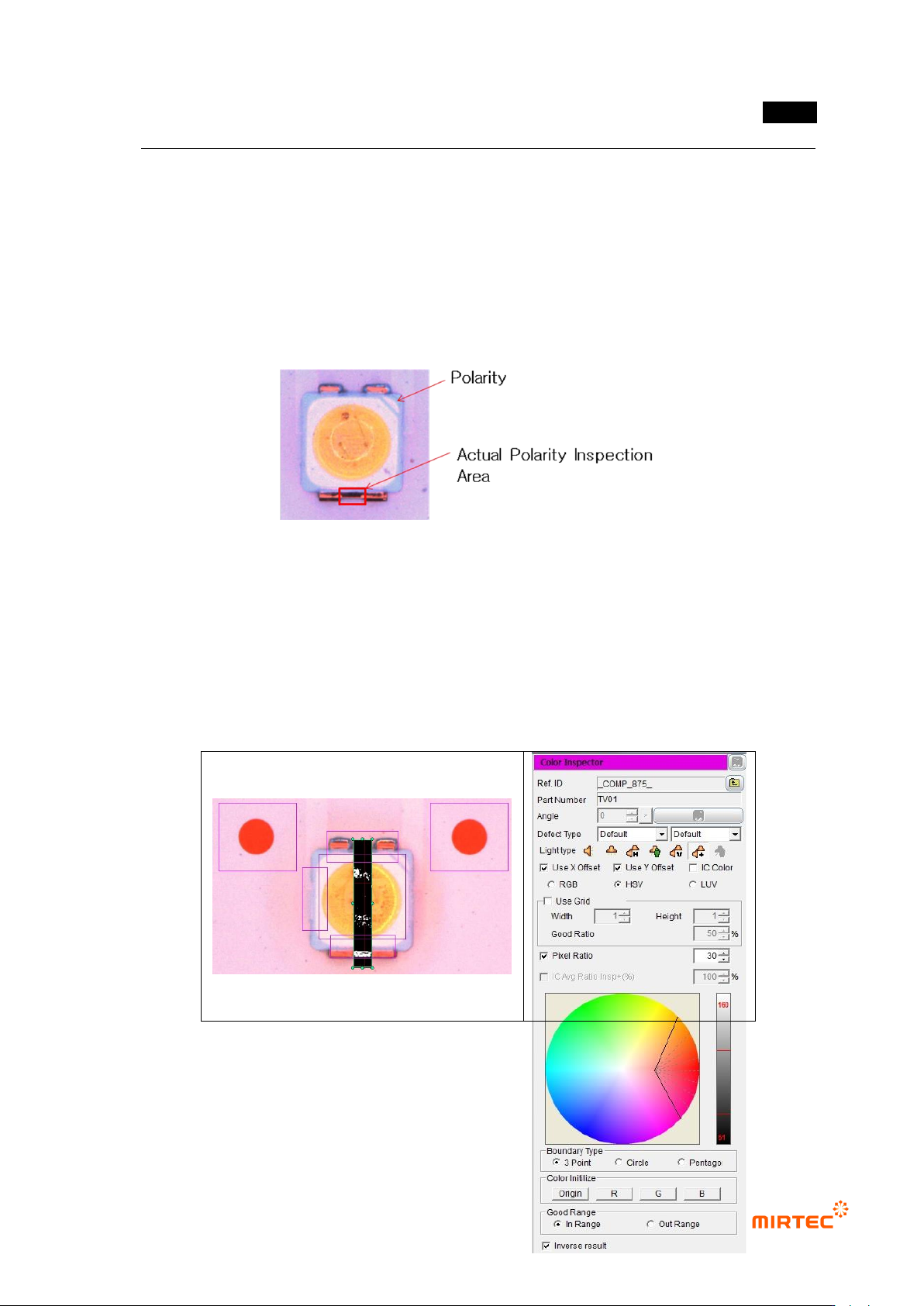
- Polarity inspection is to detect mounted polarity of LED package, judge whether polarity
exists or not. In general, TV has a polarity mark (so called chamfering) on one corner of
package. However, since detection status differs from package, detect area difference
between LED electrodes using color inspection algorithm.
[Figure 5-247 Polarity inspection area]
- Conduct Polarity inspection through inspection for area between electrode and electrode
using color inspection window.
- Select HSV for color coordinator, and select pixel ratio.
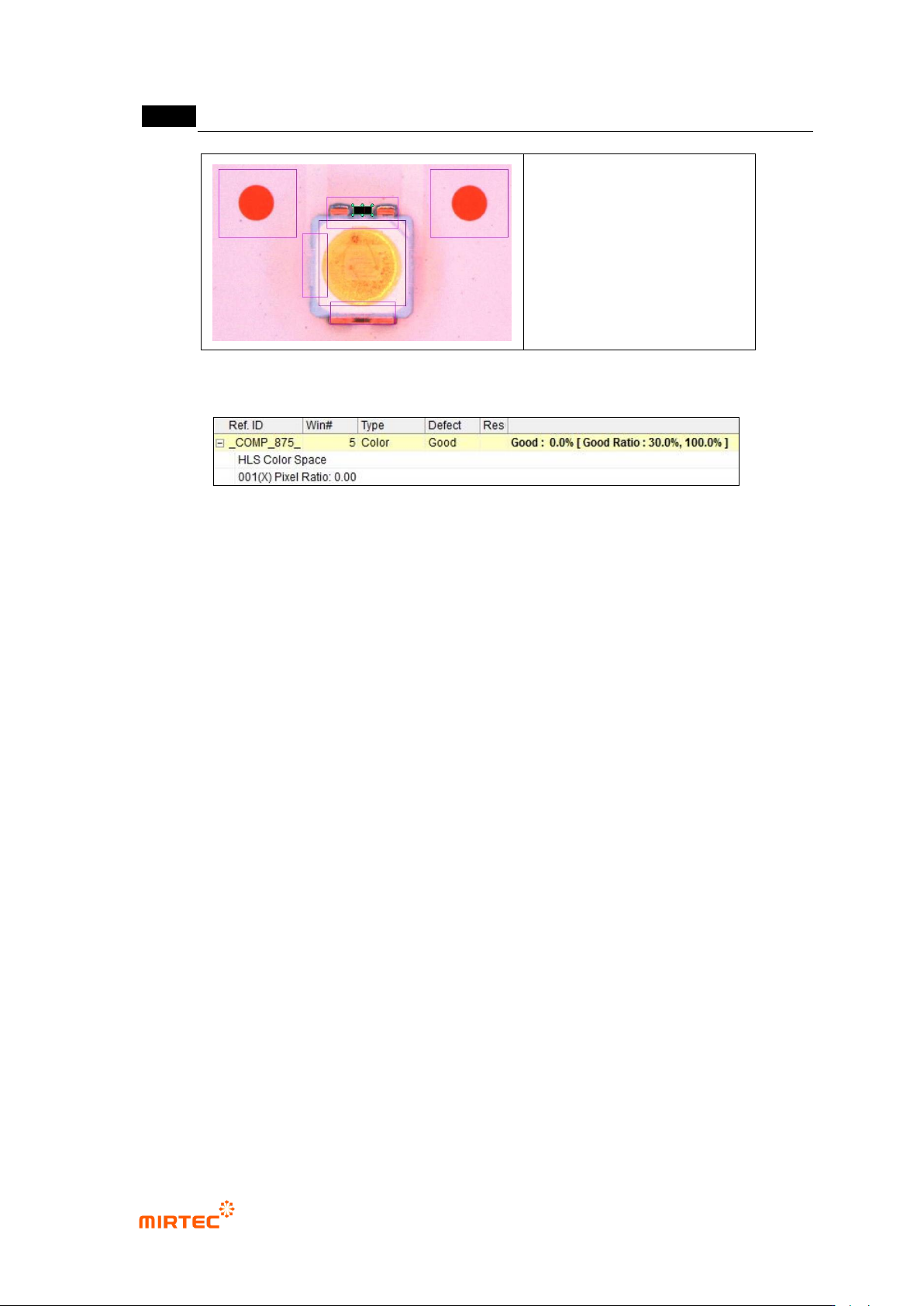
- Adjust color map for electrode separation. If white pixel appears in area that completed
teaching, it is LED Polarity. Hence, check at “judge defect as normal”.
MV-9 User Manual
5-200
[Figure 5-248 Polarity inspection setting and preview image]
[Figure 5-249 Polarity inspection result]
④ Reference point (mark) teaching and setting
- Use center position of circle reference point to inspect X/Y-shift of LED package.
- Create binary inspection window to detect center position of reference point, and select
component center search. select circle or center of gravity (center of gravity) for figure type.
- Check at „Use Subpixel‟. If Cognex license key is installed, check at „use Cognex‟.
- Select „preview‟, and adjust binarization for proper separation of edge of reference point
through color map-setting.
- Conduct trial inspection to display center position of reference point at the current central
point in inspection window. After normally calculating center, click „Register reference
central point‟.
- Set tolerance range as big as possible. reference point is used as criteria to inspect X/Y-
shift of LED package for BLU inspection. Hence, tolerance range is meaningless.