MV-9_Chapter 5. Teaching.pdf - 第205页
错误 ! 使用“开始” 选项卡将 제목 2 应用于要在此处显示的文字。 错误 ! 使用“开始”选项卡将 제목 2 应用 于要在此处显示的 文字。 . 5- 205 [Figure 5- 256 Rot ation inspection setting and preview image] [Figure 5- 257 shif t inspection result] 5.4.2 T eaching of LED package wit…
MV-9 User Manual
5-204
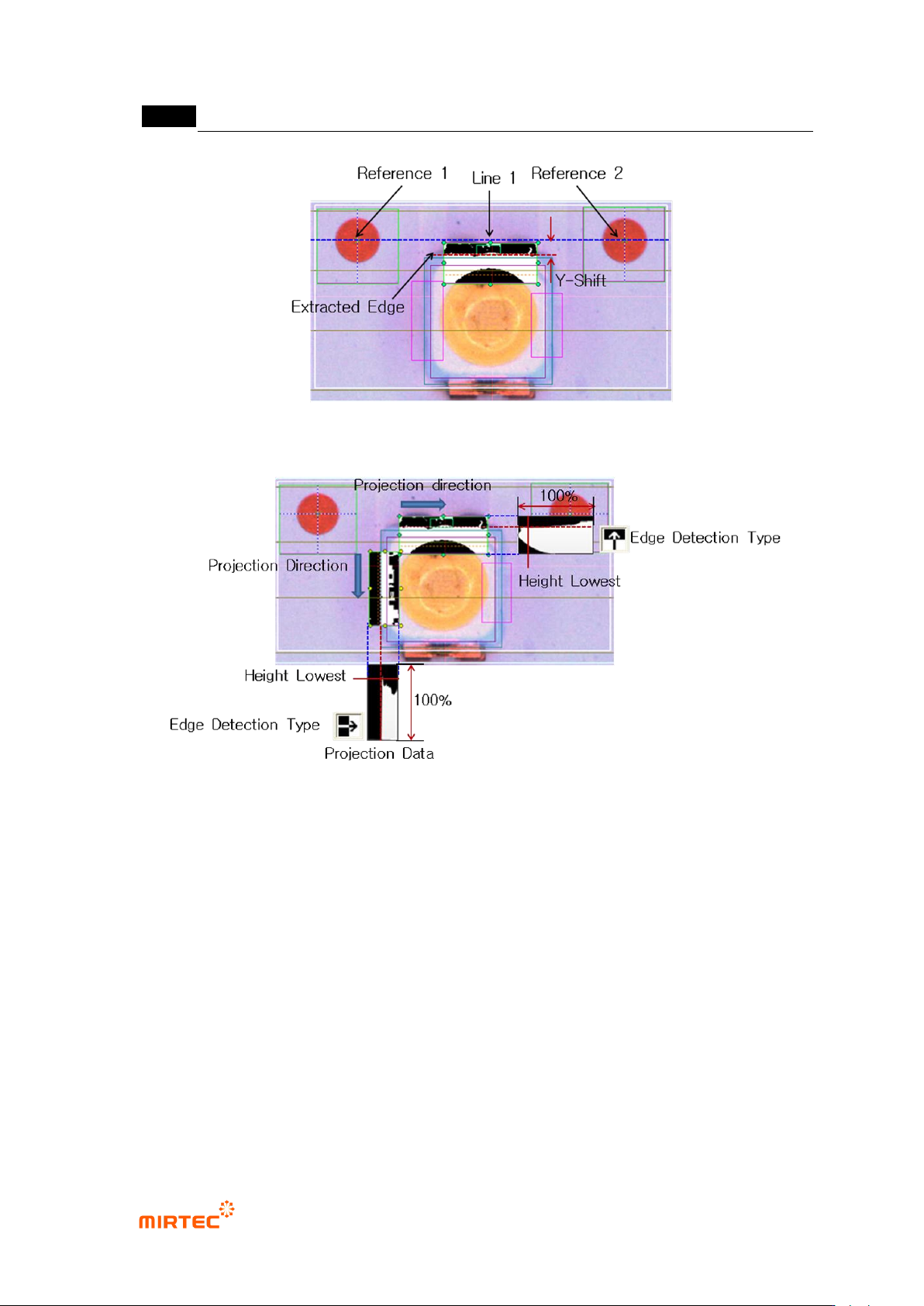
[Figure 5-254 Y-shift definition]
[Figure 5-255 edge detection example for X/Y-shift inspection]
⑦ Teaching and setting shift inspection
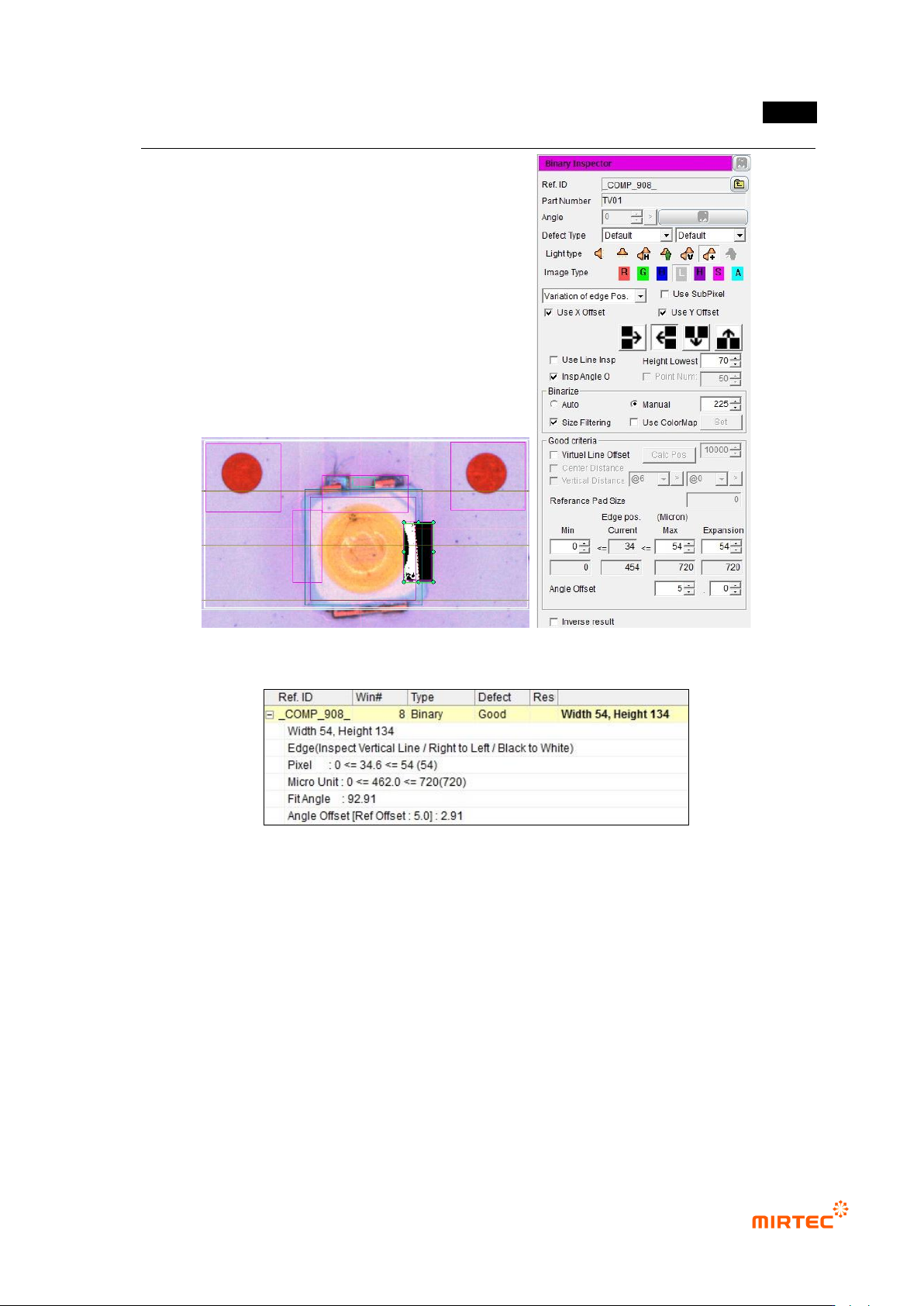
- Binary inspection-position move inspection window is used to detect rotation angle of
package, and check at angle inspection to use it.
- For angle setting, enter allowable angle in angle offset on the bottom by decimal point unit.
错误!使用“开始”选项卡将 제목 2 应用于要在此处显示的文字。错误!使用“开始”选项卡将 제목 2 应用
于要在此处显示的文字。 .
5-205
[Figure 5-256 Rotation inspection setting and preview image]
[Figure 5-257 shift inspection result]
5.4.2 Teaching of LED package with no reference point
1) Teaching window
MV-9 User Manual
5-206
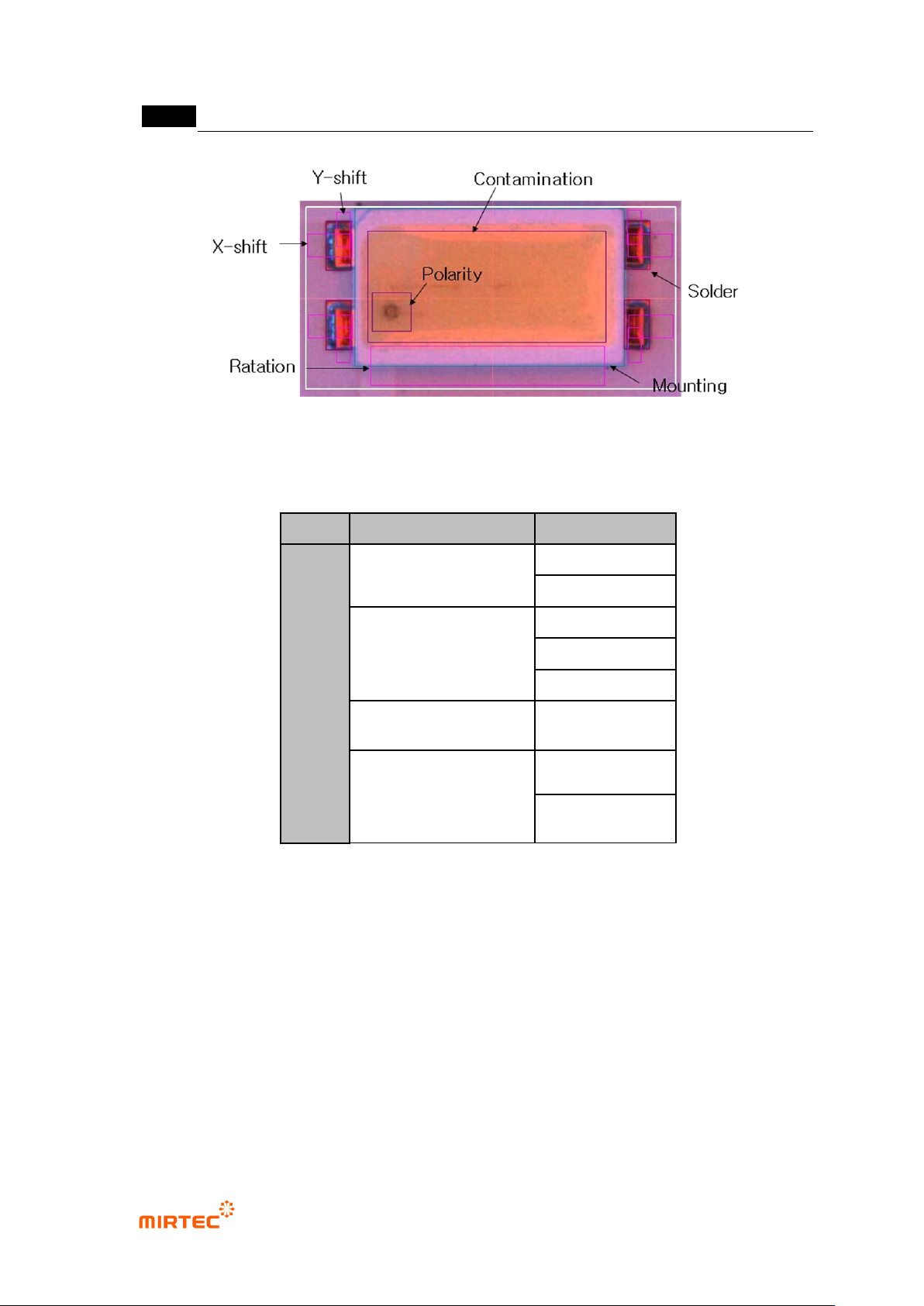
[Figure 5-258 teaching example]
[Table 5-18 Application algorithm for each detection item LED package with no reference
point]
Applied algorithm
Detection item
PKG
mounting inspection
non-mounting
damage
binary inspection-
position move
X shift
Y shift
Rotation
color inspection (solder
inspection)
Polarity
solder inspection
foreign material
Insufficient
solder, no solder
2) Teaching method
① Mounting inspection teaching and setting
- Conduct non-mounting, damage, and turnover inspection through mounting inspection.
- Select color light, and select the clearest image type for image type when R, G, B, L is
changed. Since LED has polarity, check at „polarity‟.