MV-9_Chapter 5. Teaching.pdf - 第246页
MV -9 Use r Manual 5- 246 [Figure 5- 322 inspection windows alignment method] T op This is to alig n based on th e top o f re ference inspection w i ndow . [Figure 5- 323 T op ali gnment of inspection windo ws ] Cent…
错误!使用“开始”选项卡将 제목 2 应用于要在此处显示的文字。错误!使用“开始”选项卡将 제목 2 应用
于要在此处显示的文字。 .
5-245
All inspection window type: select all inspection window of same type with the selected
inspection windows.
Selected inspection window type: select only inspection type to which the selected
inspection window belongs.
i. Set selection range and target for the selected inspection window and click <OK>
button in multiple inspection window selection screen.
ii. If „all model‟ is selected in „Selection range‟, the robot will move to the frame at
which the first window of the selected inspection window is included.
iii. To change parameter value of inspection window, change parameter value
displayed in the relevant operation status screen in the main screen. At this point,
the value of the all selected inspection windows to the same value.
5.5.4 Additional functions during multiple inspection window selection
For multiple selection of inspection window in the relevant frame, click <object select> button
among „operating buttons‟ to select windows desired to be inspected or select each window using
„Ctrl + mouse left-click‟.
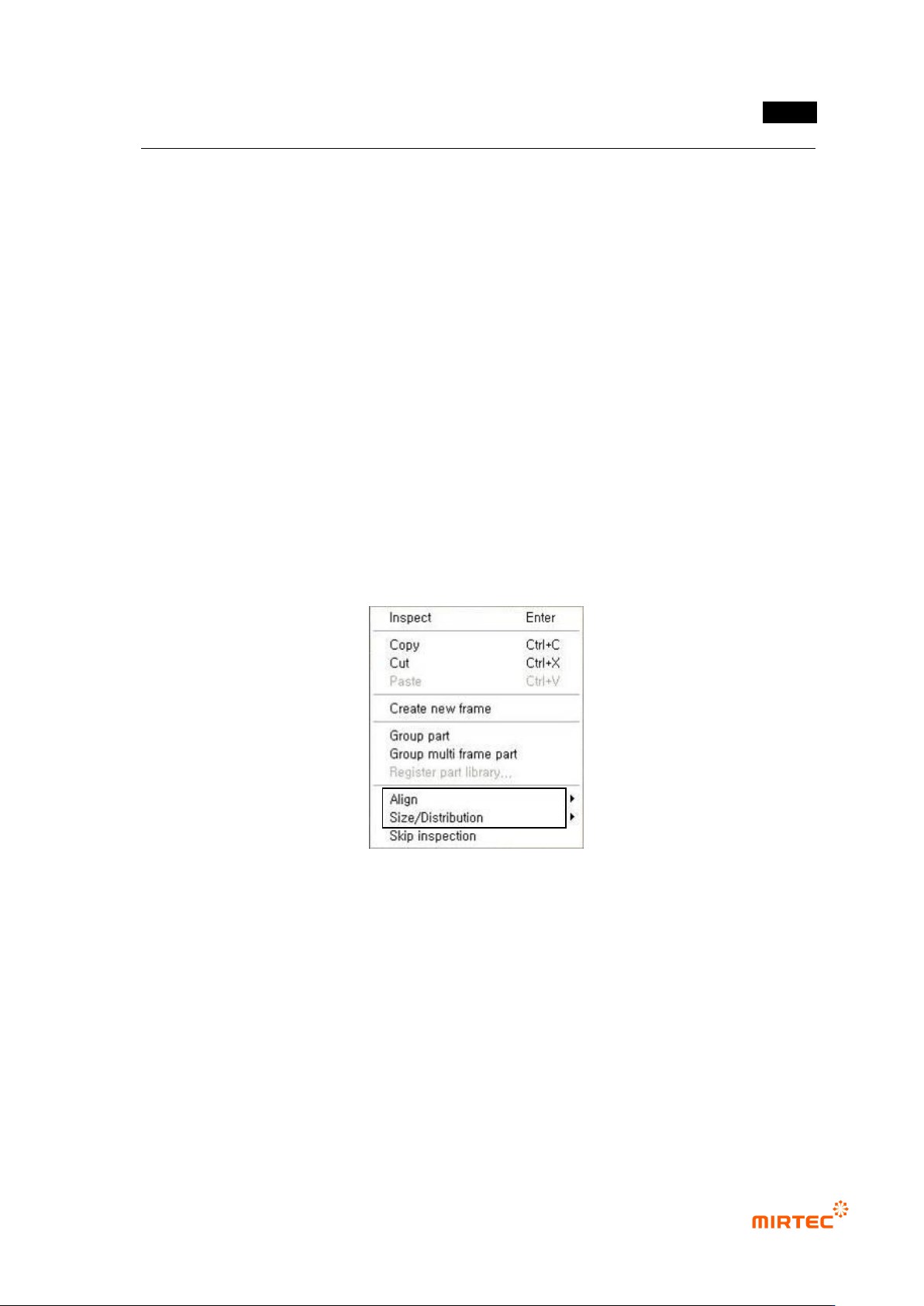
[Figure 5-321 add menu for inspection window multiple selection]
Align
This is used to align many inspection windows to up/down/left/right direction based on reference
inspection window. inspection window that is lastly selected during multiple selection or press
„Ctrl‟ key in the selected inspection windows to set the selected inspection window to reference
inspection window.
MV-9 User Manual
5-246
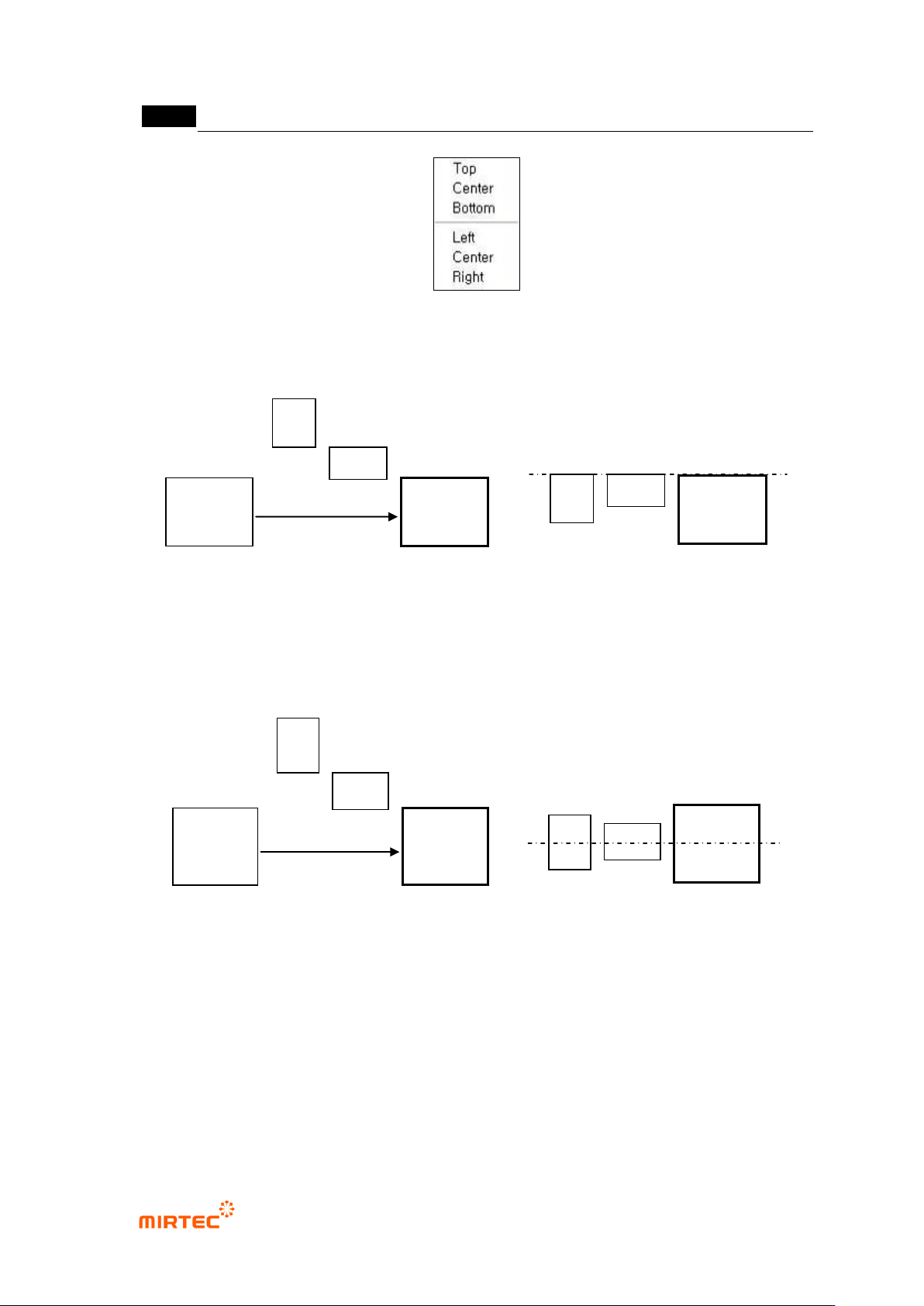
[Figure 5-322 inspection windows alignment method]
Top
This is to align based on the top of reference inspection window.
[Figure 5-323 Top alignment of inspection windows]
Center
This is to align based on the center of reference inspection window.
[Figure 5-324 Center alignment of inspection windows]
Bottom
This is to align based on the bottom of reference inspection window.
Before
alignment
After alignment
Reference
window
inspection
Before alignment
After alignment
Reference
window
inspection
错误!使用“开始”选项卡将 제목 2 应用于要在此处显示的文字。错误!使用“开始”选项卡将 제목 2 应用
于要在此处显示的文字。 .
5-247
[Figure 5-325 Bottom alignment of inspection windows]
Left
This is to align based on left side of reference inspection window.
Center
This is to align based on center of reference inspection window.
Right
This is to align based on right side of reference inspection window.
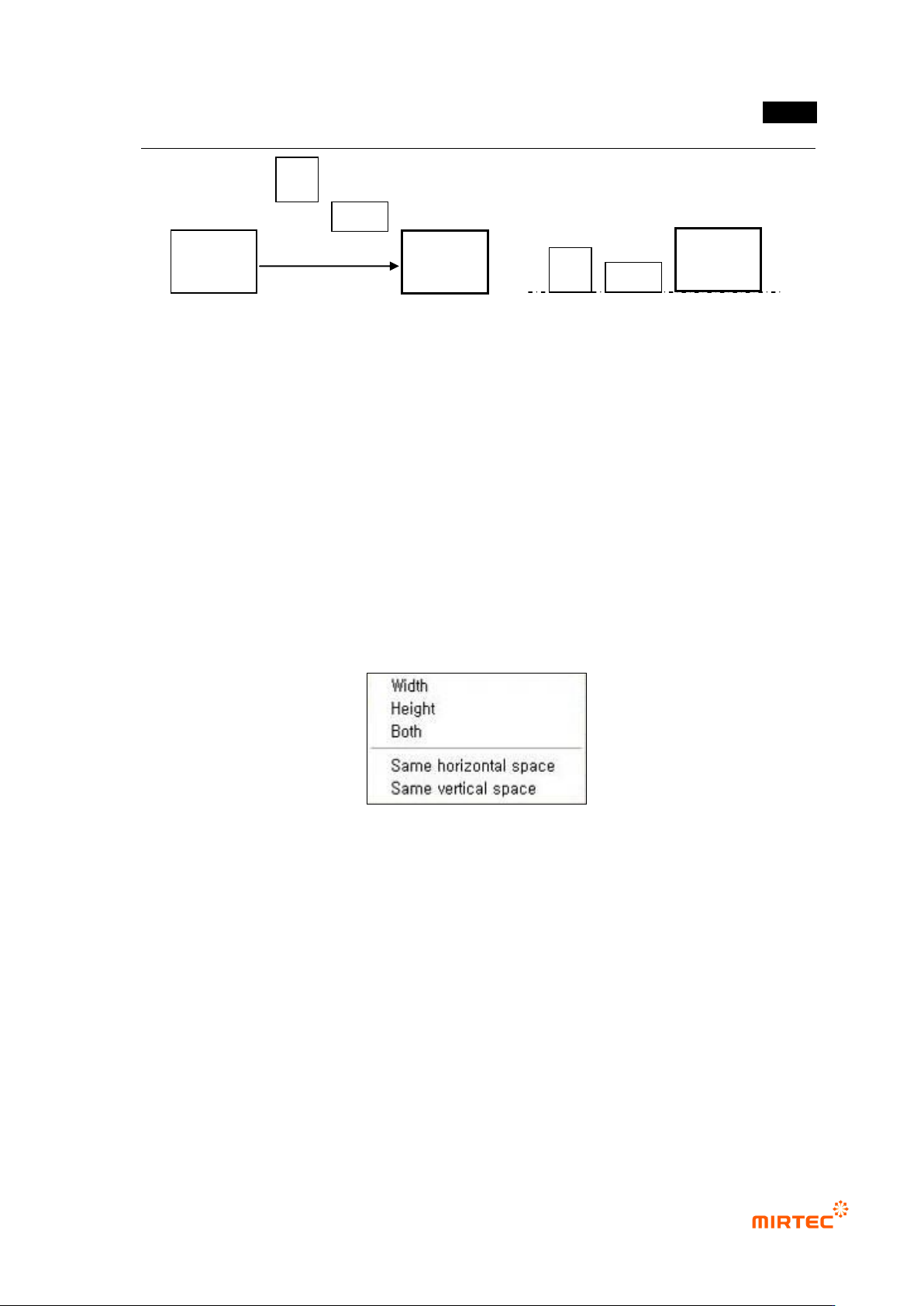
Size
This is used to adjust size of many inspection windows based on reference inspection window.
[Figure 5-326 size adjustment of inspection windows]
Width
This is to set width of the selected inspection windows to the same size of width of reference
inspection window.
Height
This is to set height of the selected inspection windows to the same size of height of reference
inspection window.
All (width ∙ height)
This is to set width and height of the selected inspection windows to the same size of width
and height of reference inspection window.
Same width interval
Before alignment
After alignment
Reference
window
inspection