MV-9_Chapter 5. Teaching.pdf - 第263页
错误 ! 使用“开始” 选项卡将 제목 2 应用于要在此处显示的文字。 错误 ! 使用“开始”选项卡将 제목 2 应用 于要在此处显示的 文字。 . 5- 263 5.8.9 Inspection Resul ts 28 In spection Review - Display the average height of leads. - Di splay the height of each lead (The nu mber of …
MV-9 User Manual
5-262
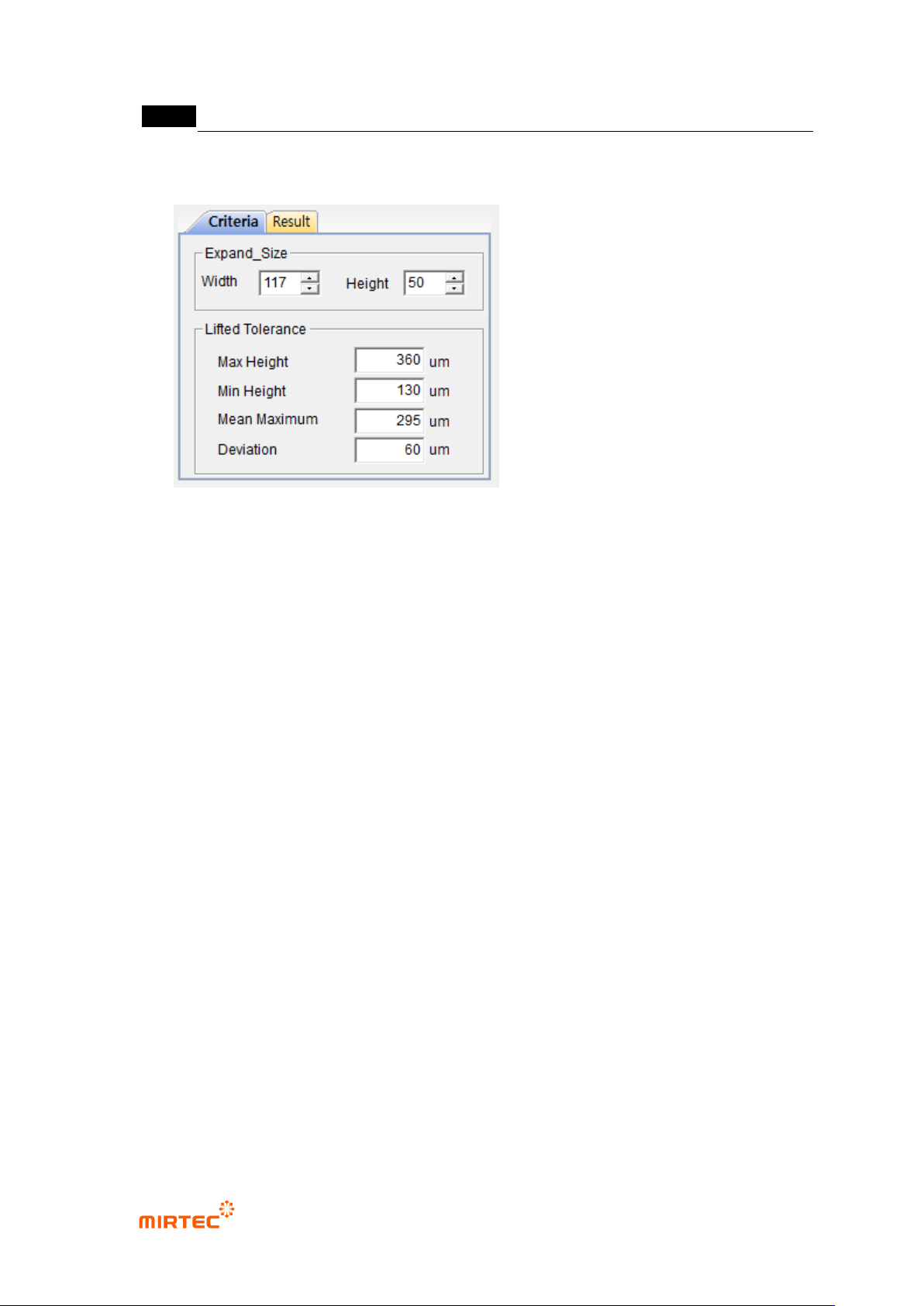
5.8.8 Setting of Criteria and Expanded Region
23 Expanded_Size
- Width : Set the width of the expanded region.
- Height : Set the height of the expanded region.
24 Max Height
- in case the lead height is greater than the Max Height, the part is treated as a poor-
quality one.
25 Min Height
In case the lead height is smaller than the Min Height, the part is treated as a poor-
quality one.
26 Mean Maximum
In case the average height of leads is greater than the Mean Maximum, the part is
treated as a poor-quality one.
27 Deviation
In case the deviation the average height is greater than the Deviation,, the part is
treated as a poor-quality one.
错误!使用“开始”选项卡将 제목 2 应用于要在此处显示的文字。错误!使用“开始”选项卡将 제목 2 应用
于要在此处显示的文字。 .
5-263
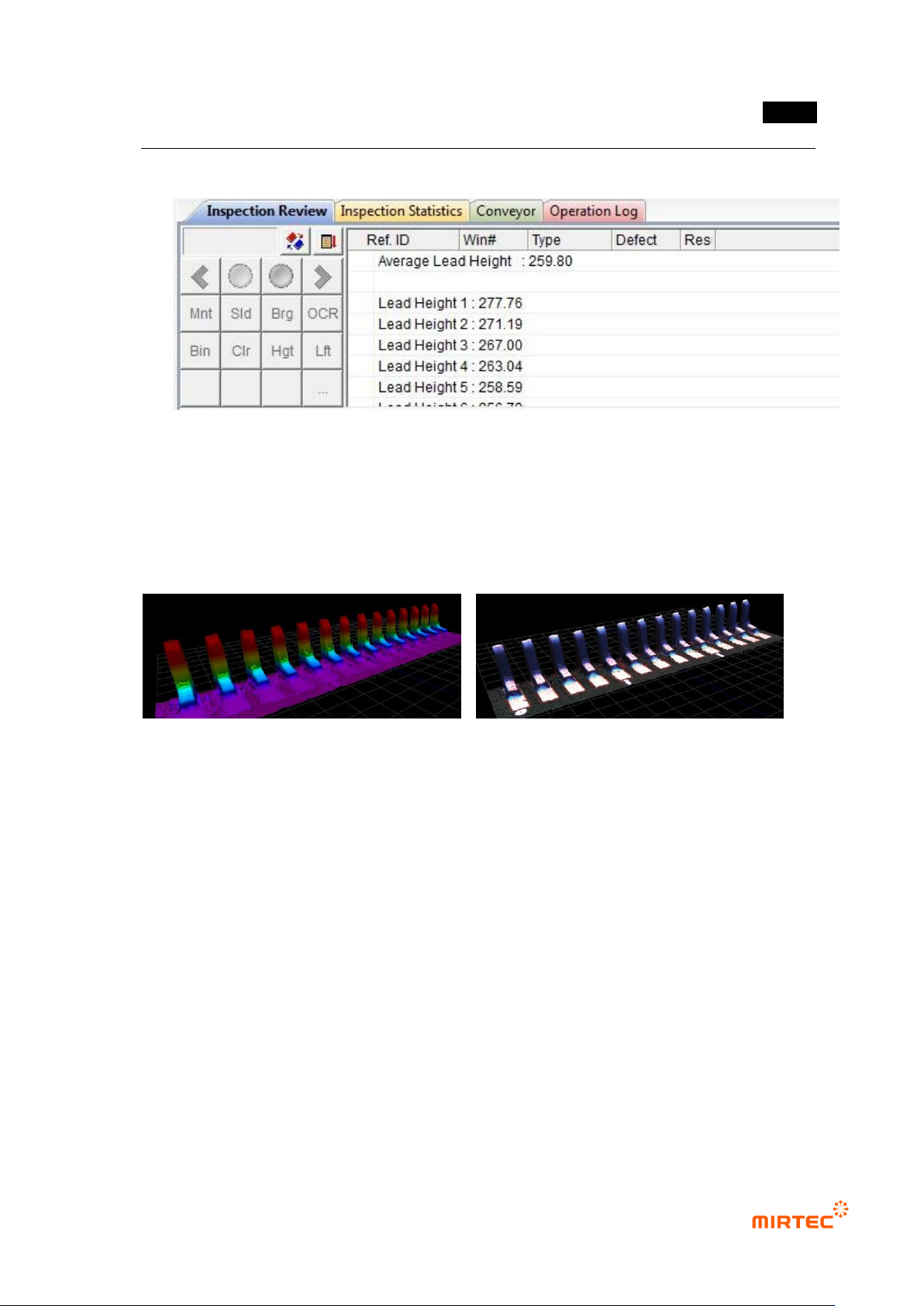
5.8.9 Inspection Results
28 Inspection Review
- Display the average height of leads.
- Display the height of each lead (The number of leads is the same as the number
displayed on the image.)
29 3D Viewer
<Color Map> <Texture Mapping>
MV-9 User Manual
5-264
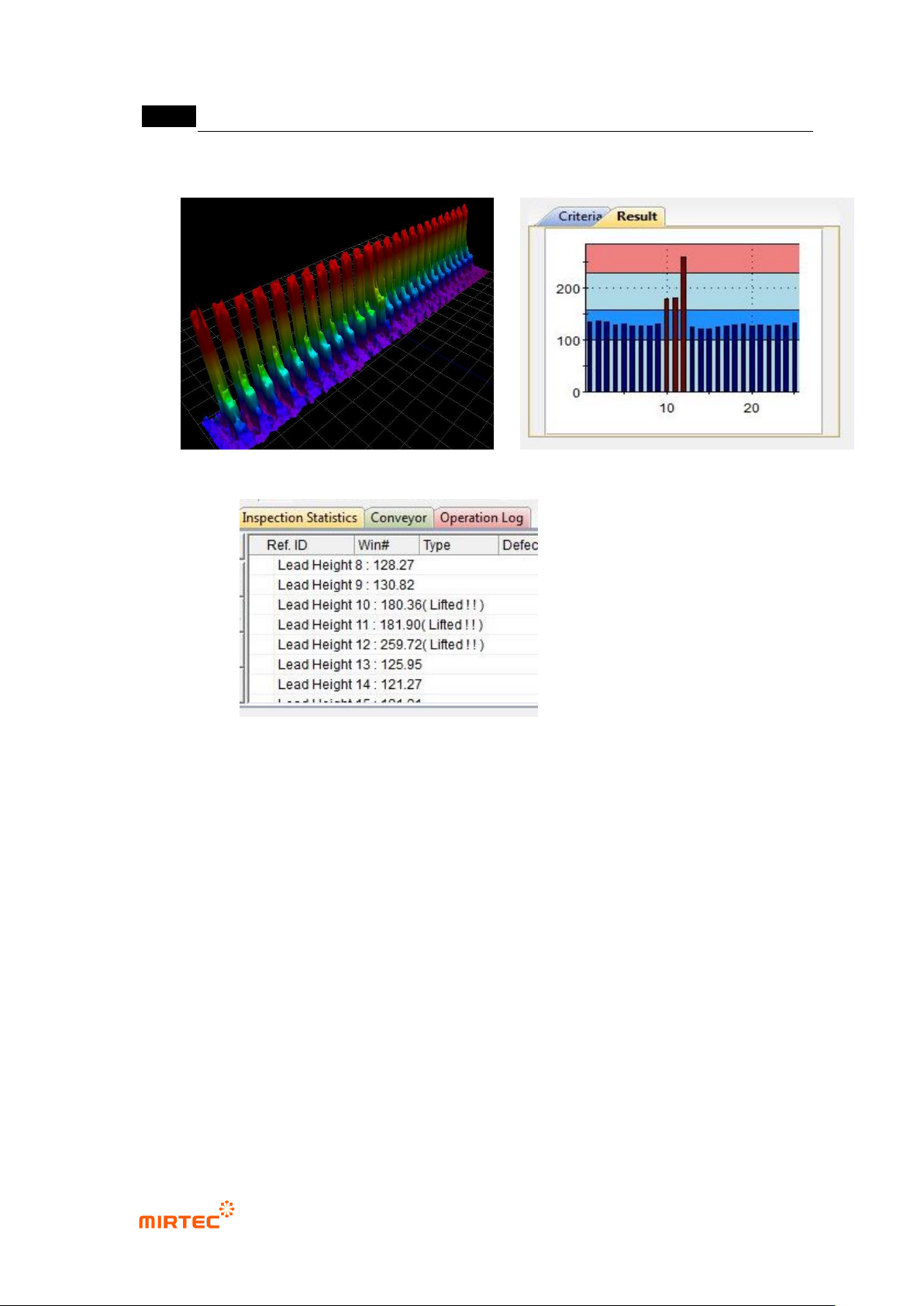
30 Example for Poor Quality
<3D Model> <Result Graph>
<Inspection Review>
* Result Graph
- Red Region: The region higher than the Max Height.
- Sky-Blue Region: The region where the deviation of the average lead height is
greater than the Deviation.
- Blue Region: The region with normal lead height.