MV-9_Chapter 5. Teaching.pdf - 第272页
MV -9 Use r Manual 5- 272 < Use three markers: Center Point>
错误!使用“开始”选项卡将 제목 2 应用于要在此处显示的文字。错误!使用“开始”选项卡将 제목 2 应用
于要在此处显示的文字。 .
5-271
44 Setting of Marker Type
- After selecting the mounting inspection window for 3D BLU, select the parameter
window for Marker Points.
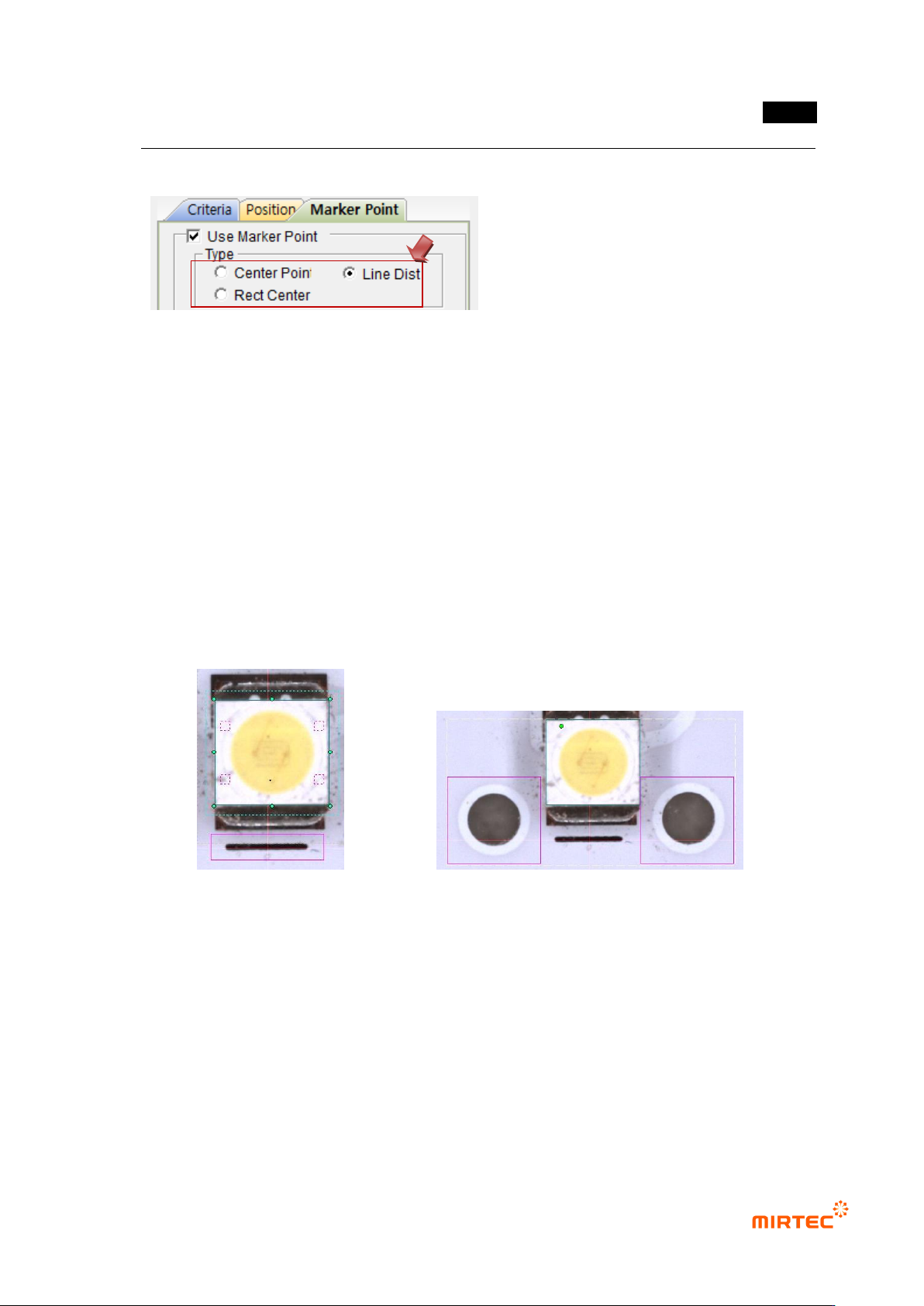
- Select the marker number or position for the Marker Type.
· Use one marker: Center Point
· Use two markers (In case they are on the same horizontal line): Line Dist
· Use two markers (In case they are not on the same horizontal line): Center Point
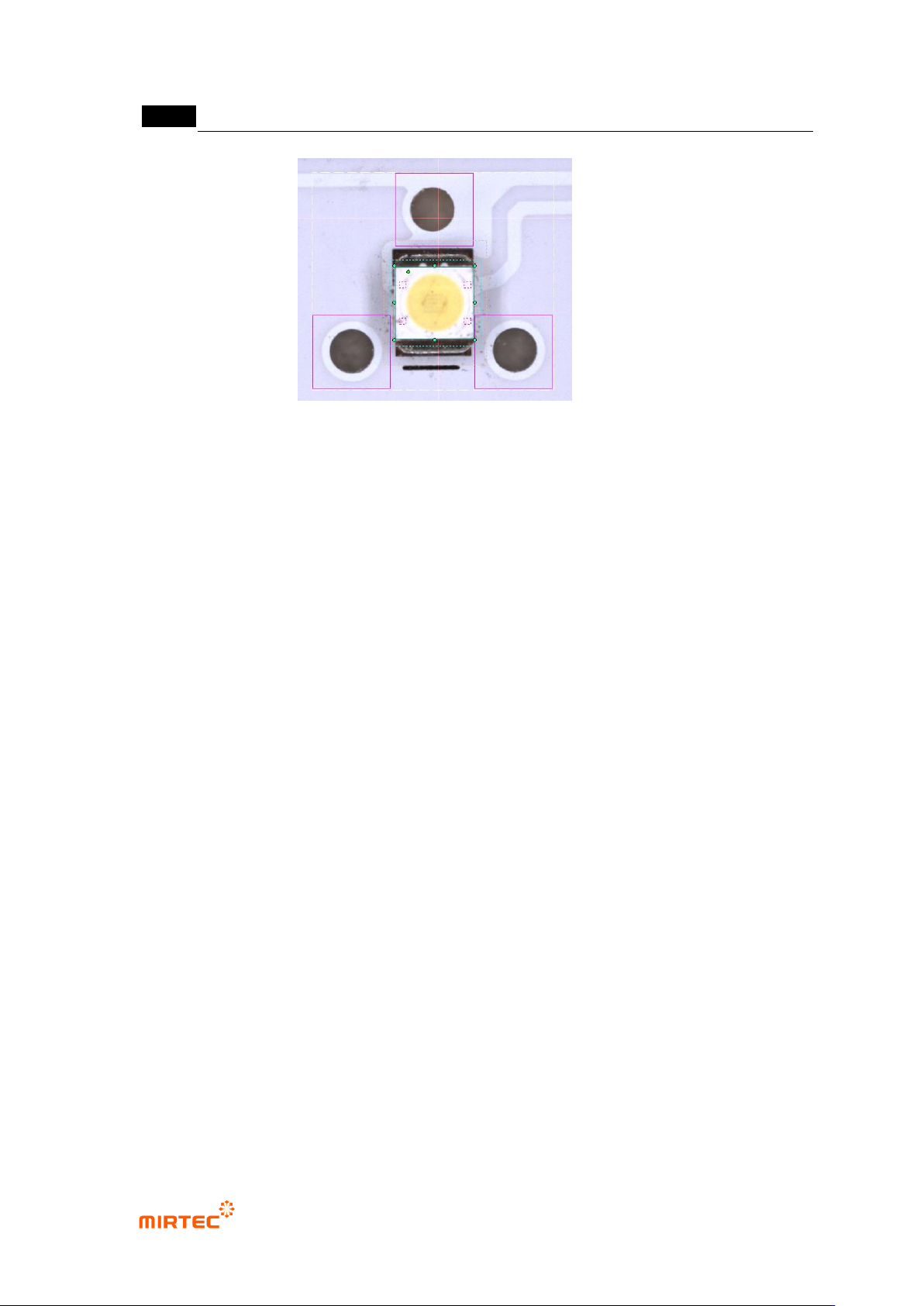
· Use three markers: Center Point
· In case proper markers are not available: Rect Center (Use Pad Width, Insp Edge
Point)
- It is recommended that two or three markers on the same horizontal line be used to
compensate for the rotational angle of BLU Bar.
< Use one marker: Center Point> <Use two markers on the same horizontal line: Line Dist>
MV-9 User Manual
5-272
< Use three markers: Center Point>
错误!使用“开始”选项卡将 제목 2 应用于要在此处显示的文字。错误!使用“开始”选项卡将 제목 2 应用
于要在此处显示的文字。 .
5-273
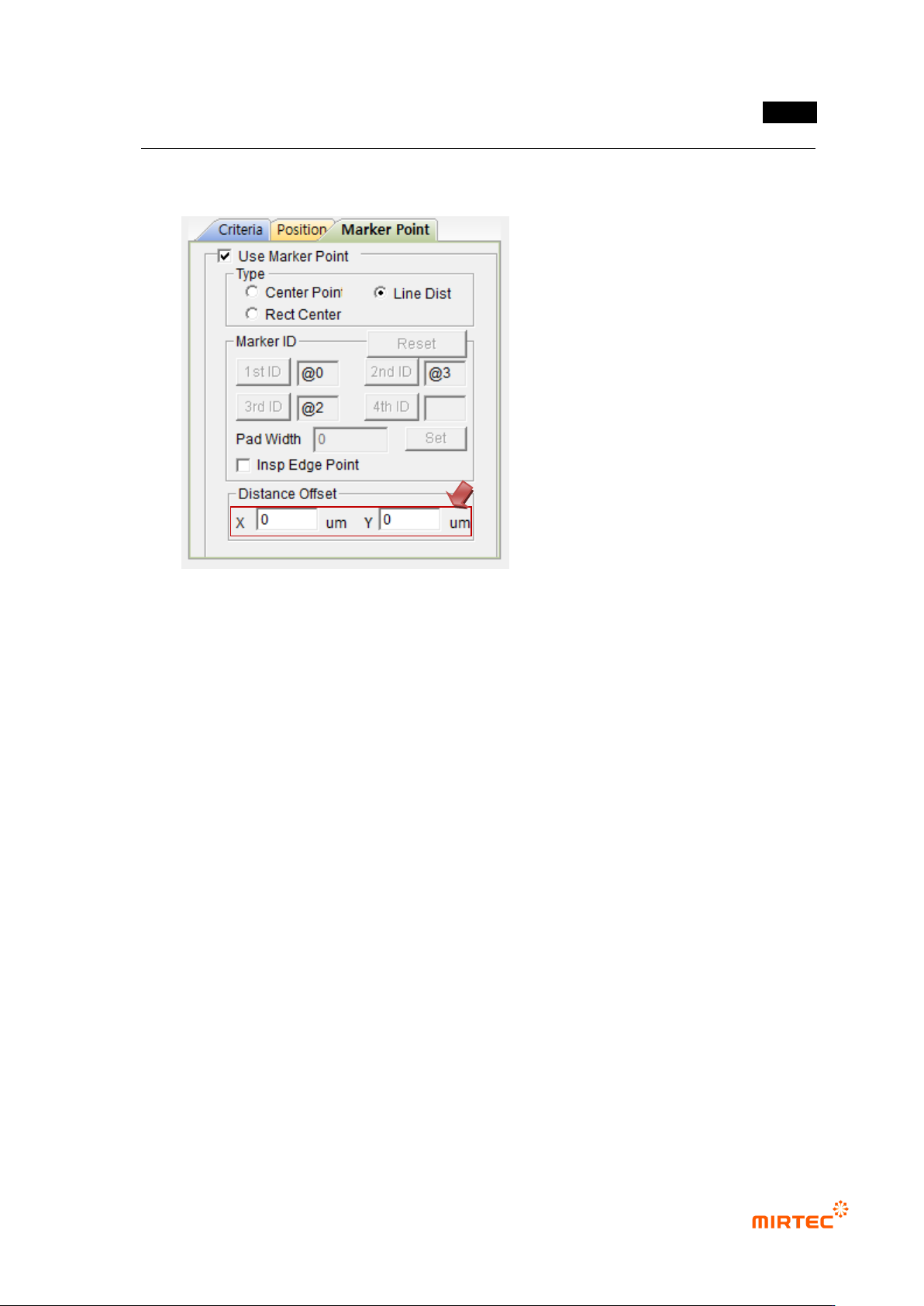
45 Set Distance Offset
- In case of Center Point: Set X, Y Offsets on the basis of the Center Points of markers.
- In case of Line Dist.: Set X and Y Offsets on the basis of the first marker.
- In case BLU is not located at the center of BLU Bar or in case the markers are
misplaced, it is possible to adjust the reference values for Center Point of BLU to be
inspected by using X and Y Offsets.