MV-9_Chapter 5. Teaching.pdf - 第278页
MV -9 Use r Manual 5- 278 5.9.11 Automatic T eaching T each L ED PK G usi ng the autom a tic teaching m ode after com pletin g the teac hing o f one LED PKG and registering it through the l ibrary .. 58 Find BLU Center(3…
错误!使用“开始”选项卡将 제목 2 应用于要在此处显示的文字。错误!使用“开始”选项卡将 제목 2 应用
于要在此处显示的文字。 .
5-277
- The highest height out of the heights around four corners.
54 Maximum Height
- The lowest height out of the heights around four corners.
55 Length Lifted
- The lifted angle in the long-axis direction.
56 Width Lifted
- The lifted angle in the short-axis direction .
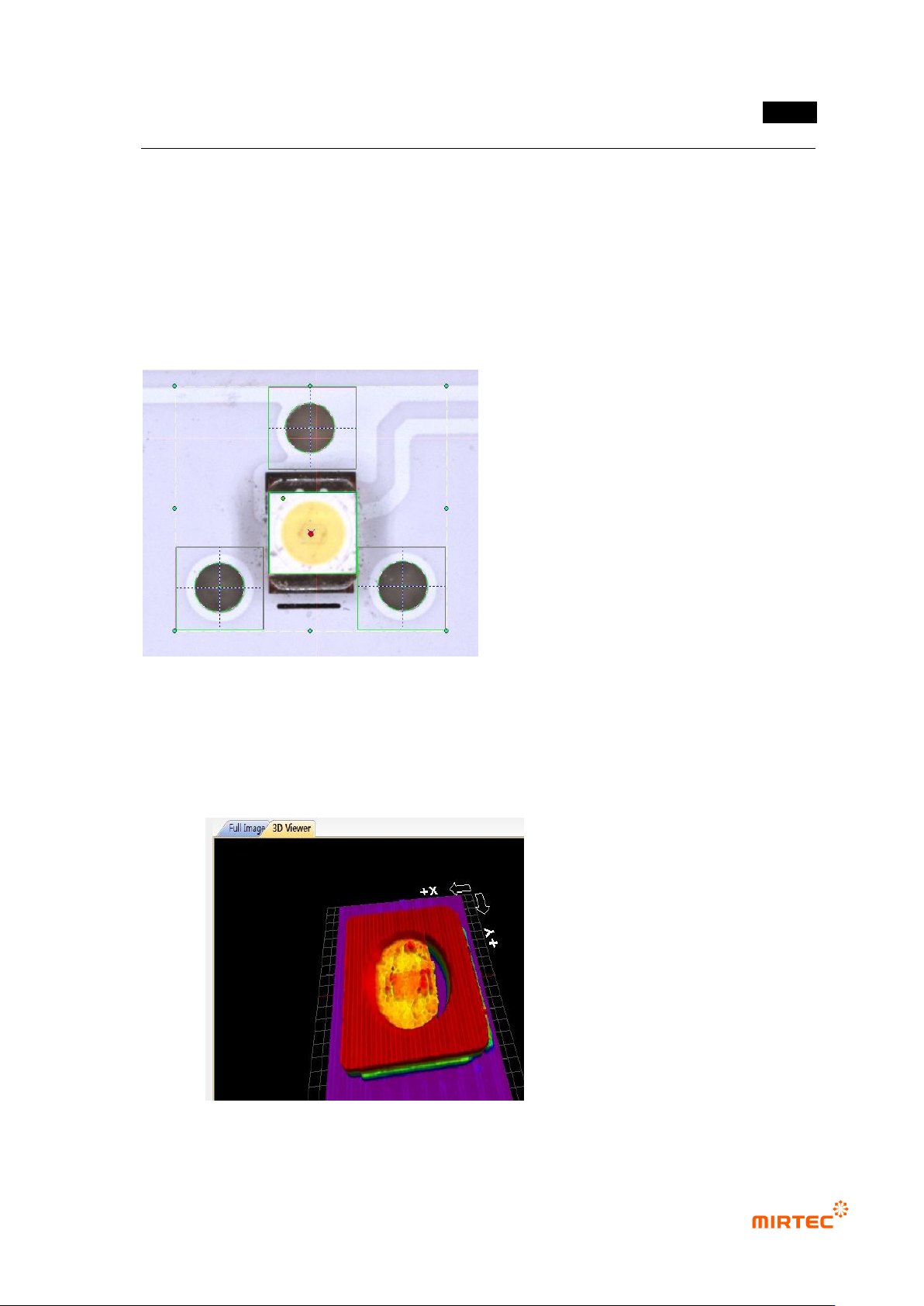
57 Center Point Marking
- The reference Center Point is marked with a red circle, and the Center Point of the
current LED PKG with blue X.
- 3D Model Marking
- The 3D Model measured by 3D Viewers is displayed..
MV-9 User Manual
5-278
5.9.11 Automatic Teaching
Teach LED PKG using the automatic teaching mode after completing the teaching of
one LED PKG and registering it through the library..
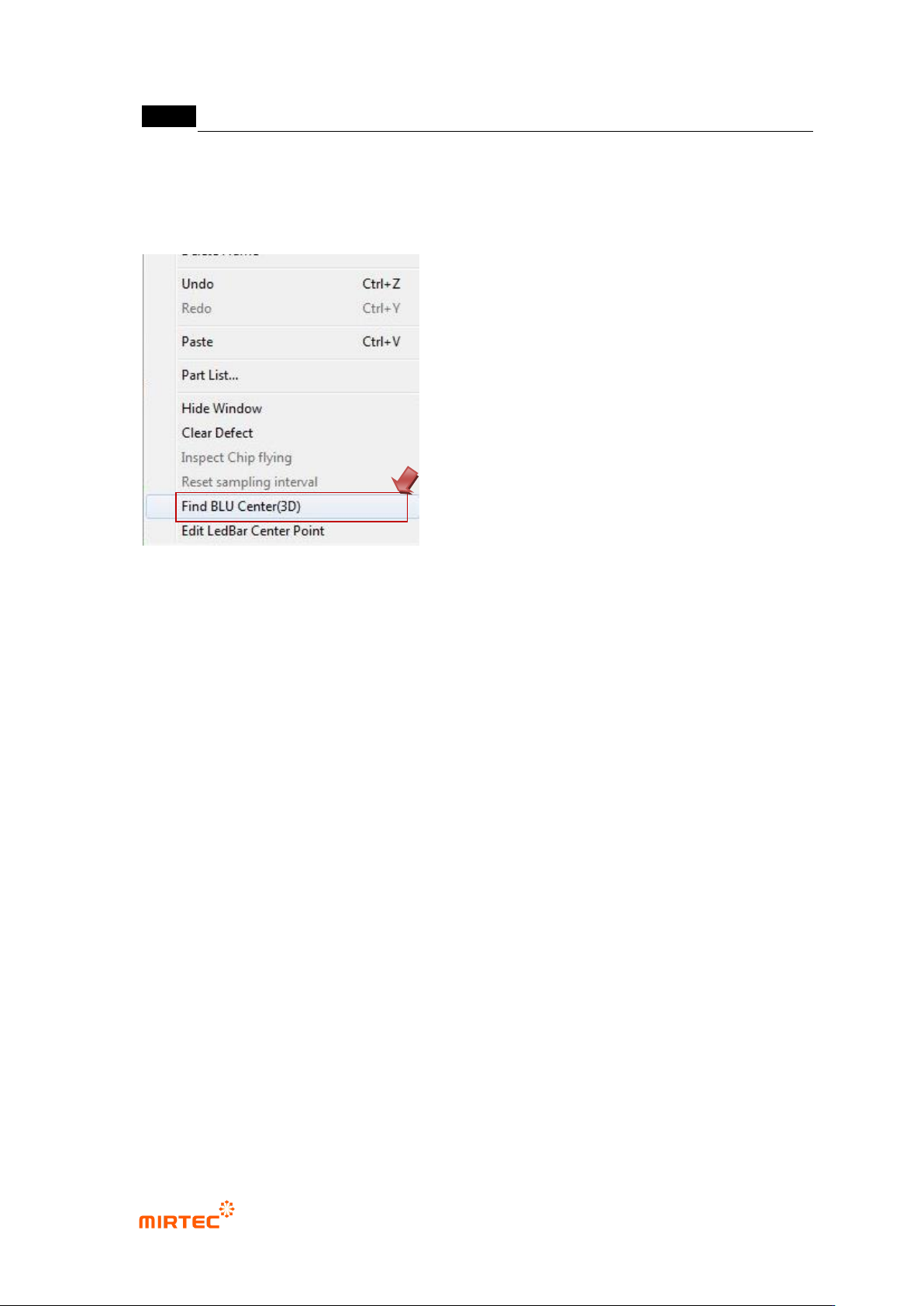
58 Find BLU Center(3D)
- Select „Find BLU Center (3D)‟ by clicking the right mouse button on the main
screen.
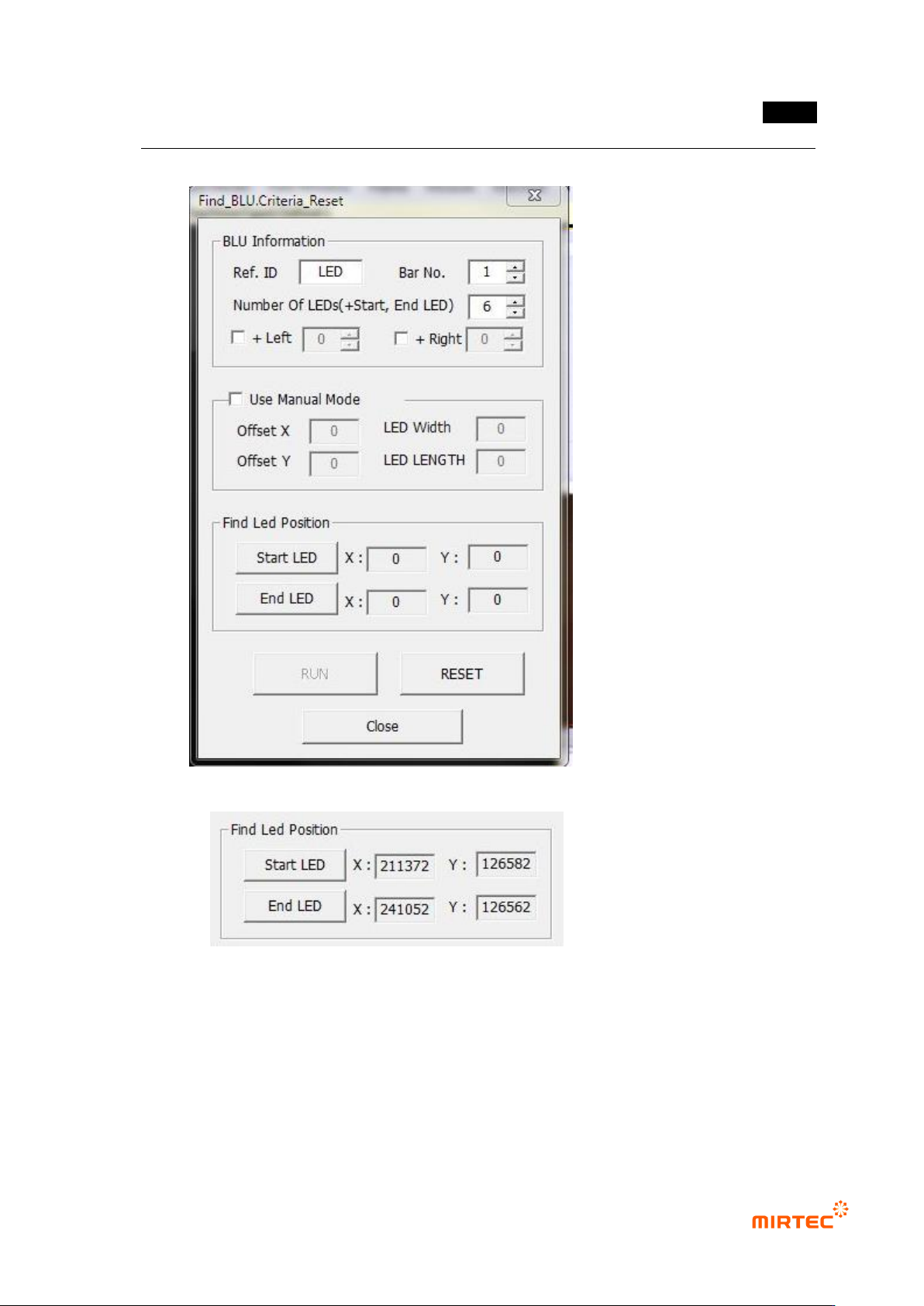
59 Input BLU Information
- Ref. ID: Select „Ref ID‟ of the window automatically taught.
- Bar No: Set the number of the bar taught..
- Number Of LED‟s (+Start, End LED)
· Input the number of LED‟s between „Start LED‟ and „End LED‟ (including „Start LED‟
and „End LED).
· „Start LED‟ and „End LED‟ are determined by the window added during automatic
teaching.
- “+ Left, + Right”
· If there are LED‟s on the more left or right side of „Start LED‟ and,‟ End LED‟, input the
number of the LED‟s.
· These are used in case the first LED or the last LED of the bar is of poor quality.
60 Use Manual Mode
- Set manually the Center Position of „Start LED‟ and „End LED‟.
- Set „Start LED and „End LED‟ by adding Offset X, Offset Y, LED Width, and LED
Length on the basis of the current robot coordinate.
错误!使用“开始”选项卡将 제목 2 应用于要在此处显示的文字。错误!使用“开始”选项卡将 제목 2 应用
于要在此处显示的文字。 .
5-279
· Except for special cases, it is recommended that the manual mode not be used.
61 Find LED Position
- The window is added by using the BLU library registered in the first LEB of the bar.
- After selecting the added BLU window (part), if „Start LED‟ is clicked, the coordinate of
LED Center is calculated through the 3D measurement.
62 The window is added by using the BLU library registered in the last LEB of the bar.