MV-9_Chapter 5. Teaching.pdf - 第55页
错误 ! 使用“开始” 选项卡将 제목 2 应用于要在此处显示的文字。 错误 ! 使用“开始”选项卡将 제목 2 应用 于要在此处显示的 文字。 . 5- 55 5.3.3.3. W a v e Sold er inspection - Algorith m to i ns pect so l der i ng stat us for wave soldering that is a soldering process for m …
MV-9 User Manual
5-54
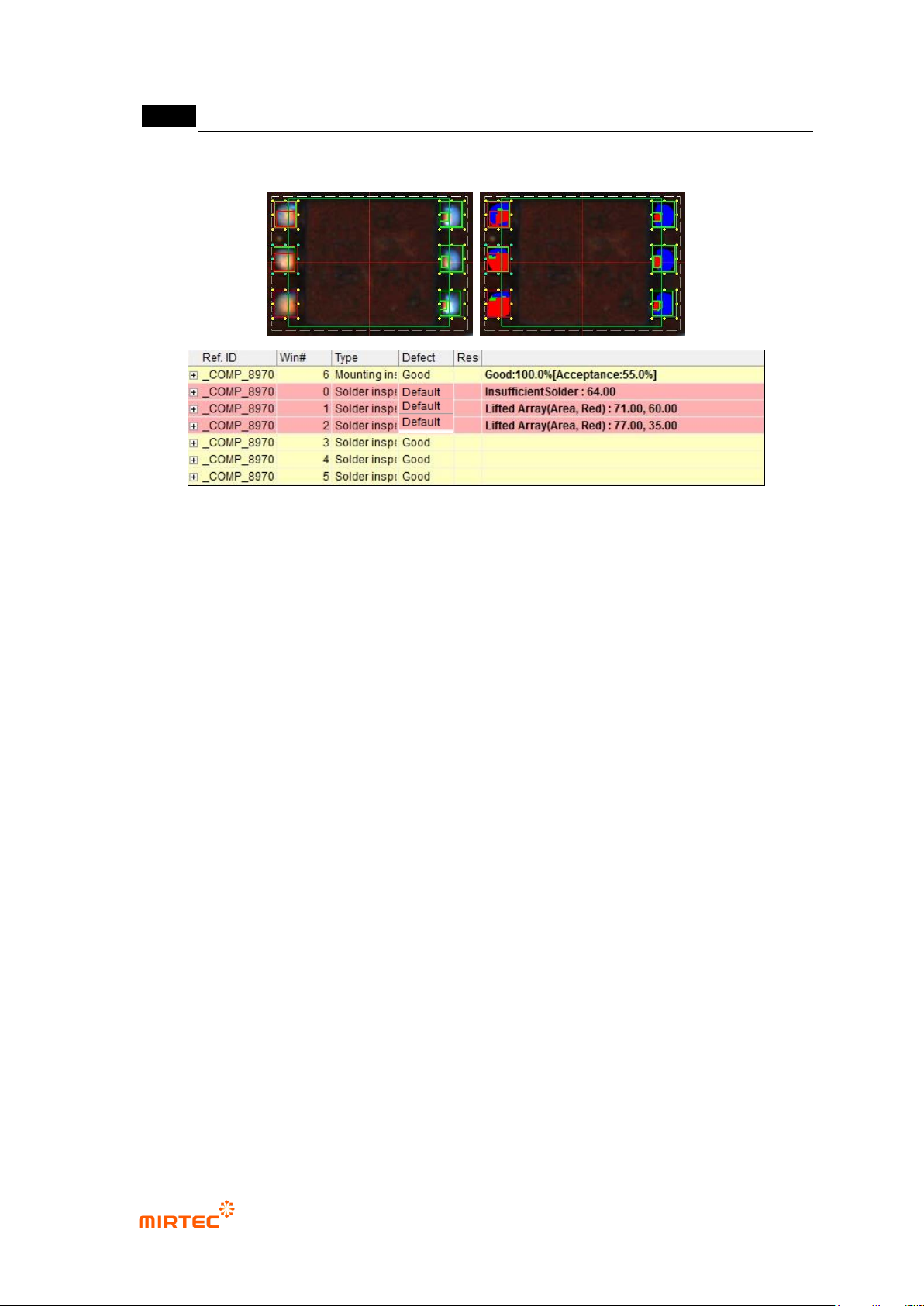
[Figure 5-58 Array inspection result in status screen
[Figure 5-59 Array inspection result example]
错误!使用“开始”选项卡将 제목 2 应用于要在此处显示的文字。错误!使用“开始”选项卡将 제목 2 应用
于要在此处显示的文字。 .
5-55
5.3.3.3. Wave Solder inspection
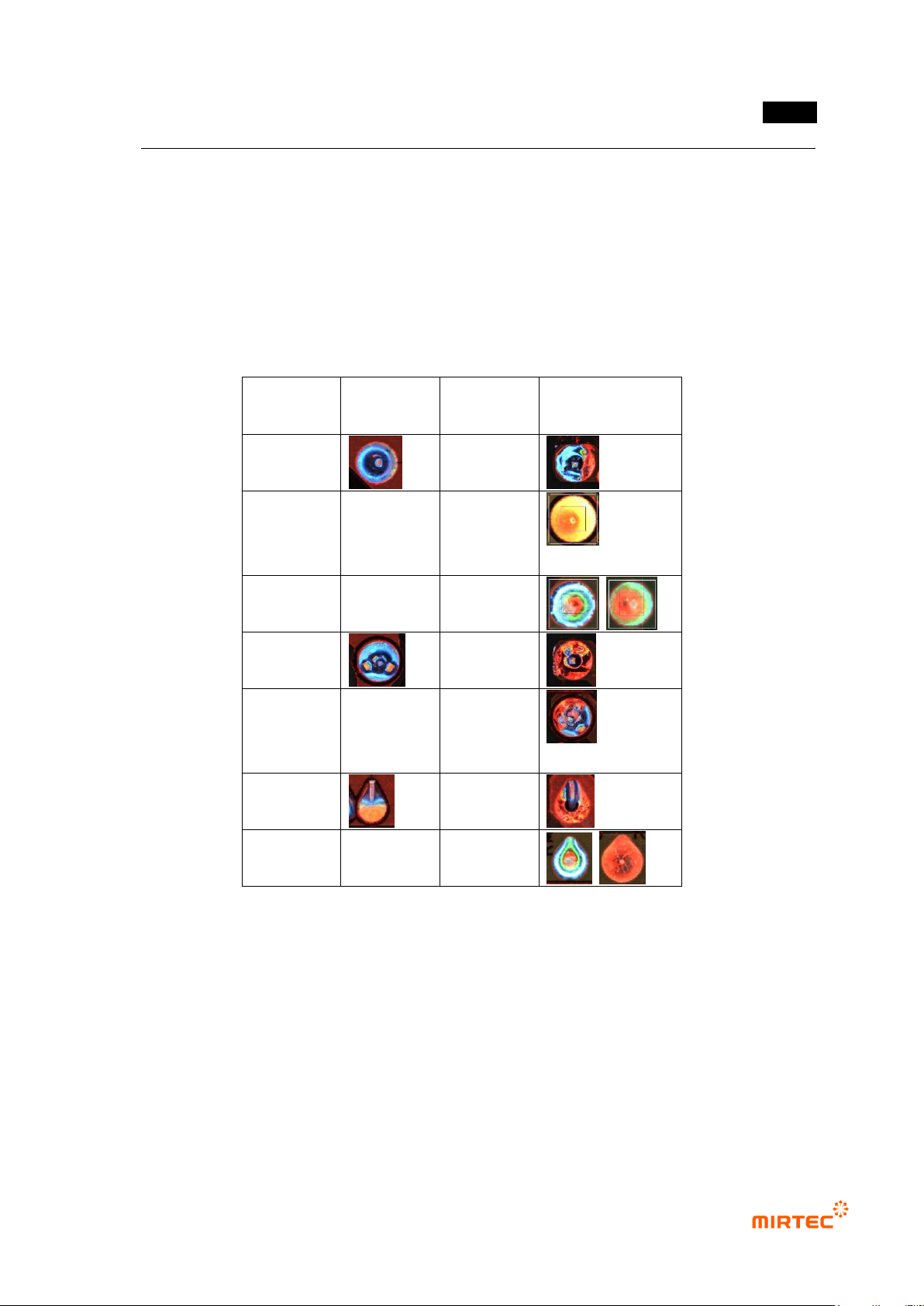
- Algorithm to inspect soldering status for wave soldering that is a soldering process for
manual mounting or auto mounting soldering component. The inspection is divided into pin
type (pin type) and lead type according to component type. In basic defect type, pin is not
exposed, perforation (or defect of hole in solder area due to pin hole, wettability defect).
[Table 5-4 4 Binarization methods of solder amount inspection window]
Type
Normal
image
Defect
name
Defect image
pin type
perforation
No solder,
insufficient
solder
no pin
exposure
perforation
No solder,
insufficient
solder
lead type
perforation
no pin
exposure
1) Teaching method
① Click <soldering inspection window> button among operating buttons.
② Draw inspection window in solder area.
③ Select horizontal + vertical light for light type. Image type will be automatically selected.
④ Adjust position and size of pin inspection area and solder inspection area.
⑤ Adjust color map and binarization value checking preview.
⑥ Enter inspection criteria.
MV-9 User Manual
5-56
⑦ Draw color inspection or solder inspection window at the center of the pad for perforation
inspection, adjust color map and binarization value, and select normal judgment for defect.
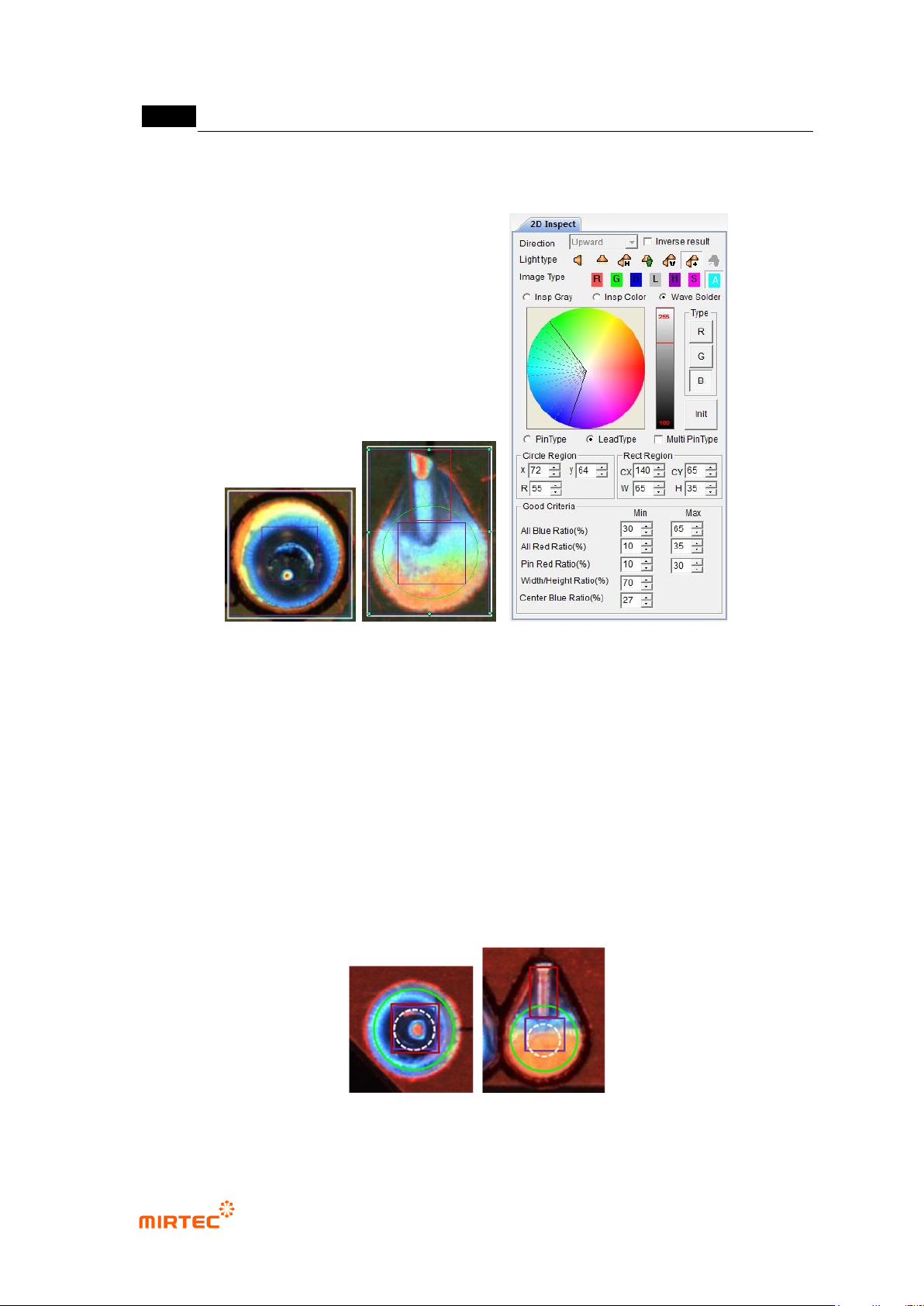
[Figure 5-60 Soldering inspection – wave soldering inspection window creation screen]
2) Teaching example of representative component
- Draw soldering inspection window in wave solder area and select wave solder to
automatically create green circle and red rectangle.
- Green circle is to inspect solder area, and red rectangle is area to inspect pin or lead
exposure.
- White dotted line circle in the center is a virtual area that does not actually appears, and it
is an area to inspect excessive solder. Center of white dotted line circle is same with green
circle, and radius is half of green circle.
- Violet rectangle is an area to inspect perforation.
[Figure 5-61 Example of soldering inspection window teaching]