MV-9_Chapter 5. Teaching.pdf - 第63页
错误 ! 使用“开始” 选项卡将 제목 2 应用于要在此处显示的文字。 错误 ! 使用“开始”选项卡将 제목 2 应用 于要在此处显示的 文字。 . 5- 63 6) Inspection result in st atus scre en [Figure 5- 68 Inspection result in st atus screen]
MV-9 User Manual
5-62
- Rect region (red rectangle in soldering inspection area)
In case of pin type, create it about 60% of pad size, square or rectangle, and correctly
locate it at pad center as close as possible.
[Figure 5-66 Example of inspection area setting]
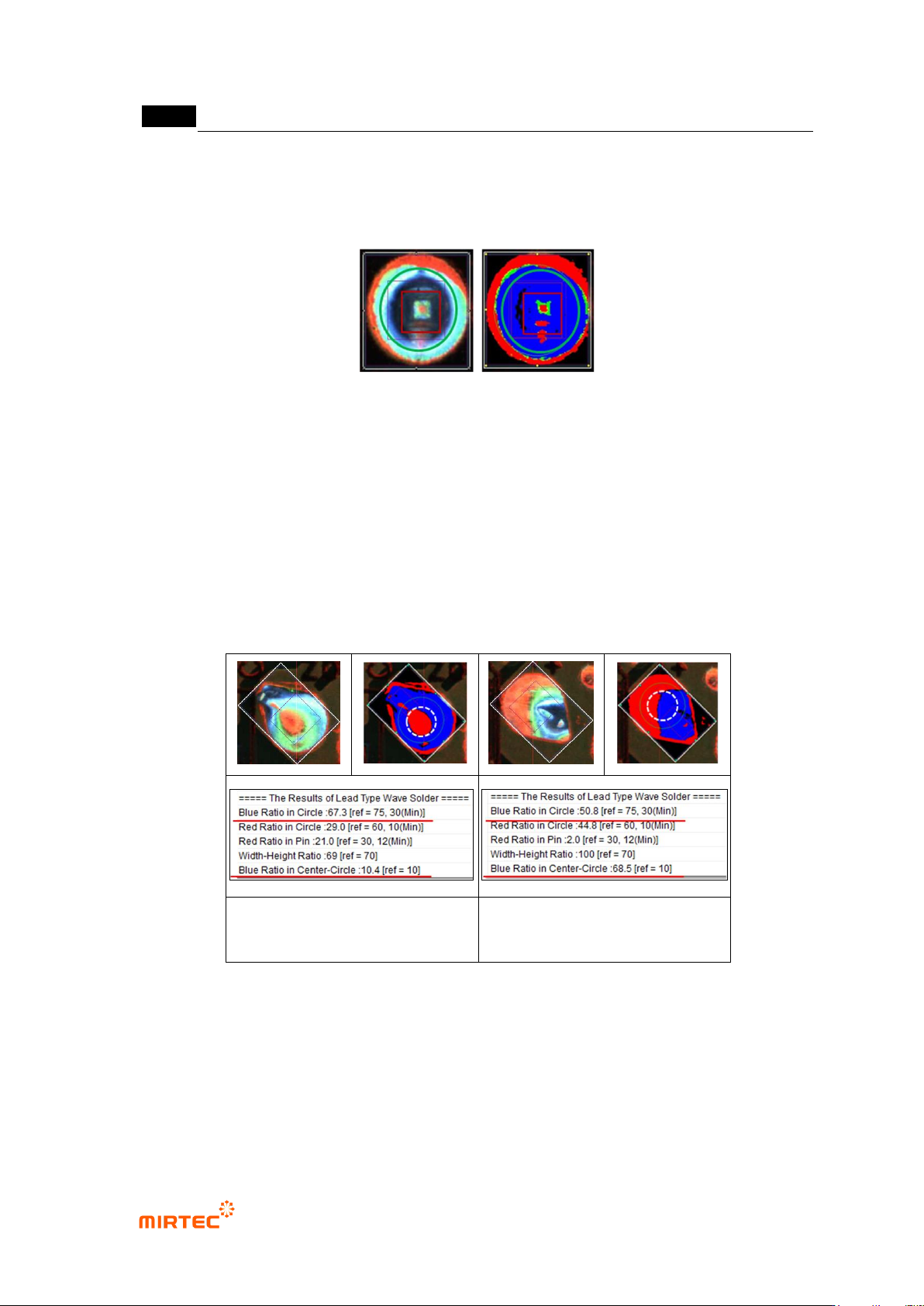
Center Circle region
- This region is same with the center of green circle, and defined as circle with half of green
circle diameter. This is used to check defect of excessive solder characteristic, and only
blue ratio will be calculated.
- As shown in [figure5-84], blue ratio of the left lead type is higher than that of right in green
circle. However, red ratio is higher than that of left lead type in white dotted line circle. This
is one of defects of excessive solder characteristic defect or defect with small lead amount.
Excessive solder characteristic
defect image
Normal image
[Figure 5-67 Setting example of Center Circle Region]
错误!使用“开始”选项卡将 제목 2 应用于要在此处显示的文字。错误!使用“开始”选项卡将 제목 2 应用
于要在此处显示的文字。 .
5-63
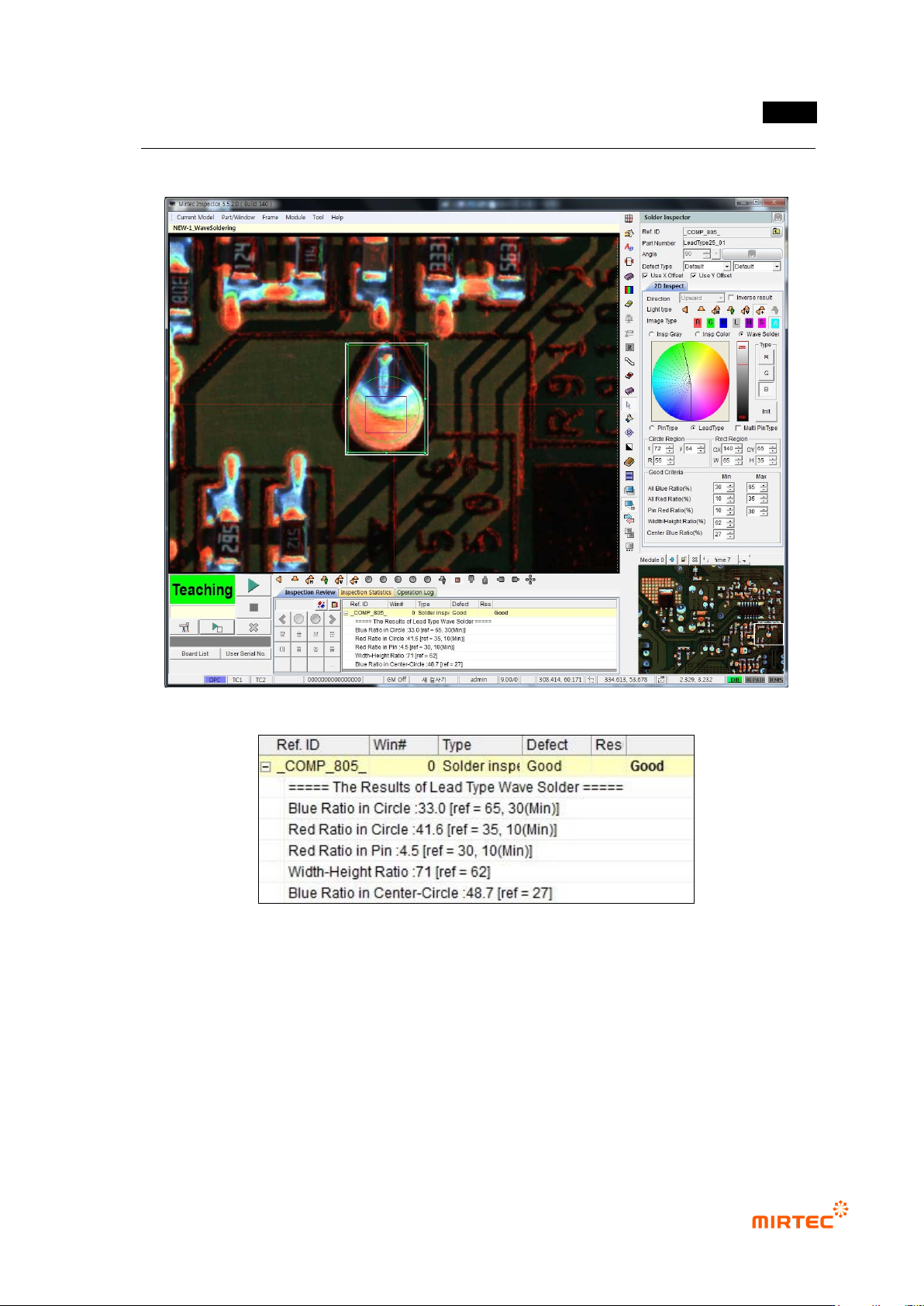
6) Inspection result in status screen
[Figure 5-68 Inspection result in status screen]
MV-9 User Manual
5-64
5.3.4. Optical character inspection window
Optical character inspection window is used to inspect wrong mounting or non-mounting of
component with character (number and upper character of alphabet).
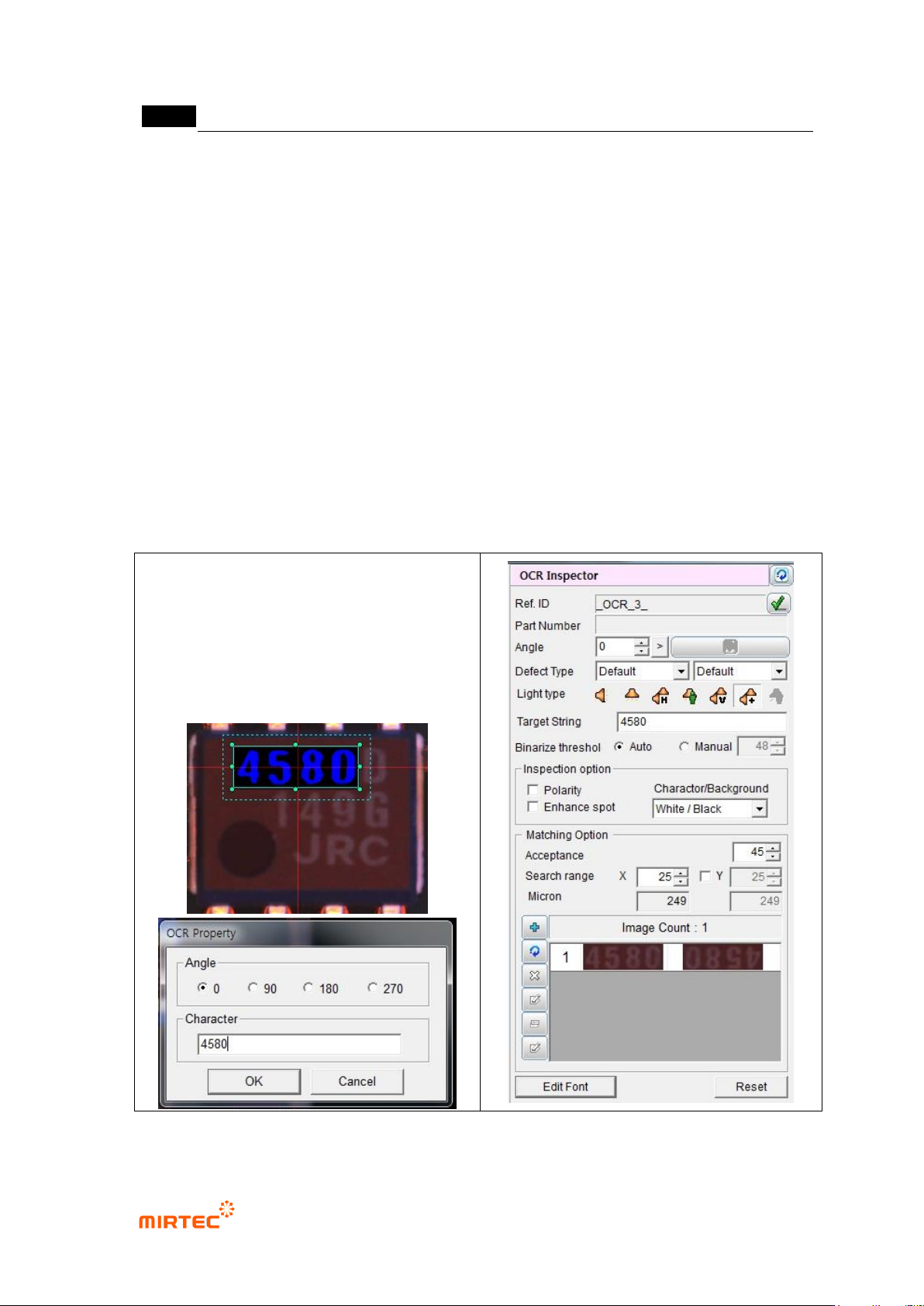
1) Teaching method
① Click <OCR inspection window> button among operating buttons.
② Select light for the inspection to clearly display character on component in light change tap
on the bottom of frame image screen. In general, horizontal light is recommended.
③ Draw inspection window in character part of interesting component. At this point, create
window that has with same size with character string.
④ Enter character of character string for inspection window and select angle (Based on CCW).
[Figure 5-69 Character string and angle setting in optical character inspection window]