Maintenance Manual.pdf - 第205页
RL131 MAINTENANCE MANUAL 9.1 Movem ent Check DA8MEC-71-010- A0 9.1-2 9.1.1 Origin Return Be sure to retur n all axes to their origins b efore m oving axes. Opera ting procedure 1. 1. Press [Engineer ] on the “H om e Me…

RL131
MAINTENANCE MANUAL
9.1 Movement Check
DA8MEC-71-010-A0
9.1-1
9.1. Movement Check
DA8MEC-71-010-A0
This function allows you to check each axis for proper movement under manual control.
NC axis jog ( 9.1.2)
NC axis move ( 9.1.3)
Width adjust axis jog ( 9.1.4)
Width adjust axis move ( 9.1.5)
Before making checks, perform origin re-turn. ( 9.1.1)
RL131
MAINTENANCE MANUAL
9.1 Movement Check
DA8MEC-71-010-A0
9.1-2
9.1.1 Origin Return
Be sure to return all axes to their origins before moving axes.
Operating procedure
1.
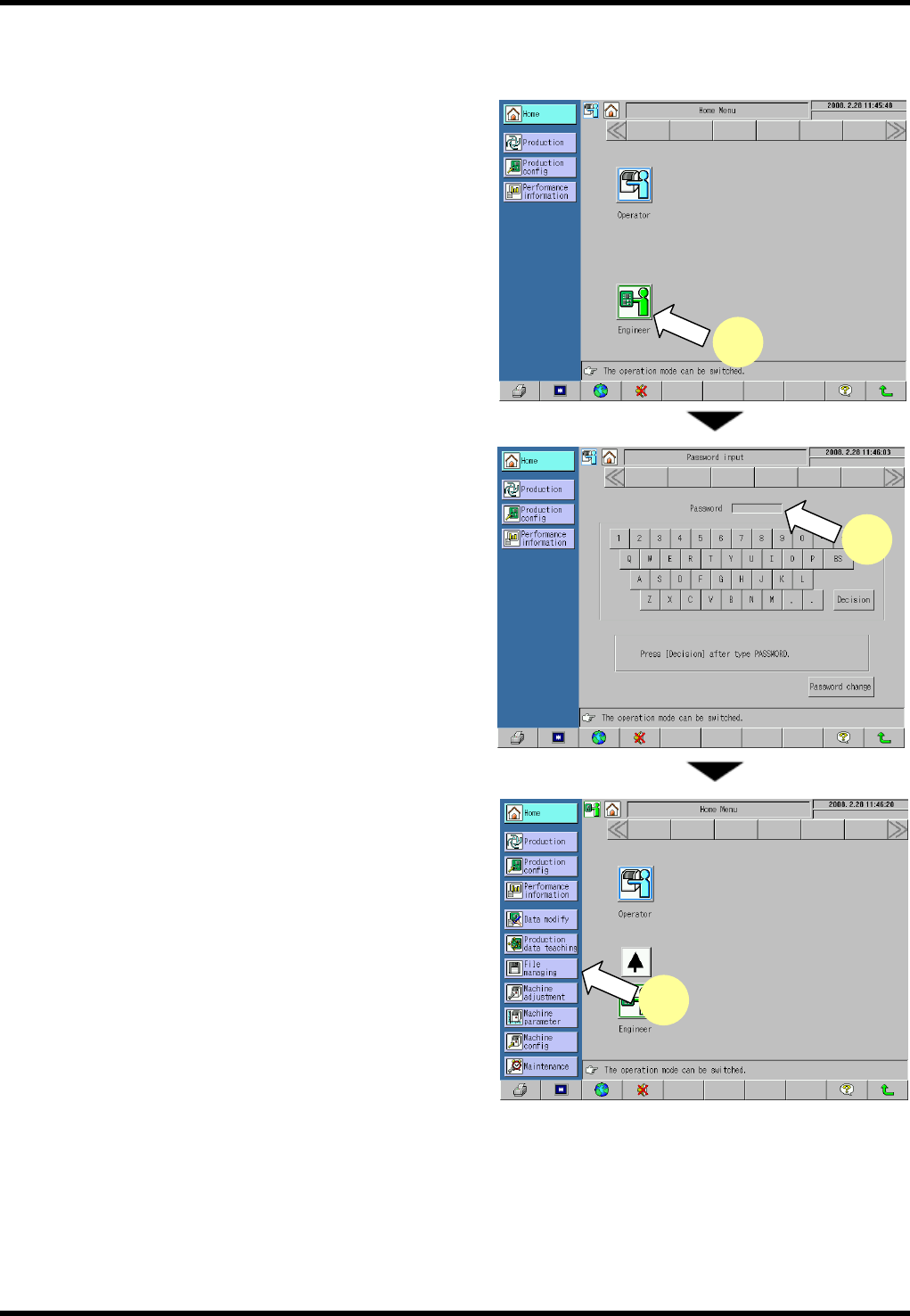
1. Press [Engineer] on the “Home Menu” screen in the
operator mode.
The mode changes to the engineer.
2. Enter the password on the “Password input” screen
to change the mode to the engineer.
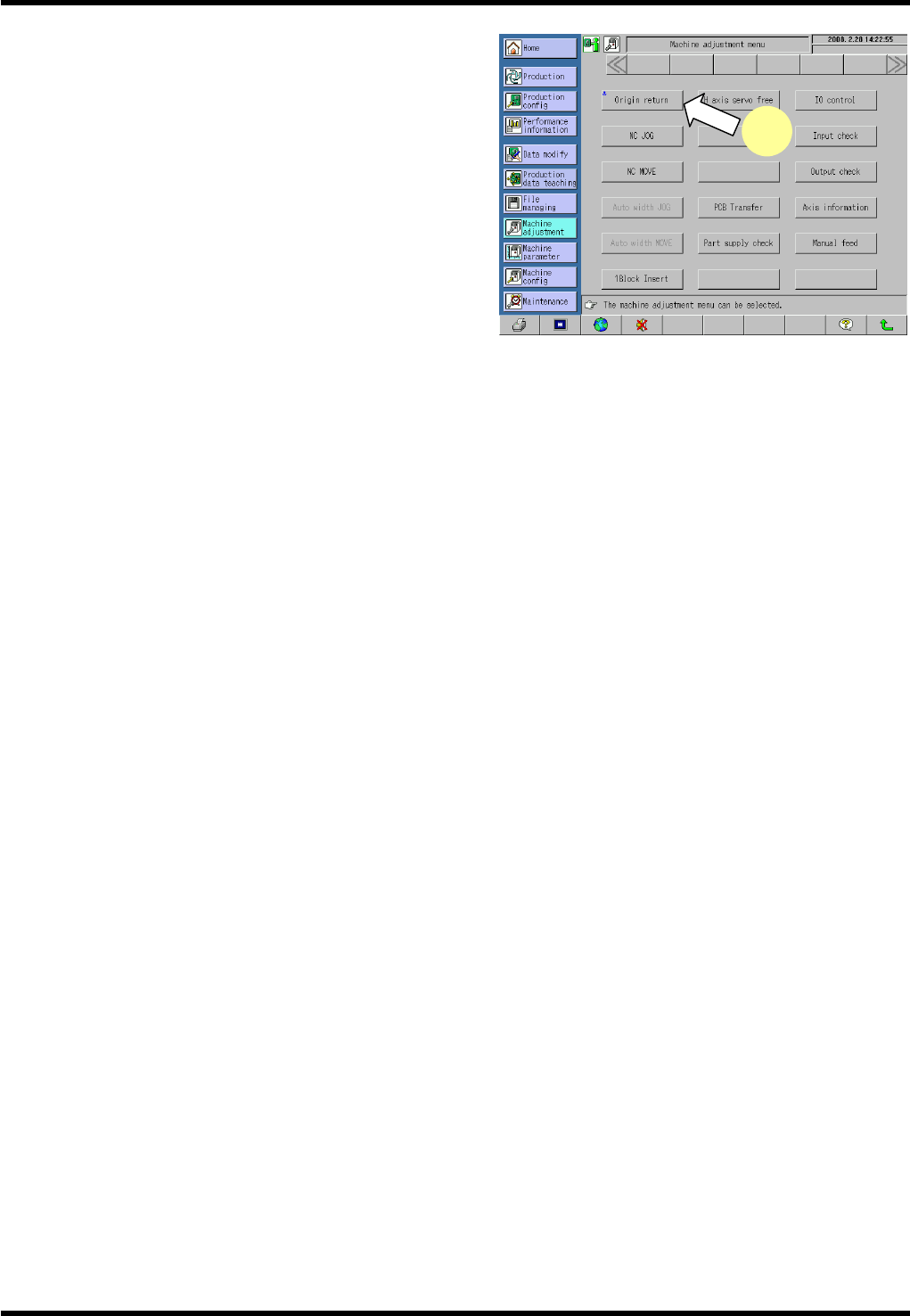
3. Press [Machine Adjustment] from the main menu.
The “Machine adjustment menu” screen appears.
3
1
2
RL131
MAINTENANCE MANUAL
9.1 Movement Check
DA8MEC-71-010-A0
9.1-3
4. Press <ENABLING> + [Origin return].
This returns all axes to their origins.
* The <ENABLING> switch is located in the lower left
part of the main panel.
=REMARKS=
Note that the qH axis cannot be returned to its
origin if it is not near the origin.
4