4OM-1050-002.pdf - 第115页
1 .2 “CHECK” Windows 1.2.1 “CHECK” Windows • Window Layout When the machine is not reset to its normal condition after an operator makes an error operation or an error occurs in the operation system, a window like the fo…
1. Scope
1.1 Scope of Troubleshooting
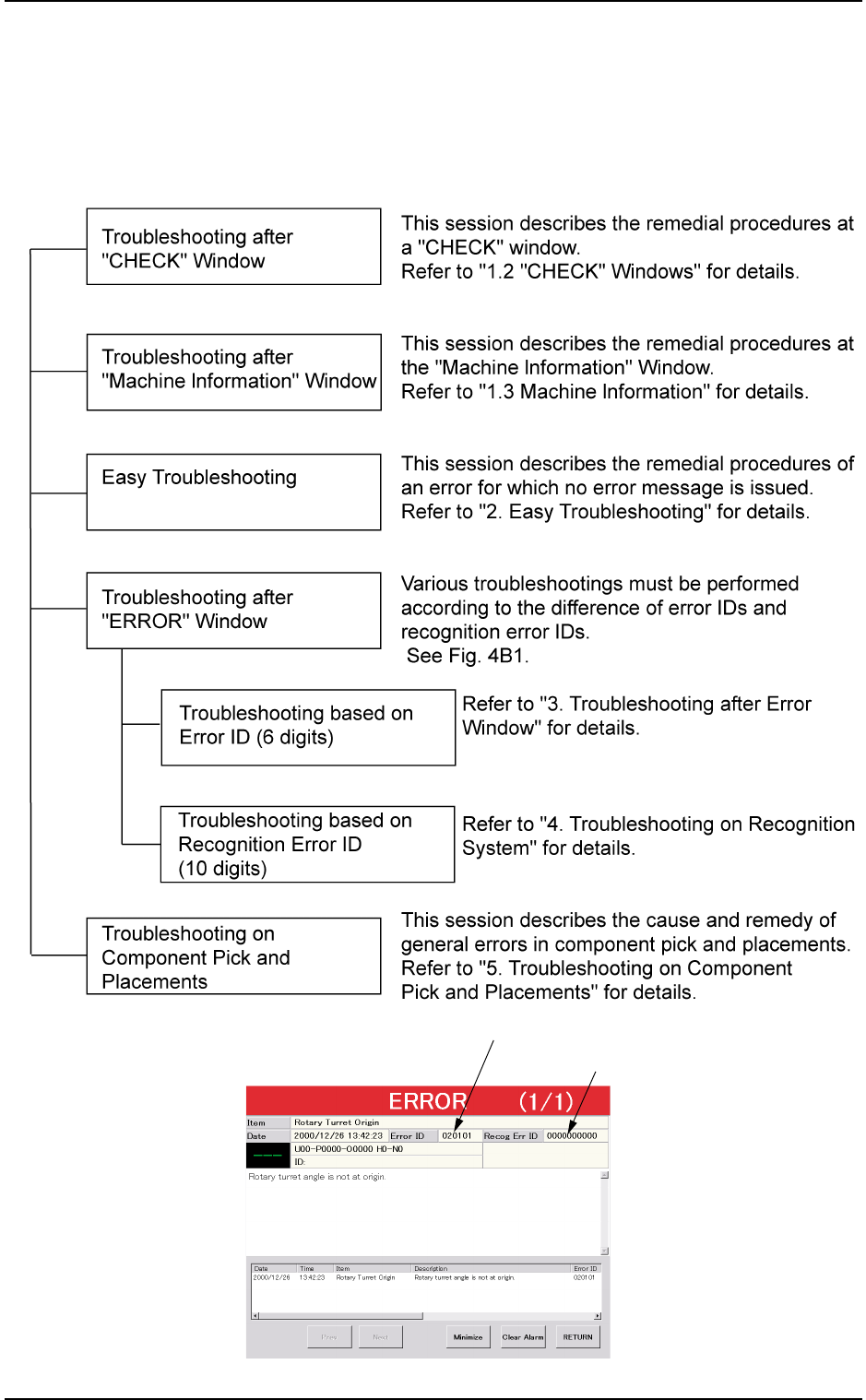
The troubleshooting is composed as follows.
Fig. 4B1
0110-003 2 - 1
AFO01ETRP
1. Scope
Error ID (6 digits)
Recognition Error ID (10 digits)
1.2 “CHECK” Windows
1.2.1 “CHECK” Windows
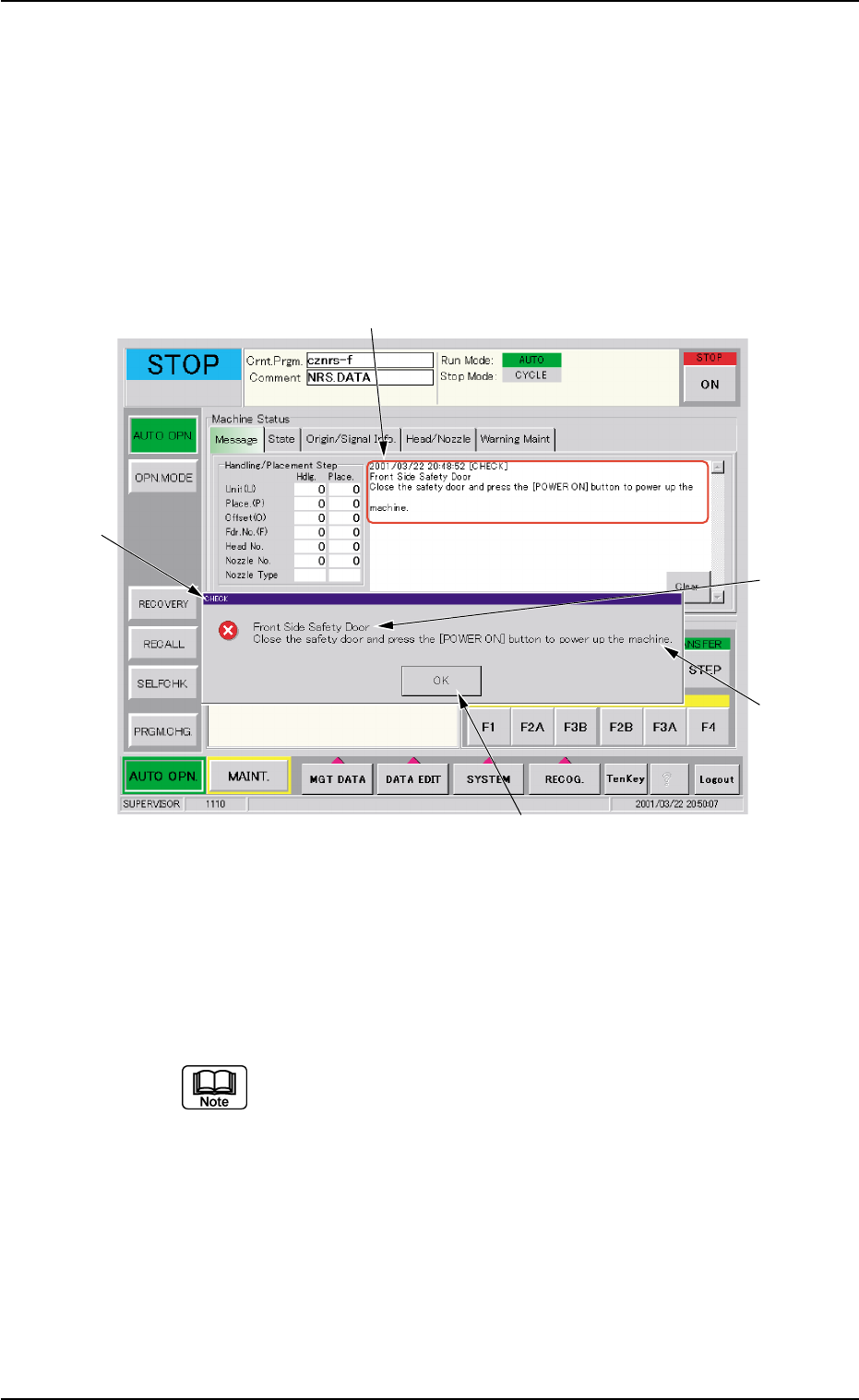
• Window Layout
When the machine is not reset to its normal condition after an operator
makes an error operation or an error occurs in the operation system, a
window like the following opens.
Fig. 4B2 Example of “CHECK” Window
• Window Composition
*1 Check Message
A check message is issued and displayed.
Refer to “1.2.2 List of Check Messages” for details.
*2 Display Field A
Displayed is the scope of the check message.
*3 Display Field B
Displayed are the details of the check message.
0210-004 2 - 2
AFO01ETRP
1.2 “CHECK” Windows
*1
*4
*3
*5
*2
*4 [OK] Button
When pressed, this button closes the "CHECK" window.
*5 Saving the check message
The check message is saved as a production message.
••
••
• Reset Procedure from “CHECK” Window
(1) Take a note of the issued check message.
Be sure to take a note of the check message. If you forget the
contents of the message, the machine cannot be reset cor-
rectly to its normal condition.
(2) Press the [OK] button. The original window resumes.
(3) Follow the contents of the check message to reset the machine
correctly to its normal condition.
0307-005 2-3
AFO01ETRP
1.2 “CHECK” Windows