4OM-1050-002.pdf - 第227页
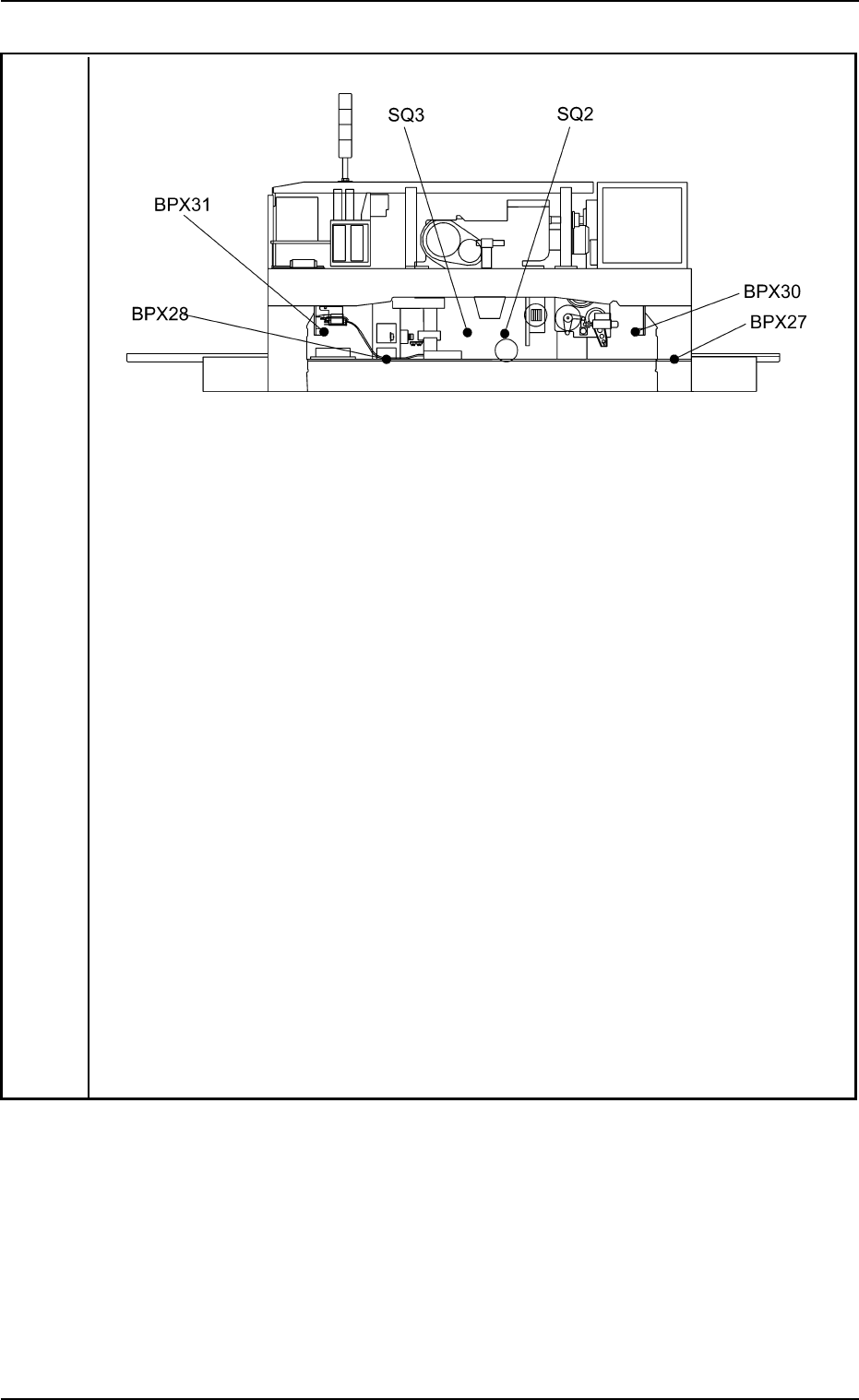
Notes: ( a ) When the power is re-supplied without following the correct procedure to cancel the error , the feeder installation error will be detected again and the message will be issued because the contents of the fee…
Error ID Item Description
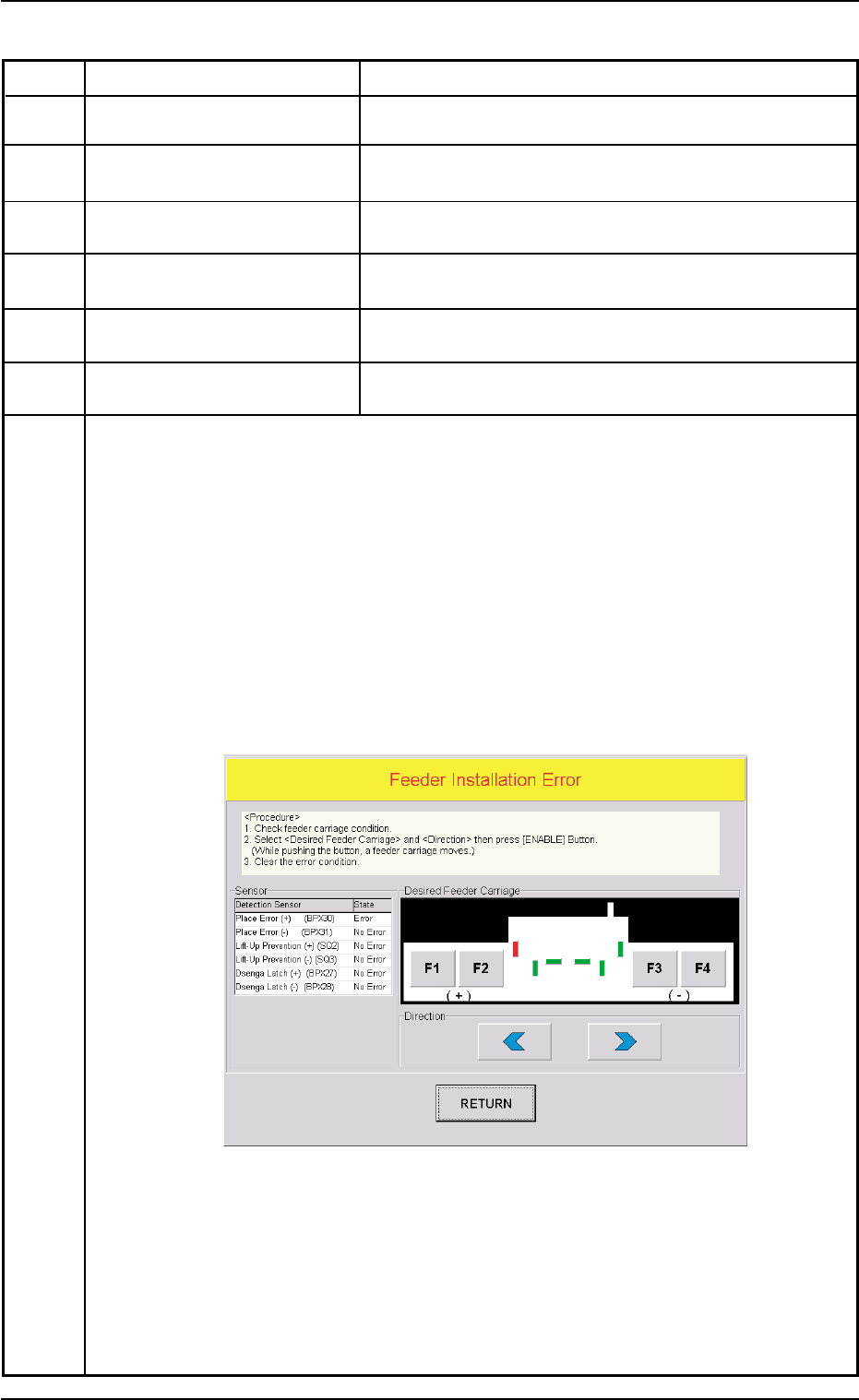
430603 Feeder Set The fdr. mis-set holder (+) has been detected.
430604 Feeder Set The fdr. mis-set holder (−) has been detected.
430605 Feeder Set The fdr. mis-set bar (+) has been detected.
430606 Feeder Set The fdr. mis-set bar (−) has been detected.
430607 Feeder Set The fdr. ldx. Lever (+) has been detected.
430608 Feeder Set The fdr. ldx. Lever (−) has been detected.
(Cause 1) The tape feeder is not correctly installed on the feeder carriage.
• The tape feeder was lifted afloat and touches the detection photosensor.
• The tape feeder touched the detection photosensor because it was deformed.
• The tape feeder touched the detection photosensor because it is not for the TCM-
X series.
• The hook of the tape feeder was not locked and the hook or the suppressor
touches the detection photosensor.
• The tape end touched the detection photosensor because it was long.
(Remedy 1) When the [RETURN] button is pressed, the "Feeder Carriage Collision Error"
window opens.
Follow the instructions described in this window and the procedure below for the
reset operation.
(Continued to the next page)
0207-004 2-109 AFO01ETRP
Fig. 4B18
3.3 Error IDs and Remedial Procedures
Notes: (a) When the power is re-supplied without following the correct procedure
to cancel the error, the feeder installation error will be detected again
and the message will be issued because the contents of the feeder
installation error are backed up.
(b) No zeroing operation can be performed when a feeder installation error
is not canceled completely.
(1) Confirm that there is no error in the feeder installation sections.
(2) Select the object feeder and the direction of the movement. After that, press
the [ENABLE] button to move the feeder carriage to the position where the
error-caused feeder can be re-installed correctly.
Note: While the [ENABLE] button is held down, the feeder carriages keep on
moving.
(3) Check the cause of the error and re-install the feeder correctly.
(4) Press the [RETURN] button.
Ref.: The original window resumes.
(5) Zero all axes and re-start the operation.
0110-003 2-110 AFO01ETRP
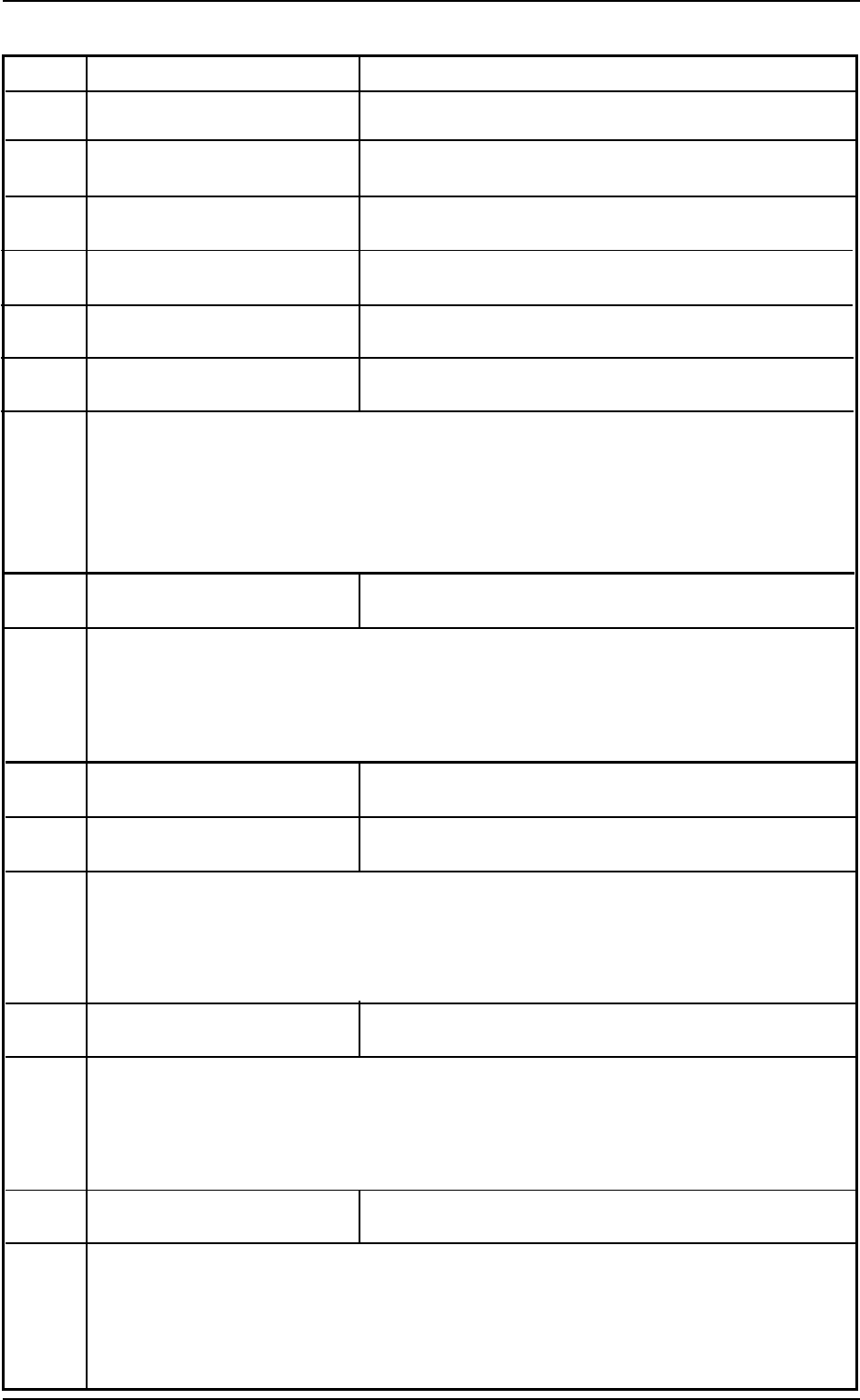
Rear View (Upper Section)
Fig. 4B18-1 Location of Feeder Installation Error Sensors
3.3 Error IDs and Remedial Procedures
0301-005 2-111 AFO01ETRP
Error ID Item Description
430701 Linear Measure Linear measure alarm signal was detected.
430702 Linear Measure Communication error in linear measure system.
430703 Linear Measure Upper limit of linear measure data was out of range.
430704 Linear Measure Lower limit of linear measure data was out of range.
430705 Linear Measure Linear measure dirty signal was detected.
430706 Linear Measure Linear measure SYNC signal has been lost.
(Cause 1) Self-Diagnostics Error Message
(Remedy 1) Zero all axes and re-start the operation.
When the machine cannot be set to its normal condition, consult our service
personnel for the remedy.
430801 Cam-Positioner Cam-positioner alarm signal was detected.
(Cause 1) The cam positioner is abnormal.
(Remedy 1) Press the [RETURN] button to cancel the error display and contact our service
personnel for the remedy.
430901 Auto Recovery Cannot recover sequence.
430a01 Oil Cooler Oil cooler alarm signal was detected.
(Cause 1) Self-Diagnostics Error Message
(Remedy 1) Zero all axes and re-start the operation.
When the machine cannot be set to its normal condition, consult our service
personnel for the remedy.
430a02 Oil Cooler The oil cooler flowmeter alarm was detected.
(Cause 1) The cooling oil filter in the driving section of the main body may be defective.
(Remedy 1) Replace the oil filter with a new one.
Refer to “Cooling Oil Filter” in “1.3 Maintenance Spots” for the replacement
procedure.
430a03 Oil Cooler Oil cooler operation fails. See if pressure sensor works,
or breaker works, or power source incapable.
(Cause 1) Self-Diagnostics Error Message
(Remedy 1) Zero all axes and re-start the operation.
When the machine cannot be set to its normal condition, consult our service
personnel for the remedy.
3.3 Error IDs and Remedial Procedures