4OM-1050-002.pdf - 第91页
1.4 Maintenance Method 0307-005 1-75 AFO01ETRP (20) Press the [Next] button. The following sheet appears. Fig. 4A84-14 (21) Press the [ALL] button entitled "ZERO" to zero all devices. Press one of the [F1], [F2…
1.4 Maintenance Method
0307-005 1-74 AFO01ETRP
(18) Press the [ALL] button entitled "ZERO". In 2 seconds, press the
[ENABLE] button on the operation panel.
All devices are zeroed.
Press one of the [F1], [F2A], [F3B], [F2B], [F3A] and [F4] buttons
entitled "FEEDER READY".
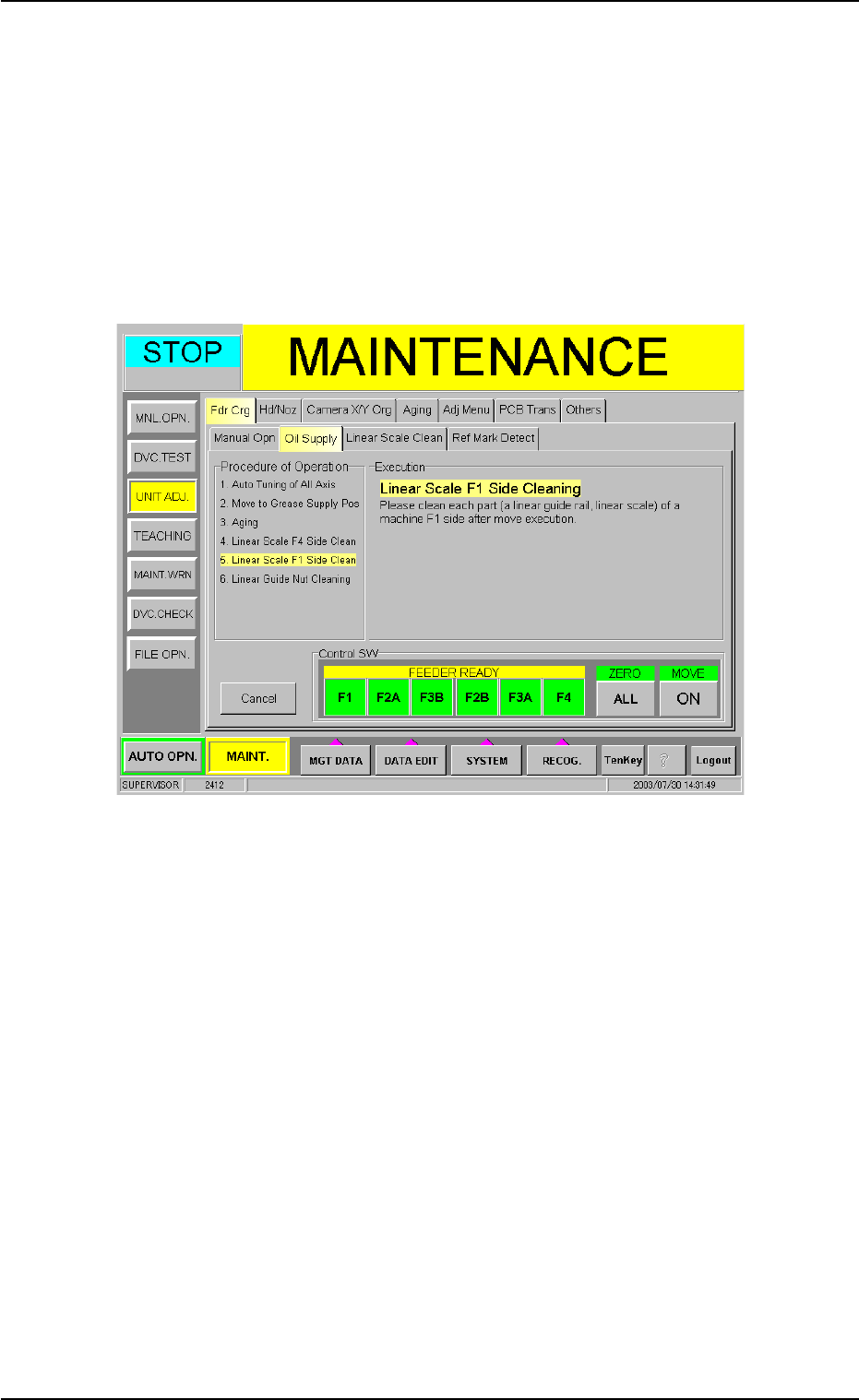
(19) When the [Next] button is pressed, the following sheet appears.
Follow the steps similar to Steps (13) through (18) and clean the
linear scale on the F1 side.
Fig. 4A84-13
1.4 Maintenance Method
0307-005 1-75 AFO01ETRP
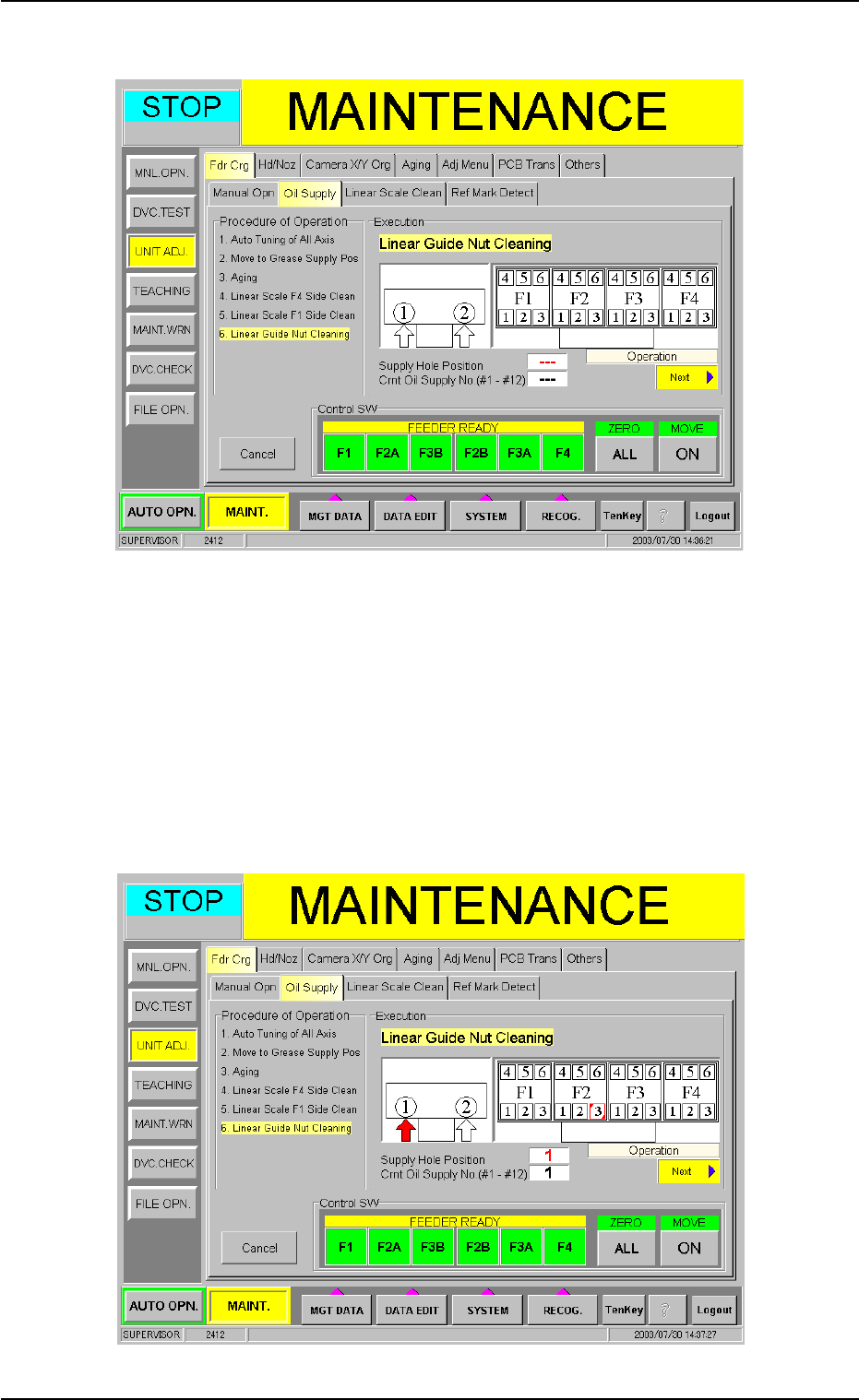
(20) Press the [Next] button. The following sheet appears.
Fig. 4A84-14
(21) Press the [ALL] button entitled "ZERO" to zero all devices.
Press one of the [F1], [F2A], [F3B], [F2B], [F3A] and [F4] buttons
entitled "FEEDER READY" to set the machine ready for operation.
(22) Press the [ON] button entitled "MOVE". In 2 seconds, press the
[ENABLE] button on the operation panel. The F2 linear guide moves
to the cleaning position.
Fig. 4A84-15
1.4 Maintenance Method
0307-005 1-76 AFO01ETRP
(23) Wipe off excess grease from the linear guide section with an oiled
rag.
It is also required to clean the linear scale encoder heads.
Refer to "1.4.9 Cleaning of Linear Scale Sections" for details.
(24) Clean the linear guides (12 places) in the same way.
Whenever you notice that you forgot to clean any of the linear
guides, press the [Back] button. In 2 seconds, press the
[ENABLE] button on the operation panel. The previous clean-
ing position is selected.
Press the [End] button to terminate the operation.
Press the [ALL] button entitled "ZERO". In 2 seconds, press the
[ENABLE] button on the operation panel to zero all device.
(25) After the lubrication is completed, be sure to attach the lubrication
covers to the front and rear sides of the machine.
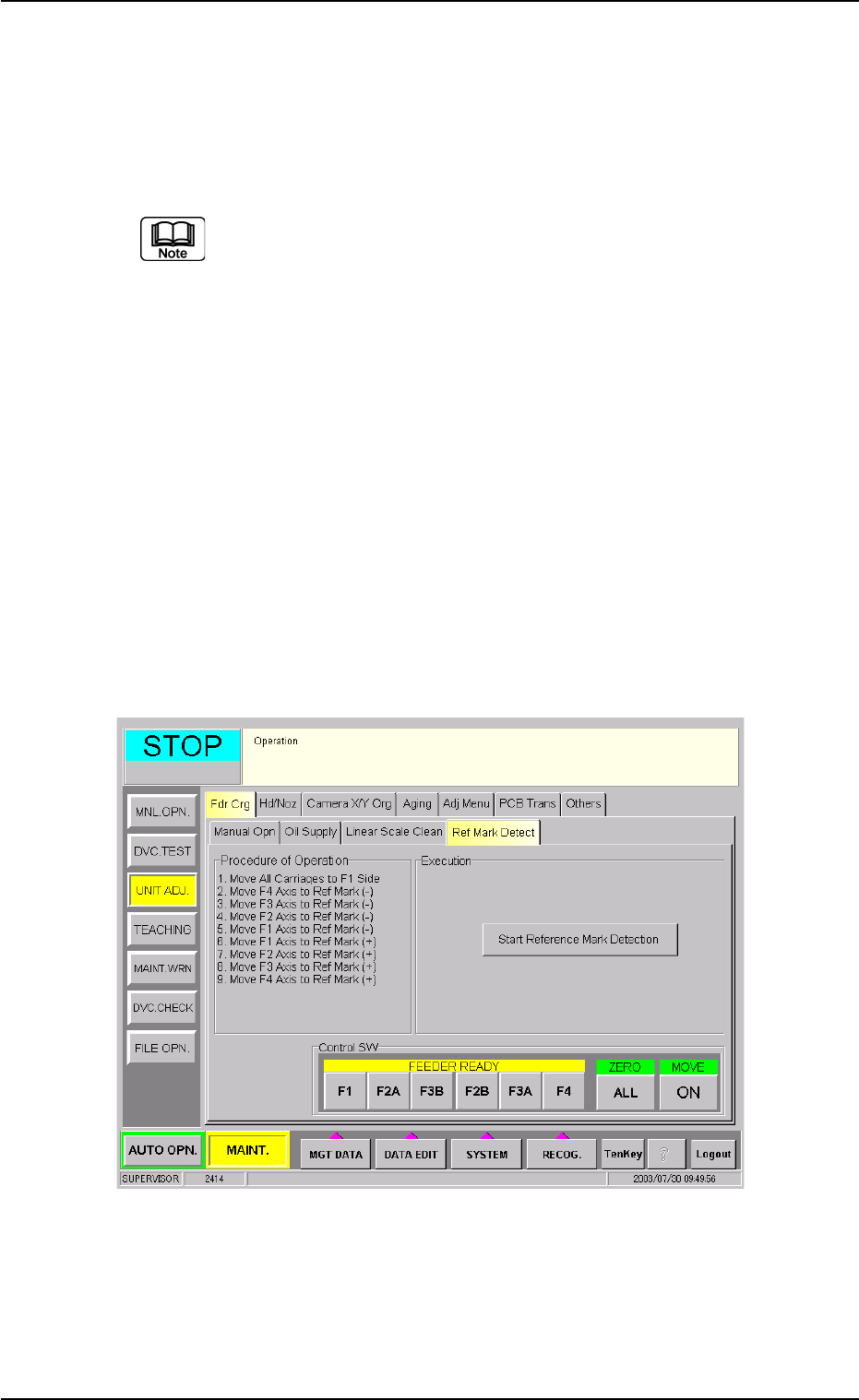
(26) Confirm whether the reference mark on the linear scale can be
detected or not.
(26-1) When the [Ref Mark Detect] tab is pressed in the "Fdr.
Crg." tab sheet, the following tab sheet appears.
Fig. 4A84-16 "Ref Mark Detect" Tab Sheet