Installation_Manual_SIPLACE_Explorer_2.4_EN - 第41页
Installation and Configuration Guide SIPLAC E Explorer 3 Installing SIPLACE Explorer Edition 08/2008 EN 3.3 Starting SIPLACE Explorer 41 NOTE After installing SIPLACE Explorer , reboot your system. This ensures that port…
3 Installing SIPLACE Explorer Installation and Configuration Guide SIPLACE Explorer
3.2 Update Installation of SIPLACE Explorer 2.4 Edition 08/2008 EN
40
3
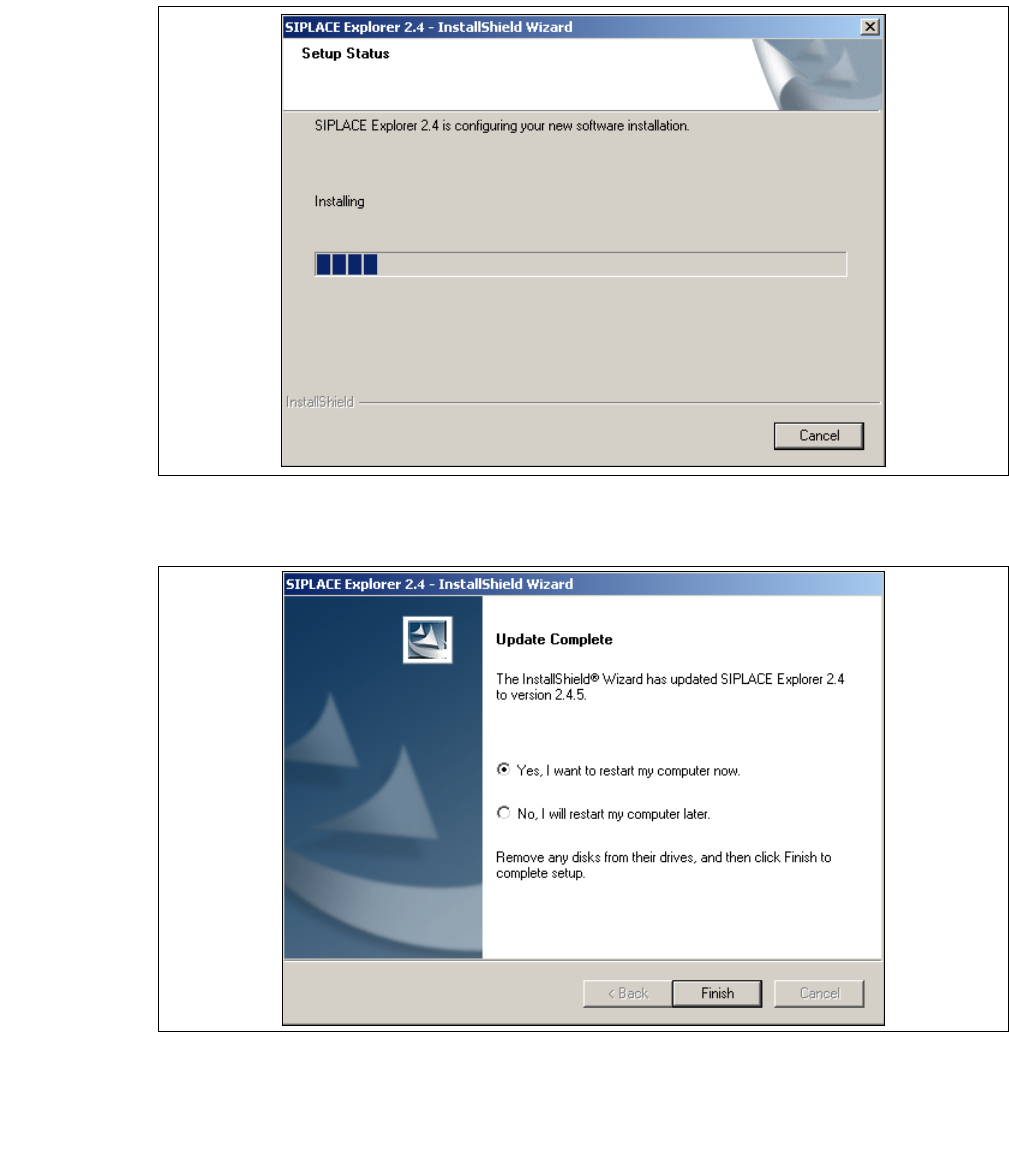
Fig. 3 - 21 SIPLACE Explorer setup - setup status
→ Once the installation procedure has finished, the following dialog box will open.
3
Fig. 3 - 22 SIPLACE Explorer Setup - Installation complete
→ Click on Finish. After you have rebooted your computer, the update version of SIPLACE
Explorer 2.4 will be available for use. Follow the instructions at “Starting SIPLACE Explorer” on
page 41.

Installation and Configuration Guide SIPLACE Explorer 3 Installing SIPLACE Explorer
Edition 08/2008 EN 3.3 Starting SIPLACE Explorer
41
NOTE
After installing SIPLACE Explorer, reboot your system. This ensures that port 1099 is available for
the Java Runtime Environment. In rare cases, port 1099 may be used by another application. If
you start SIPLACE Explorer after the installation, without rebooting the system, the error message
"SIPLACE Explorer 2.4 runtime not found" would be shown in such cases. 3
3.3 Starting SIPLACE Explorer
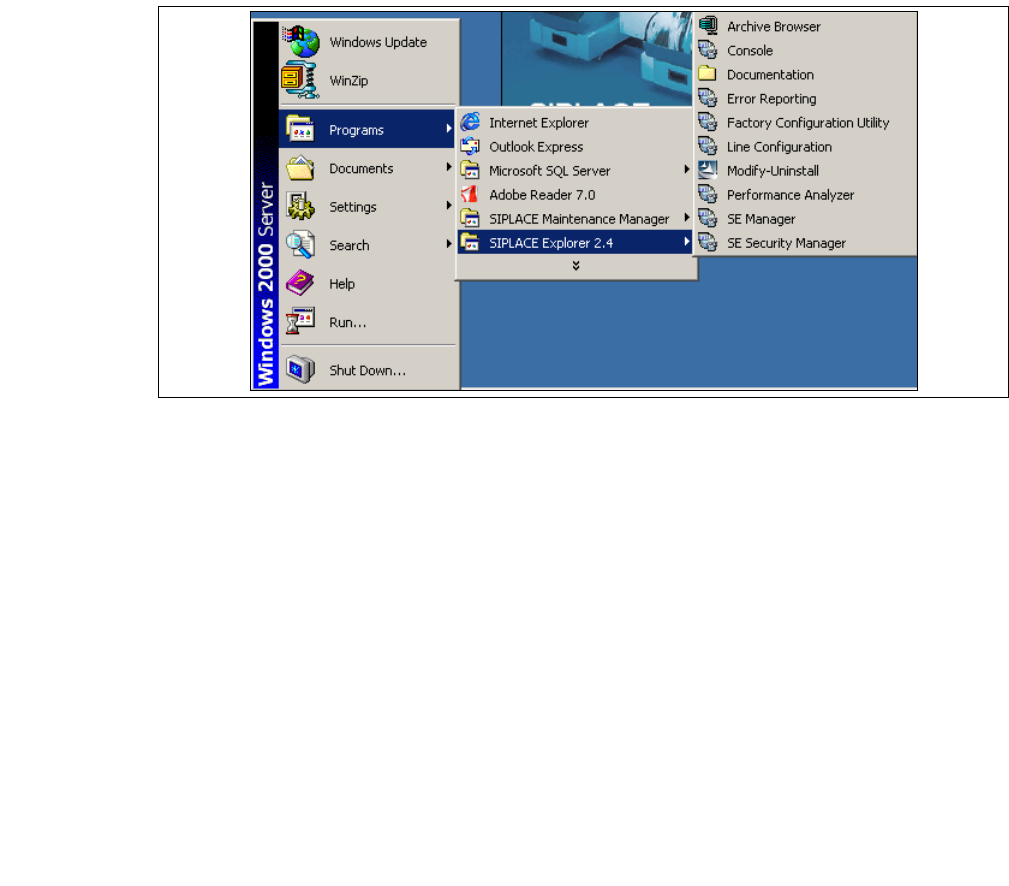
→ SIPLACE Explorer can be started by selecting Programs → SIPLACE Explorer 2.4 from the
Windows menu and will be loaded to correspond with your selected installation options.
→ SIPLACE Explorer V.2.4 Runtime Environment:
"Runtime Environment" runs as a Windows service and is automatically started whenever you
reboot your computer. You will see the icon in your console. Right-click with the mouse to
open other applications and tools. The following options are available: 3
– SE Manager
– SE Security Manager
– Line Configuration
– Performance Analyzer
–Console
– Language
These additional applications and tools can also be started via the Programs → SIPLACE
Explorer 2.4 menu in Windows. 3
3 Installing SIPLACE Explorer Installation and Configuration Guide SIPLACE Explorer
3.3 Starting SIPLACE Explorer Edition 08/2008 EN
42
3
Fig. 3 - 23 RTE Windows Start menu
The following options are available: 3
– Archive Browser
–Console
– Documentation
–Error Reporting
– Factory Configuration Utility
– Line Configuration
– Modify-Uninstall
– Performance Analyzer
– SE Manager
– SE Security Manager