Installation_Manual_SIPLACE_Explorer_2.4_EN - 第85页
Installation and Configuration Guide SIPLACE Explorer 4 Configuration Edition 08/2008 EN 4.2 Configuring the Factory C onfiguration Utility 85 If a conne ction to the sp ecified host can be establishe d, a list of a ll a…
4 Configuration Installation and Configuration Guide SIPLACE Explorer
4.2 Configuring the Factory Configuration Utility Edition 08/2008 EN
84
4
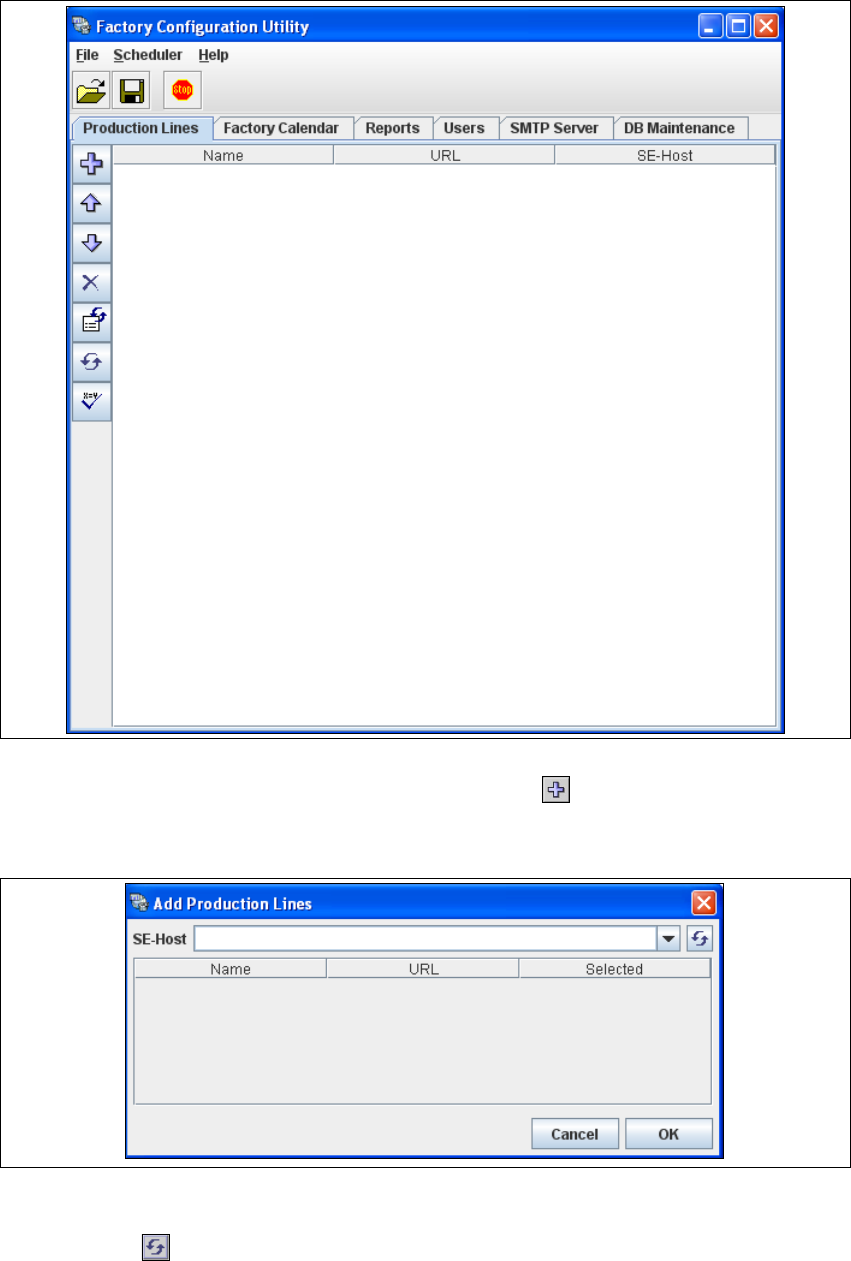
Fig. 4 - 35 Factory Configuration Utility - production lines
→ Now add the production lines by clicking on the Add Line icon.
The Add Production Lines dialog box will open: 4
4
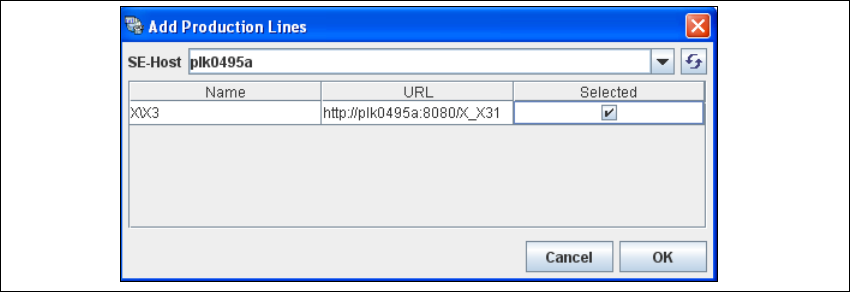
Fig. 4 - 36 Factory configuration utility - add production lines
→ Enter the name or IP address of the SIPLACE Explorer host in the SE-Host field and click on
the Refresh icon.
Installation and Configuration Guide SIPLACE Explorer 4 Configuration
Edition 08/2008 EN 4.2 Configuring the Factory Configuration Utility
85
If a connection to the specified host can be established, a list of all available production lines
will be shown. The Name and URL will be shown for each line. 4
4
Fig. 4 - 37 Factory configuration utility - add production lines
→ Now select the required production lines by enabling the relevant checkbox(es) in the Selected
column.
→ Confirm your choice with OK.
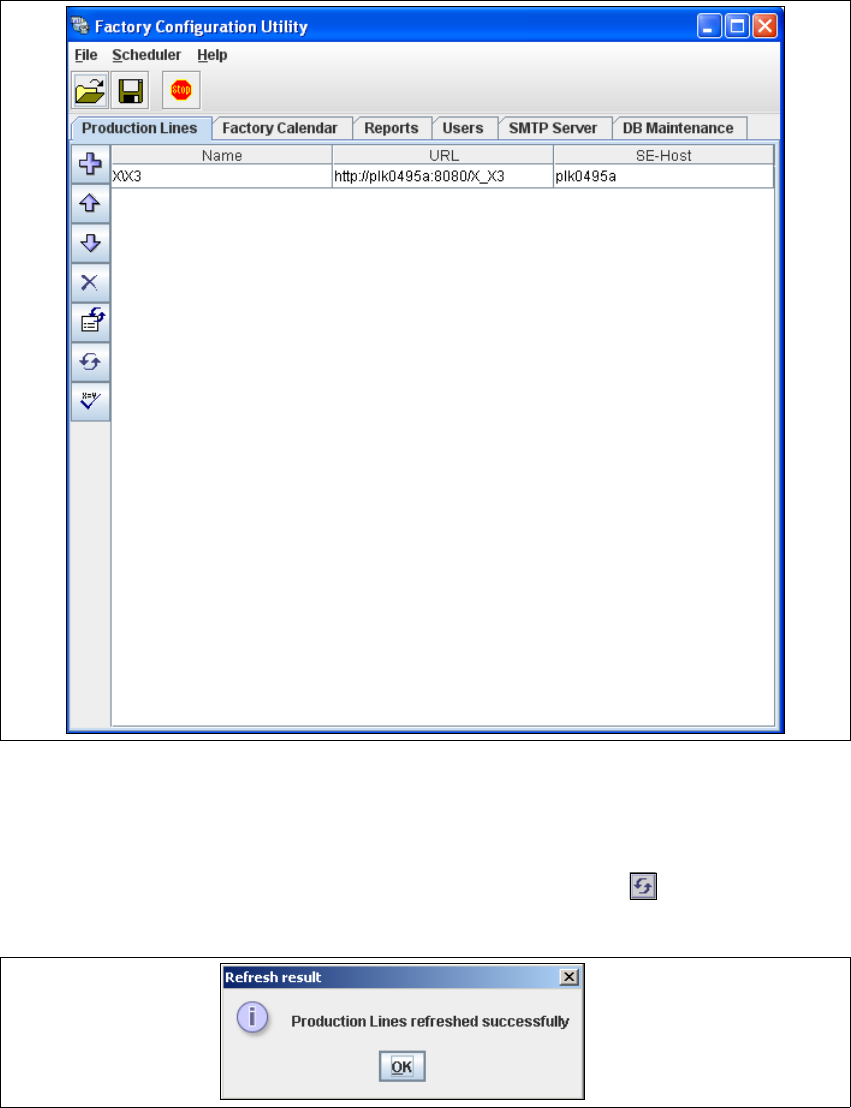
The selected production lines will be added to the list and shown in the Factory Configuration
Utility dialog box. 4
4 Configuration Installation and Configuration Guide SIPLACE Explorer
4.2 Configuring the Factory Configuration Utility Edition 08/2008 EN
86
4
Fig. 4 - 38 Factory Configuration Utility - production lines
→ After the data for the selected production line has been transferred, the line name, line URL
and host name can no longer be changed.
→ If you have made changes to the other tabs, you will need to synchronize this data with the
data in the SIPLACE Explorer host, by clicking on the Refresh lines icon. If the data have
been successfully synchronized, you will see the following information box:
4
Fig. 4 - 39 Factory Configuration Utility - refresh result