Installation_Manual_SIPLACE_Explorer_2.4_EN - 第94页
4 Configuration Installation and Configuration Guide SIPLACE Explorer 4.2 Configuring the Factory Configuration Utility Edition 08/2008 EN 94 4.2.7 DB Maintenance Define the maintenance sched ule for the factory datab as…
Installation and Configuration Guide SIPLACE Explorer 4 Configuration
Edition 08/2008 EN 4.2 Configuring the Factory Configuration Utility
93
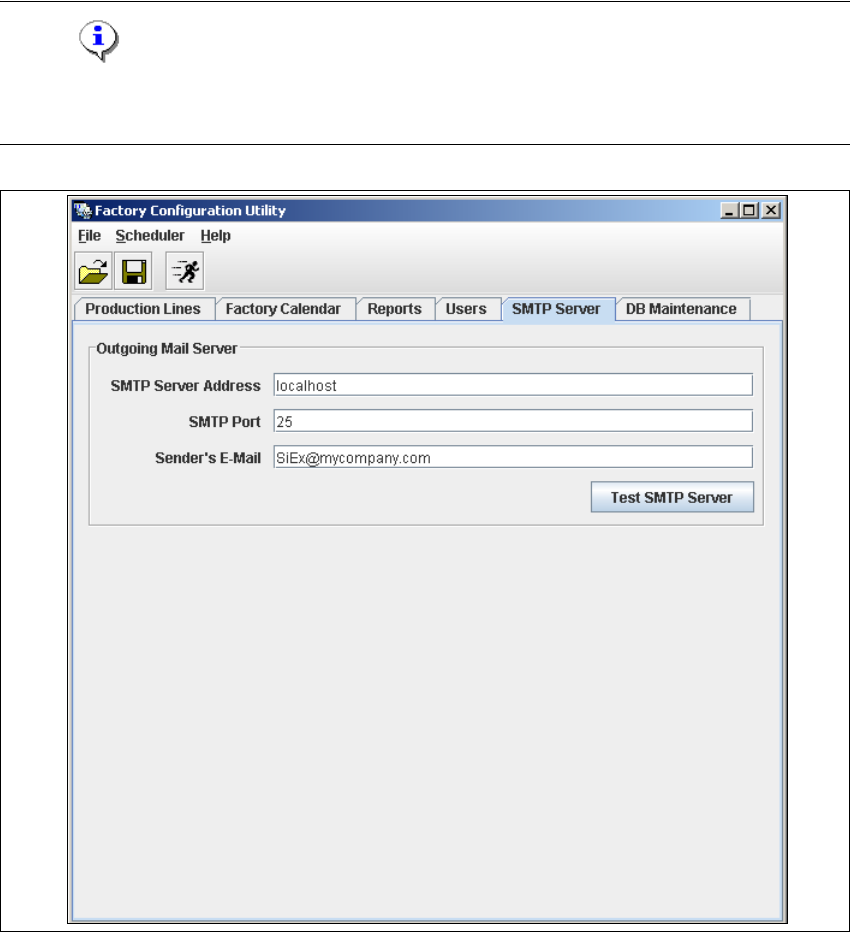
4.2.6 SMTP Server
The mail server configuration can be defined here. 4
NOTE
The mail server configuration should only be set by a system administrator as incorrect
configuration can lead to system conflicts. 4
4
Fig. 4 - 45 Factory Configuration Utility - SMTP server
4 Configuration Installation and Configuration Guide SIPLACE Explorer
4.2 Configuring the Factory Configuration Utility Edition 08/2008 EN
94
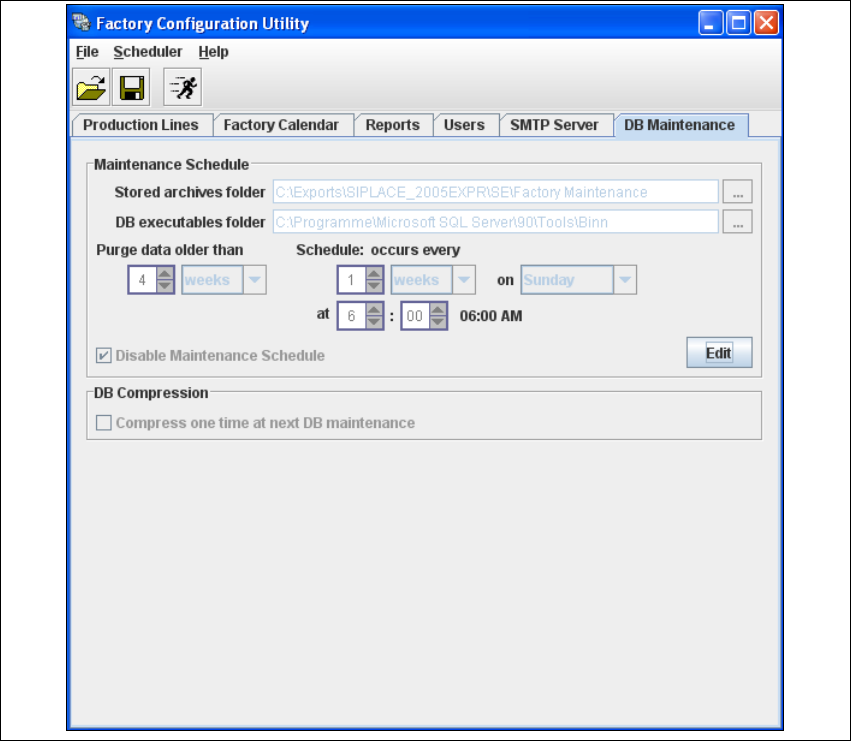
4.2.7 DB Maintenance
Define the maintenance schedule for the factory database, here. 4
→ Select the DB Maintenance tab.
4
Fig. 4 - 46 Factory Configuration Utility - DB maintenance
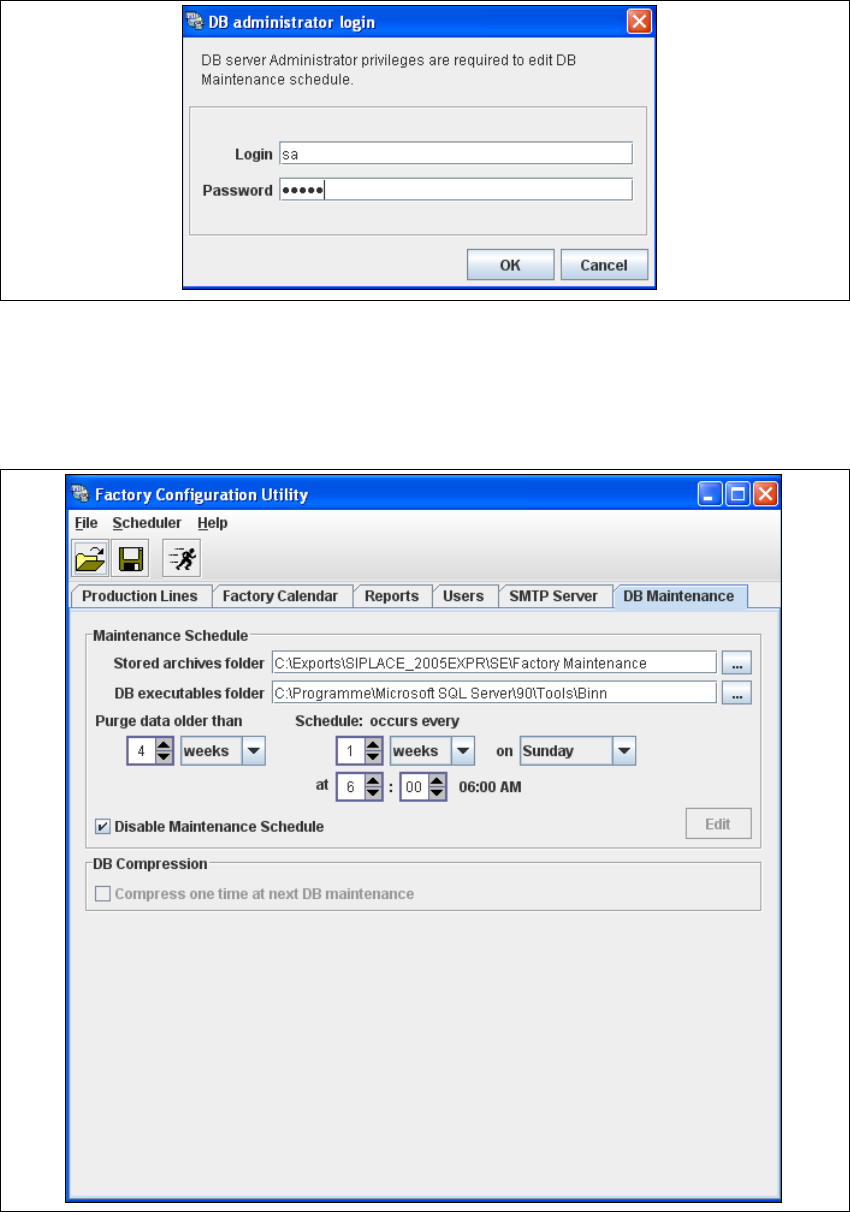
→ Before you can enter data you must log yourself in as database administrator. Click on the Edit
button to open the DB Administrator Login dialog box.
Installation and Configuration Guide SIPLACE Explorer 4 Configuration
Edition 08/2008 EN 4.2 Configuring the Factory Configuration Utility
95
4
Fig. 4 - 47 DB administrator login
→ Enter the access data here and confirm your entries with OK.
→ In the DB Maintenance dialog box, you can either create a new archiving schedule for the
factory database or edit the default maintenance schedule. The entry fields will be enabled.
4
Fig. 4 - 48 DB maintenance