X3_X4_Series machine - 第430页
7 Station extensions User manual SIPLACE X-S eries 7.11 Component s ensor for the C& P12 head Software Version SR.601.xx 11/2005 US Edition 430 7.1 1 Comp onen t sensor for the C& P12 head Item no. 001 1802 1-xx …
User manual SIPLACE X-Series 7 Station extensions
Software Version SR.601.xx 11/2005 US Edition 7.10 Feeder module cover flap (S feeder module)
429
7.10 Feeder module cover flap (S feeder module)
Item no. 00119610-xx Feeder module cover flap HF 2/4 for locations 2 or 4
Item no. 00119633-xx Feeder module cover flap HF 1/3 for locations 1 or 3
The feeder module cover flap is installed over the component feeder area. It is designed to prevent
a head crash with an upright feeder module retainer that has not been engaged correctly. The
feeder module cover flap can also prevent the front panel of feeder modules entering the place-
ment head traveling range due to incorrect operation.
7
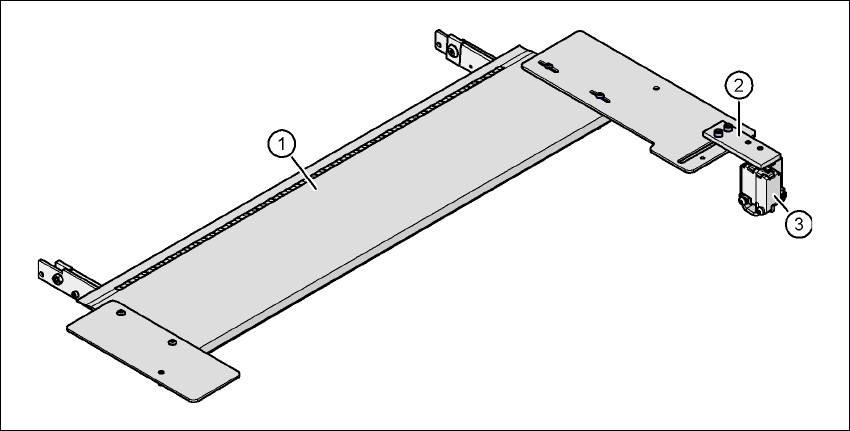
Fig. 7.10 - 1 Feeder module cover flap for locations 1 and 3
(1) Feeder module cover flap
(2) Mechanical lock
(3) Switch in the emergency stop circuit
The switch for the feeder module cover flap is looped into the emergency stop circuit. The feeder
module cover flap must be locked mechanically, which causes the switch to close the open emer-
gency stop circuit.
7 Station extensions User manual SIPLACE X-Series
7.11 Component sensor for the C&P12 head Software Version SR.601.xx 11/2005 US Edition
430
7.11 Component sensor for the C&P12 head
Item no. 00118021-xx
7
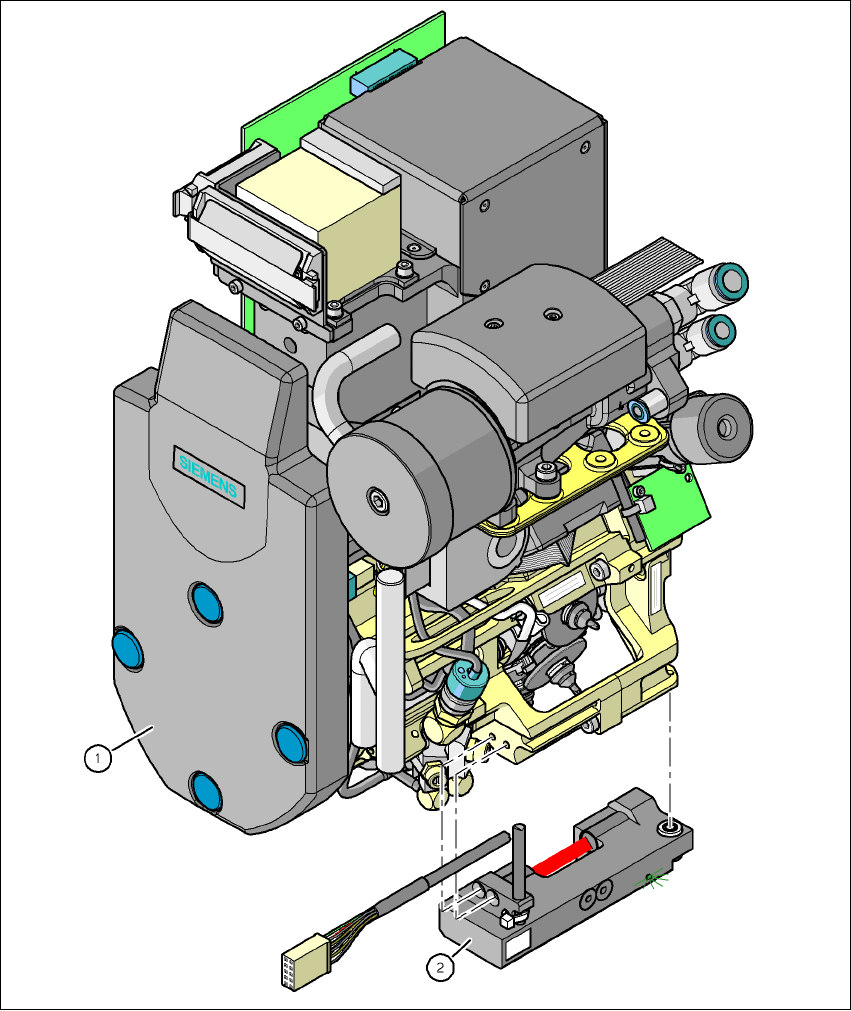
Fig. 7.11 - 1 12-segment Collect&Place head with component sensor
(1) 12-segment Collect&Place head
(2) Component sensor
User manual SIPLACE X-Series 7 Station extensions
Software Version SR.601.xx 11/2005 US Edition 7.11 Component sensor for the C&P12 head
431
7.11.1 Description of the functions of the component sensor
The component sensor is fixed to the bottom of the housing of the 12-segment Collect&Place
head (see Fig. 7.11 - 1
). It scans the outline of a component and checks whether there is a com-
ponent at the nozzle. It also determines the height of the component. This data can be used to
determine whether the component is in the normal position or on edge at the nozzle. Component
heights from 0.1 to 4 mm can be checked. For larger components, only the presence of the com-
ponent at the nozzle is checked.
The component sensor is configured in the package form editor on the SIPLACE Pro computer.
Every nozzle, including the special nozzles, can be scanned by the component sensor.
7.11.2 Measuring conditions
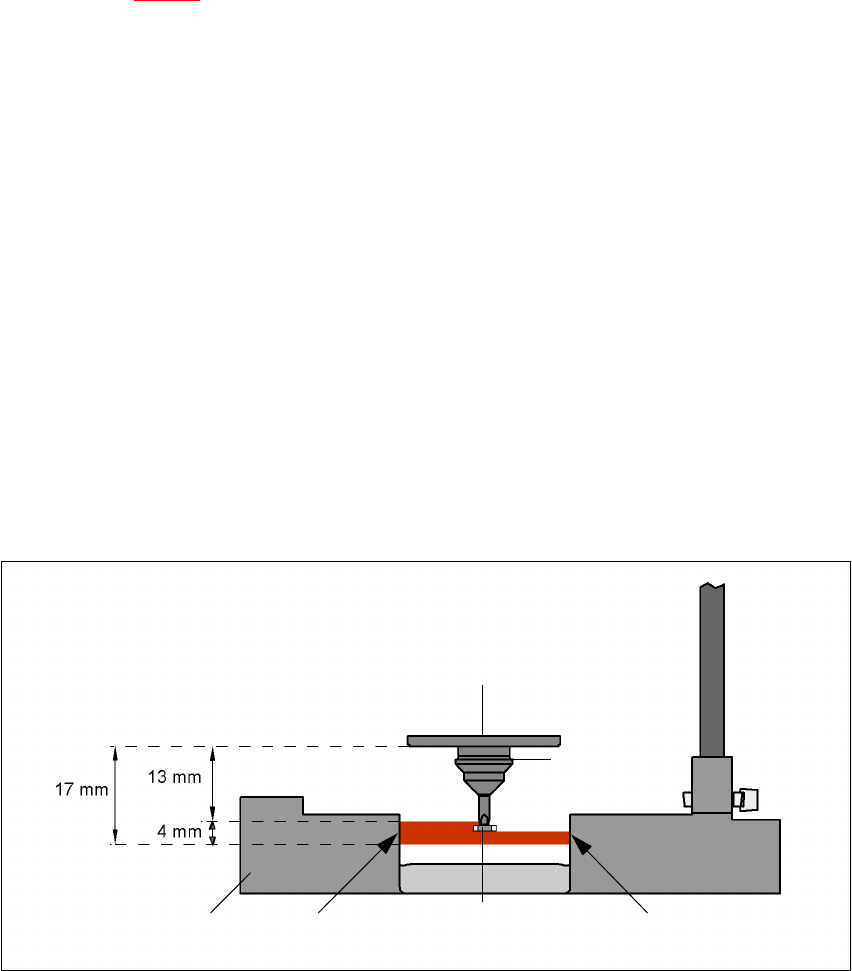
The two following conditions must be fulfilled in order to obtain a valid measurement:
– The light beam must touch the empty nozzle tip during the calibration process.
– The nozzle tip must be inside the light beam when it is holding a component.
– Minimum nozzle length 13 mm
– Nozzle length + component height + tolerance < 17 mm
If these conditions are fulfilled, it is possible to determine whether a component is present or ab-
sent, or to measure the component height. The minimum difference in height is 100 µm.
7
Fig. 7.11 - 2 Component sensor, working principle
Incremental disk
Component
Nozzle
IR LED PhototransistorCross-section through
component sensor