X3_X4_Series machine - 第60页
2 Operational safety User manual SIPLACE X-Series 2.5 Safety instru ctions for operating the mac hine Software Version S R.601.xx 11/2005 US Edition 60 2.5.7 Safety inst ructions for movi ng the component trolley W ARNIN…
User manual SIPLACE X-Series 2 Operational safety
Software Version SR.601.xx 11/2005 US Edition 2.5 Safety instructions for operating the machine
59
2.5.6 Safety instructions for docking the component trolley in or out
WARNING
To prevent accidents (risk of crushing), the component trolley may only be docked in or out by
one person.
2
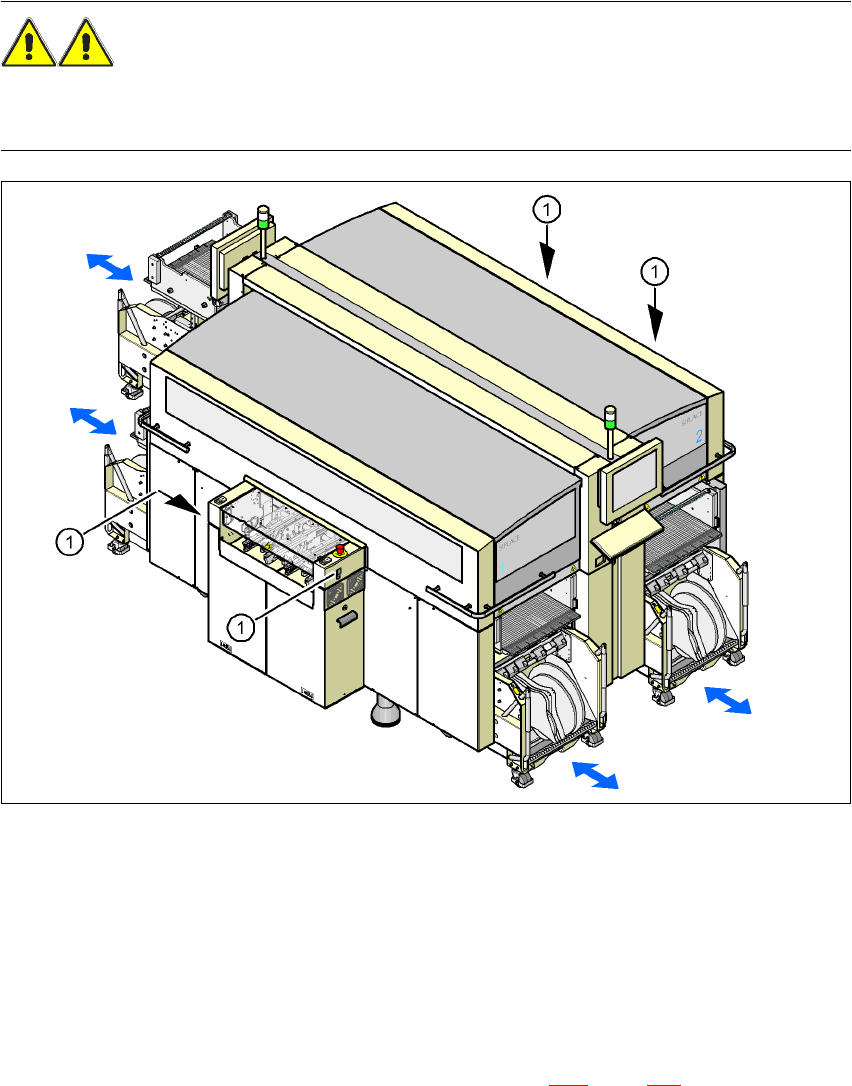
Fig. 2.5 - 5 Safety instructions for docking the component trolley in or out
2
(1) Buttons on the input and output sides
2
The safety concept for the component trolley change requires the operator to press a button
(item 1) on the input or output side of the machine in order to dock the component trolley in or out.
This ensures that the operator is always standing to the side of the placement machine. In addi-
tion, the component trolley can only be docked in if the protective covers are closed.
Docking the component trolley in or out is described in Section 5.10
, page 275. Follow the instruc-
tions exactly as described in this section.

2 Operational safety User manual SIPLACE X-Series
2.5 Safety instructions for operating the machine Software Version SR.601.xx 11/2005 US Edition
60
2.5.7 Safety instructions for moving the component trolley
WARNING
To prevent accidents, ALWAYS follow the rules listed below when you move the component trol-
ley.
Æ Always hold the handles with both hands when you want to move the component trolley.
Æ Remember that a component trolley with the full complement of feeder modules can tip over
sideways or forward on gradients of 20° or more.
Æ Make sure that the surface on which the trolley is moved has a significantly smaller gradient.
Æ Be careful not to collide with obstacles. The trolley could tip forward if it is traveling fast
enough.
2.5.8 Note on the ESD safety of the placement machines
Only use nozzles that are identified as conductive. This is the only way to meet the requirements
for the ESD safety of the machine.
User manual SIPLACE X-Series 2 Operational safety
Software Version SR.601.xx 11/2005 US Edition 2.6 Safety equipment
61
2.6 Safety equipment
2.6.1 Protective covers
2
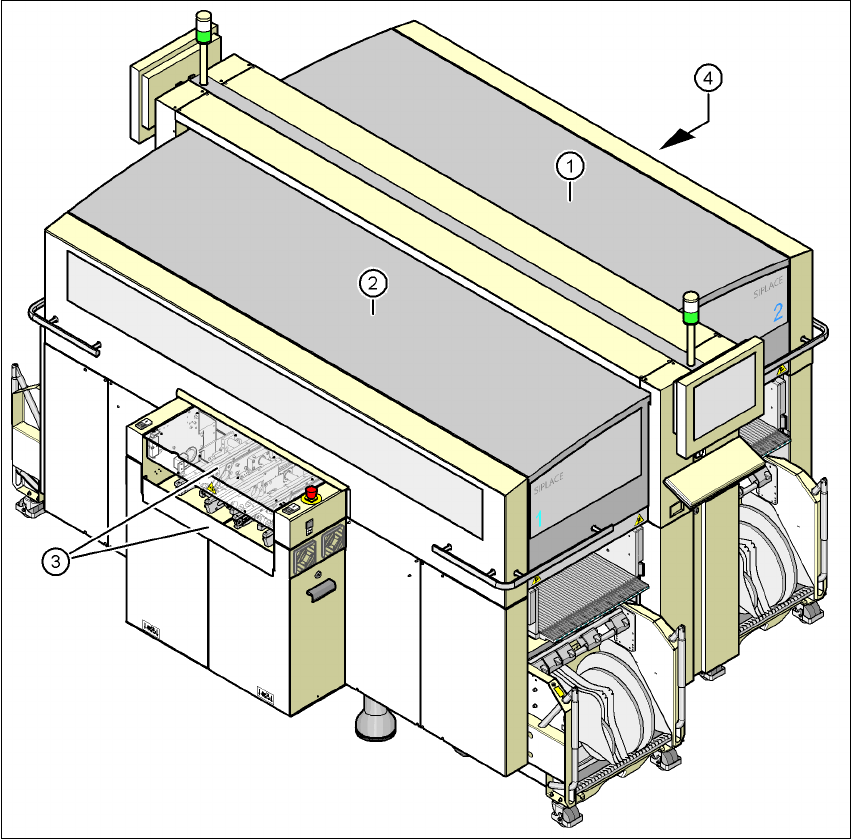
Fig. 2.6 - 1 Protective covers
(1) Protective cover, short
(2) Protective cover, long
(3) Cover flap and hand guard on the input belt
(4) Cover flap and hand guard on the output belt
2
The traveling range of the gantries has two protective covers that can be swung upwards (items
1 and 2). There are side screens to prevent access to the inside of the machine from the side. The