D-serie level 1 EN.pdf - 第158页
SITEST Calibration Basics PCB Mapping S tuden t Guide Advanced Level 1 SIPLACE D-Series SITEST EN 05/2007 9-14 9.3.5 PCB Mappin g With the PCB mappin g the linearity of the X- and Y-guidance for PCB-camera mo vement is m…
SITEST
Calibrating and Teaching Machine Positions Calibration Basics
Student Guide Advanced Level 1 SIPLACE D-Series
EN 05/2007 SITEST
9-13
The positioning drive recognizes the fixed conveyor side(s) (two for dual conveyor) and moves the
flexible conveyor side(s) to the standard position of 55 mm and then accurately measures the
position set.
The positioning drive moves the conveyor side(s) step-by-step (10 mm steps) and determines the
offset of the switching points for the proximity switches in the two positioning drives of the various
conveyor side positions.
This calibration of the side position will be done for width adjustment wider and smaller.
The results are saved in the TSP 301 (TSP 201) as correction values and taken into account later
when setting and measuring the conveyor width.
9.3.4.2 Calibrating the Conveyor Width
The conveyor width offset can be determined by using a board with a width of your choice. This width
must be entered by the operator. This ensures that a consistent predefined tolerance (offset) is used
between the conveyor sides, for the various different conveyor widths, thus preventing the boards from
getting jammed.
9.3.4.3 PCB Reference Corner
X Select gantry 1 or 2.
X Select PCB reference corner position right or PCB reference corner position left (dual conveyor)
X Moves the active gantry with the PCB camera over the reference corner position and switches the
screen display to the PCB camera for checking purposes. The reference corner position is visible in
the camera's field of view. Teach the gantry at the top right edge of the board, so that the PCB
reference corner is in the center of the camera's Field of view.
X This PCB reference corner determines the position coordinates for the PCB position fiducial search
in the machine.
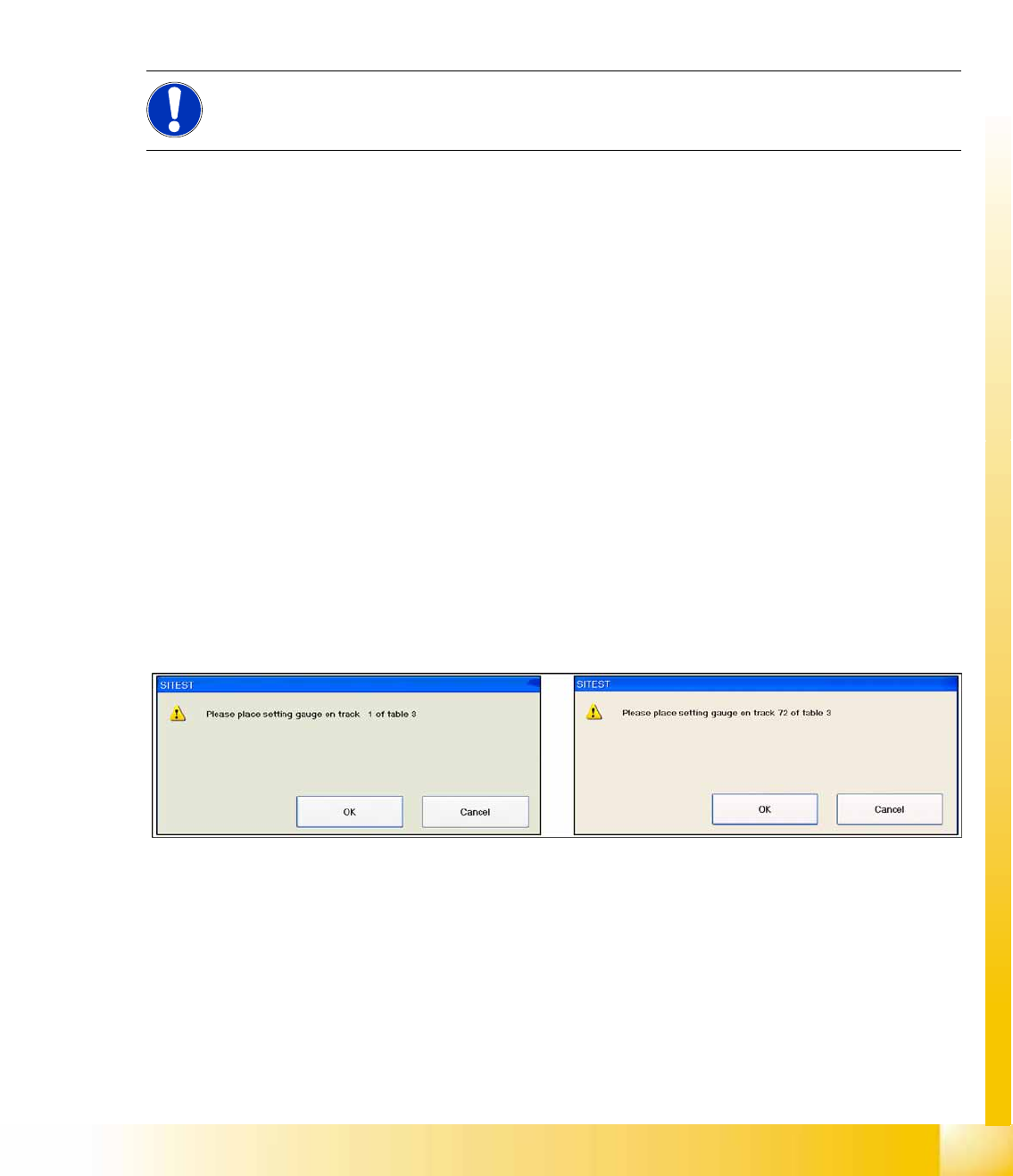
9.3.4.4 Pickup Position (Calibrating the Changeover Table)
This calibration step determines the X and Y positions for the changeover tables which, depending on
the type, will be tracks 1-72 or 1-90 or which, depending on the configuration, can be 1-90 (without WPC)
or 61-90 (with WPC). A connected and activated WPC is automatically recognized by the software.
9-6: Calibrate the changeover table
NOTE:
Calibration needs to be performed for lanes 1 and 2.
SITEST
Calibration Basics PCB Mapping
Student Guide Advanced Level 1 SIPLACE D-Series
SITEST EN 05/2007
9-14
9.3.5 PCB Mapping
With the PCB mapping the linearity of the X- and Y-guidance for PCB-camera movement is measured
in the placement area. The PCB-camera center the cross fiducials on a high precise glass plate. This
mapping plate has been measured with a measuring device and the dimensions are taken into account
during the mapping procedure.
9.3.5.1 Preparation for Mapping
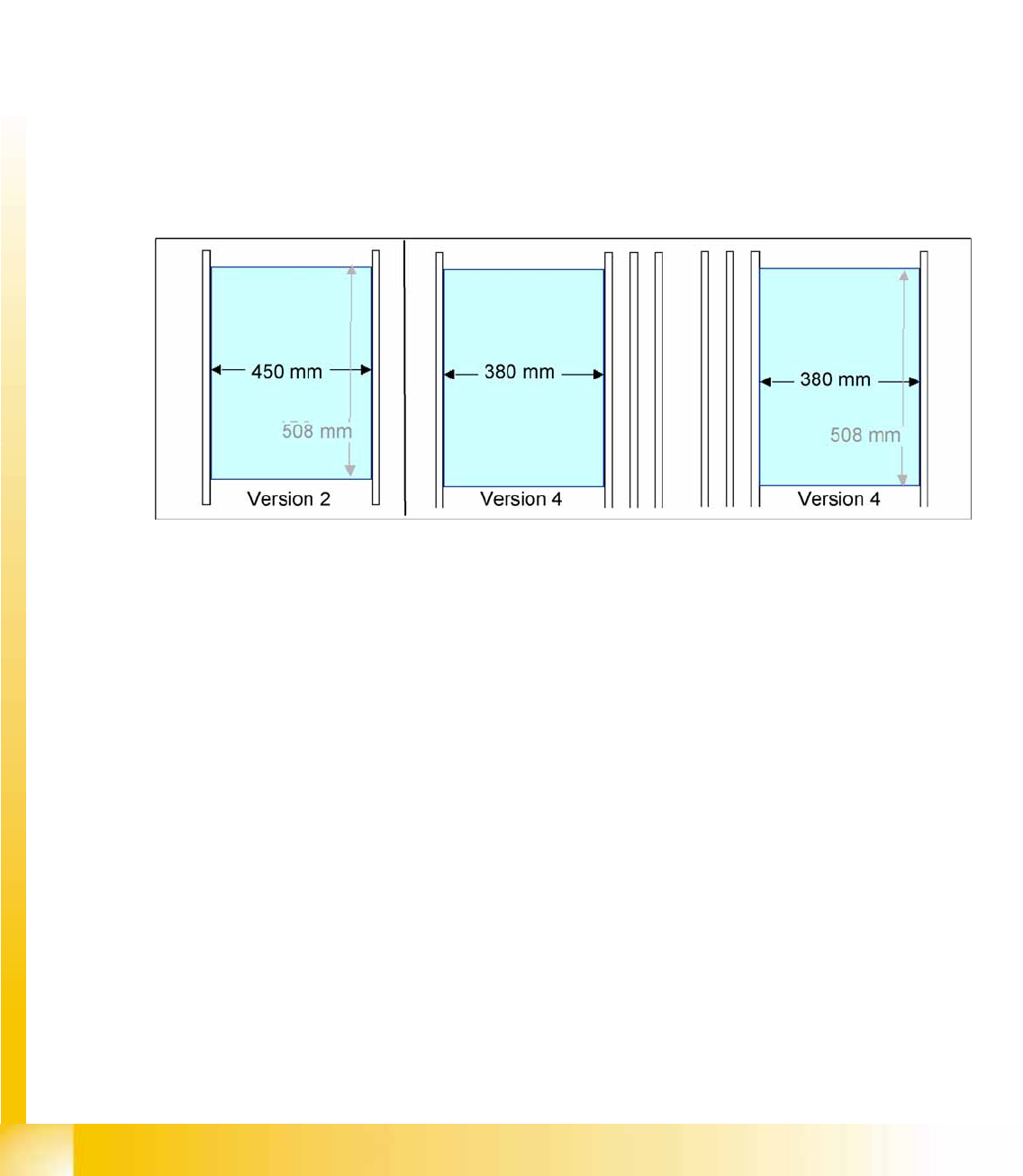
X At the single conveyor the SITEST move the transport sides to 508mm wide the mapping plate is 90
degree turned.
X At dual conveyor the SITEST SW move all the conveyor sides depend of the conveyer which is
selected the conveyor for mapping to 450 mm wide the other track to 0mm. This enables you to use
the dual conveyor as single conveyor. The Mapping must be carried out for the maximum conveyor
width.
X To prepare the board and RV mapping procedure, the SITEST SW automatically sets the conveyor
sides, so that the mapping plate fits into the relevant conveyor side.
X The C&P12 must be equipped with nozzle type 956.
X The calibration tools are in the calibration pocket.
9-7: Position mapping plate and conveyor side position for single and dual conveyor
9.3.5.2 Procedure:
X Place the mapping disk or CD-ROM in the station computer and copy the measurement data for this
mapping plate.
X Put the mapping plate in the input conveyor for placement area 1 or in the intermediate conveyor for
placement area 2.
X Now appears the teach menu to teach the fixed PCB corner OK.
X PCB mapping is running.
X Then the gantry axes move the camera up to the start position. The light-colored fiducial cross will
now be centered with the help of a synthetic image.
X This results are set for the nominal coordinates. 40.000 µm in X- respectively Y- direction added for
the next fiducial nominal position.
X The deviation of the structure to this theoretical position is measured.
SITEST
Head Mapping (C&P Head) Calibration Basics
Student Guide Advanced Level 1 SIPLACE D-Series
EN 05/2007 SITEST
9-15
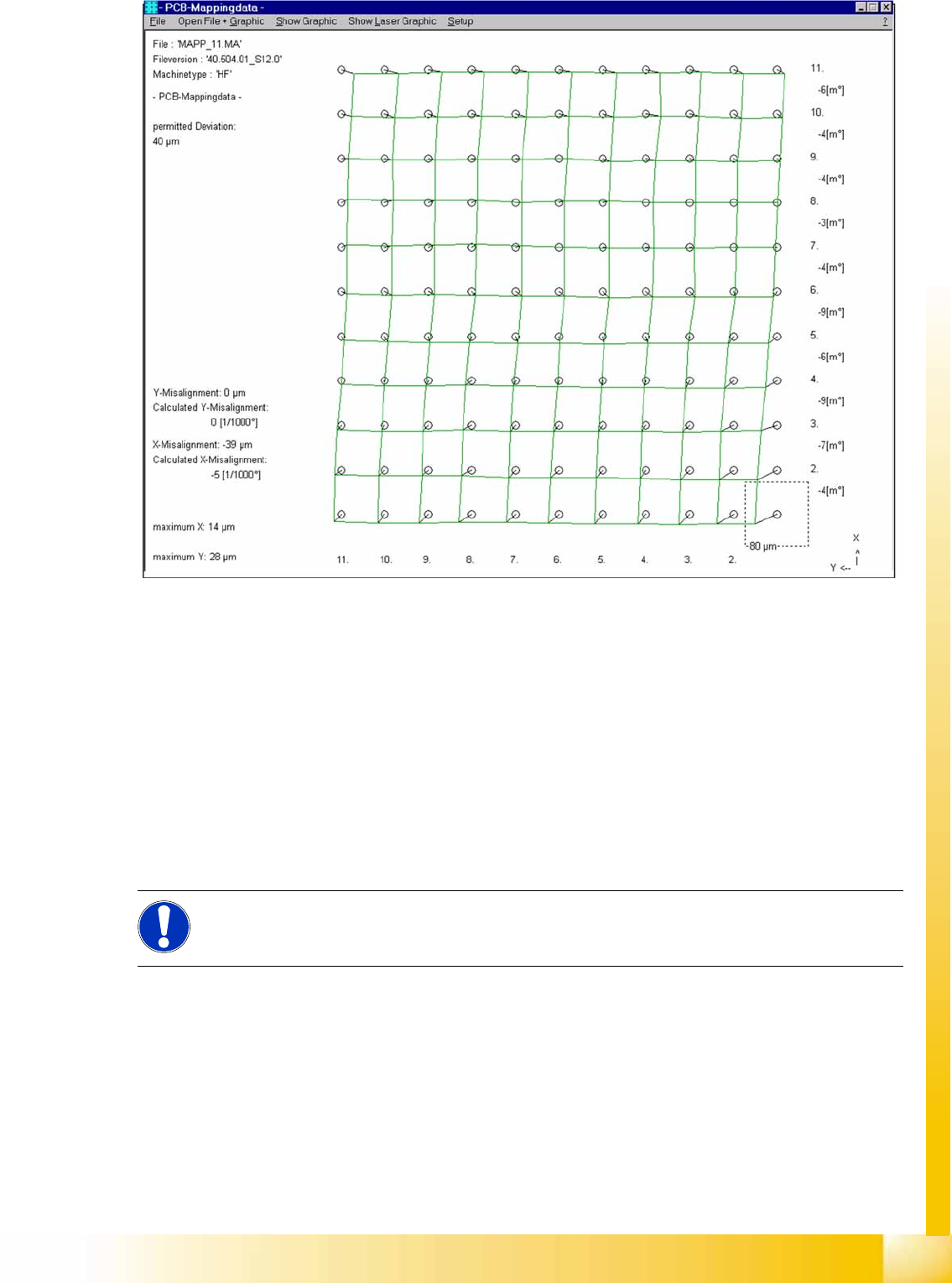
9-8: Result of PCB mapping
The results will be saved in the file
MAPP_xy.MA
(x= gantry number, y= conveyor lane).
9.3.6 Head Mapping (C&P Head)
Head mapping measures the linearity of the C&P head X/Y guidance.
The C&P head places the calibration tool precisely on the default positions of the mapping plate. The
PCB-camera measure the placement accuracy of this placements for the whole placement area.
After the PCB mapping the placement head place at the theoretical positions of the PCB-mapping
the calibration tool.
The PCB camera measures the placement accuracy with the help of the 4 calibration tool fiducials
on the calibration tool upper side.
NOTE:
All described automatically calibration steps above, can you do manually step by step under the
sub menus (see chapter 12.1).