D-serie level 1 EN.pdf - 第180页
SIPLACE Vision Optical Fiducial Models Inkspot Recognition S tuden t Guide Advanced Level 1 SIPLACE D-Series SIPLACE Vision EN 05/2007 10-14 Features : Relatively lengthy calculations. Compared to the singular featur…
SIPLACE Vision
Inkspot Recognition Optical Fiducial Models
Student Guide Advanced Level 1 SIPLACE D-Series
EN 05/2007 SIPLACE Vision
10-13
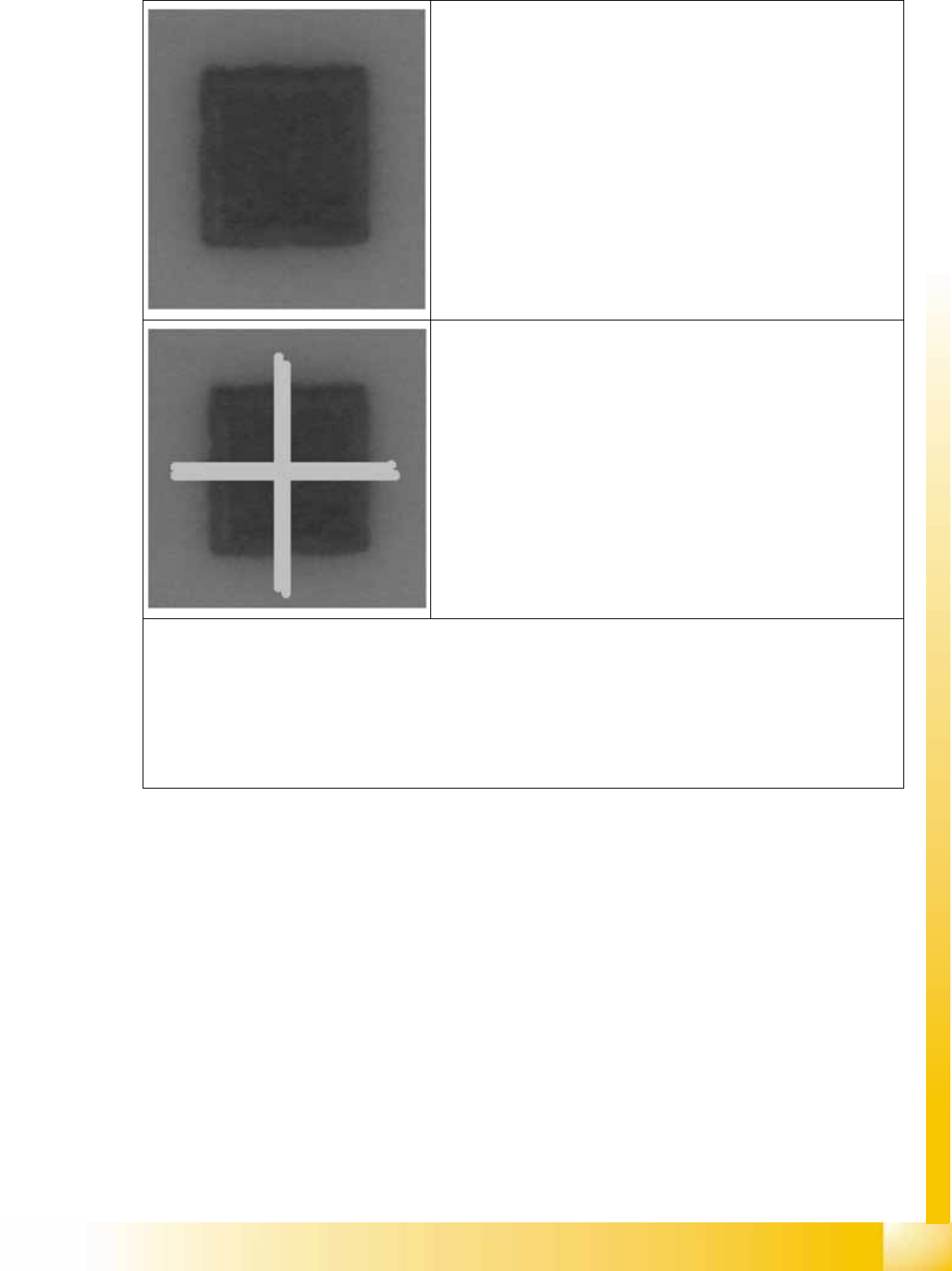
Teaching image 1:
Specified by the operator as place (good case)
Square fiducial
Teaching image 2:
Specified by the operator as do not place (bad case)
Square which has been struck out
Teaching procedure (double sided)
Determine correlation values for teaching image 1 with both templates (e.g. +0.9 with template place and +0.4 with
template do not place)
Determine correlation values for teaching image 2 with both templates (e.g. +0.3 with template place and +0.95
with template do not place)
Calculate the deviation in correlation values for each teaching image: (image 1 in this case: 0.9 – 0.4 = 0.5; image
2: 0.3 – 0.95 = -0.65).
Calculate the thresholds from the deviation values (here: lower threshold –0.27; upper threshold 0.12).
SIPLACE Vision
Optical Fiducial Models Inkspot Recognition
Student Guide Advanced Level 1 SIPLACE D-Series
SIPLACE Vision EN 05/2007
10-14
Features:
Relatively lengthy calculations.
Compared to the singular feature, this method evaluates the complete area of the pattern, not just
the outline: the latter does not need to be defined with such accuracy.
Also requires a defined shape, to which the correlation is then determined.
Conveyor tolerances cam be compensated here, if the option Position recognition before fiducial
recognition is deactivated.
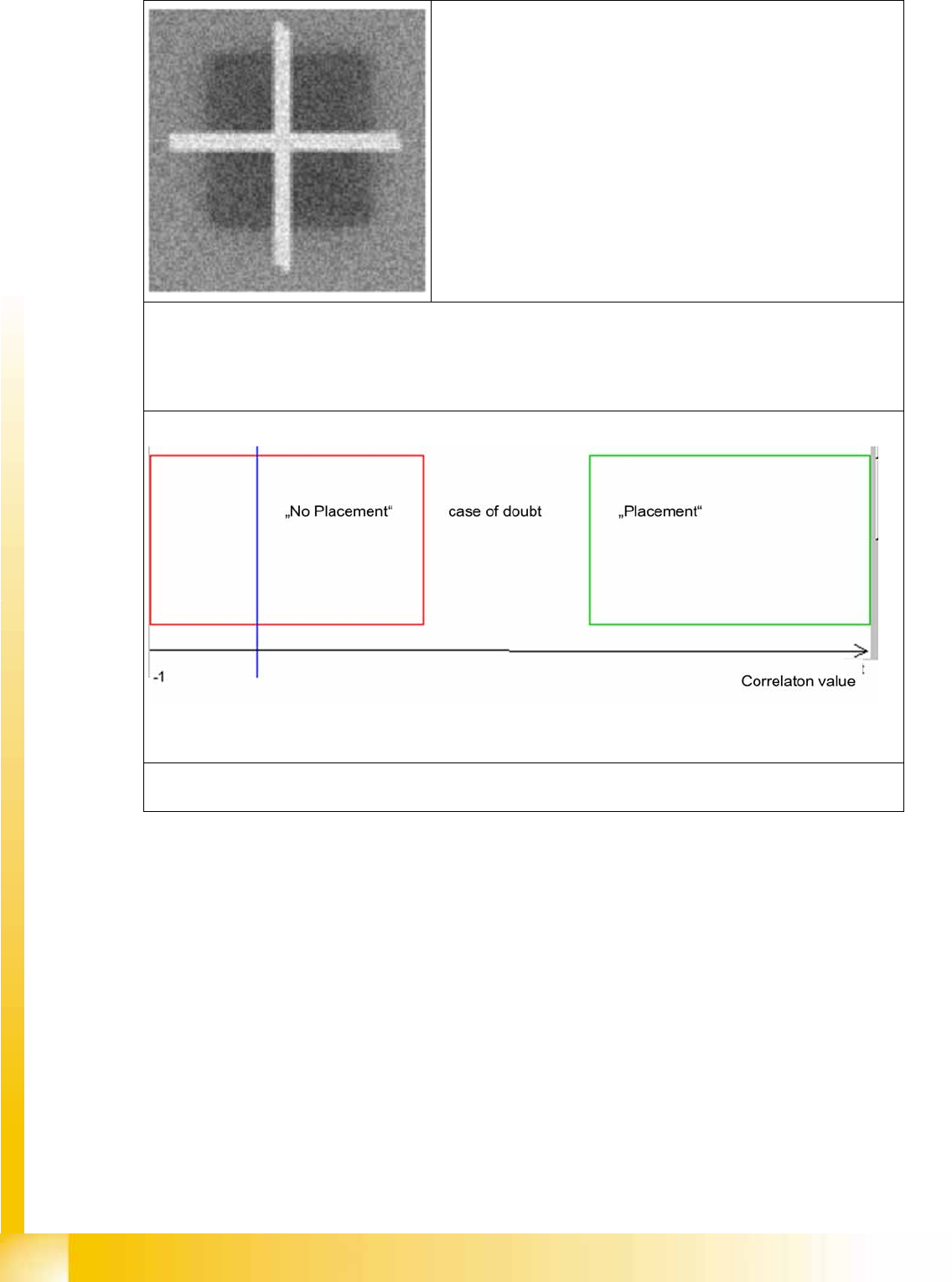
Image to be classified
Recognition:
Determine correlation to bad case template (e.g. 0.83)
Determine correlation to good case template(e.g. 0.31)
Calculate the difference:0.31 – 0.83 = -0.52
Comparison with thresholds: do not place (-0.52 < -0.27)
Overlay during classification: The blue bar indicates the correlation value deviation calculated between the values
and shows that our example has been assigned to the do not place class.
SIPLACE Vision
Error Processing at Fiducial Recognition During Placement Operations Optical Fiducial Models
Student Guide Advanced Level 1 SIPLACE D-Series
EN 05/2007 SIPLACE Vision
10-15
10.1.4 Error Processing at Fiducial Recognition During Placement Operations
10.1.4.1 Teaching Positions
If a PCB is not clamped into the expected, correct position, the fiducial error signal can stop placement
and switch over to the fiducial teaching menu. This then allows the operator to teach (approach) the
fiducial and center it. This needs to be performed for two fiducials and determines the board position.
The third fiducial is then automatically approached and centered.These fiducial coordinates are not
saved and are only used for placement of this board in this one placement area.
Fiducial coordinates are defined with the PCB, which includes the search area for X machines - the
maximum tolerance being 5.7 mm.
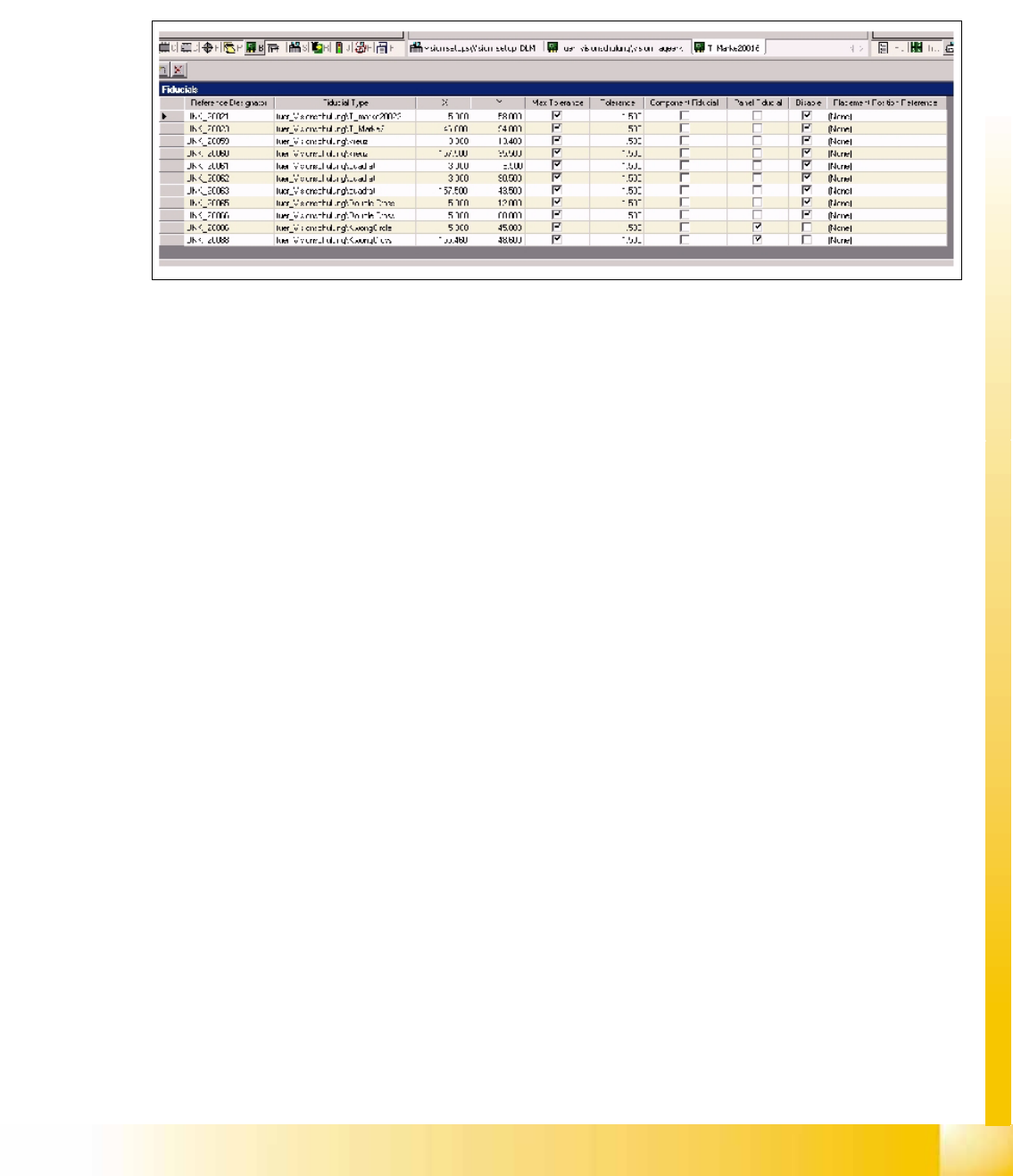
You also need to program the fiducial application, to ensure clarity for both the operator and the station.
The Component fiducial is used for recognition of the placement position; the Panel fiducial for board
recognition; Disable means that the fiducial is current inactive and that no data is sent to the station!