OM-1650-001_w - 第10页
OM-1650 7 5. Preparation Before Operation 1006-001 5. Preparation Before Operation 5.1 In Sensor Mode Procedure (1) Create the pattern program data. Reference Refer to "6. Pattern Program" for details. (2) Set …
OM-1650
6
4. Scope of Actions
4. Scope of Actions
(1) When the automatic operation is started, the placement head is moved so that
the bad mark detection sensor or PEC recognition camera is aligned with the
bad mark position set in the pattern program.
(2) After the movement, the bad mark detection sensor or PEC recognition
camera detects whether or not there is any bad mark on the multi-unit PCB.
(3) Whether or not there are bad marks on any of the repetitive patterns is
detected according to the pattern program data.
(4) When all bad marks have been detected, the machine starts the component
placement operation. At this stage, the machine does not place any
component on any unit PCB where a bad mark has been detected in the
above steps (1) through (3).
Note
(a) When the "Mode" in the "Overall BBR Detection" has been set to "Enable"
in the pattern program, at first, the master bad mark detection is performed.
In the case that a master bad mark is not detected, the PCB is determined
as a good PCB. In this case, the machine starts the component placement
operation without performing the bad mark detection on any unit PCB.
(b) In the case that the function detects a bad mark on all unit PCBs of a multi-
unit PCB placed on the positioning section, then the machine will not place
any component on any unit PCB. It will stop in an error condition.
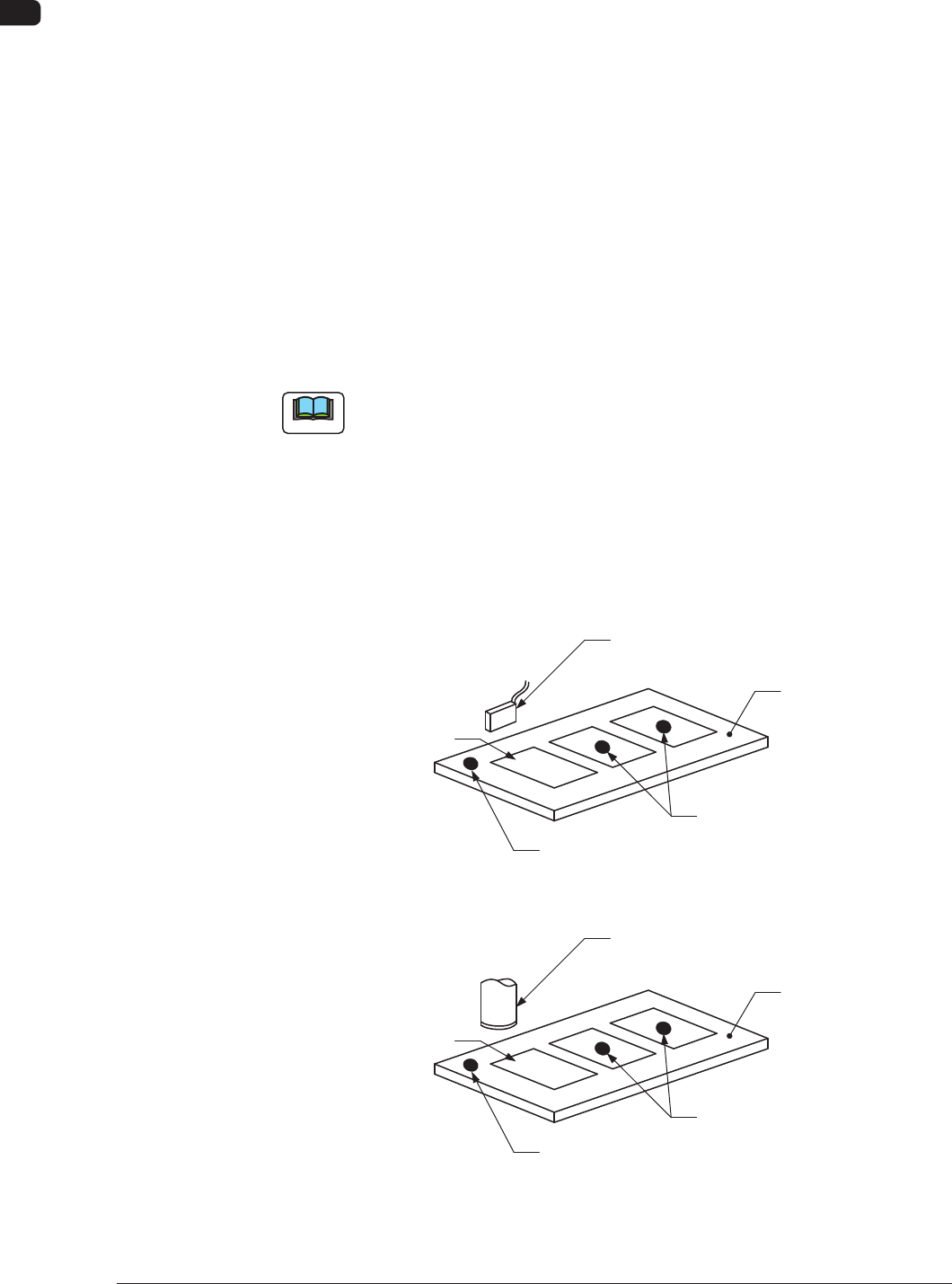
Unit PCB
Bad Mark Sensor
Bad Marks
PCB
Master Bad Mark
In Sensor Mode F2
Master Bad Mark
Unit PCB
PEC Recognition Camera
Bad Marks
PCB
In Camera Mode F3
1006-001

OM-1650
7
5. Preparation Before Operation
1006-001
5. Preparation Before Operation
5.1 In Sensor Mode
Procedure
(1) Create the pattern program data.
Reference
Refer to "6. Pattern Program" for details.
(2) Set the sensitivity of the bad mark detection photosensor.
Reference
Refer to "8. Sensitivity Setting of Bad Mark Sensor" for details.
(3) Operate the machine automatically after program change.
5.2 In Camera Mode
Procedure
(1) Create the pattern program data.
Reference
Refer to "6. Pattern Program" for details.
(2) Operate the machine automatically after program change.
OM-1650
8
6. Pattern Program
6. Pattern Program
6.1 Operation Data
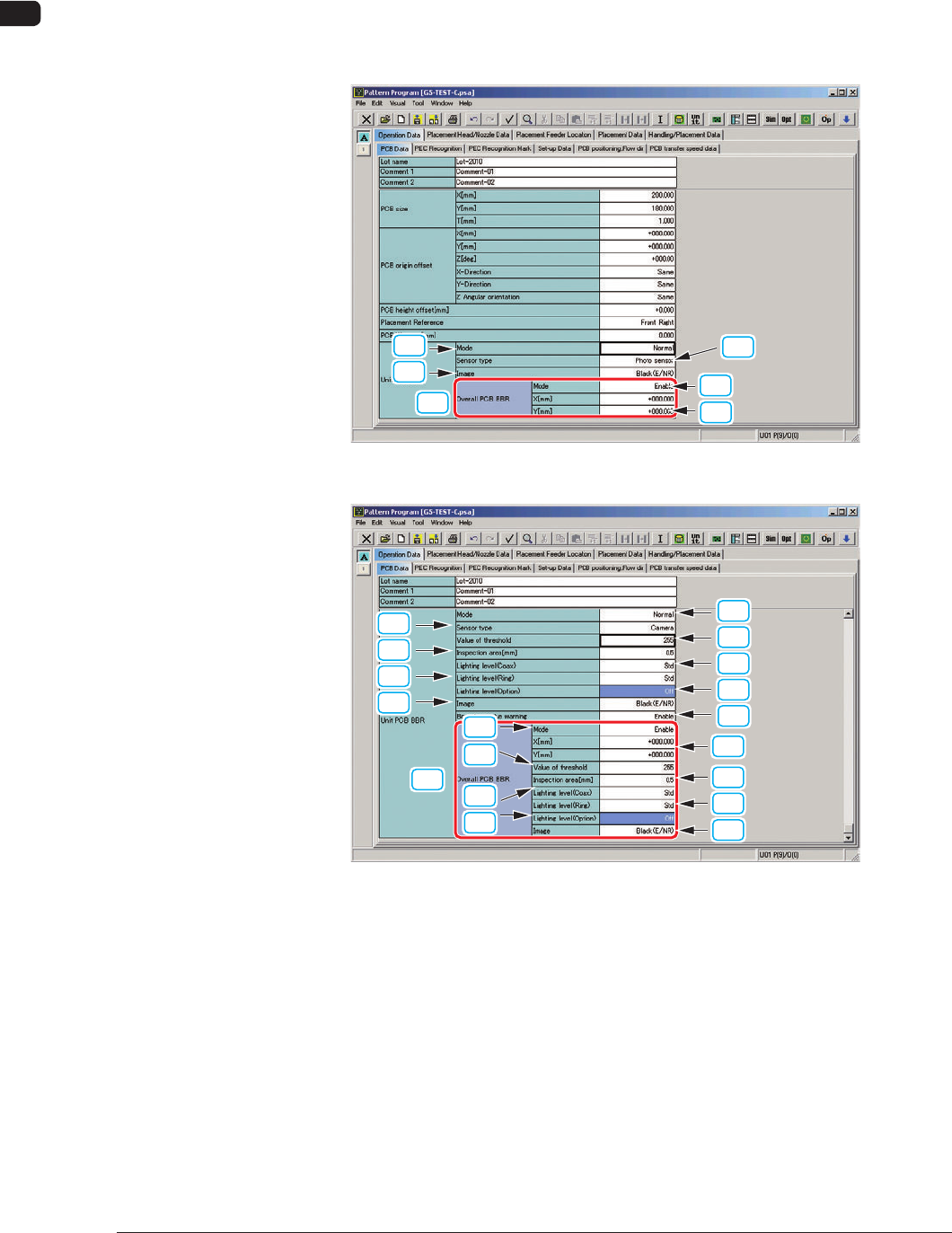
Open the "PCB Data" tab sheet in "Operation Data" and edit the "Unit PCB BBR"
data.
[1]
[2]
[3]
[10]
(1)
(2)
Sensor Type: Photo-Sensor F4
[1]
[3]
[5]
[7]
[9]
[2]
[4]
[6]
[8]
[10]
(1)
(3)
(5)
(7)
(4)
(2)
(6)
(8)
Sensor Type: Camera F5
1006-001