OM-1650-001_w - 第25页
OM-1650 22 9. Bad Mark Camera T est Specify Bad Mark : Normal F18 Note The setting of "Boundary V al." (Boundary V alue W arning), is performed in the "Normal Mark Data Edit" window . (5) When the dat…
OM-1650
21
9. Bad Mark Camera Test
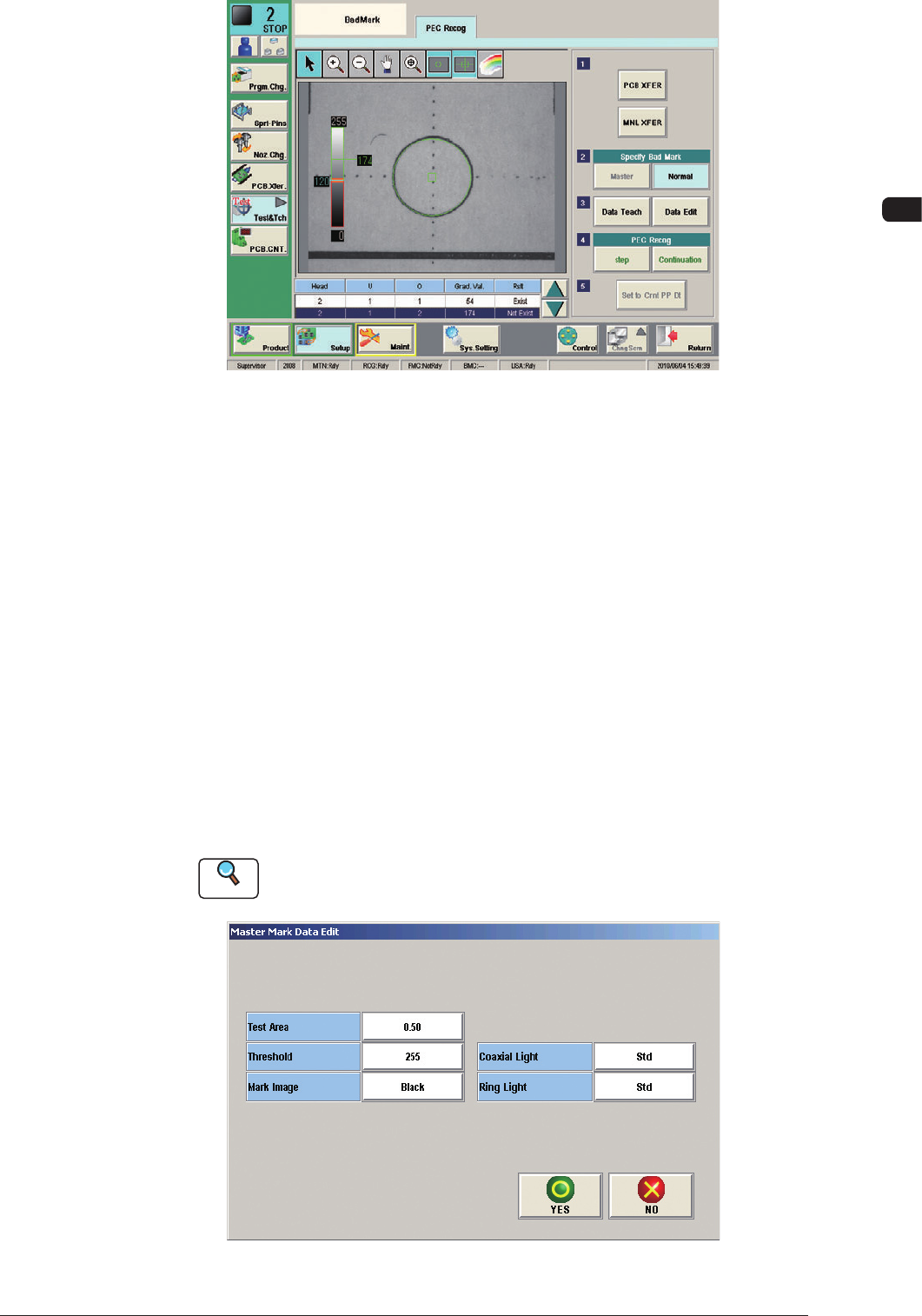
Bad Mark Not Exist F16
As a result of the camera test and measurement for bad mark detection, the
gray value of the bad mark is indicated in the "Grad.
Val." cells and "Exist" or "Not Exist" in the "Judge" cells.
The mean value of the gray values for "Exist" and "Not Exist" (Bad Mark
Detection) is regarded as a threshold value for the bad mark detection.
Example :
Result of Measurement
85 in "Grad. Val." Cell for "Exist" in "Judge" Cell
199 in "Grad. Val." Cell for "Not Exist" in "Judge" Cell
85 + 199 = 284 ÷ 2 = 142 = Threshold Value
(4) When the data is to be taught, press the [Data Teach] button and when the
data is to be edited, press the [Data Edit] button.
Reference
When the data teaching is to be performed, refer to "10. Camera Bad Mark
Teaching".
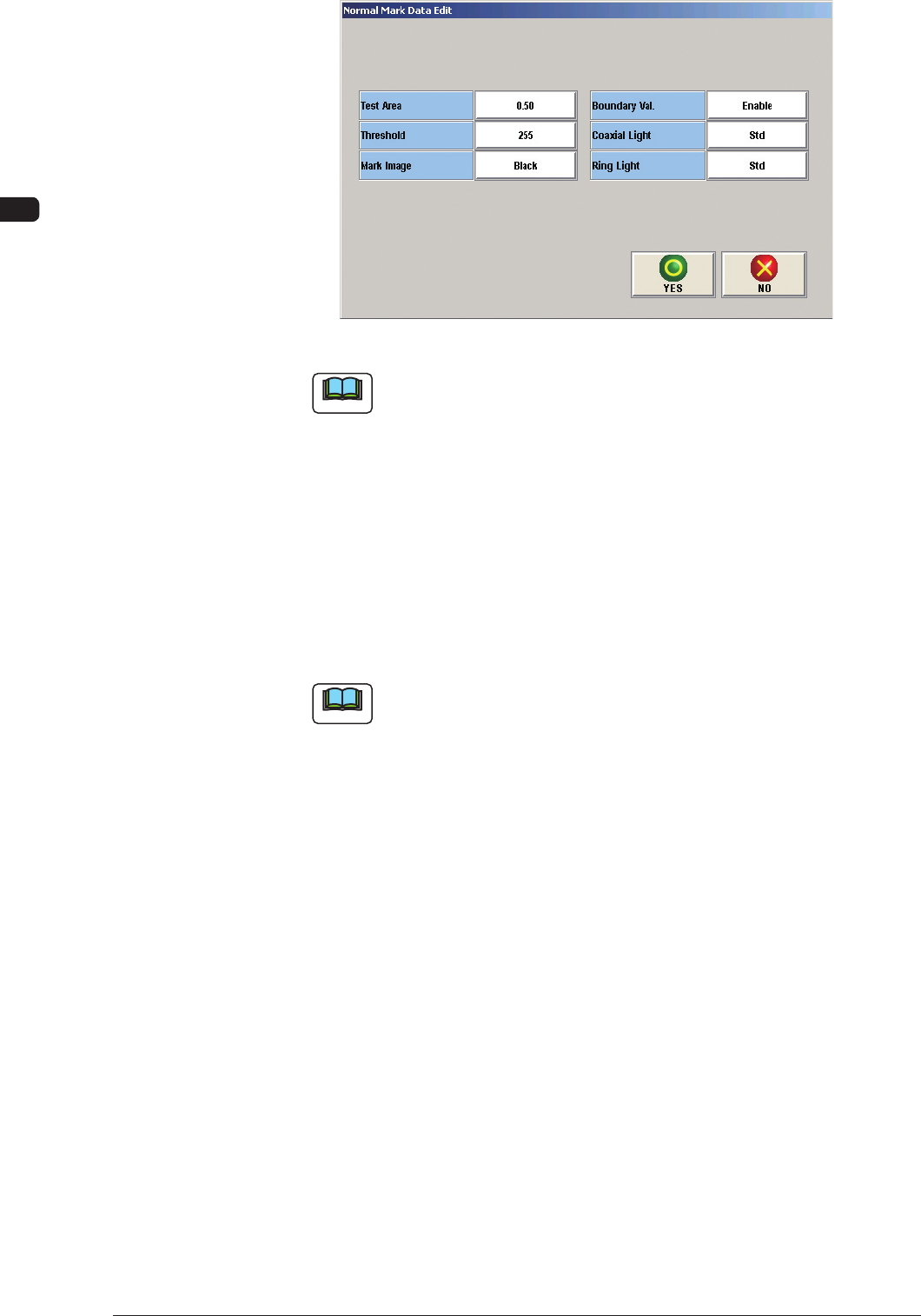
Specify Bad Mark : Master F17
1006-001
OM-1650
22
9. Bad Mark Camera Test
Specify Bad Mark : Normal F18
Note
The setting of "Boundary Val." (Boundary Value Warning), is performed in
the "Normal Mark Data Edit" window.
(5) When the data has been edited, press the [Yes] button.
(The edited data will be registered as the test data).
(6) Press the [Set to Cmt PP Dt] button.
(The "Confirmation" window will appear).
(7) Press the [Yes] button in the "Confirmation" window.
(The test data will be registered as the current pattern program).
Note
When the [RECOG] button on the main menu bar is pressed, the image
of the bad mark and the boundaries (camera test and measurement of bad
mark) are displayed graphically.
1006-001
OM-1650
23
10. Camera Bad Mark Teaching
10. Camera Bad Mark Teaching
This window enables the operator to perform the bad mark data teaching.
Procedure
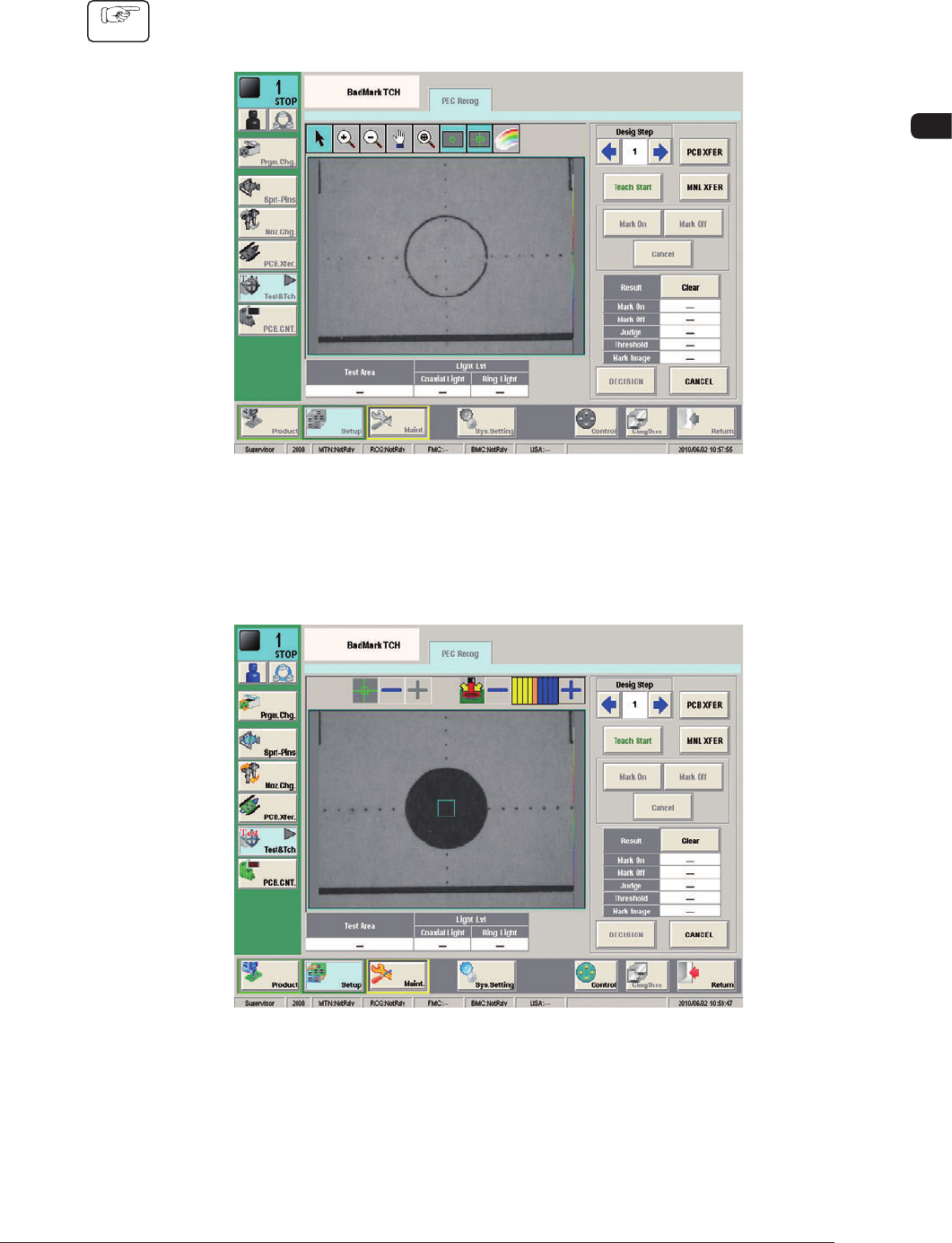
(1) Press the [Data Teach] button in the "Bad Mark" window.
(The "BadMark TCH" window will appear).
F19
(2) Designate the step to be taught.
(3) Press the [Teach Start] button.
F20
1006-001