OM-1650-001_w - 第26页
OM-1650 23 10. Camera Bad Mark T eaching 10. Camera Bad Mark T eaching This window enables the operator to perform the bad mark data teaching. Procedure (1) Press the [Data T each] button in the "Bad Mark" wind…
OM-1650
22
9. Bad Mark Camera Test
Specify Bad Mark : Normal F18
Note
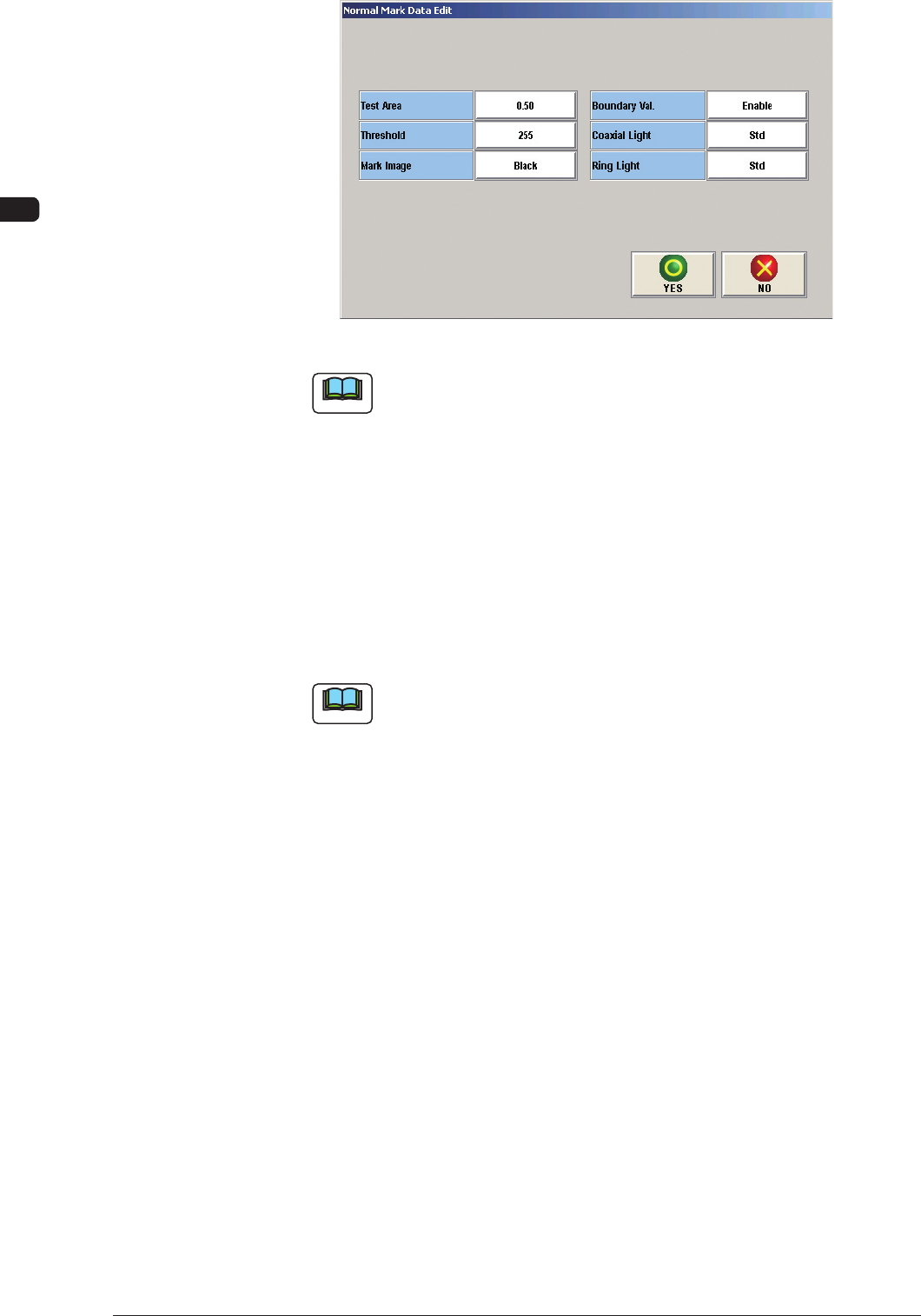
The setting of "Boundary Val." (Boundary Value Warning), is performed in
the "Normal Mark Data Edit" window.
(5) When the data has been edited, press the [Yes] button.
(The edited data will be registered as the test data).
(6) Press the [Set to Cmt PP Dt] button.
(The "Confirmation" window will appear).
(7) Press the [Yes] button in the "Confirmation" window.
(The test data will be registered as the current pattern program).
Note
When the [RECOG] button on the main menu bar is pressed, the image
of the bad mark and the boundaries (camera test and measurement of bad
mark) are displayed graphically.
1006-001
OM-1650
23
10. Camera Bad Mark Teaching
10. Camera Bad Mark Teaching
This window enables the operator to perform the bad mark data teaching.
Procedure
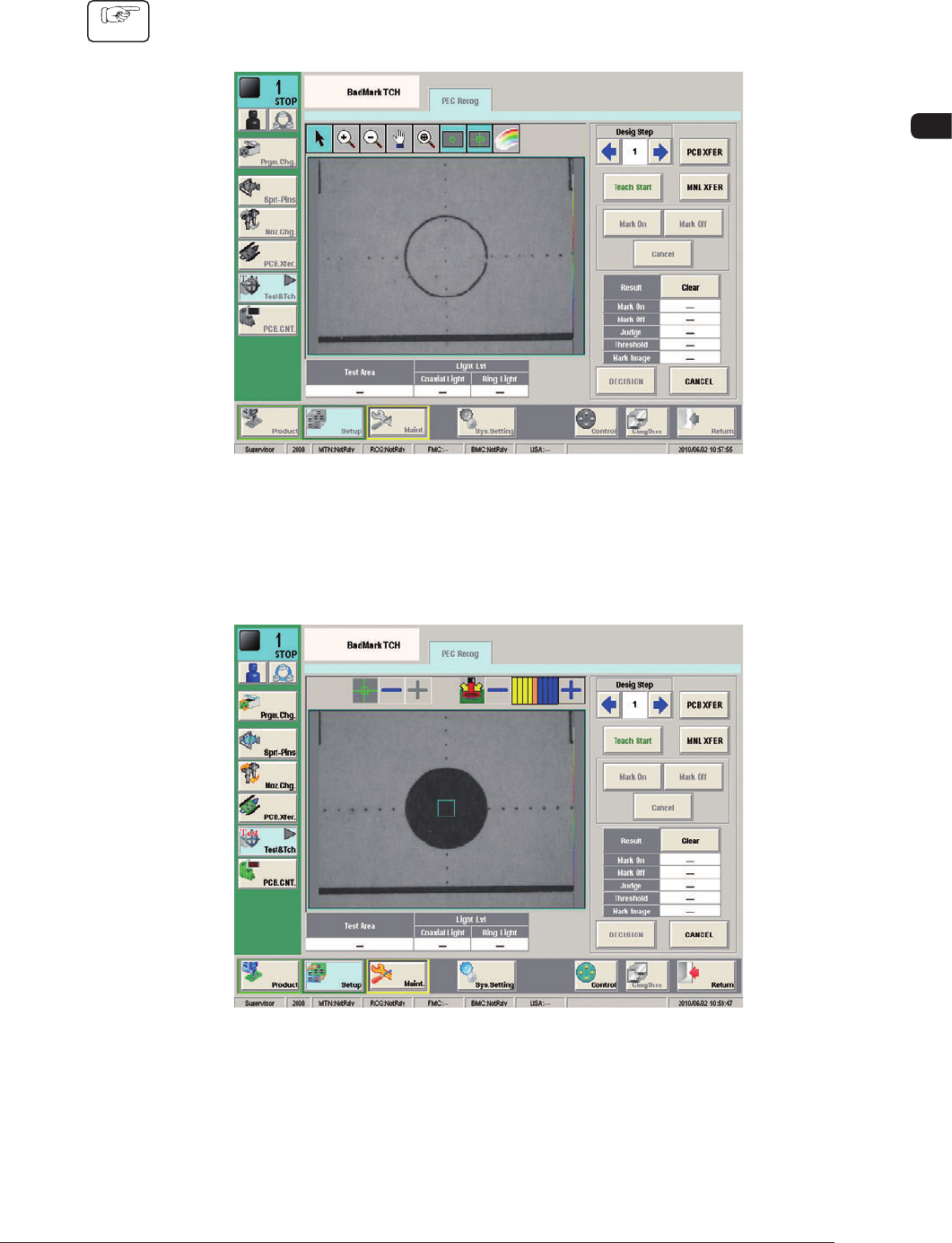
(1) Press the [Data Teach] button in the "Bad Mark" window.
(The "BadMark TCH" window will appear).
F19
(2) Designate the step to be taught.
(3) Press the [Teach Start] button.
F20
1006-001
OM-1650
24
10. Camera Bad Mark Teaching
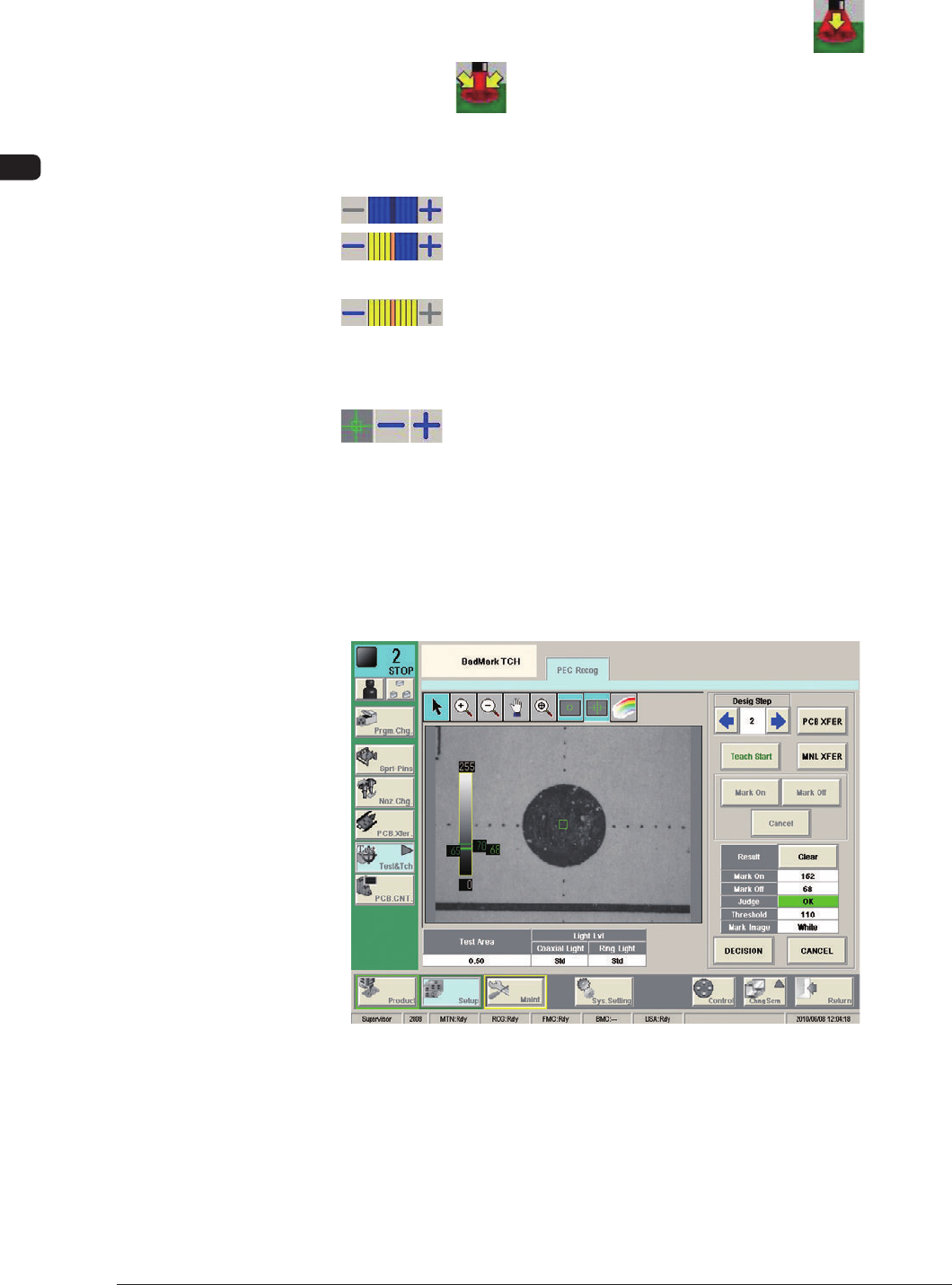
(4) Setup the recognition conditions (range, lighting pattern).
•
Light Lvl (type) Change
Each pressing the button toggles between coaxial lighting [ ] and
ring lighting [ ].
•
Change the lighting level (type).
The brightness can be changed using (-) or (+).
: This combination turns OFF the lighting.
: This combination turns ON the lighting with the standard
brightness.
: This combination turned ON the lighting with the max.
brightness.
•
Bad Mark On/Off Check Range Setting
: When (+) is pressed, the range is expanded. When (-) is
pressed, the range is reduced.
(5) According to the bad mark presence/absence within the specified range,
press the [Mark On] or [Mark Off] button and press the [Teach Start] button.
(The gradation values will be measured within the specified range and the
measurement results will be displayed).
Mark On F21
1006-001