OM-1650-001_w - 第27页
OM-1650 24 10. Camera Bad Mark T eaching (4) Setup the recognition conditions (range, lighting pattern). • Light Lvl (type) Change Each pressing the button toggles between coaxial lighting [ ] and ring lighting [ ]. • Ch…
OM-1650
23
10. Camera Bad Mark Teaching
10. Camera Bad Mark Teaching
This window enables the operator to perform the bad mark data teaching.
Procedure
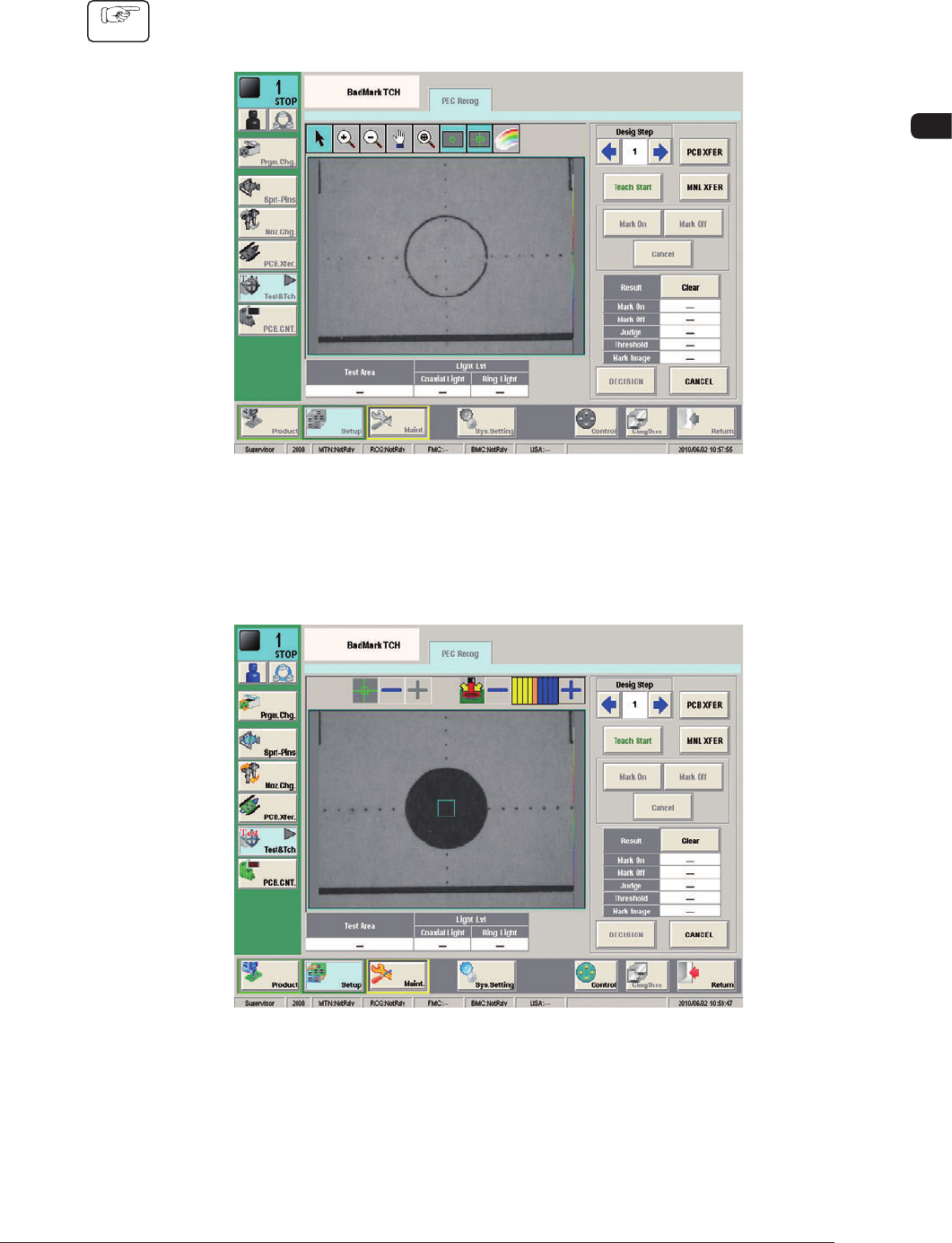
(1) Press the [Data Teach] button in the "Bad Mark" window.
(The "BadMark TCH" window will appear).
F19
(2) Designate the step to be taught.
(3) Press the [Teach Start] button.
F20
1006-001
OM-1650
24
10. Camera Bad Mark Teaching
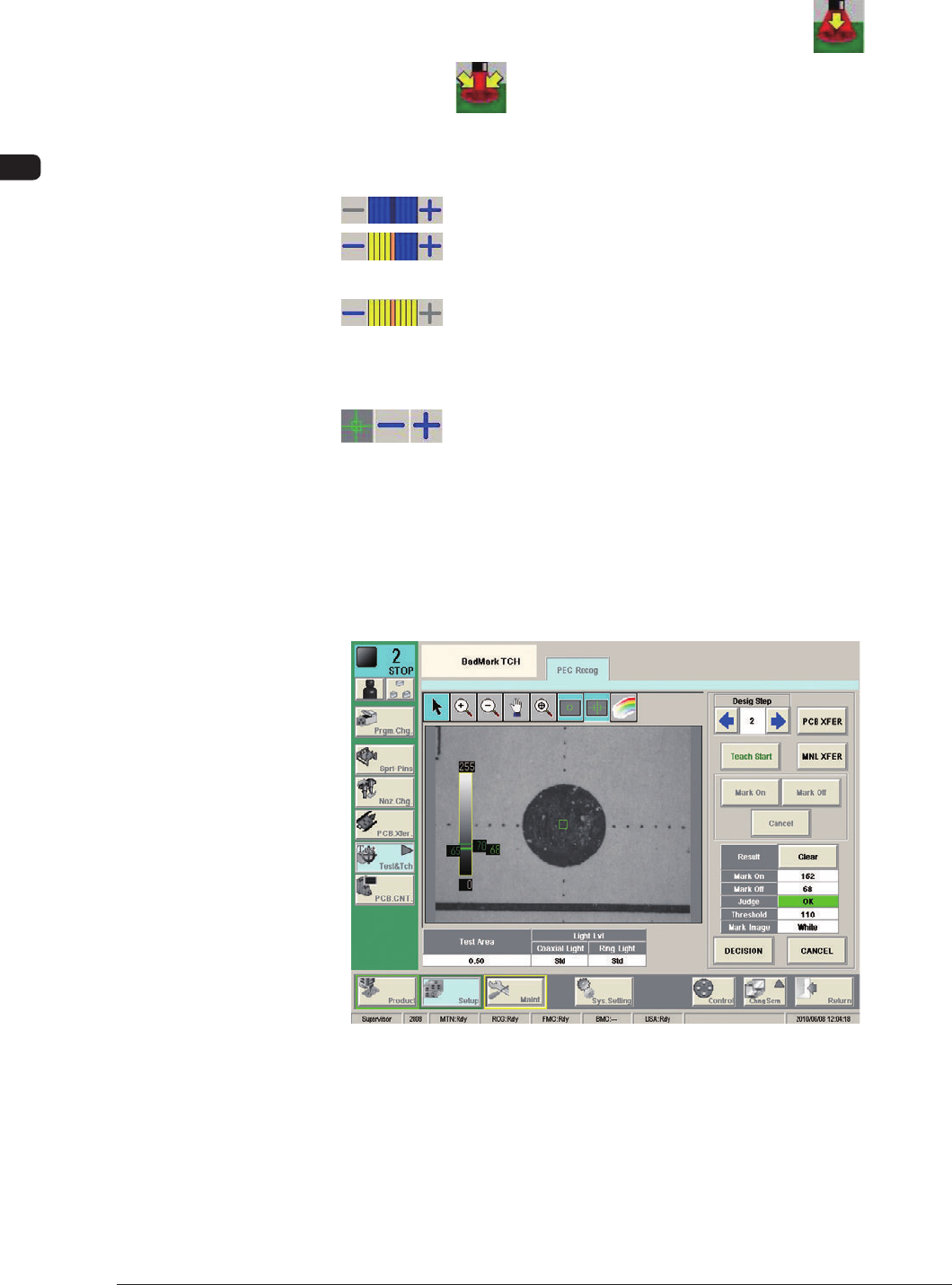
(4) Setup the recognition conditions (range, lighting pattern).
•
Light Lvl (type) Change
Each pressing the button toggles between coaxial lighting [ ] and
ring lighting [ ].
•
Change the lighting level (type).
The brightness can be changed using (-) or (+).
: This combination turns OFF the lighting.
: This combination turns ON the lighting with the standard
brightness.
: This combination turned ON the lighting with the max.
brightness.
•
Bad Mark On/Off Check Range Setting
: When (+) is pressed, the range is expanded. When (-) is
pressed, the range is reduced.
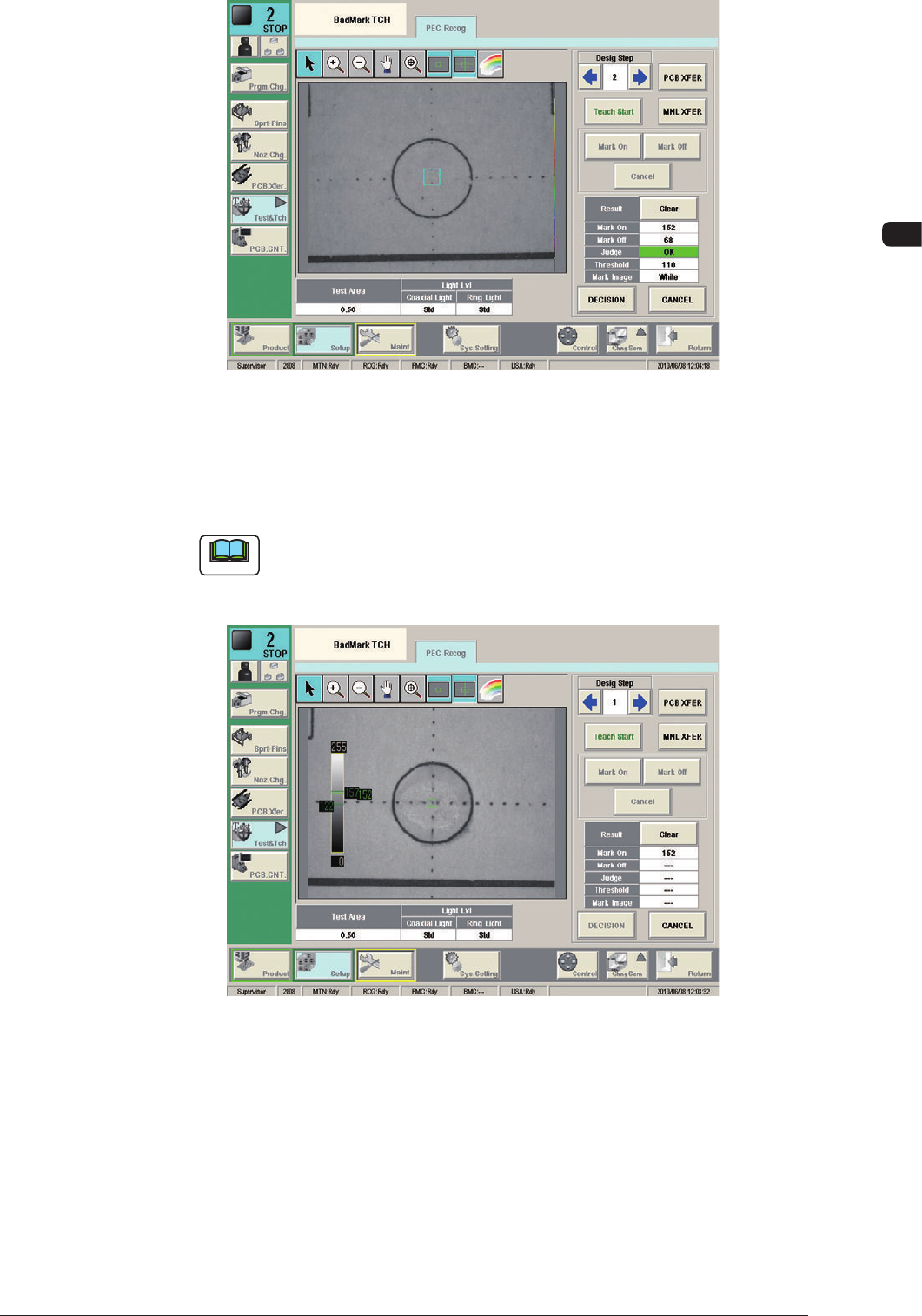
(5) According to the bad mark presence/absence within the specified range,
press the [Mark On] or [Mark Off] button and press the [Teach Start] button.
(The gradation values will be measured within the specified range and the
measurement results will be displayed).
Mark On F21
1006-001
OM-1650
25
10. Camera Bad Mark Teaching
Mark Off F22
When the both Bad Mark On and Off are designated, the threshold and mark
image are automatically setup as the teaching data based on the teaching
results.
Note
When the difference between Mark On and Mark Off is not enough, the
judgement becomes No Good. In such case, because the teaching data is
not decided, the teaching again is required with the conditions changed.
F23
(6) Press the [DECISION] button.
(The taught data is registered as the test data).
1006-001