OM-1650-001_w - 第29页
OM-1650 26 1 1. Bad Mark Communication Function 1 1. Bad Mark Communication Function This function detects a bad mark in the optional device and transmits the detection results to the output machine to use. The shorten c…
OM-1650
25
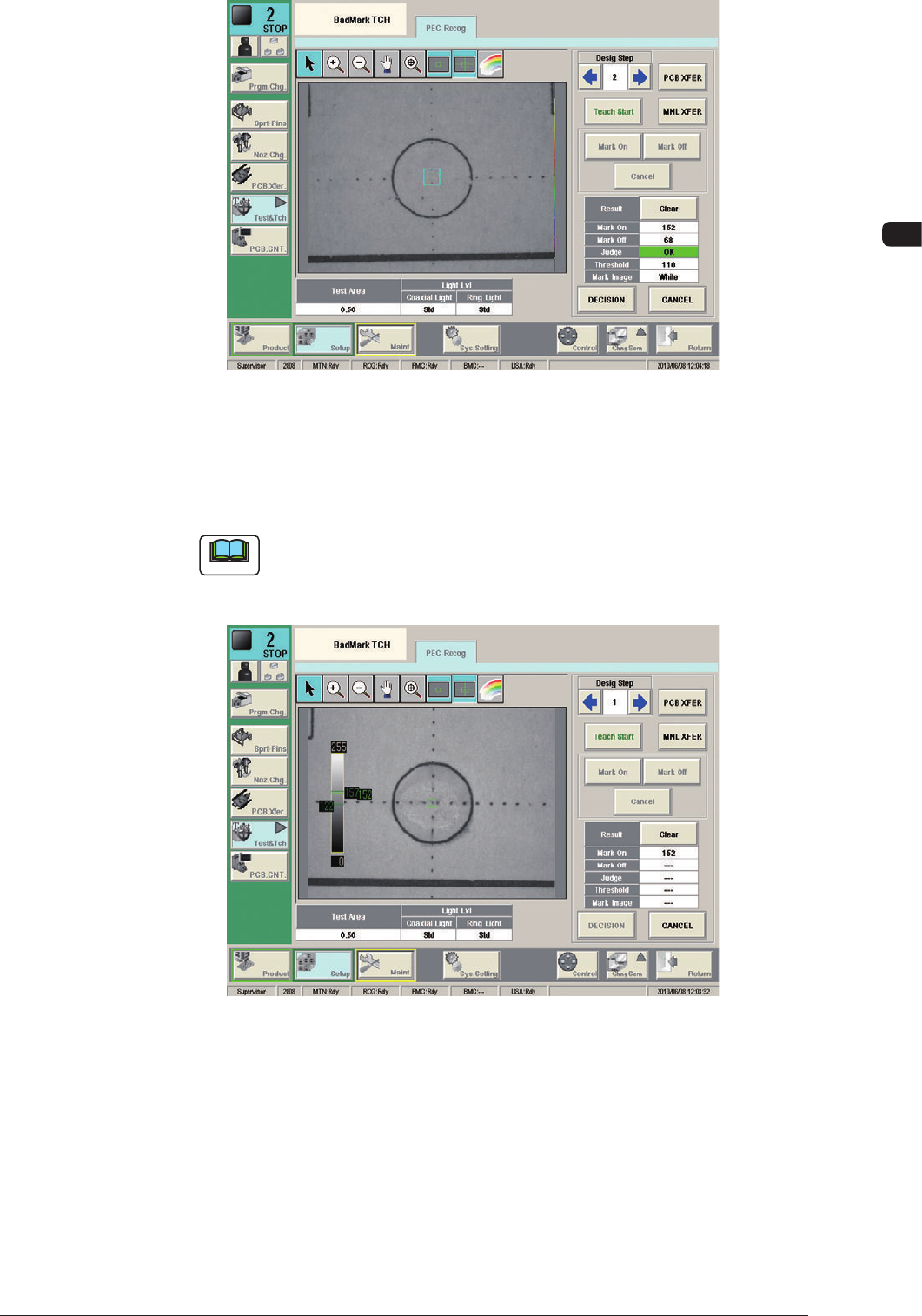
10. Camera Bad Mark Teaching
Mark Off F22
When the both Bad Mark On and Off are designated, the threshold and mark
image are automatically setup as the teaching data based on the teaching
results.
Note
When the difference between Mark On and Mark Off is not enough, the
judgement becomes No Good. In such case, because the teaching data is
not decided, the teaching again is required with the conditions changed.
F23
(6) Press the [DECISION] button.
(The taught data is registered as the test data).
1006-001
OM-1650
26
11. Bad Mark Communication Function
11. Bad Mark Communication Function
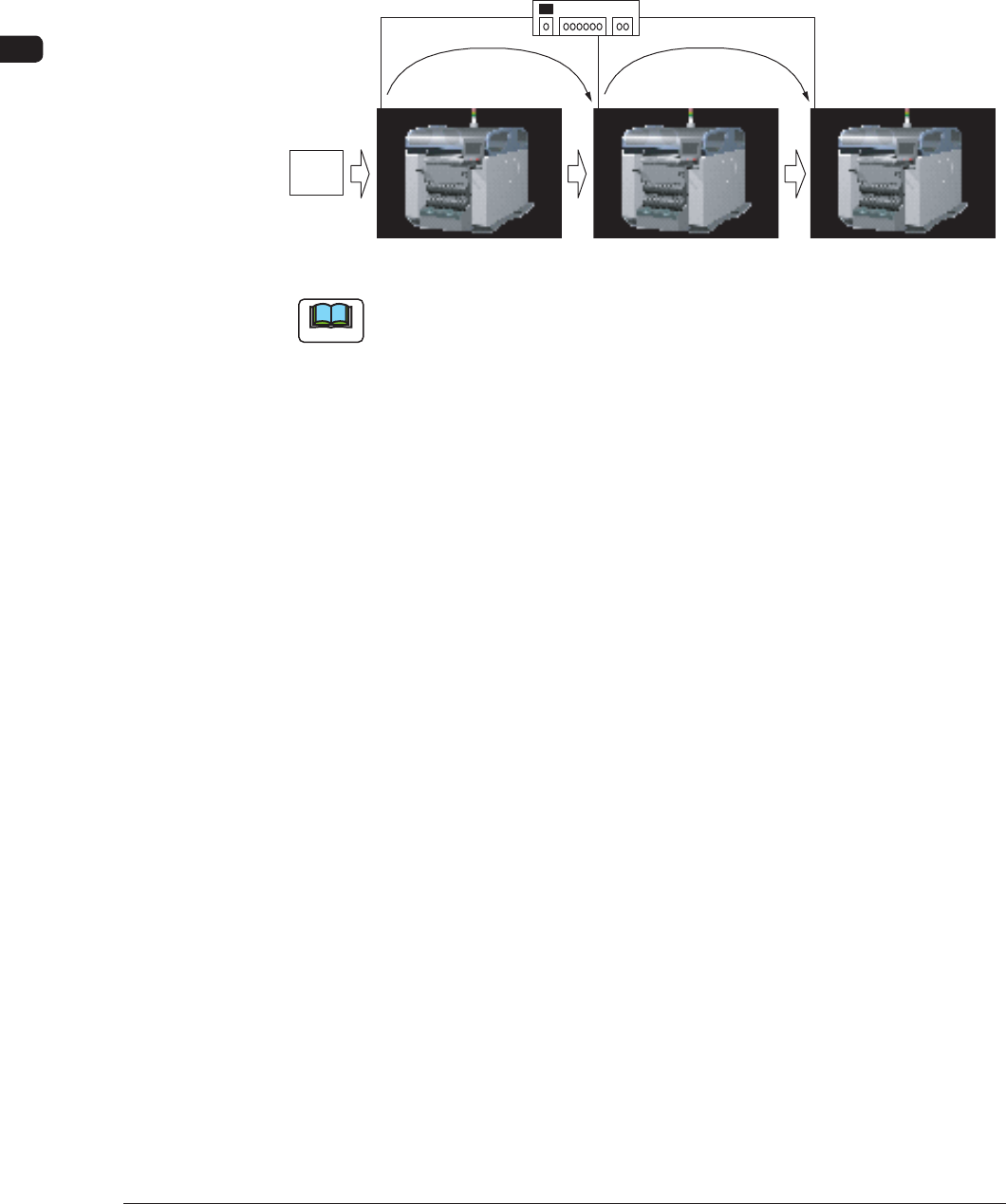
This function detects a bad mark in the optional device and transmits the detection
results to the output machine to use.
The shorten cycle time is realized by means of eliminating the bad mark detection
using the sensor/camera in each device before the production.
Bad Mark Information
PCB
Bad Mark Information
Switching Hub
Ethernet LAN
F24
Note
When this function is to be used, it is prerequisite that the "Line Config" Tab
Sheet has been setup in advance in the "MACH SETUP" Window for the device.
1006-001
OM-1650
27
11. Bad Mark Communication Function
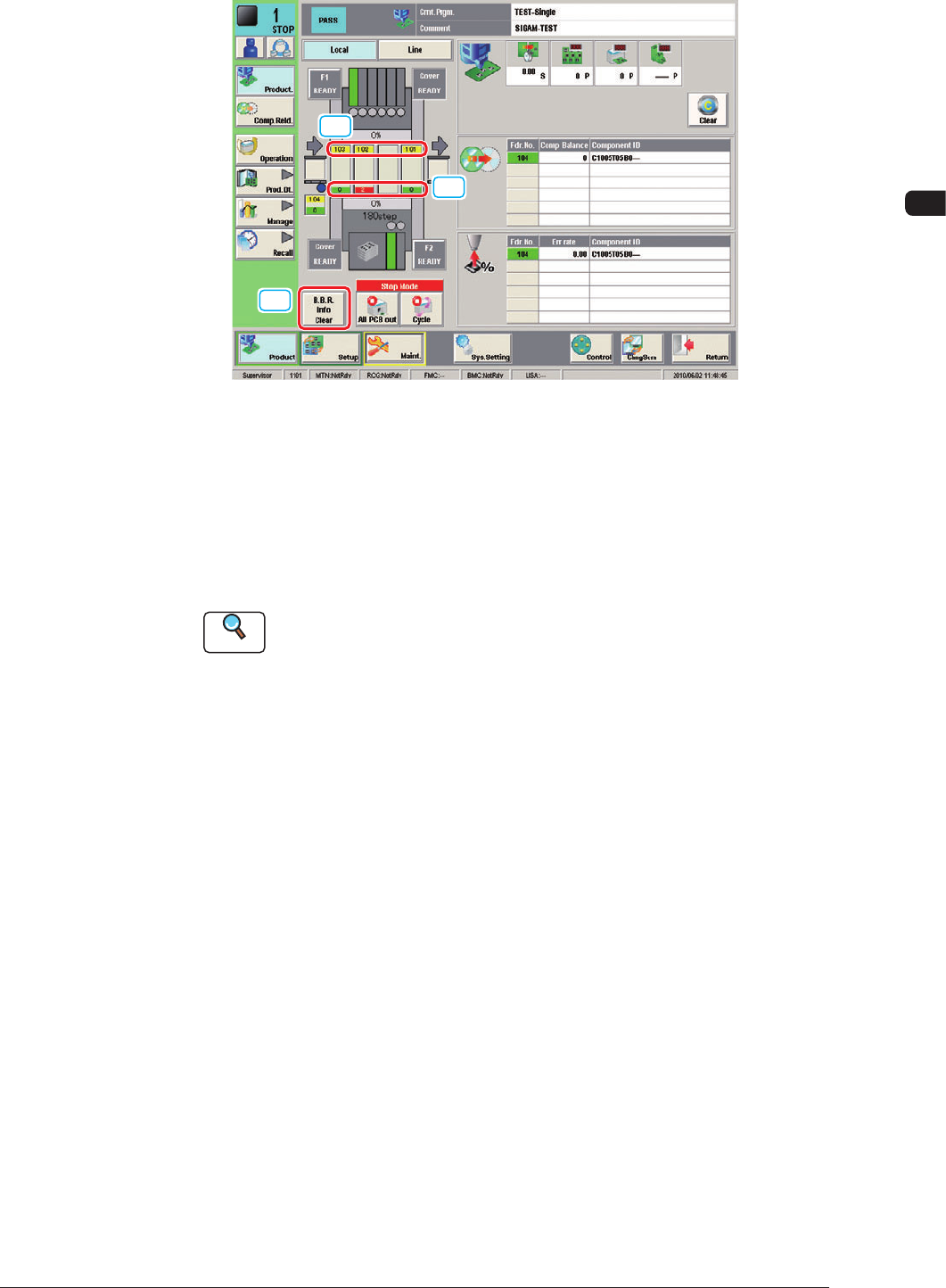
11.1 "Product." Window
[1]
[3]
[2]
F25
[1] PCB ID Display
When the communication in the input machine has been set to "Enable", the
"PCB ID" received from the input machine is displayed.
When the communication in the input machine has been set to "Disable", the
"PCB ID" created in the machine is displayed.
Reference
Refer to "11.2 OPERATION Window" for the input machine
communication setup.
[2] Defective PCB Count Display
The No. of defective PCBs in the PCBs to be produced is displayed. When
there is no defective PCB, the background color is turned green and when
there is any defective PCB, the background color is turned red.
1006-001