00197496-01_UM_SiClusterMultiline_DE_EN.pdf - 第175页
Working with the Rule Editor SIPLACE SiCluster Multiline SIPLACE SiCluster Multiline 175 8 8 W o r k in g w it h t h e R u le E d it o r Working with the Rule Editor ► Open the function (1) , for which you want to create…
Overview of Optimization Parameters
Optimization Parameters: Cluster Parameters
174 SIPLACE SiCluster Multiline SIPLACE SiCluster Multiline
Mutually exclusive
groups
This option is enabled as a principle for the cluster jobs created by SiCluster
Multiline. This option leads to recipes from two different exclusive groups are
not assigned to the same job.
Constant table optimizer
Maximum Solver
Runtime [h:m:s]
Shows the maximum time used during SiCluster optimization to define con-
stant table configuration.
Desired setup fill level
% free tables To determine the desired (target) filling level, you can select how full the con-
stant and free tables may be configured.
This value is entered as a proposal in the Line Settings tab, at Cluster Fill Level
[%] and can be adjusted there. See also "4.10 Defining Individual Line Set-
tings" [ ➙ 146].
% constant tables
Reoptimization of the constant tables
Accept setup of con-
stant table (fast)
If you enable this option, no reoptimization will be performed.
Use optimizer to reop-
timize setup of con-
stant tables (slow).
The filling level of con-
stant tables should not
exceed 97%.
If, however, you want to use reoptimization, here is where you can define the
maximum time that the optimization may calculate per recipe, in order to find a
new minimum.
Maximum runtime per recipe: [h:m:s]
Parameter Description
Working with the Rule Editor
SIPLACE SiCluster Multiline SIPLACE SiCluster Multiline 175
8
8 Working with the Rule Editor
Working with the Rule Editor
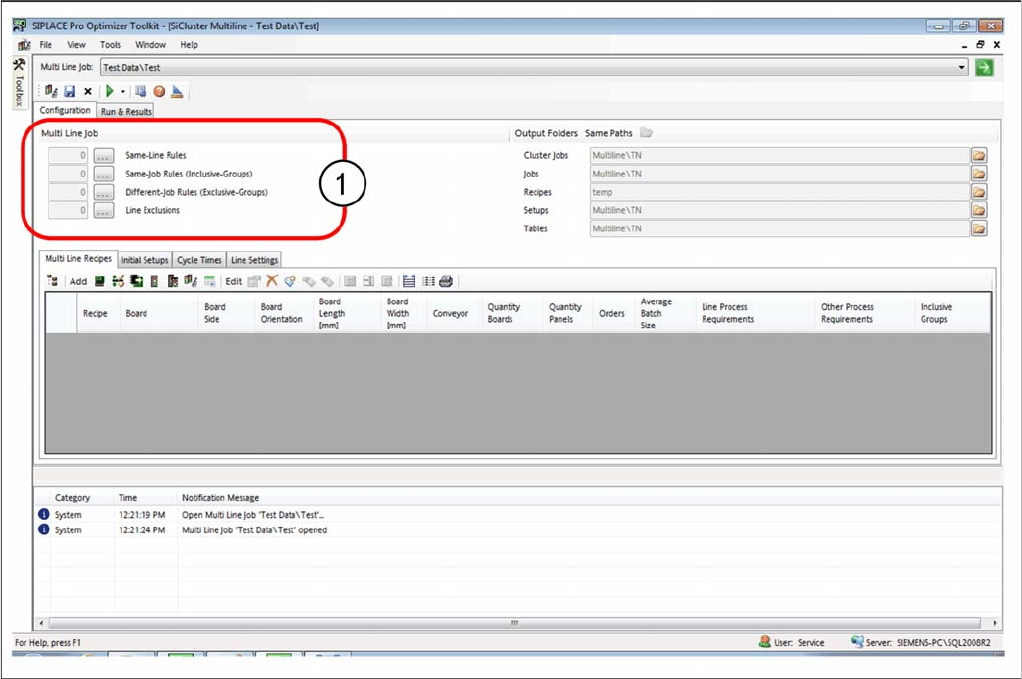
► Open the function (1), for which you want to create the required rule.
Tab: configuration - opening the Rule Editor
⇨ The Rule Editor shown varies, depending on the function you have selected in the Configuration tab.
Working with the Rule Editor
176 SIPLACE SiCluster Multiline SIPLACE SiCluster Multiline
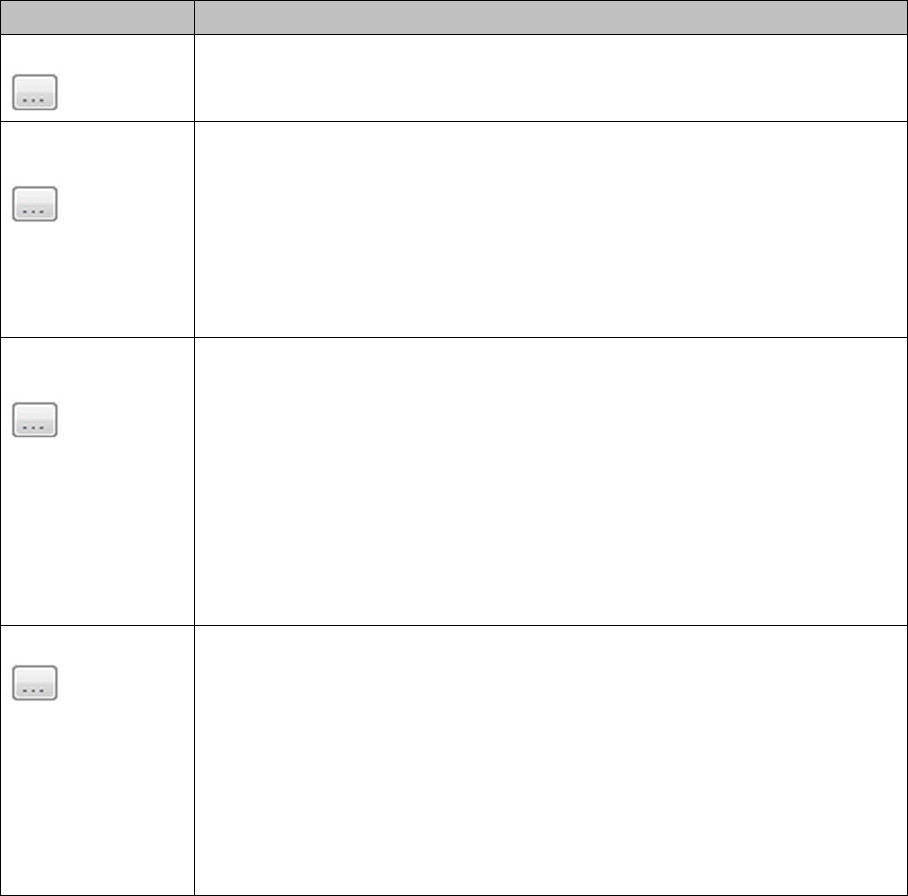
Function Description
Same job rules The recipes bound by these rules should be produced on the same line in each
case.
Same job rules (in-
clusive groups)
The recipes bound by these rules should be produced in a common setup in
each case. Each rule forms an inclusive group for these recipes. The optimiza-
tion by SiCluster Professional uses an inclusive group to combine these recipes
in a common setup.
Example:
A typical application case for the inclusive group is the combining of board top
and bottom sides in the same setup. It is usually of benefit that the board top and
bottom sides are to be produced on the same line and in one setup.
Different-Job Rules
(Exclusive-Groups)
The recipes separated by this rule may be produced on the same line but not in
the same setup. This rule forms exclusive groups for these recipes. The optimi-
zation by SiCluster Professional uses exclusive groups, each of which ensures
that these recipes are NOT combined in a common setup with recipes from an-
other exclusive group.
Example:
There are boards with the process requirements customer A, customer B and
customer C. The exclusive groups 'Customer A' and 'Customer B OR Customer
C' are defined. In this case, a board with the requirement 'Customer A' may nei-
ther be produced in the same job as a board with the requirement 'Customer B'
nor with a board with the requirement 'Customer C'.
Line Exclusions The recipes defined by these rules may not be produced on a certain line. For
this purpose, rules with line exclusions can be created.
Process attributes for the recipes are defined for each rule (see Same Line
Rules). In a second step, the line or lines are determined on which these recipes
are not to be produced. See "8.2 Creating Rules for Line Exclusions" [ ➙ 178]
Example:
The process capability "S-line" is entered for all lines with S tables. The process
requirement "Customer X" is entered for some recipes. To prevent the recipes
from customer X being produced on an S-line, a new line exclusion is created
with the recipe rule "Customer X" and the line rule "S-line".