00197496-01_UM_SiClusterMultiline_DE_EN.pdf - 第110页
Getting Started and Overview of SiCluster Multiline Starting SiCluster Multiline 110 SIPLACE SiCluster Multiline SIPLACE SiCluster Multiline SiCluster Multiline once started
Getting Started and Overview of SiCluster Multiline
Starting SiCluster Multiline
SIPLACE SiCluster Multiline SIPLACE SiCluster Multiline 109
3
3 Getting Started and Overview of SiCluster Multiline
Getting Started and Overview of SiCluster Multiline
3.1
3.1 Starting SiCluster Multiline
Starting SiCluster Multiline
SiCluster Multiline is an optimization tool in the SIPLACE Pro Optimizer Toolkit. You can start the
SIPLACE Pro Optimizer Toolkit either from SiplacePro Desk or via Start => Programs.
► From the SIPLACE Pro Desk menu, select Tools => Optimizer Toolkit…
⇨ The Optimizer Toolkit application will open.
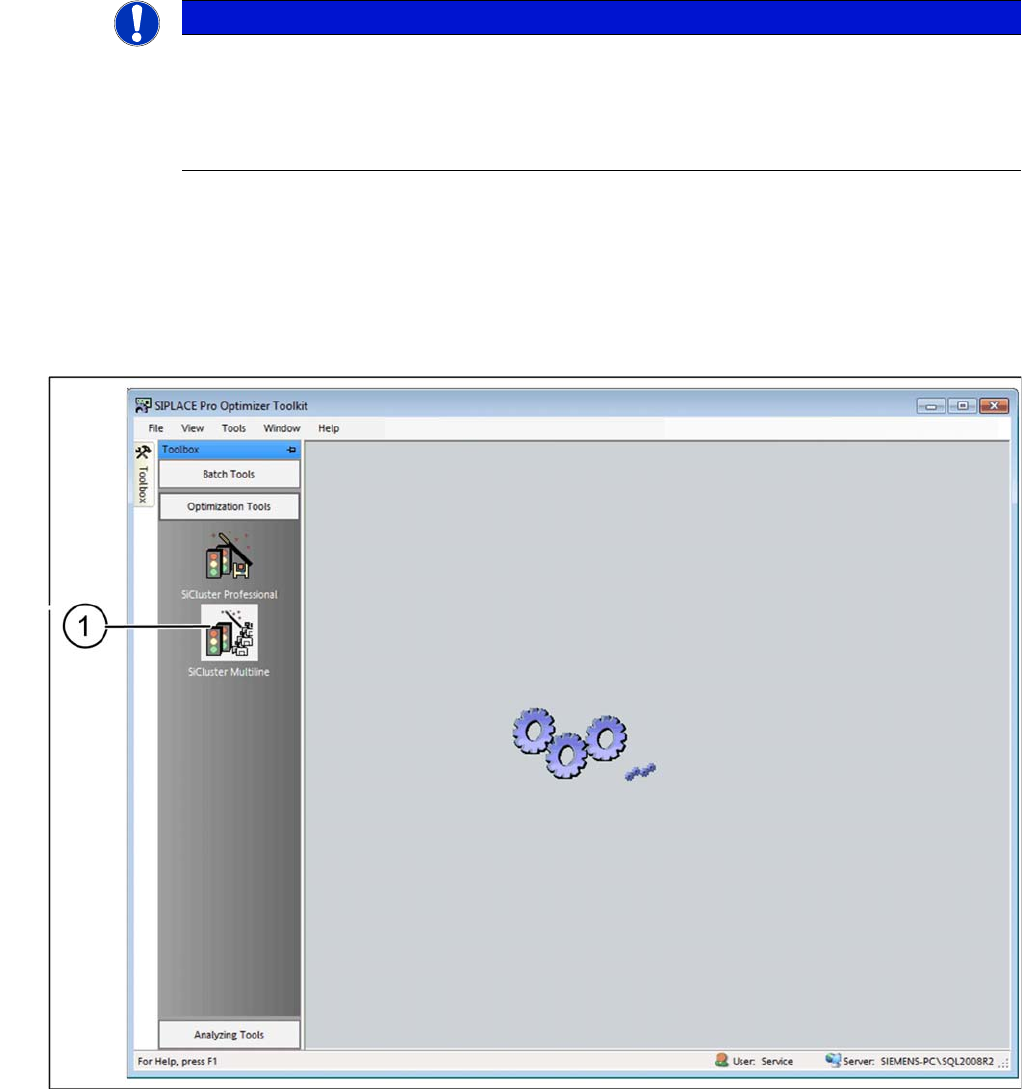
SIPLACE Pro Optimizer Toolkit: SiCluster Multiline
► Go to Toolbox => Optimization Tools => and select the (1) SiCluster Multiline icon.
► Or select Tools => Start SiCluster Multiline… from the menu bar of the SIPLACE Pro Optimizer
Toolkit.
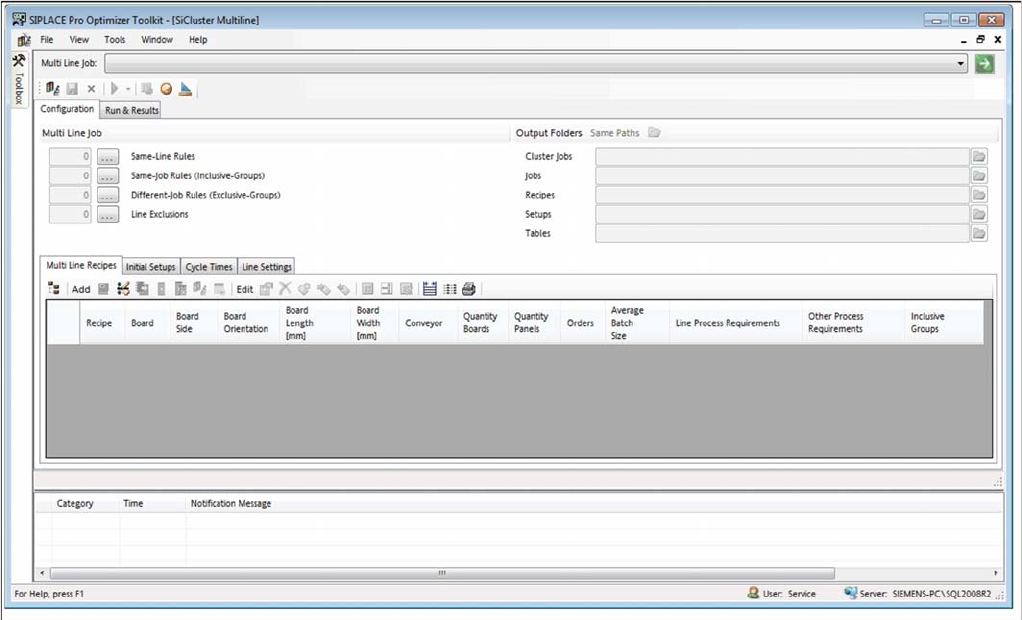
⇨ The SiCluster Multiline application will open.
NOTICE
For more detailed information, refer to the SiCluster Multiline Online Help.
This chapter provides an overview of the key SiCluster Multiline functions. For a detailed and
comprehensive description of all functions, icons and buttons, refer to the SiCluster Multiline
Online Help. You can open the Online Help in your current view with the F1 key or the Help
button.
Getting Started and Overview of SiCluster Multiline
Starting SiCluster Multiline
110 SIPLACE SiCluster Multiline SIPLACE SiCluster Multiline
SiCluster Multiline once started
Getting Started and Overview of SiCluster Multiline
Overview of the User Interface
SIPLACE SiCluster Multiline SIPLACE SiCluster Multiline 111
3.2
3.2 Overview of the User Interface
Overview of the User Interface
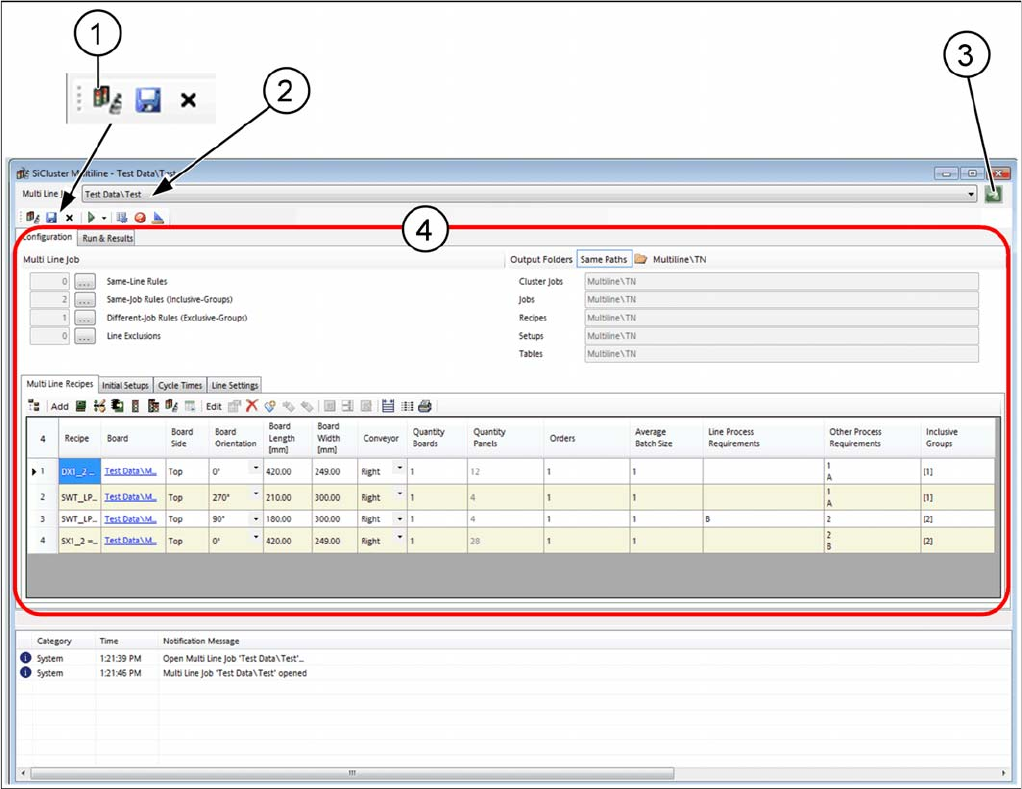
User interface - overview
1. SiCluster Multiline jobs can be opened from the tree structure
2. Name of open SiCluster Multiline job
3. Opening SiCluster Multiline jobs which have already been opened
4. Editing area with tabs for creating and editing of SiCluster Multiline jobs