00197496-01_UM_SiClusterMultiline_DE_EN.pdf - 第111页
Getting Started and Overview of SiCluster Multiline Overview of the User Interface SIPLACE SiCluster Multiline SIPLACE SiCluster Multiline 111 3.2 3 . 2 O v e r v ie w o f t h e U s e r I n t e r f a c e Overview of the …
Getting Started and Overview of SiCluster Multiline
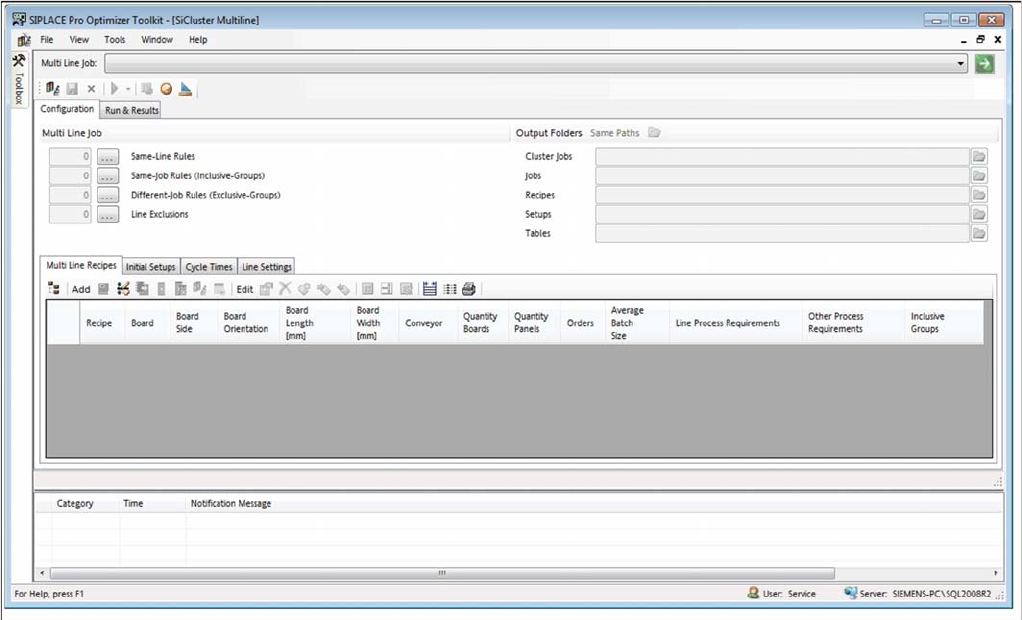
Starting SiCluster Multiline
110 SIPLACE SiCluster Multiline SIPLACE SiCluster Multiline
SiCluster Multiline once started
Getting Started and Overview of SiCluster Multiline
Overview of the User Interface
SIPLACE SiCluster Multiline SIPLACE SiCluster Multiline 111
3.2
3.2 Overview of the User Interface
Overview of the User Interface
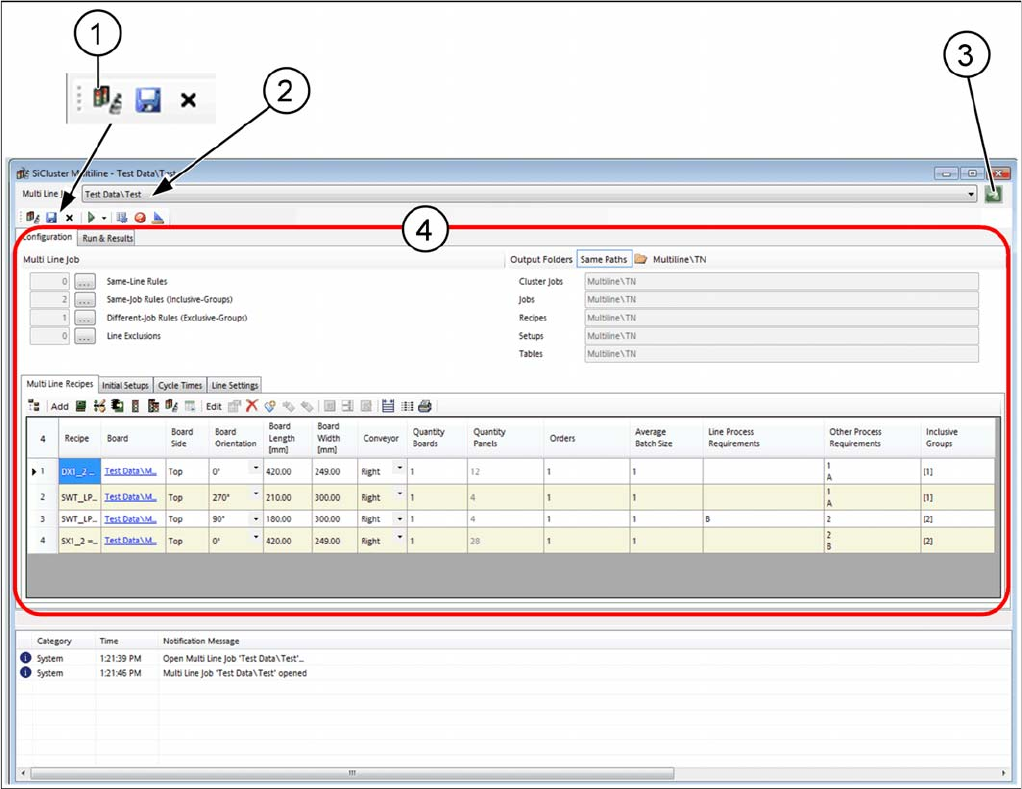
User interface - overview
1. SiCluster Multiline jobs can be opened from the tree structure
2. Name of open SiCluster Multiline job
3. Opening SiCluster Multiline jobs which have already been opened
4. Editing area with tabs for creating and editing of SiCluster Multiline jobs
Getting Started and Overview of SiCluster Multiline
Tab - Configuration
112 SIPLACE SiCluster Multiline SIPLACE SiCluster Multiline
3.3
3.3 Tab - Configuration
Tab - Configuration
You can create a new multiline job in the Configuration tab.
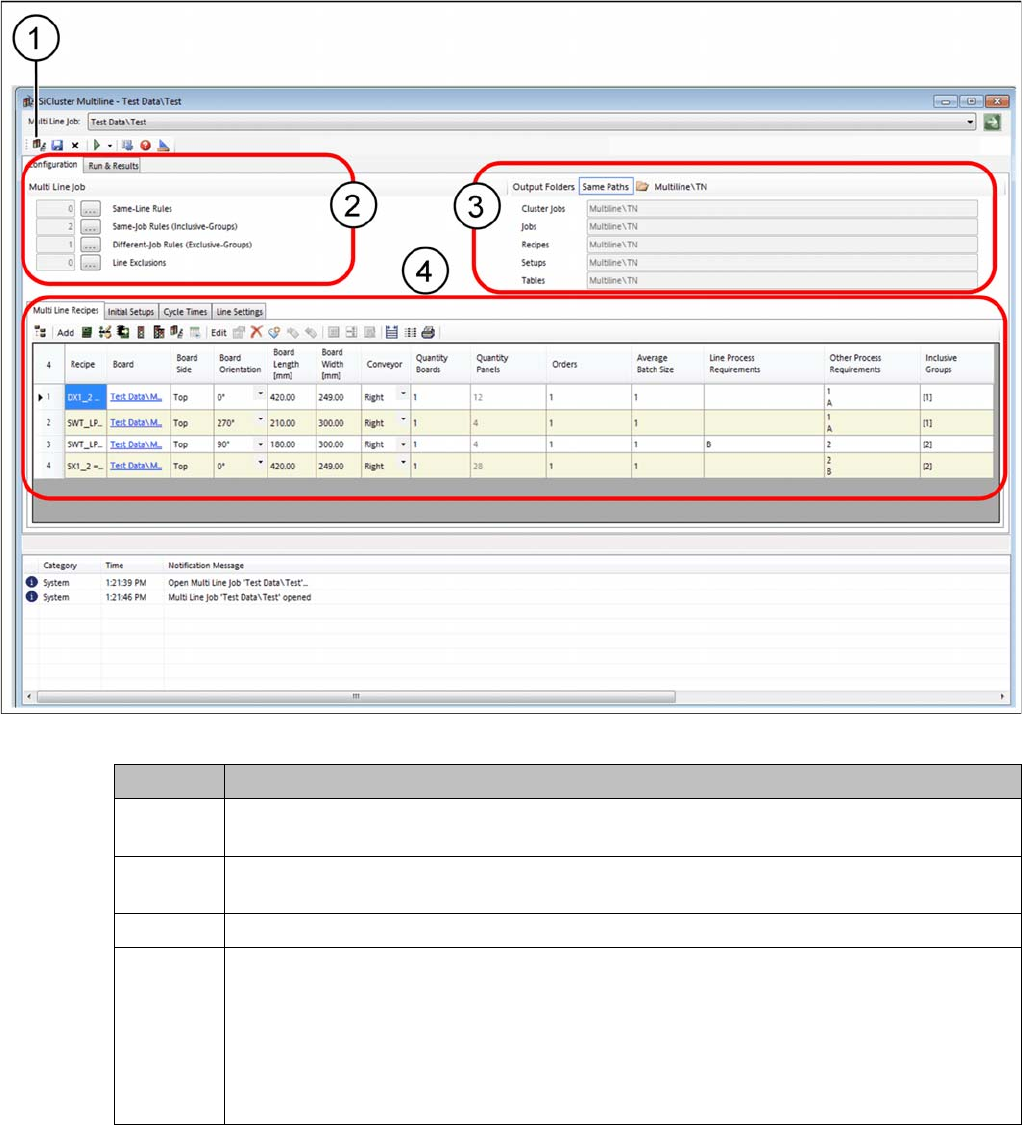
SiCluster Multiline - tab - configuration
Icon Description
1 This allows you to organize multi line jobs: create new multi line jobs and copy, move, de-
lete or rename existing ones.
2 It also enables you to define certain rules with the Rule Editor for the recipe process re-
quirements.
3 Define the folder in which you want to save your results.
4 The Configuration tab contains the following four tabs in which you can collect the input
data for the multi line job and define the required settings.
▪ Multi Line Recipes tab
▪ Initial Setups tab
▪ Cycle Times tab
▪ Line Settings tab