00197496-01_UM_SiClusterMultiline_DE_EN.pdf - 第155页
How to Perform Multiline Clustering Performing Clustering Within the Line SIPLACE SiCluster Multiline SIPLACE SiCluster Multiline 155 Result: tab – line KPIs Result: tab: line KPIs - multi line job created Result: tab – …
How to Perform Multiline Clustering
Performing Clustering Within the Line
154 SIPLACE SiCluster Multiline SIPLACE SiCluster Multiline
5.3
5.3 Performing Clustering Within the Line
Performing Clustering Within the Line
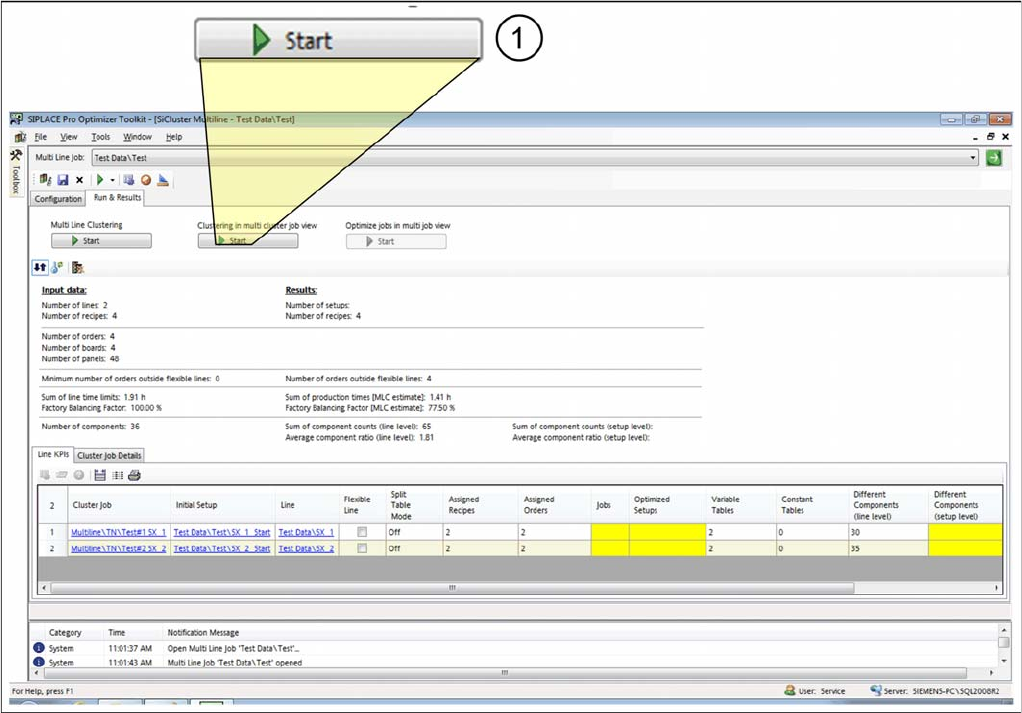
► As a second step, start the Clustering in multi cluster job view (1).
Performing clustering within lines
⇨ The Multi Cluster Job Optimization will start.
⇨ Clustering within the lines will be run with the known SiCluster Professional algorithm. Depending on
the number of processor cores available, clustering may run parallel for several lines.
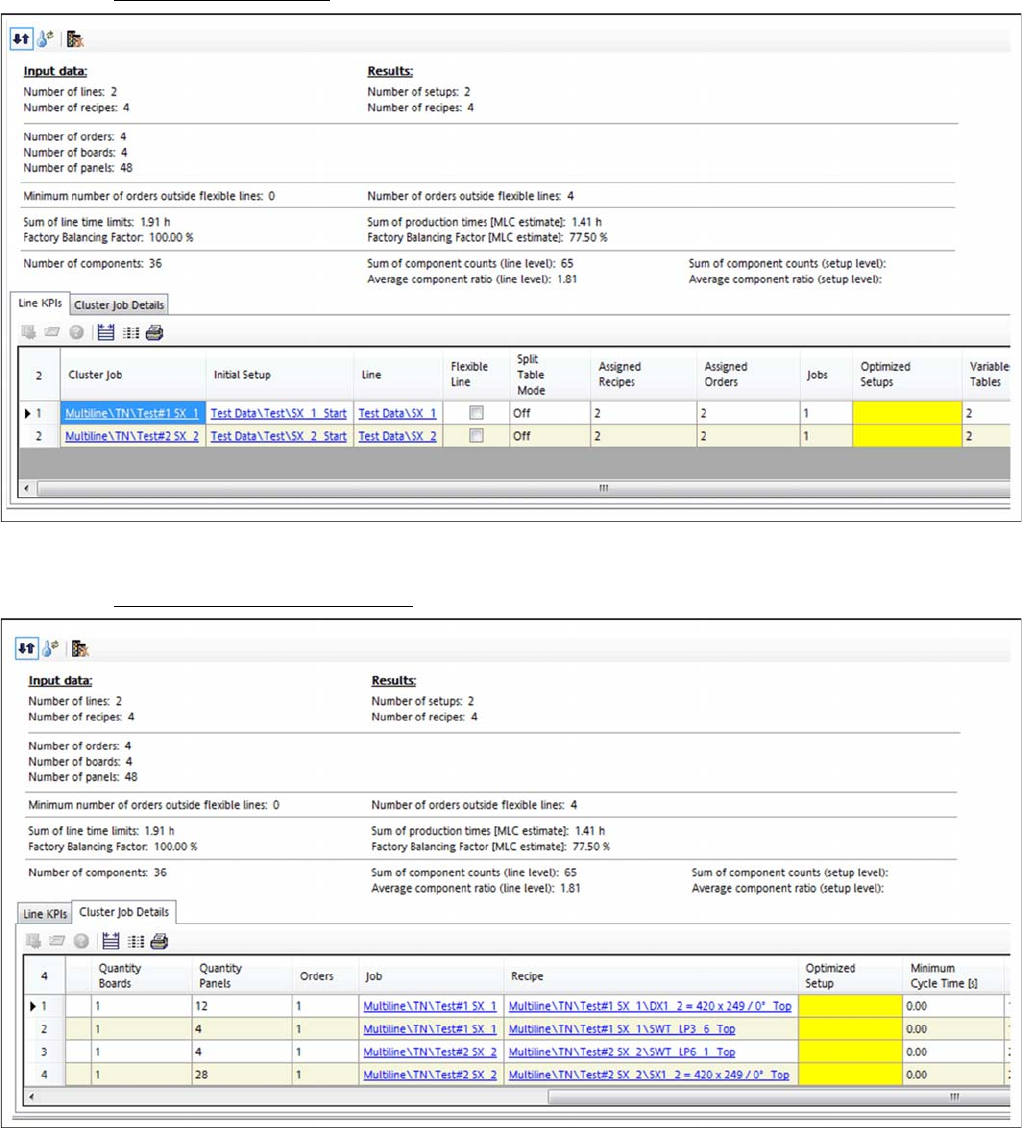
⇨ The results will be shown in the Line KPIs and Cluster Job Details tabs.
How to Perform Multiline Clustering
Performing Clustering Within the Line
SIPLACE SiCluster Multiline SIPLACE SiCluster Multiline 155
Result: tab – line KPIs
Result: tab: line KPIs - multi line job created
Result: tab – cluster job details
Result: tab: cluster job details - multi line job created
▪ The jobs were created within the line (clustered).
▪ The results still missing will be marked yellow and determined in the following steps.
▪ The jobs created for all lines will be optimized by the SIPLACE Optimizer in the next step.
How to Perform Multiline Clustering
Changing the Optimization Strategy (Optional)
156 SIPLACE SiCluster Multiline SIPLACE SiCluster Multiline
5.4
5.4 Changing the Optimization Strategy (Optional)
Changing the Optimization Strategy (Optional)
You have the chance to edit and explicitly change the optimization parameters for cluster optimization
of the individual cluster jobs.
► Mark a cluster job in the table and select the icon from the toolbar in the Line KPIs tab.
⇨ The Cluster Parameters dialog box will open.
► Execute the required changes. See also "7.2 Optimization Parameters: Cluster Parameters"
[ ➙ 173].
5.5
5.5 Optimizing Jobs in Multi Job Optimization
Optimizing Jobs in Multi Job Optimization
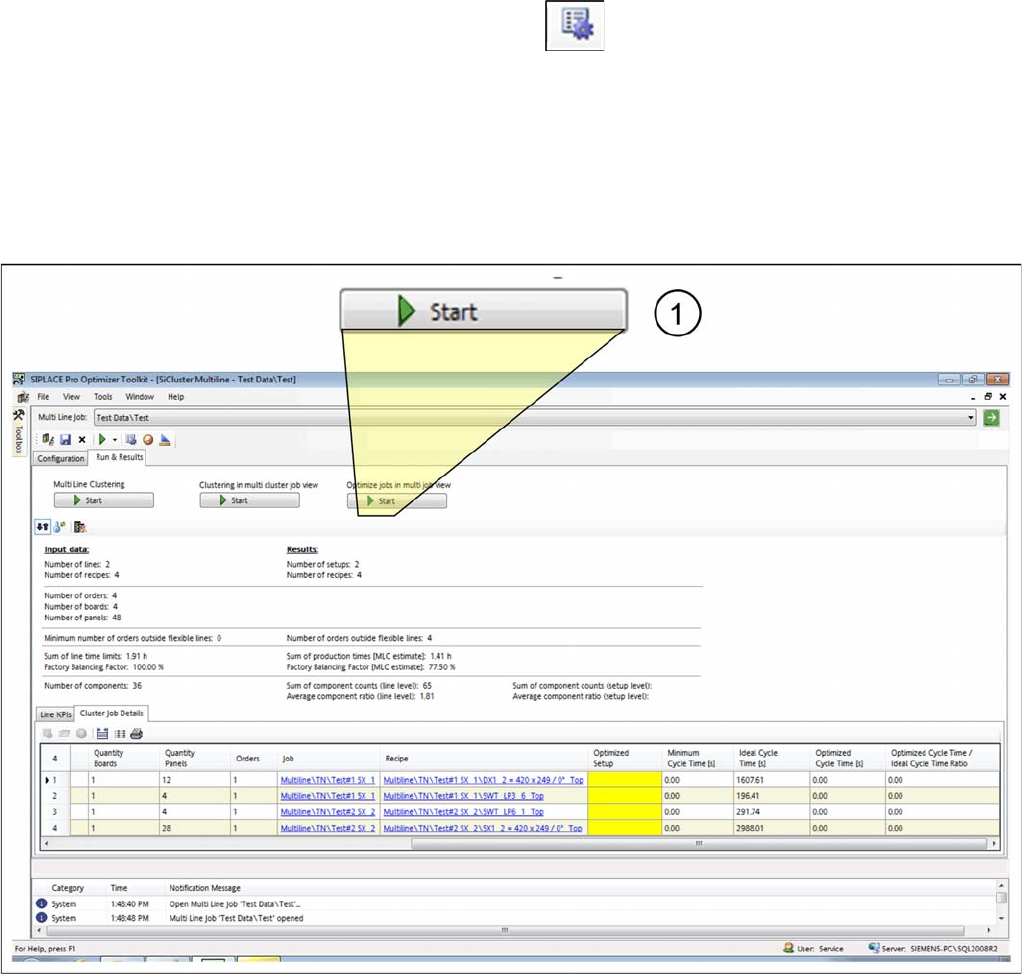
► As the third and last step, start the Optimize jobs in multi job view (1).
Optimizing multi line jobs
⇨ The Multi Job Optimization will start.
⇨ The results will be shown in the Line KPIs and Cluster Job Details tabs.