00197496-01_UM_SiClusterMultiline_DE_EN.pdf - 第158页
How to Perform Multiline Clustering Cluster Job Optimization Result s 5.6.1 Results of the Cluster Jo b Optimization - Line KPIs 158 SIPLACE SiCluster Multiline SIPLACE SiCluster Multiline 5.6 5 . 6 C lu s t e r J o b O …
How to Perform Multiline Clustering
Optimizing Jobs in Multi Job Optimization
SIPLACE SiCluster Multiline SIPLACE SiCluster Multiline 157
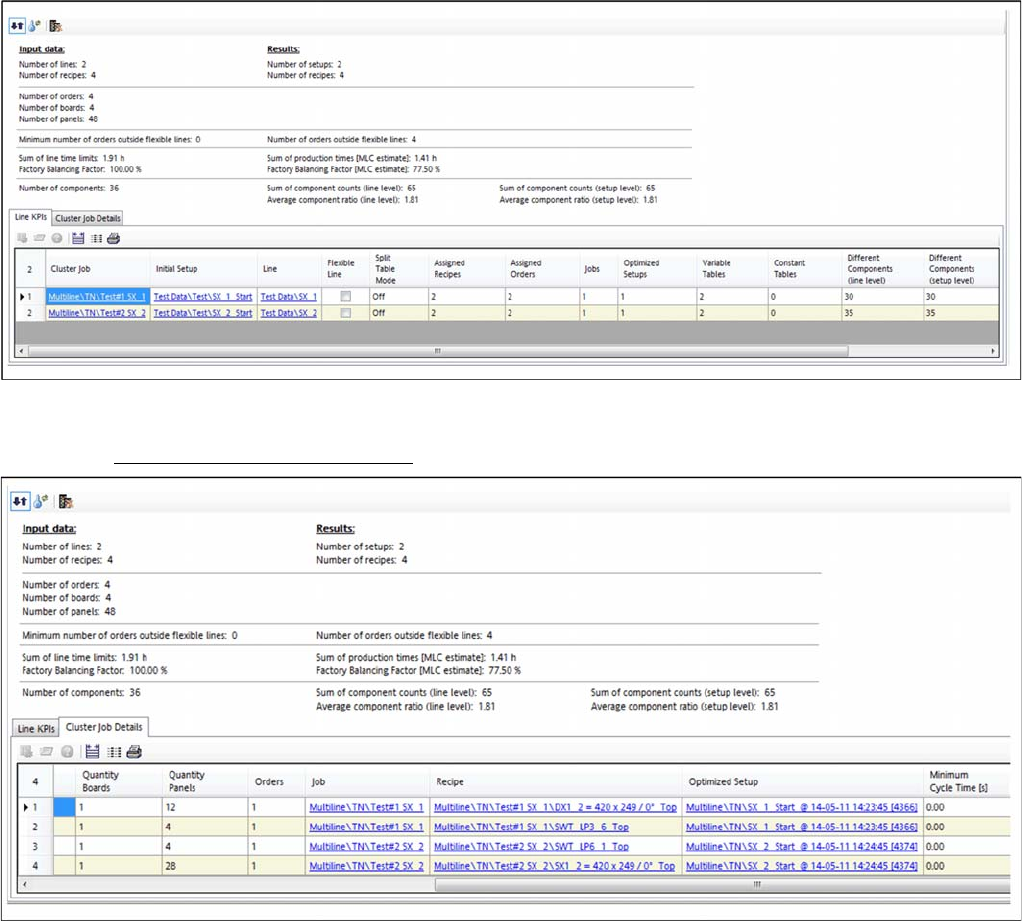
Result: tab – Line KPIs
Result: tab: line KPIs - multi line job optimized
Result: tab – cluster job details
Result: tab: cluster job details - multi line job optimized
How to Perform Multiline Clustering
Cluster Job Optimization Results 5.6.1 Results of the Cluster Job Optimization - Line KPIs
158 SIPLACE SiCluster Multiline SIPLACE SiCluster Multiline
5.6
5.6 Cluster Job Optimization Results
Cluster Job Optimization Results
5.6.1
5.6.1 Results of the Cluster Job Optimization - Line KPIs
Results of the Cluster Job Optimization - Line KPIs
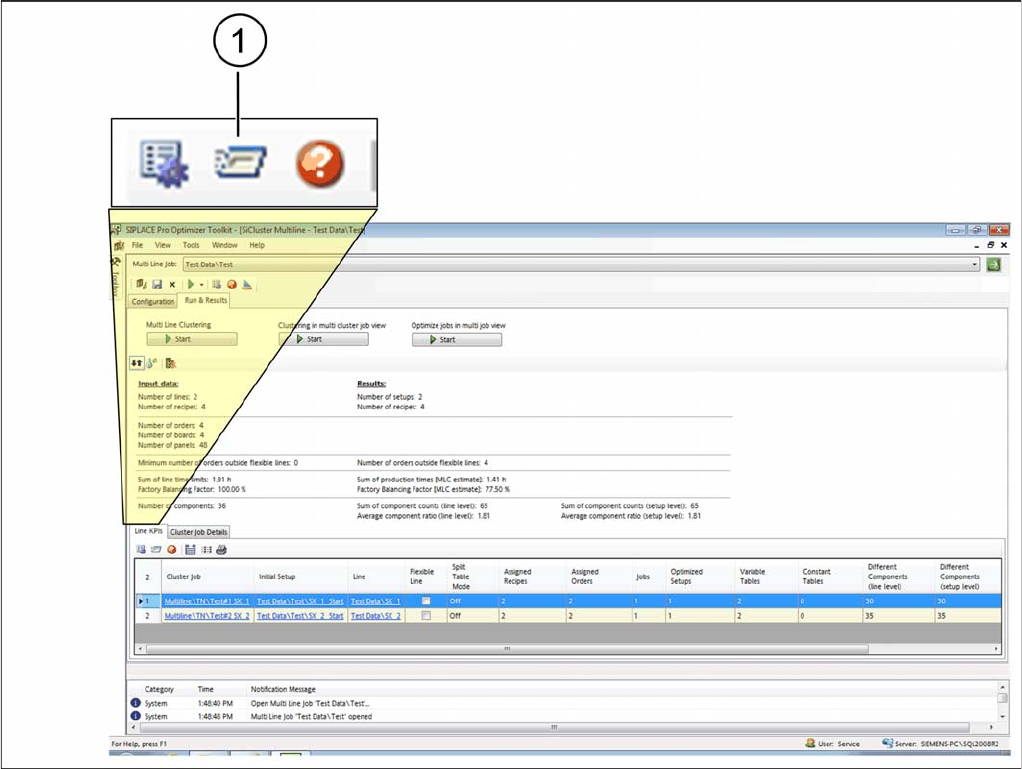
► Go to Run & Results and select the Line KPIs tab.
► Mark a cluster job in the table and select the icon (1).
Tab: line KPIs - showing job optimization results
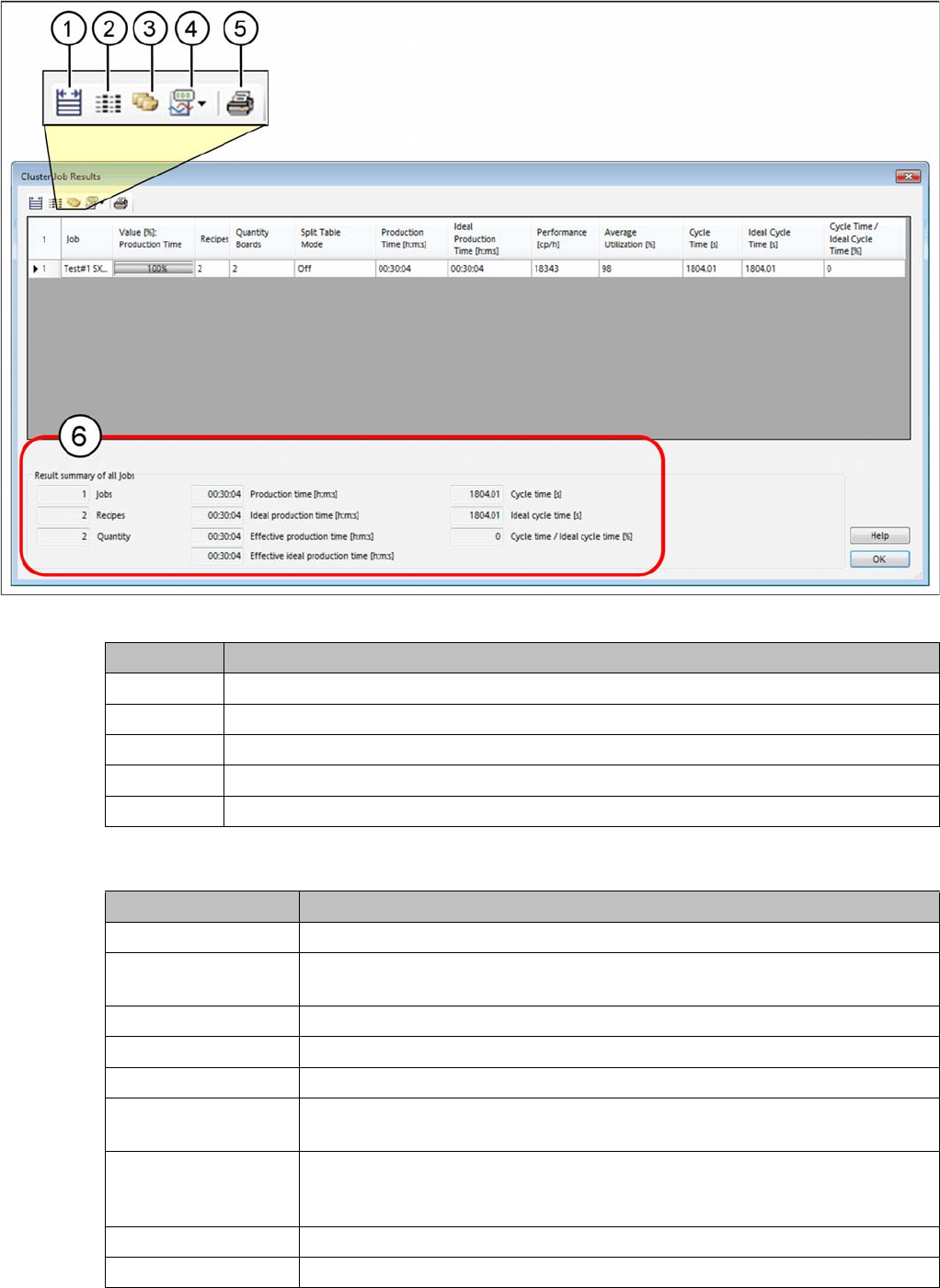
⇨ The Results Cluster Job dialog box will open.
How to Perform Multiline Clustering
5.6.1 Results of the Cluster Job Optimization - Line KPIs Cluster Job Optimization Results
SIPLACE SiCluster Multiline SIPLACE SiCluster Multiline 159
Dialog box: results cluster job
Table:
Icon Description
1 Adjust the width of the column.
2 Configure the columns to be shown.
3 The complete path is shown in the table column Job.
4 Enables the relevant parameters in the second column of the table.
5 Starts a tabular report of the cluster job results.
Parameter Description
Job Shows the name of the job.
Value [%] Production
time
The value shown in % and as a progress bar depends upon the parameters
selected at (4).
Recipes Shows the number of recipes for this cluster job,
Number of Boards Shows the number of boards for all recipes for this cluster job.
Split Table Mode Shows whether split table mode is enabled for the cluster job or not.
Production Time
[h:m:s]
Shows the calculated and overall production time in which this cluster job can
be produced.
Ideal production time
[h:m:s]
Shows the ideal production time in which all recipes of this cluster job could be
produced. The ideal cycle time for each recipe is multiplied by the number of
boards or panels.
Performance [CPH] Shows the placed components for this cluster job per hour.
Average utilization [%] Shows the average utilization of the line for this cluster job.